
The keyboard is a core part of the computer, but it’s also international. Just like how we speak different languages, the keyboard has different layouts. The most standard is the QWERTY English layout, but there are other English layouts and foreign layouts of different languages used in other countries across the world. Here’s our keyboard layout identification guide to help you better understand yours.
QWERTY keyboard layout

The QWERTY keyboard layout is commonly found on computers in the United States. It was first created in the early 1870s by Christopher Latham Sholes, a newspaper editor and printer.
You know you have a QWERTY keyboard if you see the first letters on the top-left corner row ordered as Q, W, E, R, T, and Y. This type of layout is designed to speed up typing, as it evens out the spacing between the hands on the keyboard. Research has also found that more typing strokes are done with this layout and typing is most efficient compared to many other layouts.
Standard keyboard layout

Now that you understand the basic keyboard layout, we need to get into the different keyboard standards and forms for those layouts. The most common (and most standard keyboard layout and form) is ANSI — short for the American Standard. There are also ISO and JIS, which are the European and Japanese standards and forms.
These two foreign layouts are ones that significantly change the way the keyboard looks and feels. However, since we’re an American and English-speaking publication, we’ll focus on ANSI and ISO, as these are the ones found in the United States and Europe.
There are two big differences to note with these layouts. On the ANSI keyboard, the enter key is more of a wide rectangle, but on the ISO keyboard, it’s an upside-down L-shape. Then, with the backslash key, ANSI keyboards have it sitting above the enter key, but it’s to the left of the enter key on ISO keyboards.
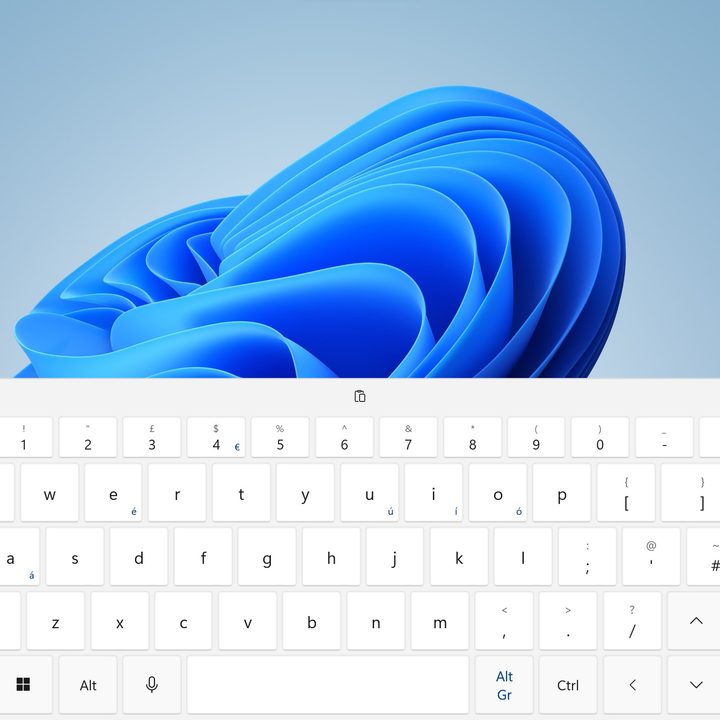
Again, here in America, we use the ANSI keyboard, so the chances of seeing an ISO keyboard are very slim. But the layouts are not at all too different, and you can still type out text as usual, though you might see the £ (pound) and € (euro) currency symbols on ISO keyboards.
U.S. keyboard layout

As we mentioned above, the U.S. uses the QWERTY keyboard layout. There’s not much else to say about it other than what we’ve already added, but you’ll see this layout labeled as “ENG US” on most operating systems like Windows or MacOS. Thanks to advancements in technology, you can actually change keyboard layouts. On Windows, you can head into Language Settings, then choose Language and Region to add more languages and switch the on-screen keyboard layout to another language.
On MacOS, you can head to the Apple Menu and choose System Preferences > Keyboard > Input Sources. Click the Plus button, and then search for the language you want. You can switch between the languages from the Flag in the Menu Bar.
Just keep in mind that on Windows, this change is for the on-screen keyboard. If you need a foreign keyboard layout on your physical laptop or desktop, then you might need to buy one. If you’re in Europe, take care when ordering keyboards from international retailers. Accidentally ordering a QWERTZ keyboard (for German and related languages) can happen. On a similar note, look out also for Dvorak designed keyboards. This layout is the most popular alternative to QWERTY, favors speed and comfort, and is also supported by most operating systems.
If comfort when typing is important to you, take a look at the best ergonomic keyboards.


