

Arguably the most anticipated feature in Windows 8.1 is the return of the Start button, but you’ve only been reading about it. NetworkWorld, however, caught a glimpse of the Start button in action on camera at Computex 2013 in Taiwan, so you no longer have to imagine just how the new feature really works.
For folks who have been hoping that the Start button would bring back some of the capabilities of the classic Start Menu, which is a pop-up menu that lets you launch everything from files to programs in previous generations of the operating system, this video will probably disappoint you.
As you can see in the clip (skip to 1:17 for the Start button bit), the new button looks like the new Windows logo and is located in the same bottom left-hand corner of the screen. It’s really just an on-screen version of the Windows key on your keyboard, which brings you back to the Metrofied home screen when pressed. When the Microsoft rep clicked on the new button, the Metrofied home screen appears on top of the Desktop wallpaper. While this is a visually pleasing transition from one screen to another, it’s not really something to get excited about.
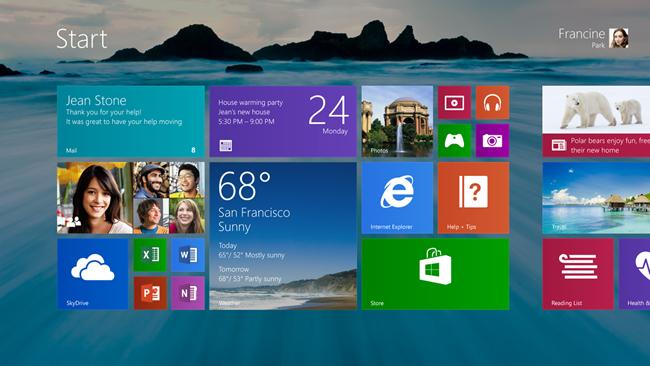
Microsoft was also in a chatty mood about its improved portrait mode now that mini-Windows tablets like the 8-inch Acer W3 is available on the market. Since these tiny slates are powered by the x86 Intel Atom processor, they run full Windows and other legacy software like full Office 2013. In fact, as we reported earlier this week, Microsoft is offering Office Home and Student 2013 for free to new owners of these small Windows devices; the W3 will be preloaded with the $140 software. But the concern is whether these mini-Windows devices just too small to use software that was originally designed for the PC?
Antoine Lebond, Microsoft’s Windows corporate vice president of program management, said on-stage at Computex that the company did a lot of tweaking to Windows 8.1 to make the most of smaller 7- to 8-inch screens. “We did some work at the device interface level around edge detection and things like that to make it easier to have smaller bezels on these devices so that OEMs and folks who build devices like this could build exactly the kinds of devices they want, and Windows 8.1 will be great on them,” he said. (Perhaps the small Windows tablets use some of the “Smart Frame” screen resizing technology that Intel showed off with its North Cape hybrid device at CES back in January?) In addition, his team also created “portrait-specific” Start screen layouts for smaller devices, and made sure that all the preloaded apps will work in both portrait and landscape modes.
That said, Lebond didn’t exactly touch on whether the bundled Office 2013 suite has been optimized for touch control. Frankly, even Windows 8’s Desktop mode is a bit too tiny to use on a 10.8-inch screen, like the Dell XPS 10 we reviewed, so it’s hard to imagine how much zooming in or scrolling it would require to edit an Excel spreadsheet on a mini-Windows tablet.
[Image via NetworkWorld’s YouTube video]


