
The Microsoft Designer app is now available as a public preview after the brand first announced it in October 2022.
The Designer app is Microsoft’s productivity spin on AI art tools such as OpenAI’s DALL-E 2, which also gained popularity last year.
While the text-to-art generator, DALLE-2, uses design learning models to create single images for artistic purposes, Microsoft stated during its initial announcement that its Designer app would primarily be beneficial for helping users create social media posts, invitations, digital postcards, or graphics among other creative projects.
How it is different
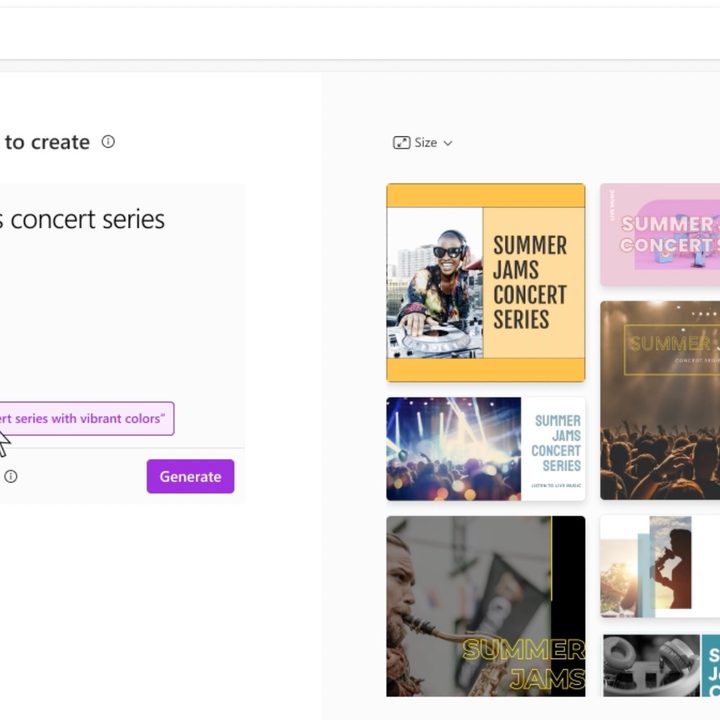
Microsoft’s Designer app will be a free tool that you can utilize as a graphic design assistant, using a combination of your own images and text prompts to create the designs you need. The app is less DALL-E and more Canva or Adobe Express and will soon even be integrated into Microsoft’s AI-supported Edge browser.
Microsoft also plans to add new features to the app, including Fill, Expand Background, Erase, and Replace Background tools, which will benefit from AI augmentation, according to TechRadar.
You’ll be able to use your prompts not only to generate quality images, both still and animated, but also social media captions and hashtags to make the entire experience sharable. Using only AI tools, you might have to go to several generators to create a similar experience otherwise, DALLE-2 to create an image and a ChatGPT at minimum to create accompanying text.
How to use Microsoft Designer
Using Microsoft’s Designer app is as simple as most free AI generators. You can start with its “generate image” option which works like a standard text-to-image generator. You can input a text query and get an AI-created image in return.
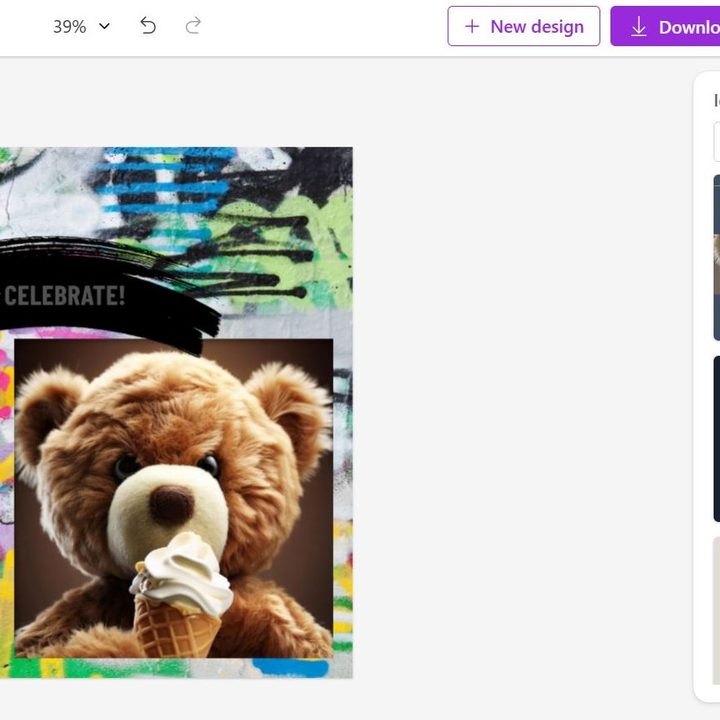
When I did this I inputted the prompt a teddy bear eating ice cream, and the Designer app continued giving me more descriptive words to add to my prompt. I settled on a teddy bear eating ice cream, head-and-shoulders view, high detail, and it generated three options. I picked one and then, proceeded to input that I wanted to create an Instagram post in the Describe what you want to create section.

Then the app generates several design templates with the image included. From there I was able to select the one I liked and proceed to the larger editor. Here I could find all the editing tools in the Designer app.
The other template idea options are still available for selection on the right. I could edit the template I selected. To the left are more editing options I can use to edit the design I chose, such as text, images, and additional templates.
The second option to create in Microsoft’s Designer app is to upload images you already have. On the home page, you can upload your images and then follow the same template selection and description of what you want to create. A tip is to upload at least three images or else it will input an image that has nothing to do with your theme, such as a random person. With this option, I very quickly noticed that some of the templates are animated, with the image overall being still though some aspects within the frame move.
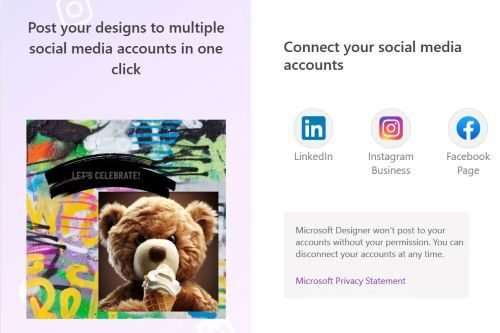
Once you’re finished editing your creation, you can select download to save your image or use the AI for captions & hashtags option to share directly to social media platforms including Instagram, Facebook, and LinkedIn.
Final thoughts
Overall, the AI generation on Microsoft Designer is solid, but the templates are pretty basic. It’s worth dipping into the additional template section. Though simple, they are a lot more aesthetically pleasing than many of the originally generated designs. However, it does add some additional steps to what is intended to be a more streamlined process.
Keeping in mind this is a public preview and not a final product, Microsoft is likely looking for feedback from customers before the app’s general release. There are tweaks still being made and features being added to the service.


