
  1. Home
  2. Computing
  3. News

Microsoft tests File Explorer search optimisation to reduce RAM usage in Windows 11

New Windows 11 Update Targets High RAM Usage During File Searches

Add as a preferred source on Google
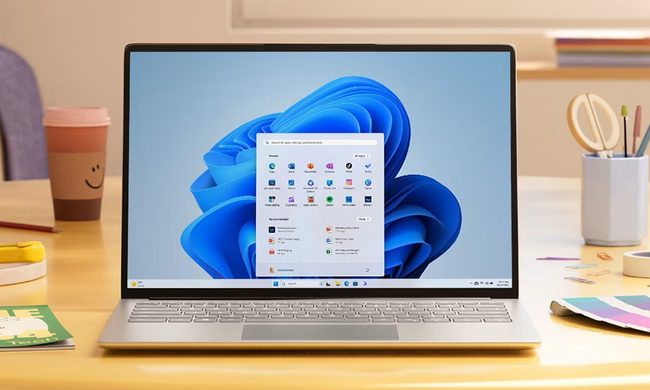
Windows 11 feature with laptop
Windows / Microsoft

Microsoft is working on some low-profile but important tweaks to the Windows 11 File Explorer that could finally curb its hunger for system memory. Currently being tested in the latest Windows Insider builds, these changes aim to optimize how the file manager handles searches – specifically addressing the high RAM and CPU usage that often spikes when you’re digging through large folders.

This update is appearing in Windows 11 Build 26220.7523 and above

For now, it’s only available to those in the Insider preview program. The core of the fix is about working smarter, not harder: Microsoft wants to stop File Explorer from performing the same indexing tasks over and over again, which has been a major drain on system resources for years.

In a recent update, Microsoft noted that it has refined the search process by “eliminating duplicate file indexing operations.” Essentially, this means Windows will stop rescanning the same files multiple times during a search. It’s a common-sense fix that should make the whole experience feel a lot snappier while putting less strain on your hardware.

Recommended Videos

It is worth noting that File Explorer doesn’t actually have its own search engine; it piggybacks off the built-in Windows Search Indexer. While that indexer is supposed to be intelligent, it often gets caught in a loop of redundant tasks, causing your CPU and RAM to spike unnecessarily. By cutting out these “double-checks,” Microsoft is reducing the overall system load, which is great news for anyone running Windows on a laptop with limited memory.

Beyond the technical plumbing, Microsoft is also continuing to tidy up the File Explorer interface

Specifically the right-click context menu. In recent tests, several options that people don’t use every day – like “Copy as path,” “Compress to,” and the image rotation tools – are being tucked away into their own sub-menu.

Depending on which version of the test you see, this new sub-menu is being called either “Manage file” or “Other actions.” The goal is pretty simple: declutter the main menu so the things you actually need aren’t buried under a mountain of specialized tools you only use once a year.

While these updates are still being polished in the Insider channels, they aren’t far off from a general release. Microsoft is expected to start pushing these improvements to everyone around late January or February. If everything goes according to plan, your next Windows update might just make searching for files a whole lot quieter and your desktop a bit less cluttered.

Moinak Pal
Moinak Pal is has been working in the technology sector covering both consumer centric tech and automotive technology for the…
Windows 11 is testing a low-latency mode and it visibly speeds up app launch
Windows 11’s new performance trick lets your CPU go all out for a moment
Windows 11 Laptop

Even on powerful hardware, you have probably noticed that Windows 11 can feel less responsive than it should. Tiny delays in basic actions like opening the Start menu or navigating File Explorer can make the system feel heavier and less polished than rivals like macOS.

Microsoft appears to know this is an issue and may finally be working on a fix. After speeding up right-click menus and Quick Settings, improving File Explorer, and making broader under-the-hood changes, the company is now reportedly testing a new feature called Low Latency Profile to make Windows 11 feel more responsive overall.

Read more
Chuwi’s CoreBook Air wants to be the rare ultra-light Copilot+ laptop without an outrageous price
The CoreBook Air 226V's specs would be impressive from Lenovo or Dell; coming from Chuwi at $800, they're either a genuine breakthrough or a reminder that price isn't the only thing that matters when buying a laptop.
Chuwi new lightweight option.

Chuwi has never been the brand you associate with top-tier hardware: it built its name on budget laptops that punched above their weight at entry-level prices. 

The new CoreBook Air 226V is a deliberate step away from the brand’s comfort zone. It’s a sub-1kg Copilot+ PC built around Intel’s Lunar Lake processors, and at $800, it’s asking buyers to trust it with something that it has never before: a premium Windows laptop. 

Read more
Bots now account for over half of the internet traffic and they’re raising all kinds of hell
Humans are now the minority on the web, thanks to bots
Isometric Ai assistant and bubble speech, 3D illustration

While humans built the internet, actual people aren't the ones roaming the online space the most. A new report from Thales says bots accounted for more than 53% of all web traffic in 2025, up from 51% the previous year. Meanwhile, human activity has fallen by 47%, which means automated traffic has now become the dominant force online. And that's not even the bad news.

How AI is making the bot problem worse

Read more