


When the average person buys a laptop, they can’t expect it to play modern games. That includes some of the best laptops you can buy, whether it’s the Dell XPS 13 or 13-inch MacBook Pro. Plenty of great gaming laptops exist, but not everyone wants to buy a larger 15-inch laptop that lights up in RGB.
But at IFA 2019, that’s changing.
Between Iris Plus graphics from Intel and Nvidia’s new mobile cards, all sorts of 13-inch laptops finally have options for better graphics — and that’s great news.
Integrated graphics can finally handle games
Most laptops don’t ship with a discrete graphics, meaning they use whatever Intel’s onboard part happens to be. That’s really not good. But with Intel’s 10th-gen Ice Lake processors, there’s a new option on offer. Iris Plus integrated graphics.
Ice Lake CPUs with Iris Plus graphics offer some seriously impressive graphical power for systems without a dedicated GPU. Intel has made claims of up to 1.8 times improvement in graphics performance over its last-generation integrated solutions, making 1080p gaming in a variety of esports games possible. The same goes for some action titles and MMOs if you’re willing to lower the settings a little. It might not come standard, but all Ice Lake-powered laptops now at least come with the option.
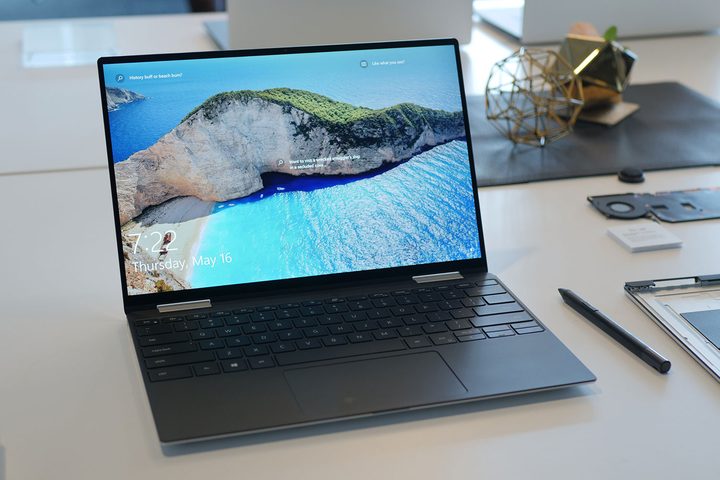
One of the best examples is the Dell XPS 13 2-in-1. It’s a highly-portable, sleek laptop, the kind that you might see at a coffee shop or in a design studio. But thanks to Iris Plus, that means you can actually play some Fortnite or Overwatch on the side.
Unfortunately, the list of Ice lake laptops is fairly small at this point. It’ll continue to grow into 2020, but for now it’s fairly limited. Many new laptops launched at IFA instead use Intel’s Comet Lake processors, which don’t offer the same Iris Plus graphics. But even there, we’re seeing significant strides to bring discrete graphics to those laptops as well.
Discrete graphics options are everywhere
Nvidia’s MX250 isn’t a high-powered gaming chip. But as it’s become more common, it does provide a much-needed graphics bump to 13-inch and 14-inch laptops. Today? It’s everywhere you look.
It’s showing up in the newly upgraded Lenovo IdeaPad S540 which could finally be the competitor to the Dell XPS 13 and MacBook Air that we’ve been waiting for. With the same tiny form, a 2,560 x 1,600 resolution display, and new MX250 graphics, professionals who want to game in their off-hours may have a new darling. The same goes for the ultra-portable Acer Swift 5, which now also comes with an option for the MX250.

The good news for graphics doesn’t stop there.
We’re even seeing the first releases of slim 13-inch laptops that use the more powerful GTX-level discrete graphics. Razer was the first this year to introduce a 13-inch laptop with the GTX 1650 in its new Blade Stealth. That is a much more capable graphics chip than the GTX 1050 Ti which was so popular in the last generation of low-level gaming laptops, offering between 10 and 40 percent higher frame rates in some games. It’s a common chip to see in 15-inch laptops like the XPS 15, but on a thin 13-inch laptop like the Razer Blade Stealth? That’s breaking new ground.
We haven’t done in-depth testing with the new Blade Stealth yet, but from our time with it, it’s clearly the most capable 13-inch gaming laptop we’ve ever used. It likely won’t be the last in its class, which gets us even more excited.
Could we see an XPS 13 with a GTX 1650 in the future? How about a Surface Laptop with an MX250 in it? The floodgates are open, and the day when all laptops have access to reasonably capable graphics might not be too far off.


