1. Home
  2. Computing
  3. Web
  4. News

Speed up Chrome and save bandwidth with Google’s new Data Saver extension

Add as a preferred source on Google

Next time you’re saddled with a data cap or have to suffer through poor Wi-Fi, connecting to the Internet might not be as much of a chore if you browse with Chrome and the proper add-on. Earlier this week, Google quietly released Data Saver (Beta), an extension that routes traffic through the cloud to improve connectivity.

As on Android, Data Saver for Chrome reduces bandwidth usage by compressing the pages you visit. Google servers act as traffic intermediaries, intercepting and optimizing websites before they reach your browser. Similar services are found in many popular mobile browsers, which makes sense; cellular connectivity is hardly consistent, and many smartphone users are stuck on restrictive data plans. Use cases for laptops and PCs are harder to envision, but users with poor connection speeds stand to benefit slightly.

Recommended Videos

Data Saver won’t help in all instances, though. To pacify security concerns, compression automatically disables on pages delivered with SSL (HTTPS) encryption. Incognito traffic is exempted, too.

For everyday browsing, though, Data Saver will work. It’s an easy install from the Chrome Web Store, and toggling requires no more than the click of the squiggly icon in Chrome’s taskbar. Clicking that icon will also reveal the amount of bandwidth you’ve saved with Data Saver enabled, with a more detailed view accessible by typing chrome:net-internals#bandwidth into Chrome’s address bar and hitting Enter.

In my limited tests, Data Saver didn’t seem to make a huge difference in page loading times. To be fair, I’m usually connected to pretty solid Wi-Fi, but your mileage will definitely vary. Data Saver requires Chrome version 41 and up.

Chrome isn’t the first to bring bandwidth-saving cloud processing to computer browsers. Opera introduced Turbo in 2009, promising at the time bandwidth savings up up to 80 percent through text and image size reduction.

Kyle Wiggers
Kyle Wiggers is a writer, Web designer, and podcaster with an acute interest in all things tech. When not reviewing gadgets…
Asus puts the outrageous dual-screen ROG Zephyrus Duo on the shelf at an eye-watering price
The ROG Zephyrus Duo isn't just a gaming laptop with two screens, it's the company’s most serious attempt yet to add more ambition to a "portable workstation" that’s capable of gaming.
Asus dual-screen laptop America.

Asus has decided that one screen isn’t simply enough on a laptop. The ROG Zephyrus Duo has returned to the market with two screens, with pre-orders now live for what the company is calling the world’s first 16-inch dual-screen gaming laptop.

Starting at $4,499.99 and going up to $5,499.99 for the top configuration, this is undoubtedly a machine that is built for people measuring their laptops with ambition, either for innovation or the desire to game on a dual-screen laptop. 

Read more
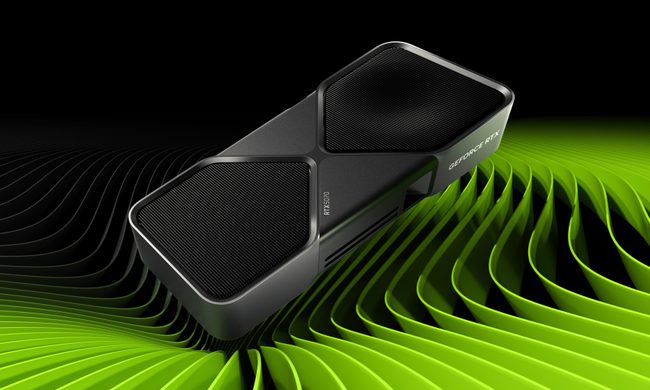
Nvidia quietly released a new version of GeForce RTX 5070 GPU inside a driver blog post
And more VRAM doesn't always mean more performance, and the pricing could make the RTX 5070 Ti a better value depending on final configurations.
The RTX 5070 in a graphic.

Nvidia just announced a new GPU variant in the weirdest way possible: buried it in a game driver update blog post. 

Alongside the release of its Game Ready 596.36 WHQL driver, the company also confirmed the launch of a 12GB GDDR7 configuration of the GeForce RTX 5070 laptop GPU. 

Read more
Dell 34 Plus USB-C monitor review: An ultrawide beauty with surprises you’ll love
Dell's curved monitor blends practical minimalism with a few neat perks of its own.
Dell 34 Plus USB-C Monitor - S3425DW

Quick Take

I’ve grown deeply suspicious of any monitor that calls itself a “productivity display.” They're not bad, per se. The real reason is that most of them are boring, and sluggish at adopting modern standards. Chunky black bezels, boring grey-on-grey corporate look that screams “I belong in a 2014 cubicle,” and a dull desk presence. I’ve never wanted any of them sitting on my workstation. So when I unboxed the Dell 34 Plus USB-C monitor (SKU is S3425DW), I was bracing for the usual disappointment. It was in for a surprise.

Read more