1. Home
  2. Computing
  3. Emerging Tech
  4. Web
  5. News

New Chrome extension from Google yells at nearby computers to transfer data

Add as a preferred source on Google

Shooting data over sound waves is nothing novel — it’s one way particularly nasty strands of malware spread among air-gapped computers and how Chromecast communicates with devices on separate Wi-Fi networks — but Google’s experimental new extension for Chrome uses the medium to send an entirely different kind of information: webpage addresses.

Google Chrome Tone, as it’s called, translates URLs into audible signals, working like a telephone to send data quite literally over the air. It encodes markers in a series of beeps — a process known as “dual-tone multi-frequency signaling” — that nearby computers with Tone installed can understand. Messages sent by clicking the Tone button in the Chrome extension toolbar trigger an actionable notification on recipient computers with your Google profile, picture, and the shared URL.

Recommended Videos

Tone, of course, is more of a pairing mechanism than means of data transfer — the reasons sound isn’t great for sending data are many, but one is its incredible susceptibility to interference (as anyone who’s attended a monster truck rally can tell you). Instead, Tone and similar sound-sending apps upload the data to be sent to servers and use the tones as digital signposts to the data’s location. That means Tone will never work without an Internet connection, of course, but does open the door to far more than URLs in the future — nothing technical is stopping Google from expanding Tone to photo or file transfer.

So what’s the advantage over e-mail, exactly? Installation requirement aside, it’s a platform-agnostic way to synchronize sending — every computer in range (even over video messaging like Skype and Hangouts) receives the same data at theoretically the same time, although travel time is impacted to a degree by barriers and noise level. “Not every nearby machine will always receive every broadcast, just like not everyone will always hear every word someone says,” explained Google Research’s Alex Kauffman and Boris Smus in a blog post.

Then again, considering troubleshooting is a simple as turning up the volume, Tone still has appeal. Kauffman and Smus write it’s best suited for “small teams, students in classrooms, and families with multiple computers.”

You can give Tone a go yourself by installing the extension from the Chrome Web Store.

Kyle Wiggers
Kyle Wiggers is a writer, Web designer, and podcaster with an acute interest in all things tech. When not reviewing gadgets…
Asus puts the outrageous dual-screen ROG Zephyrus Duo on the shelf at an eye-watering price
The ROG Zephyrus Duo isn't just a gaming laptop with two screens, it's the company’s most serious attempt yet to add more ambition to a "portable workstation" that’s capable of gaming.
Asus dual-screen laptop America.

Asus has decided that one screen isn’t simply enough on a laptop. The ROG Zephyrus Duo has returned to the market with two screens, with pre-orders now live for what the company is calling the world’s first 16-inch dual-screen gaming laptop.

Starting at $4,499.99 and going up to $5,499.99 for the top configuration, this is undoubtedly a machine that is built for people measuring their laptops with ambition, either for innovation or the desire to game on a dual-screen laptop. 

Read more
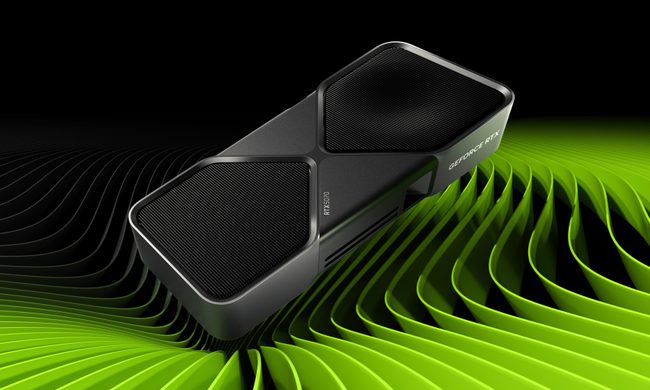
Nvidia quietly released a new version of GeForce RTX 5070 GPU inside a driver blog post
And more VRAM doesn't always mean more performance, and the pricing could make the RTX 5070 Ti a better value depending on final configurations.
The RTX 5070 in a graphic.

Nvidia just announced a new GPU variant in the weirdest way possible: buried it in a game driver update blog post. 

Alongside the release of its Game Ready 596.36 WHQL driver, the company also confirmed the launch of a 12GB GDDR7 configuration of the GeForce RTX 5070 laptop GPU. 

Read more
Dell 34 Plus USB-C monitor review: An ultrawide beauty with surprises you’ll love
Dell's curved monitor blends practical minimalism with a few neat perks of its own.
Dell 34 Plus USB-C Monitor - S3425DW

Quick Take

I’ve grown deeply suspicious of any monitor that calls itself a “productivity display.” They're not bad, per se. The real reason is that most of them are boring, and sluggish at adopting modern standards. Chunky black bezels, boring grey-on-grey corporate look that screams “I belong in a 2014 cubicle,” and a dull desk presence. I’ve never wanted any of them sitting on my workstation. So when I unboxed the Dell 34 Plus USB-C monitor (SKU is S3425DW), I was bracing for the usual disappointment. It was in for a surprise.

Read more