
Have you seen new features coming to Google’s free apps for Google Workspace users? Or maybe you’ve seen the term “Google Workspace” while browsing the web. What is Google Workspace? Who can use it? What’s included? We’re here to reveal all.
Here’s everything you need to know about Google Workspace.
What is Google Workspace?
Once known as G Suite, and before that, Gmail for Your Domain, the service is now called Google Workspace. This is a Google-owned service that provides productivity applications, collaboration tools, and cloud storage in one package for your large or small business.
What’s included in Google Workspace?
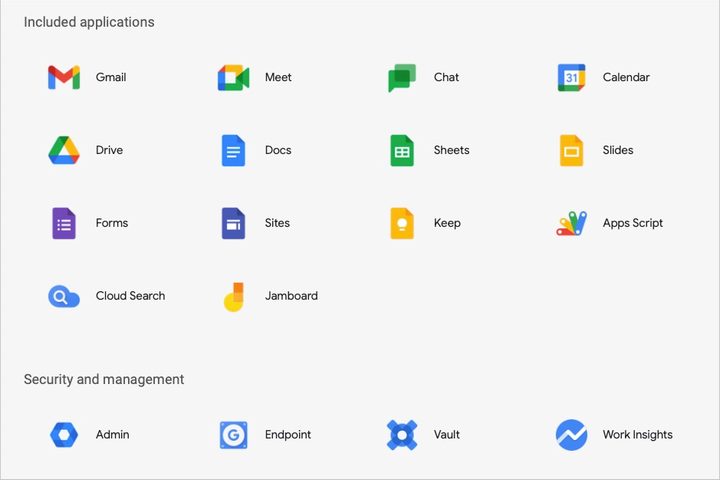
Google Workspace includes applications to help you and your team work together easily. There are currently 14 applications: Gmail, Calendar, Meet, Drive, Chat, Docs, Sheets, Slides, Sites, Forms, Keep, Jamboard, Apps Script, and Cloud Search.
You can also use the security and management tools Admin, Endpoint, Vault, and Work Insights.
How is Google Workspace different than Google’s free apps?
As you’ll see below, the Workspace plans include additional features that you won’t find with Google’s free apps. You can also set up custom, secure email with your company’s domain with 99.9% guaranteed uptime.
Additionally, you have access to business-level application features, 24/7 support via phone or email, extra storage, Microsoft Outlook integration, two-step authentication, and single sign-on (SSO).
How much does Google Workspace cost?
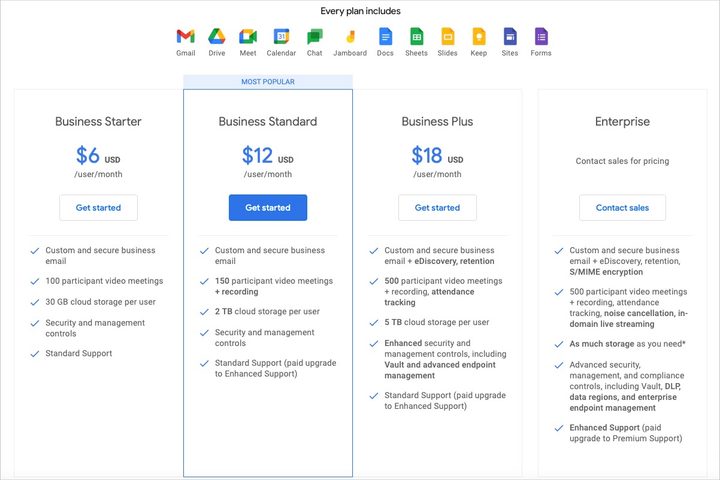
You can choose from one of four Google Workspace plans depending on your company’s size, needs, and budget. Each plan comes with a 14-day free trial to see if it fits your team.
Here’s a summary of the costs and features for each plan:
- Business Starter ($6 per user per month): Custom email, video meetings for 100 participants, 30GB of cloud storage per user, and standard support.
- Business Standard ($12 per user per month): Custom email, video meetings for 150 participants with recordings, 2TB of cloud storage per user, and standard support with an optional upgrade.
- Business Plus ($18 per user per month): Custom email with retention, video meetings for 500 participants with recordings and attendance tracking, 5TB of cloud storage per user, standard support with an optional upgrade, and advanced security and management tools.
- Enterprise (contact for pricing): Custom email with retention and encryption, video meetings for 500 participants with recording, attendance tracking, noise cancellation, requested cloud storage per user, enhanced support, and advanced security and management tools.
The Business plans are suitable for companies with 300 or fewer employees, while the Enterprise plan is intended for larger businesses.
How do you sign up for Google Workspace?
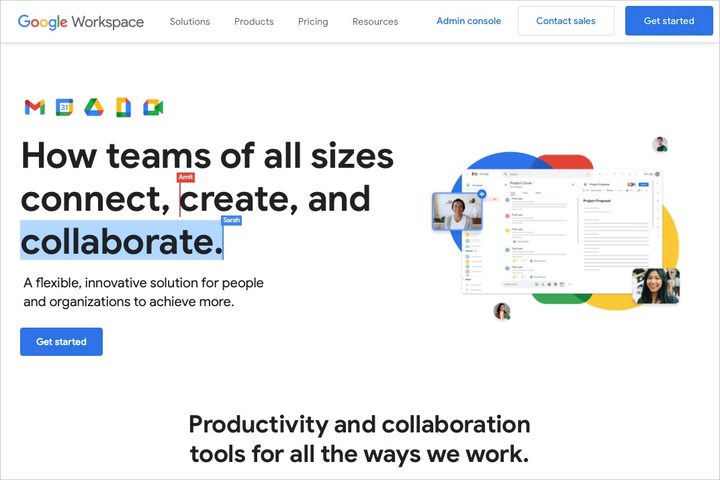
If you’re ready to start your free 14-day trial for a Business plan, visit the Google Workspace website and select Get started. Alternatively, you can choose Get started below the Business plan you pick above. You’ll then provide details about you and your business to begin.
For an Enterprise plan, choose Contact sales on the Google Workspace website or below the Enterprise plan for pricing, storage, and more.
Google Workspace for Education
Along with businesses, Google offers its Workspace suite to educators. You can enjoy collaboration and learning tools along with privacy features and controls. Separate from Google Workspace, take a look at Google Workspace for Education plans, pricing, and features.
If you’re looking for an affordable productivity suite for your business with collaboration tools and cloud storage, consider Google Workspace.
Try Now


