
Advanced Voice Mode is a feature in ChatGPT that enables users to hold real-time, humanlike conversations with the AI chatbot without the need for a text-based prompt window or back-and-forth audio. It was released in July 2024 to select Plus subscribers.
According to the company, the feature “offers more natural, real-time conversations, allows you to interrupt at any time, and senses and responds to your emotions.” It can even take breath breaks and simulate human laughter during conversation. The best part is that access is coming soon, if you don’t have it already.
When will I get Advanced Mode?
Initially, OpenAI released its highly anticipated Advanced Voice feature to a select few of its ChatGPT-Plus subscribers. The company eventually rolled it out to all Plus subscribers by fall 2024, notifying subscribers by email and a notification in the ChatGPT app. While this is a ChatGPT-Plus feature, you can get a sneak peak via the app if you’ve never tried it before.
What do I need to run Advanced Voice Mode on my phone?
In addition to a Plus subscription, users will need an Android handset running app version 1.2024.206 or later, or an iPhone using iOS 16.4 or later and app version 1.2024.206 or later. Unfortunately, just having the right equipment isn’t enough to guarantee you a spot in the alpha release phase. What’s more, OpenAI has not released any details as to how or why it chooses the users it does.
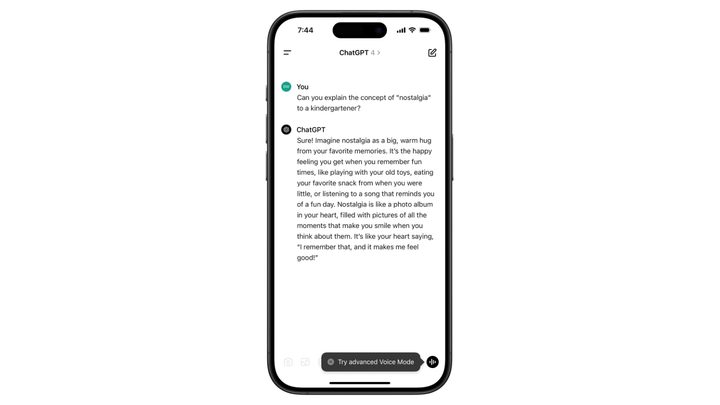
If you do win the alpha release lottery and are selected, OpenAI will send you an email about it. You’ll also see a tooltip in the bottom-right corner of the ChatGPT mobile app that allows you to select the new feature.
Is OpenAI going to use my conversations to train its model?
Of course. Throughout the alpha release phase, OpenAI plans to leverage audio from conversations with advanced Voice Mode to train its models, assuming you haven’t yet turned off the app’s data-sharing option.
Opting out of ChatGPT data sharing is actually quite simple. On your mobile app, go to the Data Controls tab in your Settings menu and deselect Improve voice for everyone.
How often and how much can I use Advanced Voice Mode?
According to OpenAI, both the inputs and outputs for Advanced Voice come with daily usage limits, however, there’s no specifics on exactly how long those are and “precise limits are subject to change.” That said, user Himels Tech has already posted a video of themselves conversing with the AI for the better part of 10 minutes.
The AI will prompt users when they have 3 minutes of chatting left, before ending the conversation and sending the user back to the standard voice interface.
What can I, and can’t I, do with Advanced Voice Mode?
Khan!!!!!! pic.twitter.com/xQ8NdEojSX
— Ethan Sutin (@EthanSutin) July 30, 2024
Advanced Voice Mode is, at its core, simply a new way to interact with the same GPT-4o large language model that people already use for their text-based queries. So, in short, most anything you can do with ChatGPT, you can do with Advanced Voice, but with funny voices. From beatboxing to storytelling to counting really, really fast, the new feature has really been put through its paces, and reaction to Advanced Voice Mode has been positive.
There are safety guardrails and feature limits to what users can ask of the new mode, however. For one, users can’t use Advanced Voice to make new memories, nor can they use custom instructions or access GPTs using it. And while the AI will remember previous Advanced Voice conversations and be able to recall details of those talks, it cannot yet access previous chats conducted through the text prompt or the standard voice mode.
What’s more, Advanced Voice will not sing, no matter how you ask. Per the company: “to respect creators’ rights, we’ve put in place several mitigations, including new filters, to prevent advanced Voice Mode from responding with musical content including singing.”
Advanced Voice Mode is a great new feature, but how does ChatGPT compare with Google Gemini? Check our comparison to find out.


