
The Vision Pro headset is poised to be one of the most significant products Apple has introduced in years, and it has the potential to launch a new era of success for the company. But at the same time, there’s a risk that it could end up cannibalizing the Mac line by giving plenty of people something that could replace their computer altogether.
That means Apple has got to be very careful with how it handles the Vision Pro. It no doubt wants as many people to buy it as possible, but it wants that to happen without having to sacrifice sales of its other devices. How on earth is it going to do that?
The Mac killer?
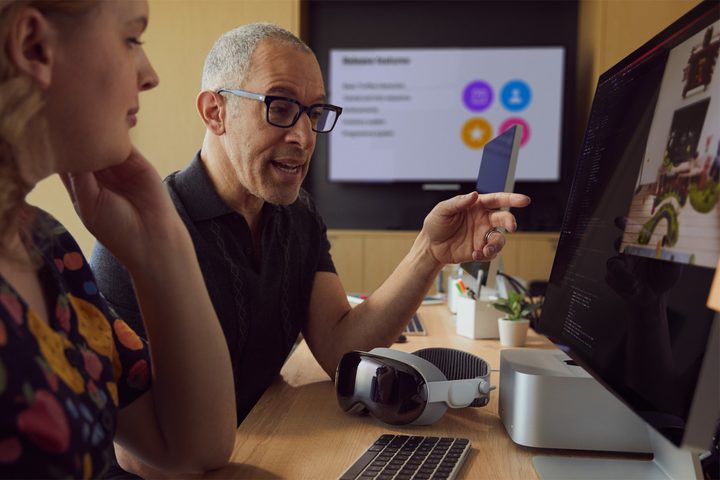
Right from the word go, Apple has been busy hyping the Vision Pro’s capabilities. The company calls it a “spatial computer,” suggesting we need to completely reimagine what a computer is in the first place. The product’s sky-high $3,500 price tag and abundance of high-end materials and technologies give it an undeniably premium feel, far beyond what we’ve seen from even the best VR headsets.
At the same time, Apple has claimed that the Vision Pro will be able to do a host of tasks you’d normally perform with a laptop or desktop computer, from gaming and video calling to writing documents and browsing photos.
To be clear, Apple didn’t explicitly put the Vision Pro and the Mac head-to-head during its reveal event, nor has it ever said you can go ahead and ditch your Mac. But the comparison is obvious if you look at what both products can do. And that’s obviously what Meta is trying to do with the Quest Pro.
The risk, then, is of users asking why they need to bother with a Mac. If the Vision Pro can do 99% of what a Mac can, why not just get the headset? Of course, things are a little more complicated than that.
The ‘buy them all’ ecosystem
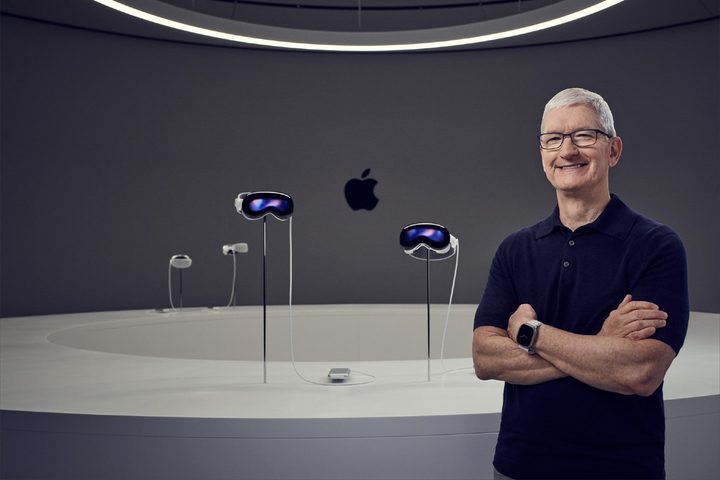
Apple is an ecosystem company, and that means all of the devices it makes fit perfectly together. Like every other business, Apple wants you to buy as many of its products as you can, but the way Apple has crafted its ecosystem makes that a much more tempting prospect than it is with many of its rivals, since everything clicks together seamlessly.
If the Vision Pro lives up to its promises, it might blur the boundaries of those products. Sure, it’s expensive, but you can pump the latest MacBook Pro so full of extras that it costs a whopping $7,199 — double the price of the Vision Pro. If you’re prepared to spend that much — and if the Vision Pro does everything the MacBook does and more — getting a headset instead isn’t such a leap.
Yet, despite the similar abilities, it seems to me that Apple is trying very hard to make sure you don’t forsake the Mac for a Vision Pro, or vice versa. To me, the term “spatial computer” implies something separate from a regular computer, and Apple has explained the ways you can use the two products together. In reality, they can do many of the same things, of course, but Apple doesn’t want you to ditch one for the other just because of that inconvenient fact. It wants you to see them as complementary.
Remember when Apple said the iPad can replace a PC? The company hasn’t done that with the Vision Pro, and I think that’s simply because it wants you to buy a Vision Pro and a Mac. And right now, there are some very strong reasons why you might not want to ditch your Mac for a headset anyway.
Deliberate positioning

As things stand, the Vision Pro can only really replace a Mac in theory, and even then, only in certain limited scenarios. If you want to watch movies, work with multiple displays, or conduct video calls, then it might make sense on the surface. But would you pay $3,500 just to do that? A cheap MacBook would be just as capable.
And what about if you render videos? Or play the best Mac games with a mouse and keyboard? Or work with data-heavy mathematical models? In those cases (and many more), chances are you’re going to need a Mac.
Apple has also decided to launch its high-end, high-price headset first while keeping the rumored cheaper model back for another time. That could be a very deliberate ploy to ensure the Vision Pro doesn’t impact Mac sales too heavily by establishing it as a premium device way above what most Macs cost. After all, you can buy a Mac mini for $599 — you can’t say that about the Vision Pro. When the cheaper headset launches, though, that differentiation could be much harder to enforce.
I’ve got no doubt that the Vision Pro is going to be an incredible device, and maybe it could replace a Mac for for some people. But if Apple is going to turn it into the company’s next big thing, it’ll have to convince a lot of people that it’s not only better than their existing tech, but can replace it entirely. Based on what we’ve seen so far, that’s unlikely to happen until the cheaper Vision Pro sees the light of day.


