
Microsoft’s BUILD conference, which was held earlier this month, was expected to contain some hint of what Windows 9 might offer. Instead the company briefly talked about Windows 8.1 Update 1. And that’s about it.
That means Microsoft probably isn’t done with Windows 8 just yet — and you can expect another incremental update later this year, likely to be called Windows 8.1 Update 2. Here’s what we’re hoping to see.
Better built-in security
In 2009, Microsoft introduced Security Essentials, an in-house anti-virus for Windows 7, Vista and XP. Early tests showed it to be nearly on par with the best paid anti-virus apps, but praise dwindled as MSE’s effectiveness slowly slid into the abyss. The software, called Windows Defender in 8 and 8.1, is now the least-effective anti-virus by a wide margin.

Security remains a major issue for Windows which, though it’s far better off than it was a decade ago, is still the target of choice for malware. Microsoft’s introduction of a basic anti-virus app was a great idea, but the app’s ineffectiveness is a huge problem. Millions of users “protected” by Windows Defender have no idea that it misses up to a third of the zero-day threats thrown at it, or that it’s several times less capable than free third-party security software from Avira, Avast and others.
Microsoft has largely ignored the issue, but the genie can’t be put back in the bottle. Windows Defender exists, so it must be updated and improved on a regular basis. Abandonment is not an option either, as it would simply open the floodgates for fakes.
Make Windows Update make sense
Our wait for Windows 8.1 Update 1 forced us to face down a common but under-reported problem in Microsoft’s latest operating system: Windows Update no longer makes sense.
The problem is that, like so many other elements of Windows 8, the Update service has been divided into Metro-fied and desktop components. They both do the same thing, but they look different and are accessed differently.

Plus, Windows Update’s two halves don’t always seem to communicate. We’ve encountered situations where an update was shown in the desktop interface, but not Metro, and vice-versa. The desktop version of Update also provides extra information that’s not available in its Metro twin. Why? We doubt anyone knows – which is why it needs to be fixed.
Better multi-monitor management
Multi-monitor users have received some attention from Microsoft over the years, but there are still some nagging issues introduced by Windows 8 that remain unresolved. Most of them are caused by the Metro interface.
The worst offender is the Charms bar, which always opens when a cursor is placed in the upper right hand corner of a display. This makes accidental activation common on multi-monitor rigs. We’d like to see the Charms bar, and all the functions it provides access to, available on the right or left side of a display, depending on user preference. We’d also like the option to turn it off entirely on specific displays, as it can become a pain when using three or more monitors.
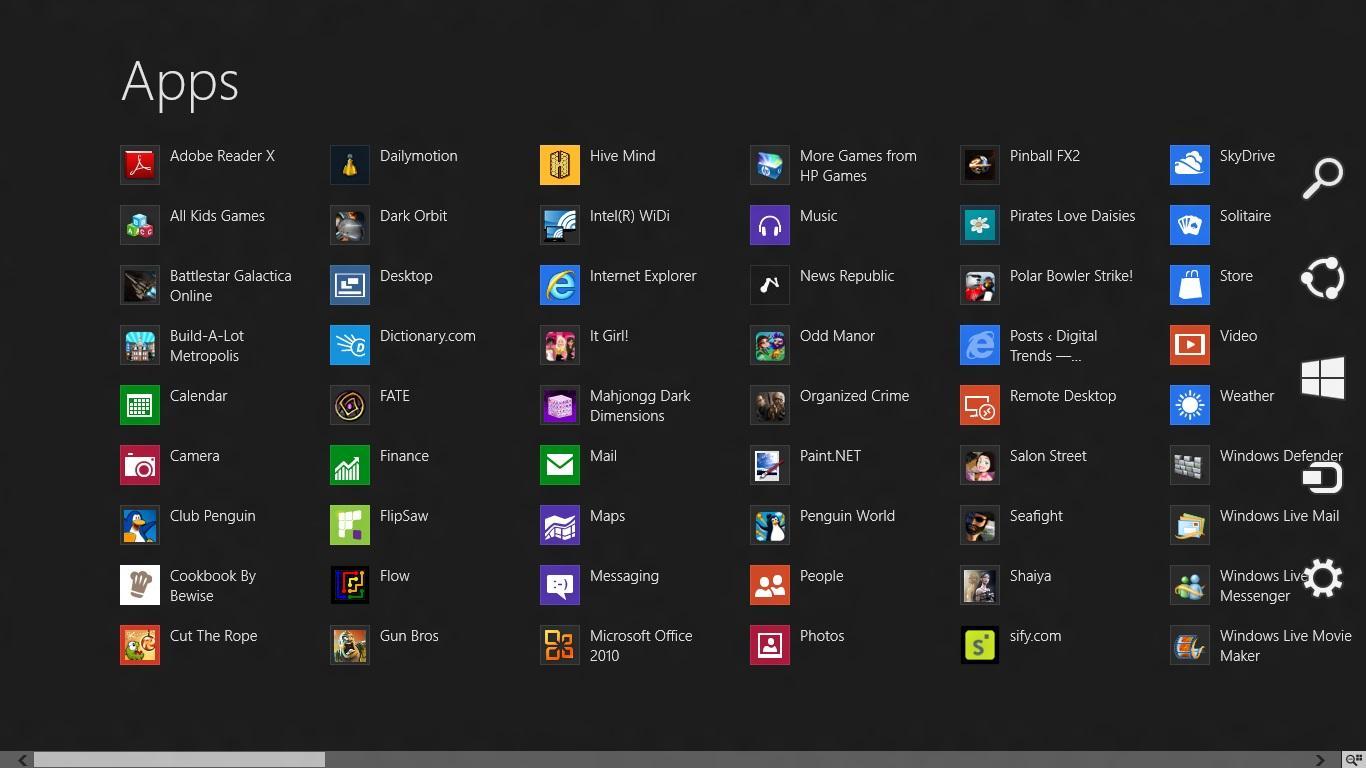
We also dislike how Metro apps are handled on the desktop when using multiple monitors. Unlike desktop apps, which can remember their last location and re-open there, Metro apps always appear on the primary display. Users who want them on a secondary display must manually move them every time they’re opened. This is a shame, because Metro apps are a great candidate for use on a second display; at-a-glance access to bold, high-contrast sources of weather, news and sports can be very convenient.
There are also a variety of bugs and inconveniences. Moving a Metro app from one display to another automatically brings up the Metro multi-tasking UI, obscuring whatever was on the display. The Windows taskbar sometimes scales incorrectly across displays with varying resolutions, requiring manual re-adjustment. Plus, some users have reported a bug that makes the mouse cursor “stick” when it crosses from one display to the next.
Improved mouse wheel functionality
One of the strangest things about Windows 8 is the way a mouse wheel works in the Start Screen and Metro apps that scroll. You’d think that scrolling would result in vertical movement, as is typical – but it doesn’t. Instead, the app scrolls horizontally. Confusing? You bet.
We’re not sure how Microsoft is going to handle this, as it’s a great example of the compromise that lurks in the heart of Windows 8. The horizontal scrolling occurs because it makes sense on touchscreen devices, but it doesn’t make a lick of sense when using a mouse.
Social network integration
Social networks have become incredibly popular, leading some companies to integrate them right into their operating systems. Mac OS X, for example, can integrate Twitter, Facebook and LinkedIn. This is useful because it mostly negates the need to run third-party social network apps, or keep each site open in the background.

Windows, however, seems unwilling to embrace social networks in this way. Windows 8 offered integration with Facebook and Flickr via the Photos app, but that feature was removed in Windows 8.1. The only integration feature remaining can be found in the People app, which can import contacts from Facebook and Twitter.
That’s not the kind of integration we’re talking about, though. We’d like easier sharing, we’d like the Photos app to be connected with all our social networking platforms, and we’d like to see social notifications handled on the operating-system level. These seem like obvious additions, yet Microsoft continues to rely on third-party developers, a strategy that has yet to pay off.
Conclusion
Microsoft is headed in the right direction with its updates for Windows 8, but the company isn’t moving quickly enough. Windows 8.1 Update 2, if it exists, needs to come out soon. A release in the third quarter of this year would be nice. We’d like to say we’re hopeful that such a release is possible but, given Windows’ history, we’ll just have to wait and see.
Image Credit: Wikimedia



