  1. Home
  2. Computing
  3. News

Windows makes classics like WordPad, Fax and Scan, Character Map and XPS Viewer available for Insiders

Add as a preferred source on Google

With its introduction of the Desktop App Converter tool last March, Microsoft let developers convert their Win32 and .Net apps to modern desktop apps. And just yesterday, the software giant launched Project Centennial, bringing a series of classic programs to the Windows store through the tool.

As of Friday, WordPad, Windows Fax and Scan, XPS Viewer, and the Microsoft Character Map became available in the Windows Store. While they’re now available for download, only Windows Insiders running the latest version of Windows 10 — as well as the latest version of the Windows Store — will be able to download the apps.

Recommended Videos

You won’t find any new features in the apps, which run just like their Win32 counterparts. Expect to see other classic Windows apps come to the Store in the near future, but availability to the public won’t come until the Anniversary Update is available in July.

If you’re looking for a refresher on the apps’ features, WordPad is a basic word-processing program, with simple formatting options including italic, bold and underline. Character Map will let you view all available characters in the font you’re using, which is particularly useful if you’re looking for special characters in other languages. Windows Fax and Scan does pretty much what it says, letting you scan documents or photos, and send the fax through your computer. XPS Viewer provides advanced options for viewing XPS documents, including search, permissions, digital signatures and more.

The newly added series of apps were initially discovered by noted Microsoft followed WalkingCat (@h0x0d) in May, before they were actually available for download to Insiders through the Store.

lol, so MS will Centennial all the accessories ? WordPad https://t.co/Zj2nL5sVC1 CharMap https://t.co/D6TAyMUnlE etc pic.twitter.com/9omoyUOAb9

— WalkingCat (@h0x0d) May 2, 2016

While these and most Win32 apps have far superior (and free) alternatives, users could see some value if the apps became available to Windows 10 phones, especially if they came with added accessibility controls for touchscreen devices. And while alternative apps of course exist on mobile, WordPad, Fax and Scan, XPS Viewer, and Character Map could provide a more lightweight option for users with mid- to low-range Windows devices.

Harrison Kaminsky
Harrison’s obsession in the tech space originated in his father’s electronics store in Denville, New Jersey, where he…
ChatGPT is recommending scam websites that will steal your credit card info
The chatbot is surfacing fraudulent clones of defunct retail brands, and scammers are deliberately engineering sites to game its recommendations.
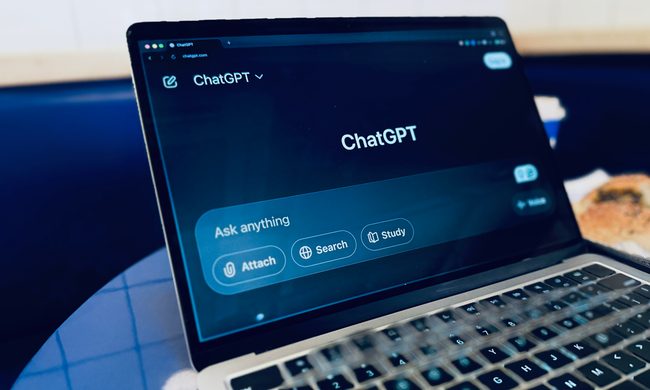
ChatGPT running on a laptop.

Scammers have found a new way to reach shoppers: getting ChatGPT to do their marketing for them. According to The Guardian, scam-checking service Ask Silver found that OpenAI's chatbot is recommending fraudulent retail websites built to harvest payment details from unsuspecting buyers. The sites mimic real storefronts and use official-looking URLs, making them difficult to spot without scrutiny.

Defunct brands are a prime target

Read more
McDonald’s new AI drive-thru has to prove it can handle hungry people
After its earlier ordering bot became a punchline, McDonald’s is testing a new system that promises fewer human handoffs.
Architecture, Building, Hotel

McDonald’s is bringing AI back to the drive-thru with a new Google-backed system called ArchIQ, also known as Archy. It’s starting in five locations under the company’s broader “> NEXT” technology push, with a franchisee claiming the system has already handled more than 1 million orders.

The bigger number is the one McDonald’s needs people to trust. About 90% of those orders reportedly needed no human intervention. That sounds promising, but this is not a clean reset. Its earlier IBM-backed AI drive-thru experiment ended after viral mistakes turned automated ordering into a public punchline.

Read more
Logitech’s Mobi Fold is a pocketable folding mouse for folks who despise trackpads
Logitech’s Mobi Fold looks like a tiny productivity taco
Logitech Mobi Fold

Laptop trackpads are fine until you get really busy. Editing a spreadsheet in an airport lounge, juggling tabs in a café, or trying to do proper work on a tiny hotel desk can make you miss the convenience of a mouse. Logitech has the answer to this with the new Mobi Fold, its first ultra-portable foldable mouse.

While a small portable mouse is something people carry, many choose to skip the added bulk, simply choosing to bite the bullet with the trackpad. But the Logitech Mobi Fold can simply fold flat, and can later be unfolded when you need to work. This makes it pretty convenient to carry. Logitech even made the mouse to automatically power on when opened and turn off when folded.

Read more