


If you want peak audio quality for gaming, you need one of the best headsets for PC gaming. We've reviewed dozens of headsets from brands like SteelSeries, Logitech, and HyperX, but only a few make the cut.
We're going to run you through the best headsets we've reviewed for PC gaming. Our frontrunner at the moment is the SteelSeries Arctis Nova Pro due to its world-class quality and exceptional list of features, but we have plenty of other options, as well. For this roundup, we're focused on PC gaming, but make sure to check out our console-excusive roundups, including the best PS5 headsets, best Xbox Series X headsets, and best Nintendo Switch headsets.


The best headset for PC gaming
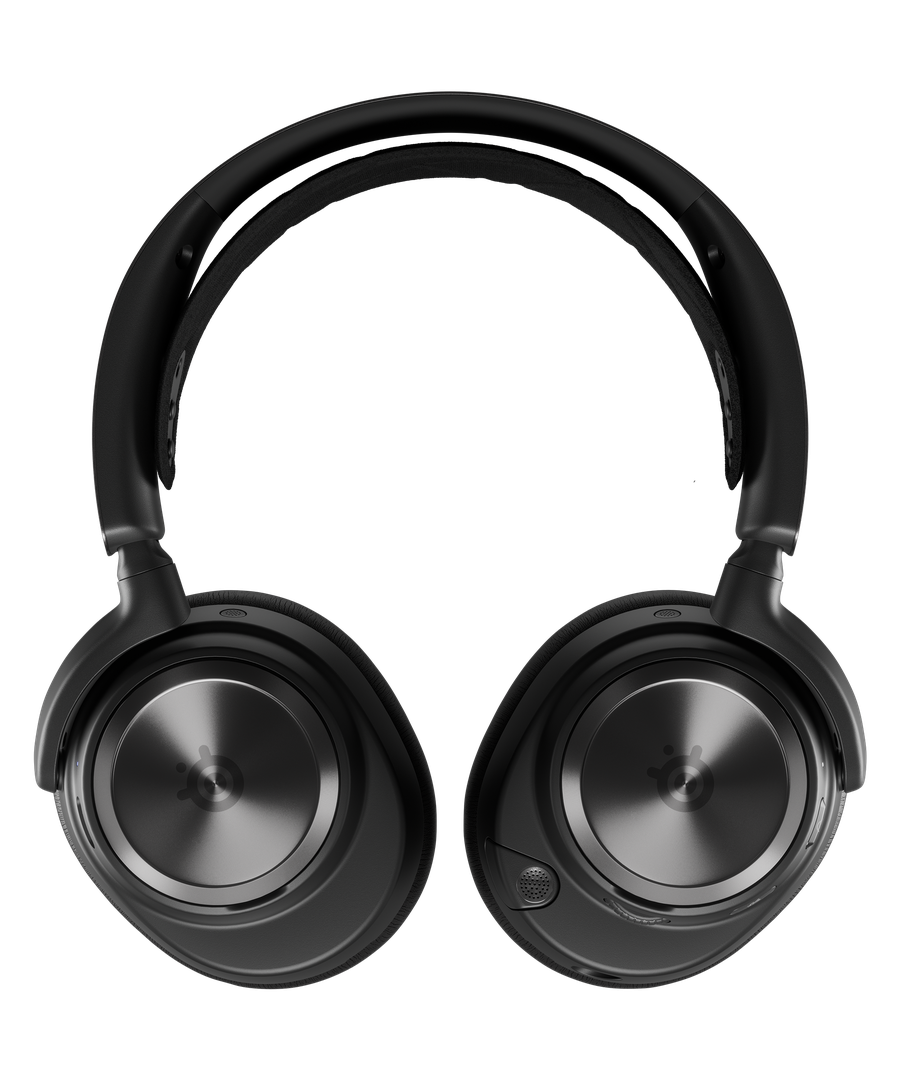
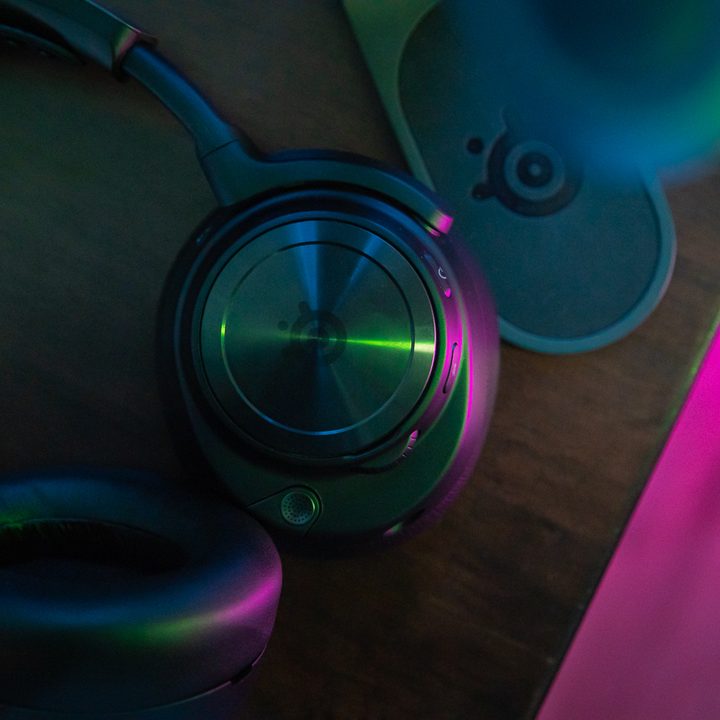
SteelSeries Arctis Nova Pro Wireless
- Top-tier audio quality
- Expansive Sonar software
- High-quality ANC
- Comfortable fit with multiple adjustment points
- Fully retractable microphone
- Dual USB inputs
- GameDAC doesn't fully integrate with Sonar
- Microphone is prone to pick up noise
- Spatial audio can have nasty interactions with EQ
Why you should buy it: It's by far the best PC gaming headset you can buy, even considering its massive price tag.
Who it's for: Premium PC gamers who don't want to compromise.
Why we chose the Steelseries Arctis Nova Pro Wireless:
There isn't another gaming headset as good as the SteelSeries Arctis Nova Pro -- and it's not even close. Great audio quality meets hours-long comfort meets a premium set of features with the Arctis Nova Pro, making it the only option for PC gamers who want a headset that doesn't force you to compromise.
SteelSeries already excels in comfort and audio quality with its PC gaming headsets, but the Arctis Nova Pro goes further. The sound is bolstered by an external DAC that serves as a hub for your settings, including an EQ, noise cancellation options, and input adjustments. It pulls double duty as a charger for one of the two batteries included with the headset, so you never have to plug it to charge.
The multiple inputs make a huge difference. SteelSeries gives you two USB-C ports on the back of the reciever, and you can swap between them with the touch of a button. In addition, the receiver comes with a 3.5mm line out, so you can hook up external speakers that will automatically kick in when you power down the headset.
In addition to the 2.4GHz connection through the receiver, you can also connect the headset with Bluetooth simultaneously, and both support active noise cancellation (ANC). The density of features alone would make the Arctis Nova Pro stand out, but they're all backed up by some of the best sound and comfort you can find in a gaming headset.

The best wireless headset for PC gaming
HyperX Cloud Alpha Wireless
- Incredible sound quality
- 300 hours of battery life
- All-day comfort
- Rigid design
- DTS:X spatial audio support
- No Bluetooth
- A little expensive
Why you should buy it: The HyperX Cloud Alpha Wireless sounds great, is very comfortable, and it can last up to 300 hours.
Who it's for: PC gamers who want a wireless headset that will last ages.
Why we chose the HyperX Cloud Alpha Wireless:
The Arctis Nova Pro is the best headset for PC gaming, but there are other options if you don't need all the extra features. The HyperX Cloud Alpha Wireless nails the comfort and audio quality while ditching extras like ANC, making this headset significantly cheaper.
It's still not a cheap headset, coming in at $170, but HyperX makes every penny feel worth it. Sound quality is excellent, bolstered by support for DTS Headphone:X spatial audio, and the fit is second to none thanks to HyperX's cushy earcups. What stands out most is the battery life, however.
HyperX claims 300 hours of battery life, which is so long that it's hard to even validate. When we tested the headset, we used it for two weeks consistently without it ever dropping below 50% battery. You have to charge the headset so infrequently that it's easy to forget, but that's the only problem here.
The best budget headset for PC gaming
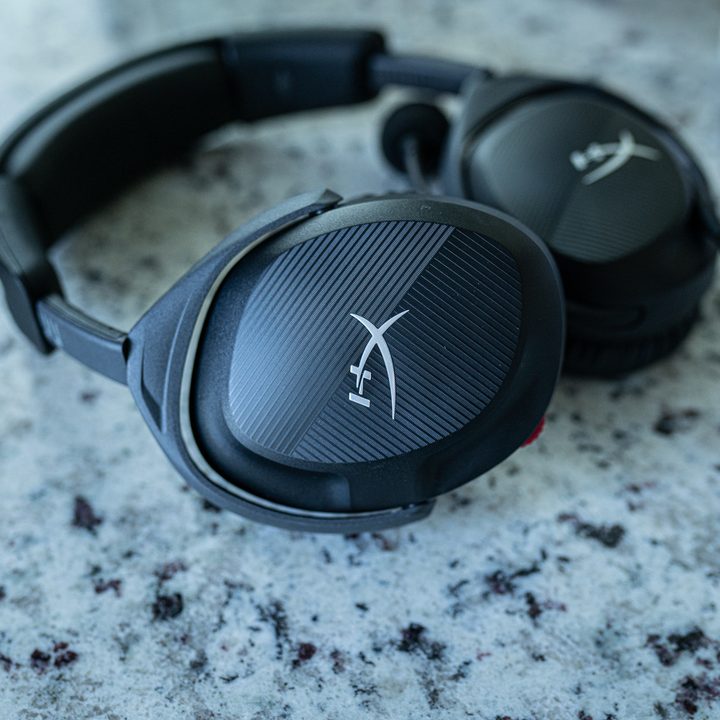
HyperX Cloud Stinger 2
- Supremely comfortable
- Solid microphone quality
- Great audio quality and positioning
- Inexpensive
- The wire locks out some devices
Why you should buy it: It has excellent sound and comfort, and it's remarkably cheap.
Who it's for: PC gamers on a budget that still want premium audio.
Why we chose the HyperX Cloud Stinger 2:
For a great PC gaming headset that will last you for years, you don't need to spend more than $40, and the HyperX Cloud Stinger 2 proves that. Similar to the Cloud Alpha Wireless, you're getting HyperX's signature comfort, as well as solid audio quality that delivers DTS Headphone:X virtual surround sound support.
This is a wired headset, but that shouldn't come as a surprise at this price. The upside of that is that theCloud Stinger 2 work with virtually anything, so you don't need to worry about support for a specific platform. HyperX offers a wireless version for $100, but the Cloud Stinger 2 really shines at its wired price.
Although the Cloud Stinger 2 is firmly a budget headset, it comes with some premium features. Those include a microphone that you can tilt up to mute, as well as rotating earcups so you can get the comfort just right.

The best earbuds for PC gaming
Sony InZone Buds
- Great audio quality
- World-class ANC
- Highly portable
- Expensive
- Not the best battery life
Why you should buy it: They're highly portable true wireless earbuds with some of the best audio and ANC quality you can find.
Who it's for: PC gamers who want a flexible set of earbuds with great ANC.
Why we chose the Sony InZone Buds:
We've seen half a dozen different versions of true wireless earbuds marketed at gamers over the last year, but none of them come close to Sony's InZone Buds. They're true wireless earbuds with a low-latency connection. It's all backed up by Sony, which makes some of the best wireless earbuds money can buy.
The sound quality is excellent, but it's Sony world-class ANC that stands out. It's rare to find ANC on gaming headsets, much less good ANC, and the InZone Buds offer some of the best ANC available. The transparency mode is great as well, amplifying the audio around you so you don't feel closed off.
Battery life is solid, though you should expect much less out of the InZone Buds compared to a traditional wireless gaming headset -- you'll get about 15 hours without needing a charge. The only major downside here is the price, with the InZone Buds clocking in at $200.

The best PC gaming headset for esports
Logitech Pro X 2 Lightspeed
- Great positional audio
- Very comfortable
- Solid battery life
- Expensive
- Not great for immersive gaming
Why you should buy it: It's a remarkably clear-sounding headset that gives you pinpoint accuracy in competitive games.
Who it's for: Competitive PC gamers who need a top-notch audio experience.
Why we chose the Logitech Pro X 2 Lightspeed:
Logitech is known for its prowess in esports, and the Pro X 2 Lightspeed are built exactly for that purpose. This is a premium wireless headset that's built for long battery life and comfort while you're in the heat of competition. That's bolstered by a detachable microphone that's designed by Blue and gives you clean communication.
This is a wireless headset that provides up to 50 hours of battery life on a single charge, as well as a range of up to 30 meters. Even wireless, the spatial audio in the Pro X 2 Lightspeed is excellent, allowing you to pick up some small details around the environment.
This is clearly a headset built for competition, however. It trades off some audio quality for clear communication and excellent comfort.

The best PC gaming headset for surround sound
Turtle Beach Stealth Pro Wireless
- Discrete design
- Comfortable fit
- Great audio quality
- Innovative battery solution
- Loaded with features
- Pricey
- Mic quality is so-so
- Some complicated features
Why you should buy it: It's a premium wireless headsets with all of the "Pro" trimmings.
Who it's for: PC gamers who demand a top-notch headset regardless of the price.
Why we chose the Turtle Beach Stealth Pro Wireless:
The only true competitor to the SteelSeries Arctis Nova Pro is the Turtle Beach Stealth Pro Wireless. It comes with the same trimmings for a slightly cheaper price: great audio quality, all-day comfort, ANC, a wireless receiver, and even a swappable battery. The SteelSeries still wins, but Turtle Beach offers some unique features of its own.
In particular, it comes with two different microphones, a boom that you can detach and an in-line mic. Neither sound great, but having the option between clear communication with the boom arm or casual audio for Discord calls is great.
Surround sound stands out, as well. The Turtle Beach Stealth Pro Wireless supports Windows Sonic, Sony 3D Audio, Dolby Atmos, and DTS Headphone:X, giving you access to surround sound on virtually any platform.

The most comfortable headset for PC gaming
SteelSeries Arctis Nova 1
- Inexpensive
- Very comfortable
- Great audio quality
- Wired only
Why you should buy it: It's an inexpensive and very comfortable headset for PC gaming.
Who it's for: PC gamers on a budget who value comfort.
Why we chose the SteelSeries Arctis Nova 1:
The SteelSeries Arctis Nova is the cheapest headset in the Arctis Nova range, clocking in at $60. It's a wired headset, but it still delivers the same exceptional audio quality and features we've come to expect out of SteelSeries headsets. That includes spatial audio and a microphone with AI-driven noise cancellation.
Comfort is what really stands out here, though. SteelSeries' combination of a floating headband and cloth earcups means you can use the headset for hours on end without fatigue. The headset is also very light at 236 grams, so it won't weigh you down too much.
If you've looking at something like the Arctis Nova Pro with envy, give the Arctis Nova 1 a shot. It's missing a lot of features, but it still nails the core sound and comfort that makes the Arctis Nova Pro our top pick.


