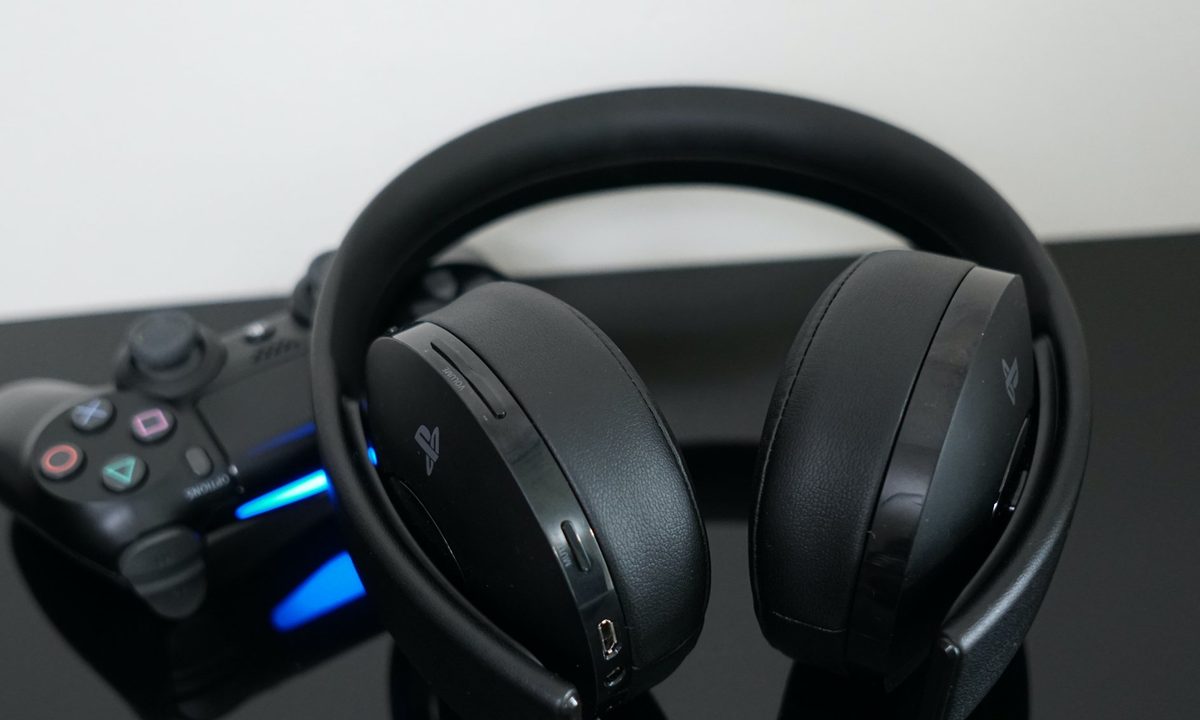
Although you can plug any pair of headphones into your PS4 controller and game in private, Bluetooth is the way to go. With native Bluetooth support, you can connect most headphones to your PS4, no annoying cord required. Here’s how to connect Bluetooth headphones to a PS4. Keep in mind, though, that not all headphones are compatible with the PS4. Follow the first few steps of this guide to see if your pair is.
Further reading
How to connect a Bluetooth headset to your PS4
Connecting a Bluetooth headset to your PS4 is relatively simple if you follow these steps:
Step 1: With the Bluetooth device on hand, select first in your PS4 menu Settings > Devices > Bluetooth Devices. That will set your console to automatically scan for additional devices to pair. Your already-paired devices will be shown in the Bluetooth devices section, along with an icon detailing what type of device it is, as shown below.

Step 2: Ensure the device in question is turned on and is in the appropriate Pair mode.
Step 3: Some headphones require the volume buttons to be pressed down for a certain amount of time while others have a Pair or Bluetooth-specific button for compatibility.
Step 4: The Sony-developed PS4 Wireless Headsets come with a USB driver, allowing for an even more streamlined approach, but always read the manual provided with your headset to better understand the appropriate connectivity function located on the device.
Step 5: To pair a new device, select it from the list of unconnected devices. This will be indicated with a blue light to the left of the device name in the menu. When connected to the PS4 correctly, the color will change to green.

Step 6: In some cases, like the versatile SteelSeries Arctis Pro, the device requires an authentication process with a specific passkey, which will be provided via the user manual of your soon-to-be-paired Bluetooth device. Simply enter the passkey and wait for a confirmation message.
Step 7: Once pairing is complete, you’re all set.
Ensure it has been connected correctly
Ensure the device is functioning soundly by performing a soundcheck. It may take some tweaking to achieve the results you want, depending on your headset type and features. Keep in mind that there is a limit to the number of Bluetooth connections a PlayStation 4 can support. The exact amount depends on the console model (check your user manual for specifics). Users can generally expect three to four connections as a practical limit, though.
Step 1: Test out a game to verify the settings.
Step 2: You should also check that your adjustments are on point. Do this via the Audio Devices page in your PS4 settings.

Enhanced experience
Exploring everything else your PS4 provides is more enjoyable once you have some Bluetooth pairing experience under your belt. You can learn even more about what your PS4 can do and how to make the most of it with our PlayStation 4 Tips and Tricks. Check out our PlayStation 4 Pro guide, too, if you have the premium, updated system.
If you want to connect additional accessories to upgrade your PS4 and gameplay, there are several options available. You could sift through controller options online if you’re hoping to branch out from the DualShock 4, for example. For tips on utilizing these accessories, check out our how-to for setting up HDR on the console.
There is a good chance that gaming is a major priority for you. We totally relate. For that reason, we’ve gathered a list of every game that we think best use the Pro’s HDR features. You can thank us later.
Now that you’ve found your perfect Bluetooth headphones and you’re working on getting its settings just right, we know you likely want to try out the accessories on some fun and interesting games. We’ve built several various PS4 game lists based on people’s preferences. From the best indies to the best exclusives, we believe we’ve found a game for everyone. Your future favorite game could be waiting on one of those lists now.
Even after you’ve picked the perfect accessories and games, your PS4 may still prove to be a bit of a mystery. There are tricks hidden up its sleeve, located under some of its countless menus. We highly recommend researching your console to get the most out of it. Explore some of our guides and how-to articles to get a good understanding of your console and accessories.