
You’re in a deep cave searching for ore and you stumble into a dungeon filled with skeletons. You only have a pickaxe in hand and no means of blocking their fatal blows. We show you how to make a shield in Minecraft so you can survive the attack and grab the loot.
Making a shield is extremely simple. The main ingredients are wood plank blocks and iron ingot. You’ll need both the Furnace and Crafting Table to make your shield. We also show you how to decorate and use your new shield.
Gather wood
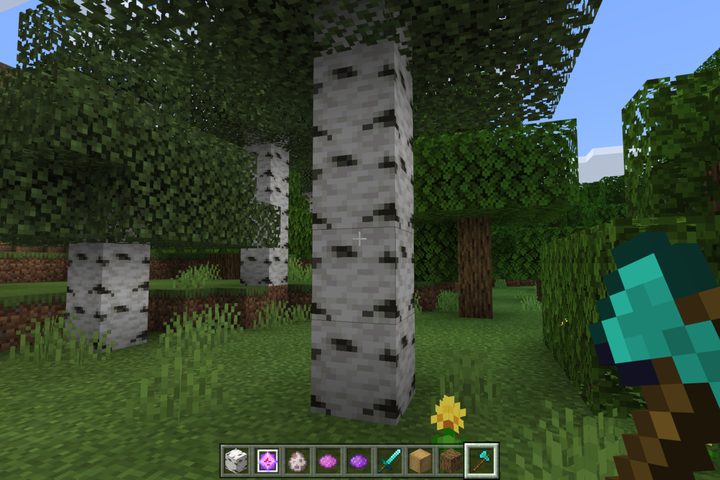
Find yourself a tree and chop it down. Your lumberjack skills result in little blocks of wood logs (Survival Mode) scattered across the terrain that you need to gather. You can use anything to chop down trees — even your fist — except for a sword.
Note that you can use any combination of wood to create a shield — you’re not locked into using six blocks of the same wood plank type.
Gather iron ore
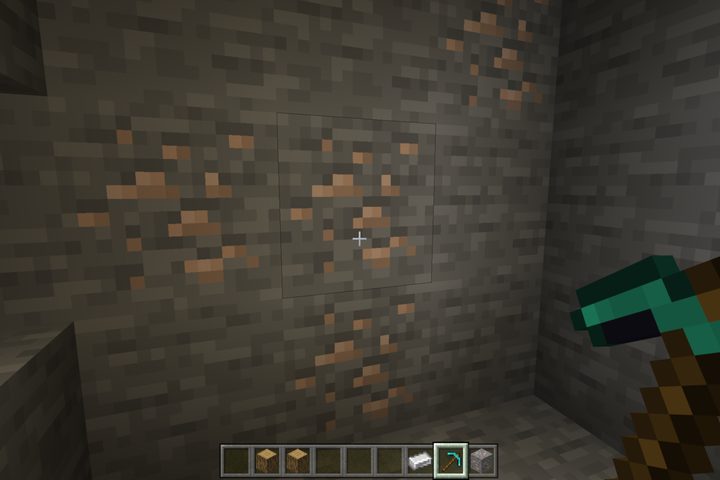
You’ll need iron ore to craft iron ingot, one of the shield’s ingredients. You can’t miss these blocks: They have little yellow and tan flakes, as shown above. The ore is located at sea level or slightly lower in veins of up to 10 blocks. You’ll need a stone pickaxe at the very least to mine this ore.
You can also acquire iron ore dropped from fallen iron golems, which you can find near villages.
Make wood planks
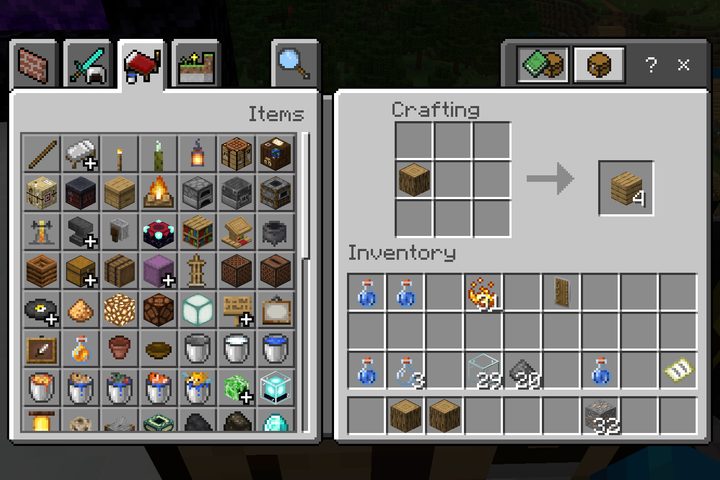
Now that you have wood, you need to create wood plank blocks. You’ll need six wood plank blocks to craft a shield.
Step 1: Open your Crafting Table.
Step 2: Place one wood block (log, normal. or stripped) into any square in the crafting grid.
Step 3: Drag the resulting four wood plank blocks down into your inventory.
Step 4: Repeat steps two and three for another four wood plank blocks.
Make iron ingot
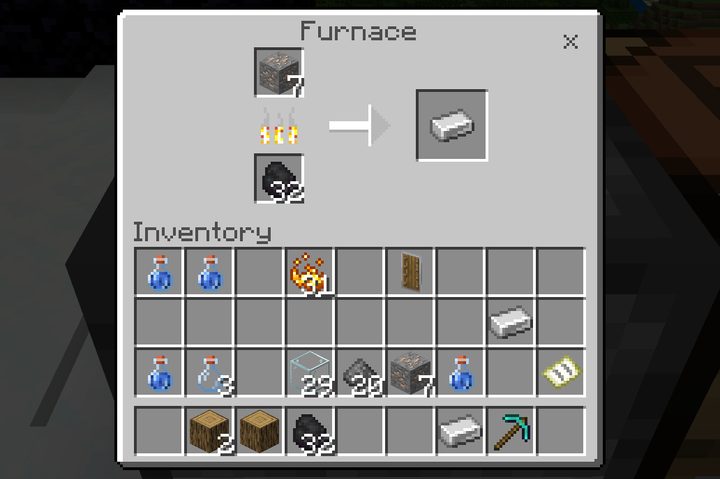
Here we show you how to make iron ingot from iron ore using a Furnace.
Step 1: Open your Furnace.
Step 2: Add fuel to the bottom square. This can be wood, coal, charcoal — whatever you have that burns.
Step 3: Place iron ore into the top square.
Step 4: Drag the resulting iron ingot down into your inventory.
Make your shield
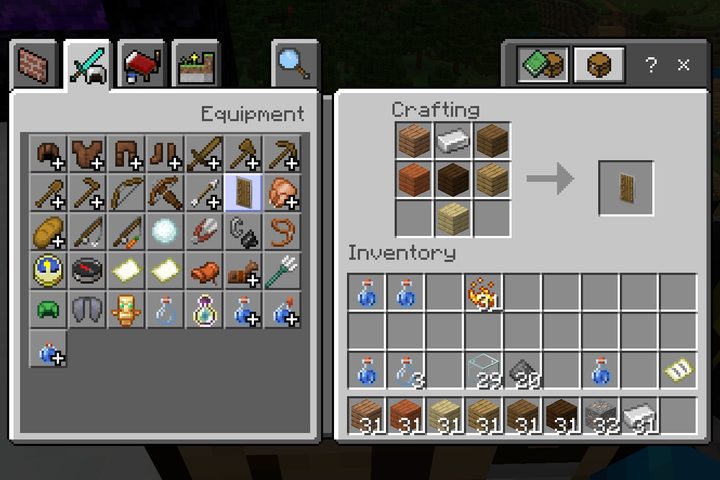
Step 1: Open your Crafting Table.
Step 2: Place six wood plank blocks into the crafting grid in the shape of a Y: The top two squares in the first column, the bottom two squares in the second column, and the top two squares in the third column.
Step 3: Place one iron ingot in the remaining top box in the second column. Refer to our screenshot above for the correct placement.
Step 4: Drag your new shield down into your inventory.
Decorate your shield (Java version only)
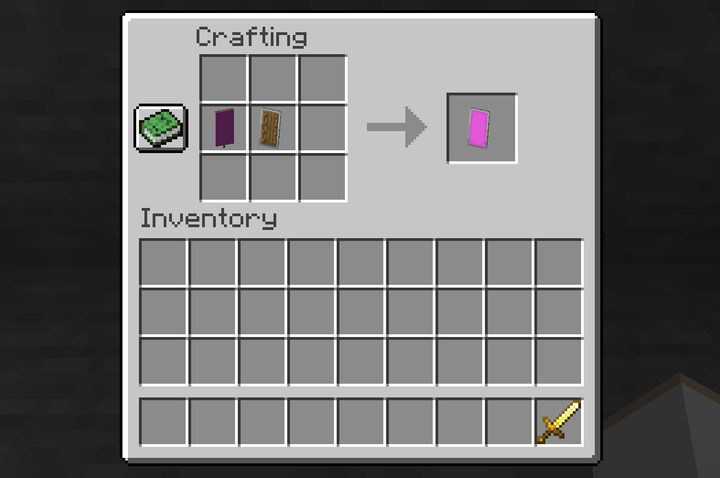
You can add a banner to your shield. For now, however, you can only do this in the Java Edition.
Step 1: Open your Crafting Table.
Step 2: Place your shield in the center square on the crafting grid.
Step 3: Place one banner into the square to the shield’s left.
Step 4: Drag the resulting decorated shield down into your inventory.
Equip and use the shield

Step 1: Open your inventory.
Step 2: Drag the shield from your inventory into the square located at the bottom right of your avatar, as shown above. This square has a shield symbol inside.


The shield is now located in your off hand. In the Java Edition version, you can right-click to use the shield and block attacks. In all other versions, the shield goes up when you enter Sneak Mode (crouch). You can place a shield in the Hotbar and use it as a weapon in your main hand too.
Check out our other guides for Minecraft:


