  1. Home
  2. Gaming
  3. How tos

How to play Mario Kart 8 online with friends

Add as a preferred source on Google
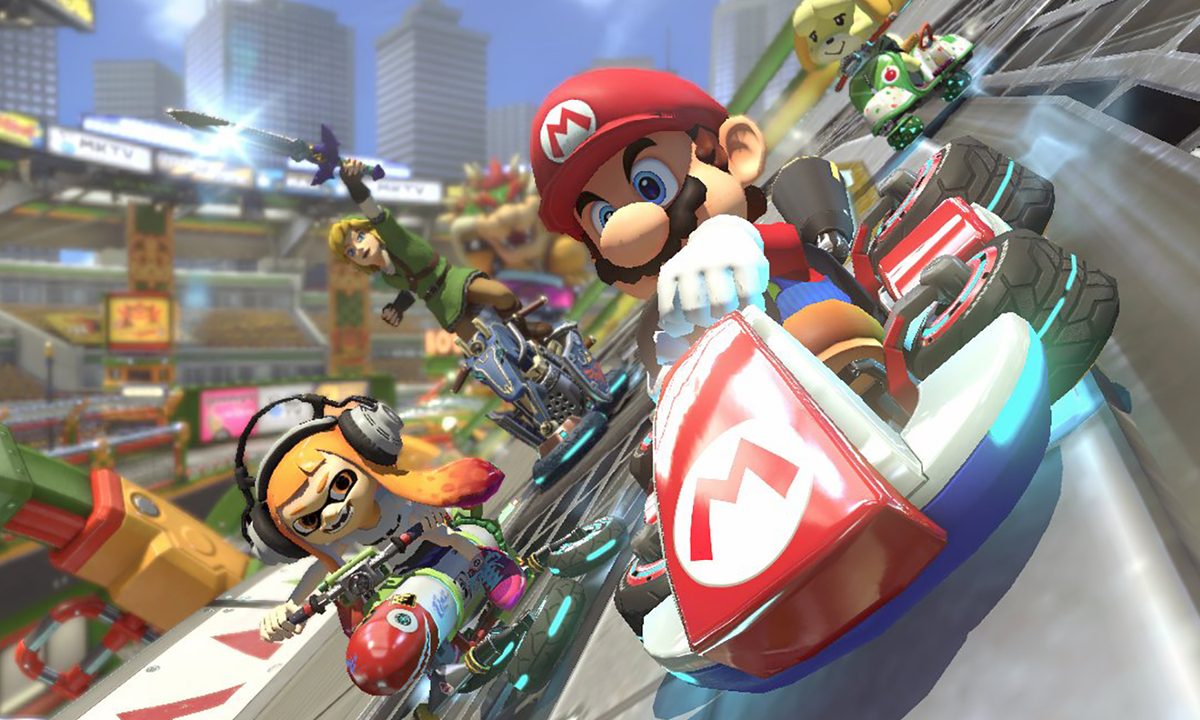
Mario, Link, Isabelle, and a Squid Kid race down the track in Mario Kart 8 Deluxe for the Nintendo Switch.
Nintendo / Nintendo

Multiplayer games began as purely local events. If you wanted to play with, or against, your friends, there was no other option than to get together either at someone's house or, if you're going even further back in time, at a local arcade. While playing locally is still a great way to play, it isn't always an option. Online multiplayer is not only more convenient most of the time, but it has become the norm for nearly all modern multiplayer games.

Recommended Videos

Difficulty

Easy

Duration

5 minutes

What You Need

  • Mario Kart 8

  • Nintendo Switch Online subscription

  • Internet connection

Mario Kart 8 Deluxe is not only one of the most popular games on the Nintendo Switch but also one of the best games to play with friends. As a result, playing it with your friends online is a great choice. Here is how to host a lobby and join a friend's.

Before you begin, make sure to add your friends on Switch so everyone can play together.

Further reading

The online menu in Mario Kart 8.
Image used with permission by copyright holder

How to host Mario Kart 8 online with friends

Mario Kart 8 Deluxe is great fun alone, but eventually, playing against the AI will get stale. That's when playing against your friends online comes in to add some much-needed variety and challenge to your races.

Step 1: Boot up Mario Kart 8 Deluxe and select Online play from the main menu.

Step 2: Select Friends.

Step 3: Select Create room and select your character.

Creating a room in Mario Kart 8.
Image used with permission by copyright holder

Step 4: Any friends will now be able to join your room. Unfortunately, you cannot directly invite your friends to join your room in the game itself.

How to join friends online

If your friend is the one to set up the room to play online, joining is quite simple.

Step 1: Follow the same steps as before up until you are on the Create Room screen.

Joining a friend online in Mario Kart 8.
Image used with permission by copyright holder

Step 2: Under the Friends tab, any friend you have currently in a lobby will have a checkered flag icon next to their name.

Step 3: Select that friend and hit Join.

In addition to regular races and cups, you can also host Tournaments online with your friends as well. This is done just like creating a lobby, only Tournaments will require a code that you pass along to friends in order for them to join you.

Jesse Lennox
Former Digital Trends Contributor
Jesse Lennox covers all things gaming but has a specific interest in all things PlayStation, JRPGs, and experimental indies…
PlayStation wants to see your papers before you party chat
PlayStation 5 age verification rules spark new privacy concerns
Computer Hardware, Electronics, Hardware

Sony’s PlayStation 5 age verification rules are now taking effect in the UK and Ireland, where the rollout is currently in a pilot phase before full enforcement by June 2026. The company says adult accounts will need to verify their age to keep using communication, broadcasting, and some social features. Child safety is the stated reason, but the rollout has quickly turned into another argument about privacy, data collection, and how much policing online platforms should be allowed to do.

Your PS5 still works, but your social life may not

Read more
PlayStation’s new 30-day DRM check is a step backwards for gamers
Your PlayStation games might stop working if you stay offline
Sony DualSense controllers PS5 gaming together multiplayer

A new DRM-related change on PlayStation is setting off alarm bells across the gaming community. Recent reports have suggested that some digital games on Sony's PlayStation consoles may require an online check-in every 30 days to remain playable. Meaning, the company can temporarily block you from playing games you own if the system can't verify your license.

What's actually happening

Read more
This OnePlus controller turns your phone into a handheld, if you can actually get it
OnePlus Strix G15 controller is a phone controller you likely won’t get to use
OnePlus Strix G15 controller turns the Ace 6 Ultra into a handheld

OnePlus is going all in on mobile gaming again, and this time, it has released a controller to pair with its gaming smartphone. The company just built the Strix G15 controller, which is designed specifically for the new OnePlus Ace 6 Ultra. This is a snap-on attachment that wraps around the phone and turns it into a handheld console.

What's so cool about this controller?

Read more