
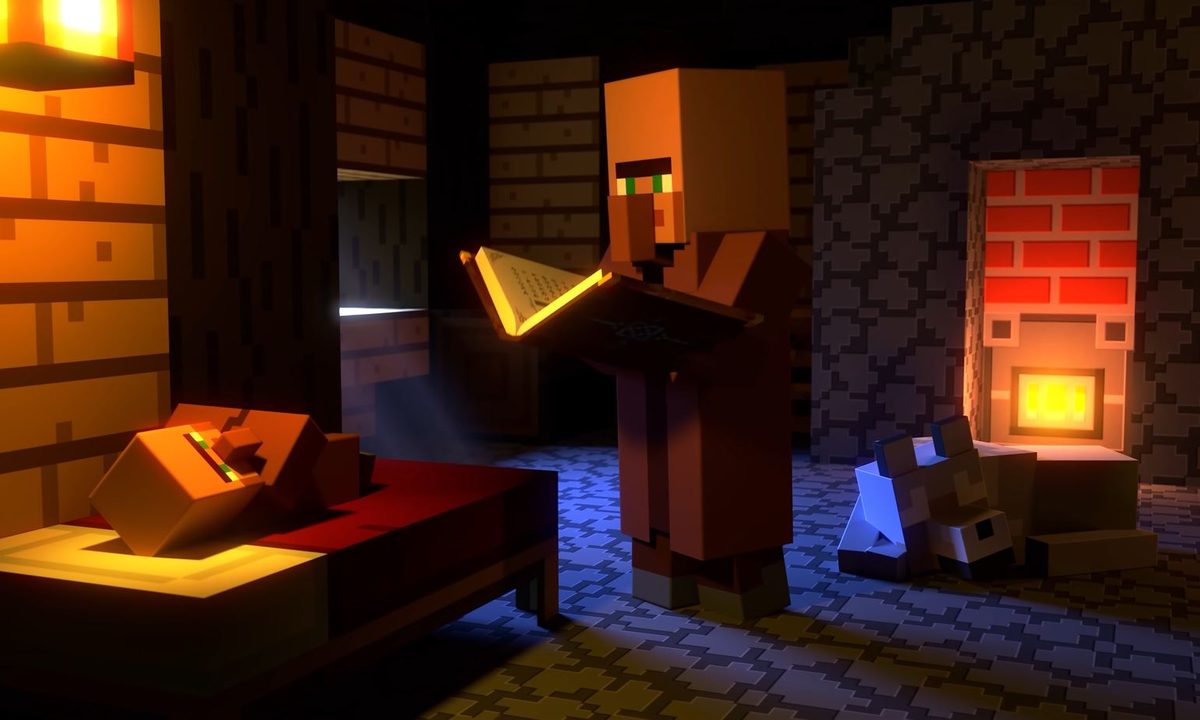
One of the essential tips you need to know about Minecraft after the basics like learning how to make a torch or what all the biomes are is enchantments. There have been plenty of new items to craft and materials to find, but things like brewing potions and enchanting items add new layers of depth to everything you do. Enchantments in particular are especially valuable for any player, or group thanks to cross-platform support, thanks to the variety of buffs they provide. They can make just about every piece of equipment better, but the process is a little esoteric. If you’re struggling to master the art of enchantments in Minecraft, we’ll make it nice and simple.
How to make an enchanting table
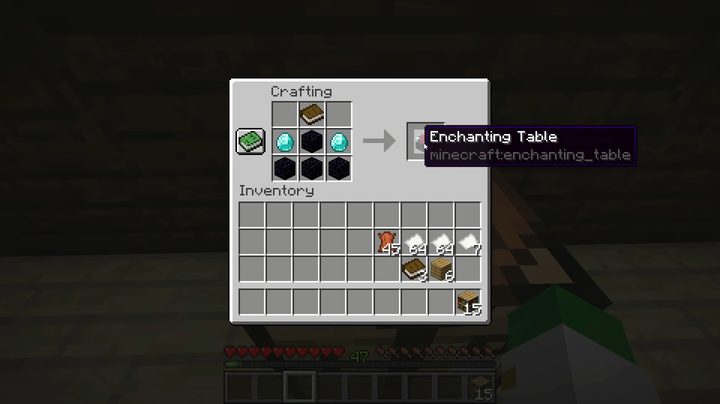
Just like you need a brewing stand to make potions, you can’t enchant anything in Minecraft without an enchanting table. While it might look like a simple thing to make, the ingredients aren’t so easy to come across. You will need one book, two diamonds, and four obsidian blocks to craft an enchanting table by placing them as shown above.
While just the table itself is all you need to get started, we highly recommend you build additional bookshelves and place them one block away from the table. Each bookshelf within one block of the table will increase the table’s level — allowing you to get better enchantments — up to a maximum of 15. Bookshelves are crafted by placing three planks on the top row, three books in the middle, and three more planks on the bottom row of your crafting table. You will know if the shelves are buffing the table when you see the glowing symbols flying between the bookshelves and the enchanting table.
How to enchant items, remove enchantments, and combine enchantments
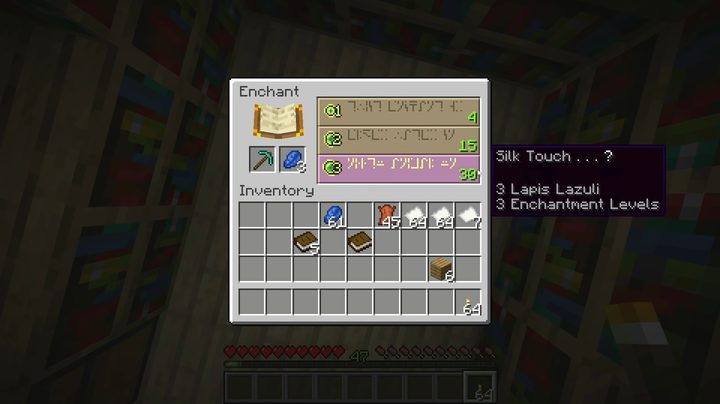
Once you have your enchanting table and bookshelves all set up, you can get to enchanting. To do this you will need three things: an item to enchant, lapis lazuli, and XP. Place the item you want to enchant in the left square under the book and the lapis lazuli to the right, which will populate three different enchantments in the rows to the right. Each enchantment has a level requirement plus XP cost from 1 to 3. You can see the cost on the left indicated by the XP orb icon and the green number on the right is what level you need to be to use that enchantment. This is where those bookcases come in handy since enchanting tables won’t make enchantments beyond certain levels without additional bookcases.
The downside is that those three enchantments are random. Aside from adding more options by upgrading the enchantment table level, you can’t influence what enchantment options show up when you put in your item and lapis. The only way to “reroll” the enchantments is to purchase one and try again, so if you don’t like any options the best thing to do is just pick the cheapest one and try again.
If you do have to do this, you will probably want to remove an enchantment since you can’t simply overwrite it. To remove an enchantment, you need to craft a grindstone out of two sticks, one stone slab, and two planks.
Another option is to combine two enchantments from two different items into one. For this, you will need an anvil. Craft one out of three iron blocks and four iron ingots.
Best enchantments
Efficiency — Increases how fast pickaxes, shovels, aces, and hoes work.
Fire Aspect — Hitting a target with your sword will ignite it on fire.
Infinity — Firing arrows from a bow doesn’t cost arrows.
Protection — Reduces the amount of damage you take from almost all sources
Sharpness — Increase damage of swords and axes
Unbreaking — Increases the durability of most weapons and armor


