
While skill is certainly important in Call of Duty: Warzone 2.0, so too are your in-game settings. Having the wrong setting enabled can lead to your demise, so it’s best to make sure everything is ironed out ahead of time. When looking at the game’s settings, it’s easy to get overwhelmed (even on console), but thankfully, we’ve got everything you need to know in this guide. These are the best Warzone 2.0 settings for console.
Recommended reading:
- Call of Duty: Modern Warfare II will add ranked modes next year
- Call of Duty: Modern Warfare II review: War is what you make of it
- Is Call of Duty: Modern Warfare II cross-platform?
Recommended Videos
Controller
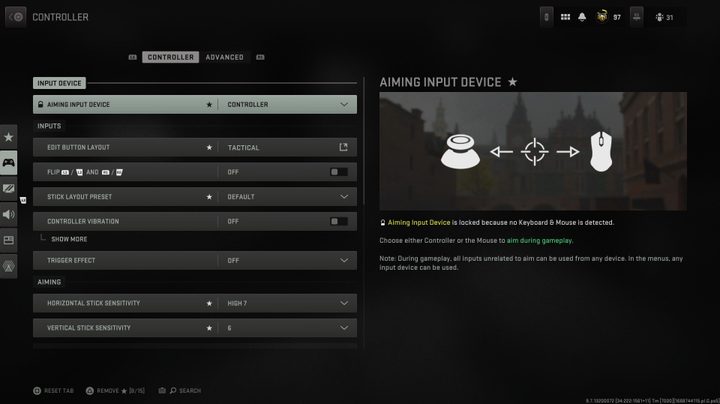
Input device
| Aiming input device | Controller |
Inputs
| Edit button layout | Tactical (personal preference) |
| Flip L1/L2 and R1/R2 | Off (personal preference) |
| Stick layout preset | Default |
| Controller vibration | Off |
| Trigger effect | Off |
Aiming
| Horizontal stick sensitivity | High 7 |
| Vertical stick sensitivity | 6 |
| ADS sensitivity multiplier | 0.70 |
| Sensitivity multiplier | 1.00 |
| Vertical aim axis | Standard |
Gameplay
| Aim down sight behavior | Hold |
| Change zoom shared input | Sprint/tactical sprint/focus |
| Focus behavior | Hold |
| Automatic sprint | Automatic tactical sprint |
| Equipment behavior | Hold |
| Weapon mount activation | ADS + melee |
| Interact/reload behavior | Prioritize interact |
| Armor plate behavior | Apply all |
Advanced
Aim assist
| Target aim assist | On |
| Aim assist type | Default |
Gyro aiming
| Gyro behavior | Off |
| Gravity vector | Off |
| Gyro sensitivity horizontal | N/A |
| Gyro sensitivity vertical | N/A |
| Gyro horizontal inversion | Off |
| Gyro vertical inversion | Off |
Aiming
| Aim response curve type | Dynamic |
| ADS sens. multiplier [focus] | 1.00 |
| ADS sensitivity transition timing | Instant |
| Custom sensitivity per zoom | On (personal preference) |
| Inputs deadzone | Personal preference |
Movement behaviors
| Sprint/tactical sprint behavior | Toggle |
| Auto move forward | Off |
| Tactical sprint behavior | Double tap |
| Grounded mantel | Off |
| Automatic airborne mantel | Partial |
| Automatic ground mantel | Off |
| Invert slide and dive behavior | Standard |
| Plunging underwater | Plunge freely |
| Parachute auto-deploy | Off |
| Sprinting door bash | On |
| Ledge hang mantel behavior | Mantel only |
Combat behaviors
| ADS stick swap | Off |
| Backpack alternate control | Off |
| ADS interruption behavior | Interrupt |
| Weapon mount movement exit | On |
| Weapon mount exit delay | Short |
| Depleted ammo weapon switch | On |
| Quick C4 detonation | On |
Vehicle behaviors
| Vehicle camera recenter | Short delay |
| Camera initial position | Free look |
Overlays behaviors
| Ping wheel delay | Moderate |
| Double tap danger ping delay | Moderate |
Graphics
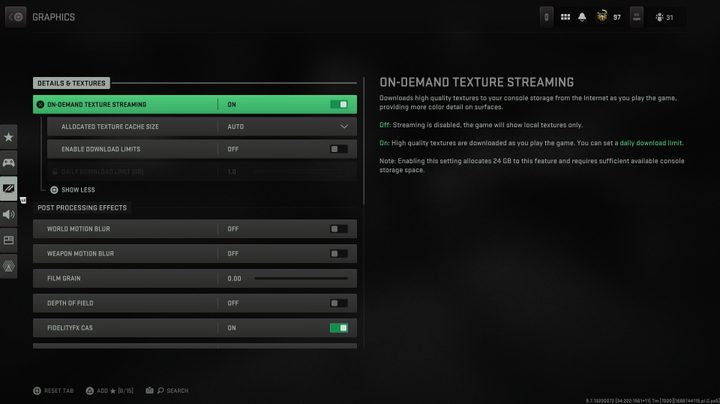
Details and textures
| On-demand texture streaming | On (if possible) |
| Allocated texture cache size | Auto |
| Enable download limits | Off |
| Daily download limit | N/A |
Post-processing effects
| World motion blur | Off |
| Weapon motion blur | Off |
| Film grain | 0.00 |
| Depth of field | Off |
| FidelityFX CAS | On |
| FidelityFX CAS strength | 50 |
View
| 120Hz refresh rate | On |
| Field of view | 100 (personal preference) |
| ADS field of view | Affected |
| Weapon field of view | Default |
| 3rd-person field of view | 80 |
| Vehicle field of view | Default |
| 1st-person camera movement | Default [100%] |
| 3rd-person camera movement | Default [100%] |
| 3rd-person ADS transition | 3rd-person ADS |
| Default spectator camera | Game perspective |
| High dynamic range (HDR) | On |
| HDR brightness | 1.000 |
Audio
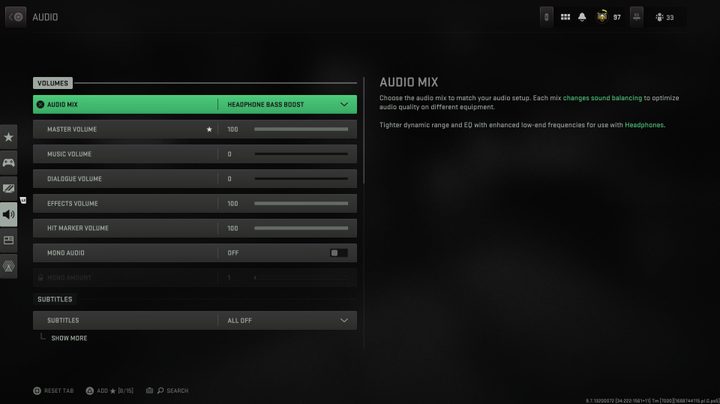
Volumes
| Audio mix | Headphone bass boost |
| Master volume | 100 |
| Music volume | 0 |
| Dialogue volume | 0 |
| Effects volume | 100 |
| Hit marker volume | 100 |
| Mono audio | Off |
| Mono amount | N/A |
Subtitles
| Subtitles | Personal preference |
| Subtitles size | Personal preference |
| Subtitles background opacity | Personal preference |
Voice Chat
| Voice chat | On (personal preference) |
| Last words voice chat | On (personal preference) |
| Proximity chat | On (personal preference) |
| Voice chat device | Headset |
| Open mic recording threshold | 70 (personal preference) |
| Voice chat volume | 60 (personal preference) |
| Microphone test | Off |
| Microphone volume | 100 |
Channels
| Mute yourself when connecting | Off |
| Game voice channel | All lobby |
Audio advanced settings
| Juggernaut music | Off |
| Hit marker sound effects | MW |
| Reduce tinnitus sound | Off |
Interface
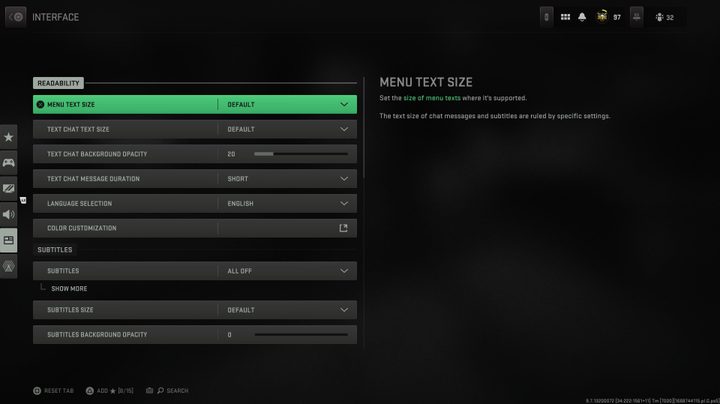
Readability
| Menu text size | Default (personal preference) |
| Text chat text size | Default (personal preference) |
| Text chat background opacity | Personal preference |
| Text chat message duration | Personal preference |
| Language selection | Personal preference |
| Color customization | Personal preference |
Subtitles
| Subtitles | All off (personal preference) |
| Subtitles size | Default |
| Subtitles background opacity | 0 |
HUD
| Minimap shape | Square |
| Minimap rotation | On |
| Horizontal compass | On |
| Crosshairs | On |
| Crosshair bobbing | Off |
| Hit markers visuals | On |
| Damage-based hit markers | On |
| Player names | Abbreviated |
| Vehicle HUD prompts | Fade after 5 seconds |
Telemetry
| Telemetry | Custom |
| Server latency | On |
| Packet loss | On |
| Clock | On |
| Connection meter | Off |
Advanced interface settings
| Gameplay tips | On |
| Tooltips | On |
| Parallax effects | On |
| Center dot | Off |
| Center dot scale | Default |


