  1. Home
  2. Audio / Video
  3. News

Sleep timer returns to Sonos app as improvements trickle in

Add as a preferred source on Google
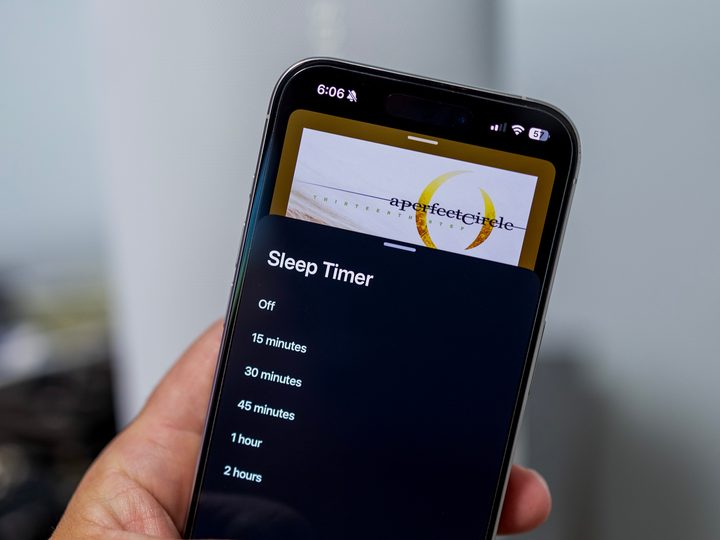
Sleep timer settings in the Sonos app.
Phil Nickinson / Digital Trends

You’ll be forgiven if you’re a Sonos fan who keeps checking multiple times a day for app updates (count us among that group). And today’s a good day to have that habit, as another update has returned one missing feature and improved others.

The sleep timer has returned to the revamped Sonos app. And while all maybe isn’t quite right in the Sonos world, it’s definitely starting to look a little more like it did before the massive May update that came ahead of the Sonos Ace headphones — and either disappeared or broke a number of other things in the process.

Recommended Videos

As frustrating as the past few weeks have been for those of us who just want to use our wireless speaker setup and don’t really care too much about newfangled headphones, at least Sonos has been fairly transparent about what’s been broken and what’s being fixed. Sonos employees have been keeping up with the app update timeline on Reddit, and that thread is in sync with the changelog on the app itself.

In addition to the return of the sleep timer, other improvements this time around include:

  • Better setup, Bluetooth discovery, and Wi-Fi settings. (You’ll note you have to approve a few things after this update, almost like it’s a fresh install.)
  • Improved playback settings, with “Play next” and “add to end of queue” looking better
  • A mute button on iOS
  • Improved Trueplay on iOS
  • Distance settings added for home theater surround speakers
  • Better navigation cues for those with visual impairments
  • Better VoiceOver support for pop-up messages on iOS

Sonos also has been keeping up with a “coming soon” list of improvements. Slated for later this month are mute and volume numbers on the playback controls, more accessibility improvements for visual impairments, and local music library search and playback.

Phil Nickinson
Former Section Editor, Audio/Video
Phil spent the 2000s making newspapers with the Pensacola (Fla.) News Journal, the 2010s with Android Central and then the…
tvOS 27 is finally getting this iOS accessibility feature, and your eyes will thank you for it
Squinting at your TV screen just became a thing of the past.
Apple TV new accessibility feature demo

tvOS updates tend to be hit or miss each year. Sometimes WWDC delivers a genuinely exciting set of Apple TV features, and sometimes you're left wondering why you even tuned in. With tvOS 27 set to be unveiled next month, the rumor mill has been unusually quiet. That said, Apple did confirm at least one new feature this week, and it's a useful one.

So what's coming to tvOS 27?

Read more
Spotify adds verified podcast badges so you know you’re listening to the real host, and not an AI clone
Spotify is cracking down on AI voice fakes and giving real creators their badge of honor.
Spotify verified podcast

Soon after adding verified artists badges for music creators, Spotify has not announced verified podcast badges, so you can be sure you are listening to your favorite hosts and not some AI impersonator. 

The badge will appear as a light green checkmark on show pages and in search results, signaling that the show has been reviewed for authenticity. Not every show will get the badge right away. Spotify is starting with select shows and will expand over the coming months.

Read more
YouTube gets Gemini Omni for free, but its best AI search features stay behind a paywall
Google I/O 2026 gave YouTube users a free AI-powered creative studio in one hand and a paywalled search upgrade in the other.
Text, Person, Machine

At the I/O 2026, Google rebuilt two of YouTube’s core experiences from the ground up, and the results look genuinely useful. First, YouTube search is getting a new feature called Ask YouTube, which is more like AI Mode, but for the vast library of videos on the platform.

Then there’s Gemini Omni, Google’s “create anything from anything” tool, which will be available in the YouTube Shorts Remix and Create app, the most disruptive announcement for creators. However, while Omni remains free for now, Ask YouTube is locked behind a paywall. 

Read more