
First announced in 2019, Alexa Guard brings a second layer of protection to your smart home by listening for certain sounds that indicate there’s an emergency. The service has a few limitations, but Amazon has addressed those drawbacks with Alexa Guard Plus — a premium subscription that offers tons of enhanced features. But what exactly is the difference between Alexa Guard and Alexa Guard Plus? We break it down in this guide.
What is Alexa Guard?
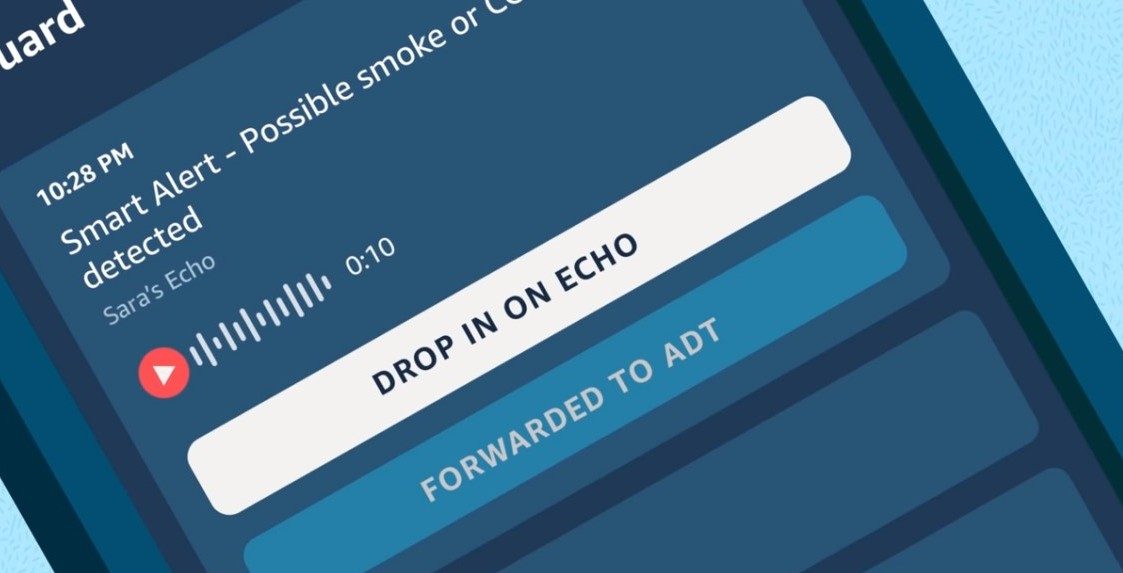
Alexa Guard listens out for the sounds of breaking glass, smoke detectors, and carbon monoxide (CO) detectors. During setup, you can indicate which sounds you want Alexa to listen for, so if you only want Alexa to listen for breaking glass and not fire alarms, you can indicate that preference.
Once you set up Alexa Guard, just say, “Alexa, I’m leaving,” to switch to away mode. This puts Alexa on alert and ready to guard your home.
If Alexa hears a danger sound, the assistant will send a 10-second audio clip to your phone. You can then decide what to do with that clip. You can use the drop-in feature to listen in on your home to check what’s going on, or you can call emergency services for help.
Alexa Guard integrates with some alarm systems (Ring Alarm, ADT Pulse, ADT Control, and Scout Alarm), and Alexa may be able to forward smart alerts to your provider. However, the Alexa Guard service is not a substitute for a security system, as it doesn’t integrate as well as a more advanced system.
What is Alexa Guard Plus?
Alexa Guard Plus is a more advanced version of the Alexa Guard feature. It offers everything Alexa Guard offers, plus it can listen out for additional sounds, like activity noises.
Alexa Guard Plus can also play sounds (like a siren or barking dog) to deter unwanted visitors. The biggest benefit of Guard Plus is perhaps the available emergency helpline. You can say, “Alexa, call for help,” and you’ll reach a trained emergency response agent who can help you request emergency responders (like an ambulance or the fire department).
What’s the difference between Alexa Guard and Alexa Guard Plus?
For starters, Alexa Guard Plus has a fee of $5 per month (or $50 per year), while Alexa Guard is a free service. Alexa Guard Plus provides hands-free calling to an emergency helpline, while Alexa Guard doesn’t provide the helpline service. Alexa Guard only listens out for breaking glass and fire and CO alarms, while Alexa Guard Plus listens out for additional noises and also plays noises to deter potential intruders.
The free Alexa Guard service and Alexa Guard Plus are both available to use right now. If you’re a Ring Protect subscriber, “the Alexa Guard Plus subscription is free for U.S. Ring Protect Plus plan subscribers after your Ring and Amazon accounts have been linked together. Ring Protect Plus plans are available via Amazon.com and Ring.com for $10 a month or $100 a year.”
If you want to use the Alexa Guard service, it works on Echo smart speakers and smart displays like the Echo, Echo Dot, Echo Plus, Echo Flex, Echo Show 5, Echo Show 8, and Echo Show 10.
How to sign up for Alexa Guard Plus
Ready to sign up for Alexa Guard Plus? Simply open the Alexa app, navigate to the More menu, then select Settings. From here, click on Guard. This will take you through the steps needed to sign up for Alexa Guard Plus.
You’ll eventually be asked to enter an emergency address — and keep in mind you’ll need a device that supports Guard Plus (such as one of the Echo products listed above). Once all these steps are complete, your Guard Plus coverage will automatically begin.


