  1. Home
  2. Phones
  3. News

After Pixel 10 series, Pixel 8 Pro users report connection woes that need an ice pack to tackle

Users report dropped connections, failed fixes, and growing frustration.

Add as a preferred source on Google
A person holding the Google Pixel 8 Pro.
Google Pixel 8 Pro Andy Boxall / Digital Trends

A growing number of Pixel 8 Pro owners are dealing with a serious Wi-Fi bug after the March update, with some devices losing connectivity altogether. What started as scattered complaints has turned into a centralized Reddit megathread where affected users are comparing notes and tracking patterns.

This goes beyond occasional drops. Reports describe Wi-Fi shutting off, failing to detect networks, and refusing to reconnect even after restarts. Bluetooth and mobile data issues are also appearing, pointing to a broader connectivity failure.

Recommended Videos

Common fixes aren’t helping. Factory resets, safe mode, and beta builds leave the behavior unchanged. A restart may restore connections briefly, but the problem returns quickly.

When basic fixes don’t work

What stands out is how stubborn it is. Network resets and full wipes don’t hold, and switching software tracks doesn’t change the outcome. That points away from a simple update bug and toward something deeper.

Logs shared in the thread suggest the Wi-Fi driver can’t detect the expected network interface, hinting at a breakdown between firmware and hardware. In several cases, the failure worsens over time until both Wi-Fi and Bluetooth stop working entirely.

There’s also a clear temperature pattern. Devices connect when cold, then lose connectivity as they warm up during normal use. Cooling the phone before boot can temporarily restore connections, reinforcing the idea that heat plays a role.

Support responses add to frustration

Support experiences are adding to the frustration. Multiple users describe being told their device is out of warranty, without further diagnosis or escalation.

That response is drawing backlash because many believe the failure followed a software update, not damage. Some users report replacements, while others are quoted costly motherboard repairs for similar symptoms.

The lack of acknowledgment stands out. Support replies often say there are no widespread reports, even as more cases are documented in one place.

What to watch next

There’s still no official response tied to this failure. Attention is shifting to upcoming updates, with users watching for any fix.

Some reports suggest the behavior didn’t start in March and may have worsened over time, raising the possibility of an underlying fault exposed by the update. There’s also disagreement over the cause, with some pointing to firmware issues and others to hardware defects requiring motherboard replacement.

For now, affected devices remain unreliable, leaving owners waiting to see whether a future update resolves the issue or confirms a deeper problem.

Paulo Vargas
Paulo Vargas is an English major turned reporter turned technical writer, with a career that has always circled back to…
I can’t live without iPhone shortcuts. These 7 are my favorites that you must try, too.
I've been using these 7 iPhone shortcuts for years, and they've completely changed how I use my phone.
iPhone showing shortcuts app

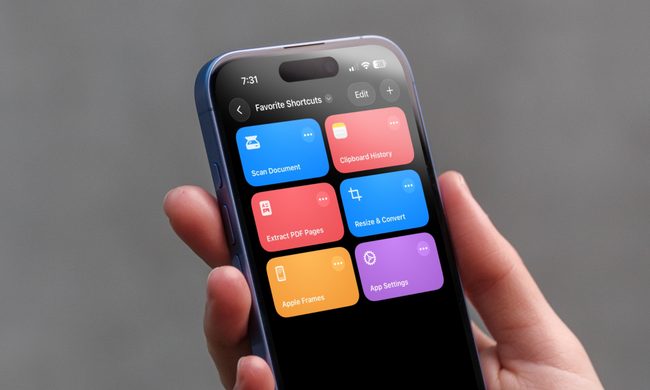
The iPhone Shortcuts app reminds me of Minecraft. It might be relatively easy to jump into, but it offers nearly limitless potential, allowing you to build anything you want. The same holds true for the Shortcuts app, and that endless possibilities are what many iPhone users might find intimidating. But you don't have to.

If you are new to iPhone shortcuts, think of them as little automated helpers. You can build them yourself or find ones that others have built and use them. And that’s the beauty of shortcuts. If you don’t want to get your hands dirty, you can find shortcuts others have created and tailor them to your needs. 

Read more
Gemini Intelligence has strict requirements, and your phone may not qualify
Gemini Intelligence

Google’s new Gemini Intelligence platform is quickly becoming one of the biggest talking points in the Android world right now. After being highlighted during this week’s Android Show, the feature is already being tied to several upcoming premium foldables and flagship phones. But there’s a catch: not every high-end Android device will be able to run it. And surprisingly, even some of Google and Samsung’s latest foldables may miss out.

According to Google’s requirements, Gemini Intelligence isn’t just another software update you can casually push to older devices. The company appears to be building this around a much stricter hardware and long-term software support system. To qualify, a phone needs a flagship-grade chipset, at least 12GB RAM, support for AI Core, and Gemini Nano v3 or newer. That immediately creates a problem for several current-generation phones.

Read more
Meta’s Ray-Ban Display now types messages from your finger movements
Neural Handwriting is a really cool feature, but Meta opening the Ray-Ban Display to developers is the quiet announcement that turns a clever wearable into a platform with immense possibilities.
Meta Ray-Ban Display and EMG Band.

Six months into its life, the Meta Ray-Ban Display is starting to look less like an experiment, thanks to what is arguably the most significant update Meta has ever pushed for the device. 

The headline feature is Neural Handwriting, which is now available to every Ray-Ban Display owner, having spent its early months in limited access for Messenger and WhatsApp users. 

Read more
