  1. Home
  2. Phones
  3. Mobile
  4. News

AI may soon make it easier to find the right Android app

Add as a preferred source on Google
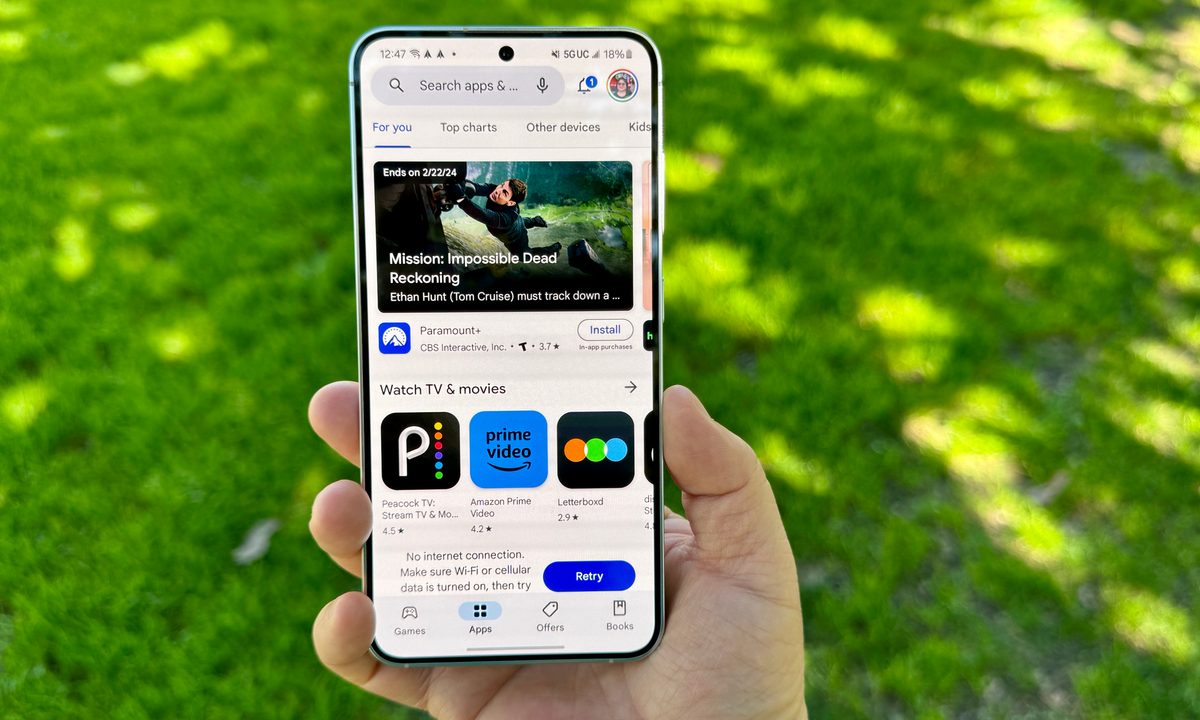
Samsung Galaxy S24 in Marble Gray showing the Play Store.
Christine Romero-Chan / Digital Trends

Google may be planning to use its AI smarts to make it easier and faster to discover and learn more about apps in the Google Play Store. The first hints about a so-called Ask a Question feature have appeared inside the code of the Play Store app, and while details are thin at the moment, they do match Google’s AI efforts in its other apps.

The code discovered indicates the search and individual app pages in the Play Store may get a search bar powered by AI that will possibly display text saying “Ask a question about this app,” according to a report published by Android Authority that focused on a version of the Play Store app was torn down and examined. Code inside apps can often reveal features being tested internally before any public release.

Recommended Videos

While no further details are revealed in the code and Google has not officially released the feature yet, we may be able to get clues on how it might work by looking at how Google has recently integrated AI into Google Maps. Google will use AI to summarize information pulled from place reviews inside Google Maps to answer specific questions, helping travelers find new locations and ensure they meet requirements before settling on a visit.

Many apps in the Google Play Store have hundreds of reviews written by users, and Google could potentially leverage the information contained in them in the same way as it’s now doing with Google Maps. The AI could quickly surface useful information in response to very specific questions about an app, helping people make better, more informed, and safer app download decisions. It could also aid app discovery by generating answers based on questions about specific app functionality.

The Maps feature follows Google’s introduction of AI summaries to speed up web search results, further showing why a similar feature arriving in the Play Store wouldn’t be a surprise. Google isn’t the only one looking at ways that AI can help improve discovery in dense app stores. Apple has been linked with a similar-sounding feature, where summaries about an app based on user reviews may appear on app pages in the App Store. Google’s Ask a Question feature is not official, and not all features found in app code always end up being released. Still, it’s something worth keeping an eye on.

Andy Boxall
Andy has written about mobile technology for almost a decade. From 2G to 5G and smartphone to smartwatch, Andy knows tech.
iOS 27’s Liquid Glass slider looks simple, but it’s more useful than I expected
Text, Document, Business Card

Let's be honest: few iOS design changes have sparked as much debate as Liquid Glass. When Apple first introduced it with iOS 26, the internet immediately split into two camps. Some people loved the fresh, translucent look, while others couldn't stand it and felt it made parts of the interface harder to read. I happened to be firmly in the first camp. At the time, I was using an iPhone 14 Pro Max, and installing the update was one of the first things I did. I loved how the new design made iOS feel more modern and dynamic. The transparency effects gave the interface a sense of depth, making the entire experience feel fresh again.

That said, it's easy to understand why not everyone felt the same way. After months of feedback, screenshots, hot takes, and endless debates online, Apple eventually responded by giving users more control. Instead of forcing everyone into the same look, it introduced options that let people choose between a clearer glass effect and a more tinted appearance. With iOS 27, Apple is putting the Liquid Glass debate completely in your hands. A new slider lets you customize the effect exactly the way you want it, whether you prefer a crystal-clear look or something easier on the eyes. Here's what it does and how to make the most of it on your iPhone.

Read more
Apple users are being targeted by a familiar tech support scam
Apple users face a new wave of fake iPhone and iCloud security warnings
iPhone user

AI has made online scams harder to spot by making deepfakes, voice cloning, and fake messages more realistic. Even so, the old tech support scam is still catching victims. For years, fraudsters often posed as Microsoft support workers. Now, reports suggest many are shifting their attention to Apple users.

Consumers are reporting a rise in fake “Apple High Alert” messages that claim an iPhone, iCloud account, or Apple ID has been compromised. These messages are designed to make people panic and react quickly before they can stop to check whether the warning is real.

Read more
iOS 27 puts a much better dictation experience on your iPhone, and you must enable it
A better dictation system is already on your iPhone. Apple just didn't switch it on.
Electronics, Phone, Mobile Phone

If you have an iPhone 17 Pro, iPhone 17 Pro Max, or iPhone Air running iOS 27 beta, you have a meaningfully better dictation system on your device right now. 

However, Apple did not turn it on by default, and most users have no idea it is there.

Read more