  1. Home
  2. Phones
  3. News

AirPods are finally getting a custom EQ to tune the listening experience

Too much bass? Not enough? You can finally fix that yourself.

Add as a preferred source on Google
custom EQ in AirPods
Apple
Promotional logo for WWDC 2023.
This story is part of our complete Apple WWDC coverage

As much as I will never forgive Apple for killing the headphone jack on phones, I love my AirPods. The AirPods Pro 2 are the best pair of wireless earbuds I have ever owned. From the balanced audio quality to long battery life to seamless connectivity to exceptional noise cancellation, AirPods get everything right.

However, there was one missing feature holding AirPods back. Unlike most earbuds that give you a way to tune your own sound profile, with AirPods, you get what you get. So, if you love the bass to be a bit too heavy, you were in luck.

Recommended Videos

That changes today. At the WWDC 2026 event, Apple announced that AirPods are finally getting a custom EQ setting, allowing users to tune their listening experience.

How does the new AirPods EQ work?

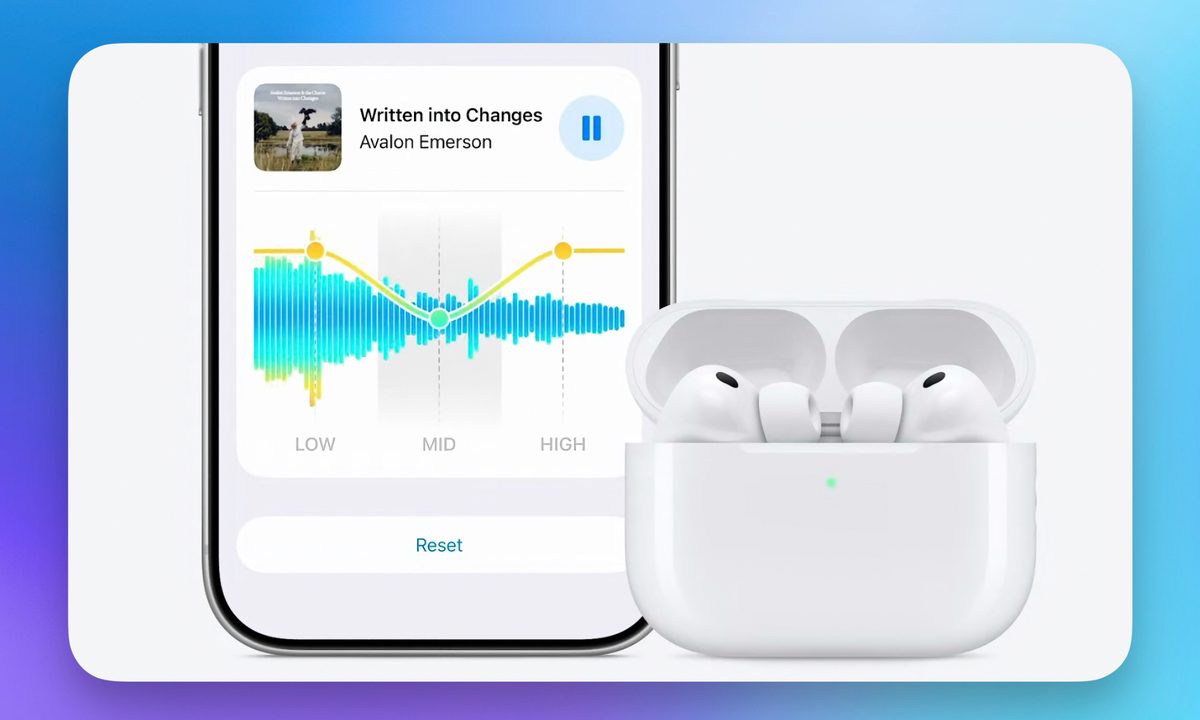
Once you dive into the Equalizer settings, you get two options: Recommended and Custom. The Recommended profile is the default tuning Apple has always used, designed to faithfully represent your music the way the creators intended.

But if you want to take control, you can simply choose the Custom option and adjust the EQ to your heart’s content. You can tweak the Low, Mid, and High frequencies and tune the sound to match your taste. 
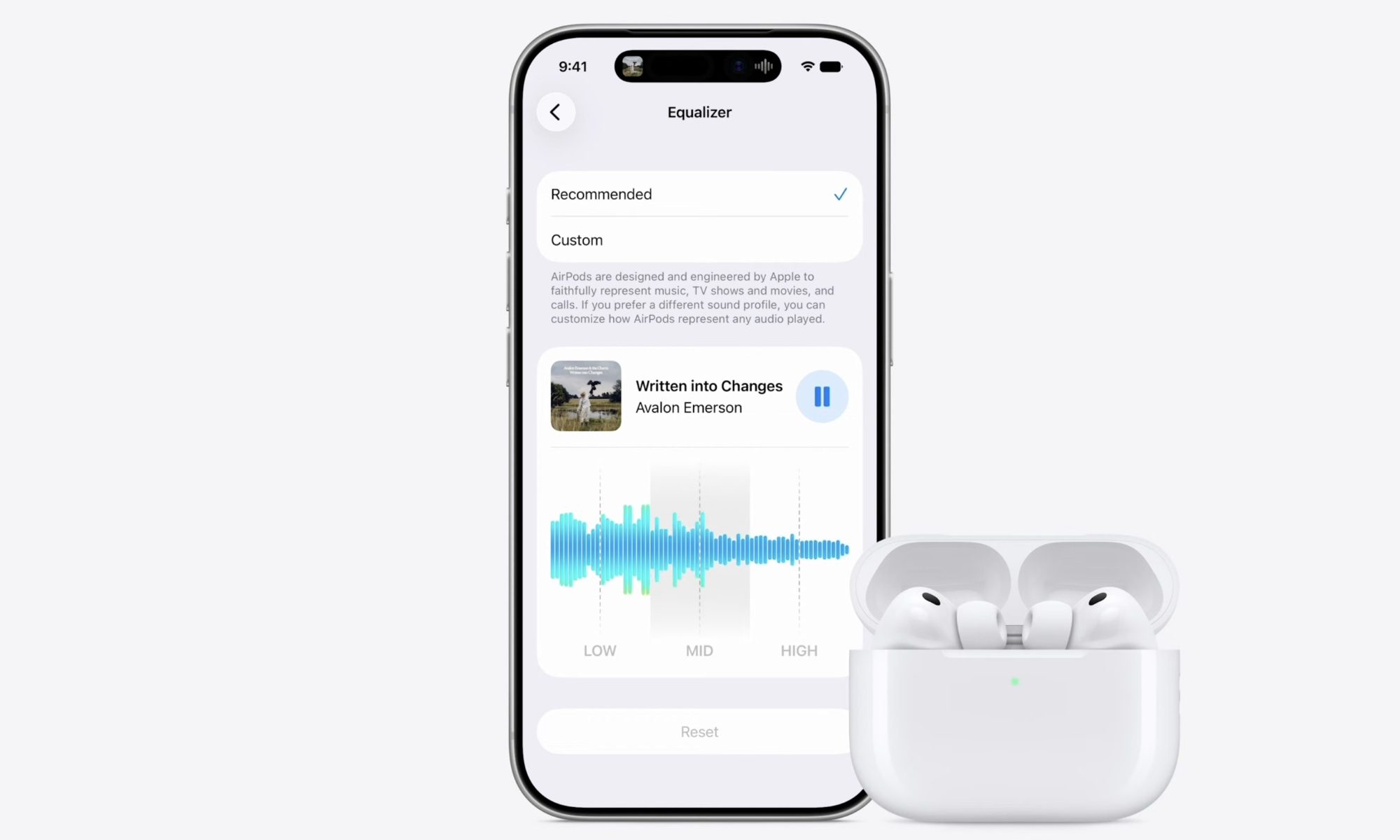
There’s even a live waveform and a sample track playing, so you can hear the changes in real time as you make them. And if you go overboard and mess things up, there’s a handy Reset button to take you back to square one.

It’s a small addition, but one that AirPods users have wanted for a long time. Better late than never, I say.

When can you get the new EQ feature?

The custom EQ setting will arrive with the iOS 27 update. So, you will have to wait a bit before you can start fiddling with your AirPods’ sound profile. If you cannot wait, the developer beta will launch today, but it will be full of bugs, so install it at your own risk.

Rachit Agarwal
Rachit is a seasoned tech journalist with over ten years of experience covering the consumer technology landscape.
Android desktop mode made me miss my laptop in record time
I tried writing and publishing from Google’s phone-to-monitor setup, and the future of mobile computing immediately started sweating.
Computer, Electronics, Laptop

Android 17 desktop mode has a very simple pitch. Plug your phone into a monitor, add a keyboard and mouse, and watch the slab in your pocket pretend to be a computer. I wanted to give that pitch a fair shot, so I tried using it for an actual workday instead of a cute demo.

The goal was boring on purpose: write an article, edit it, build the page in WordPress, upload whatever needed uploading, and publish the thing without running back to my laptop like a coward.

Read more
After test-driving iOS 27, my iPhone still doesn’t feel like it has made a substantial leap
Siri learned new tricks. Safari got smarter tabs. My morning routine didn't change at all.
iOS 27 new star rating feature in Photos

Every June, after Apple wraps up its annual WWDC keynote, I install the latest iOS beta on my iPhone, watch the progress bar crawl to completion, and wait for the inevitable restart. For years, picking up my phone afterward felt almost identical to how it did before the update. 

I saw the same grid of icons, the same Control Center, and the same version of Siri until iOS 26 finally broke that pattern in 2025.

Read more
Android 17 makes a strong case for ignoring Android version numbers entirely
When the most noticeable change is a better Quick Settings button, the annual update cycle starts looking more like branding than progress.
Android 17 logo.

Android 17 finally separated the Wi-Fi and mobile data buttons, and I hate how much that improved my mood. For years, Android treated internet access like one mysterious blob, as if Wi-Fi and cellular data were emotionally codependent. In Android 17 Beta 3, Google split the old combined Internet button into separate Wi-Fi and mobile data tiles, making each connection easier to switch off with a single tap.

That’s a good change, which is also why it’s a little damning. When one of the cleanest wins in a major OS update is “the buttons make sense again,” the celebration gets awkward fast.

Read more