1. Home
  2. Phones
  3. Mobile
  4. Evergreens

Do AirTags need to be charged?

Add as a preferred source on Google
An AirTag attached on a keyring
Digital Trends

Trackers are common these days, and Apple AirTags are undoubtedly one of the most popular. These small, round devices help find lost or misplaced items like wallets, keys, or bags.

However, many people wonder if these battery-powered devices need to be charged. So, do they? We’ll explore that (and more) below.

Recommended Videos

Do you need to charge AirTags?

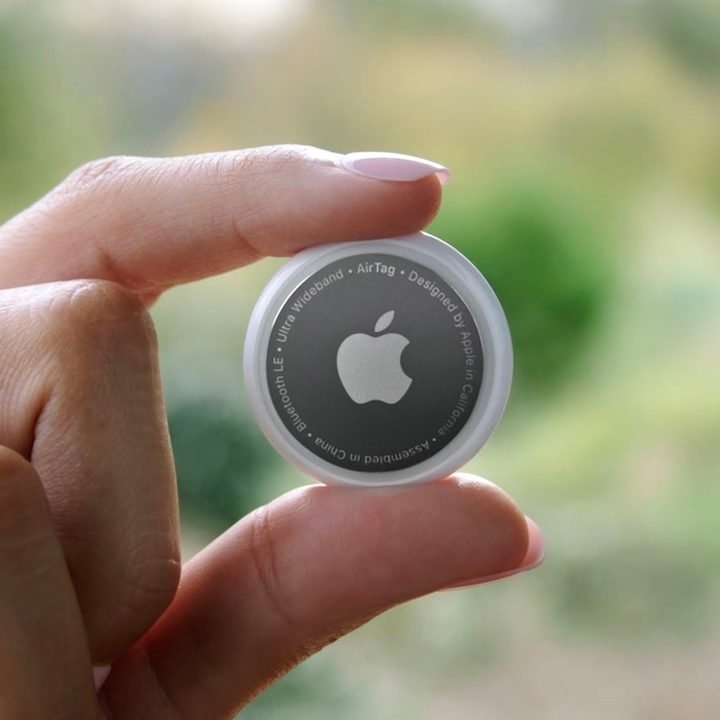
Person holding an Apple AirTag.
Apple

The battery in an AirTag is not rechargeable. Therefore, once the battery becomes exhausted, it needs to be replaced. Unlike other Apple gadgets, there’s no Lightning or USB-C port you can use to plug an AirTag in to juice its battery back up.

While that may sound like a problem, it really isn’t. AirTags use a readily available replaceable battery that’s relatively inexpensive, and it’s not something you need to worry about very often.

What kind of batteries are in AirTags, and how long do they last?
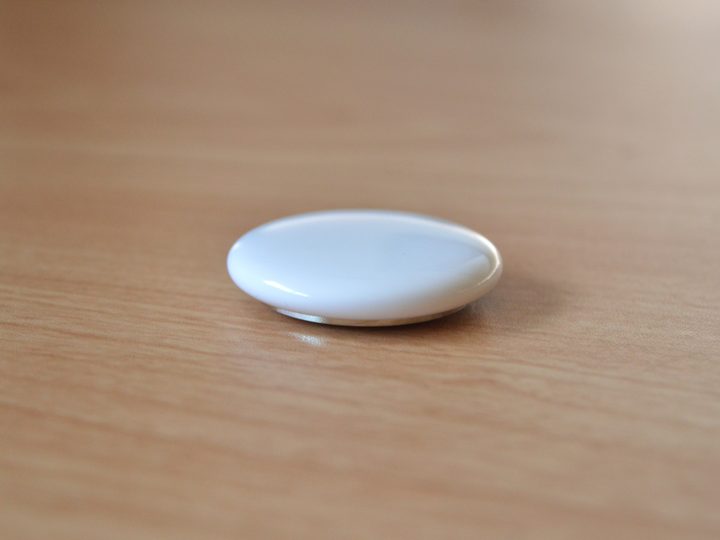
AirTag.
Digital Trends

The AirTag battery is a standard, Buy at Amazon . Apple says the battery should last approximately one year when used normally. When the battery is running low, you will receive a notification on your iPhone to replace the battery.

To replace your AirTag battery, just twist the back cover off, replace the old battery with a new one, and twist the cover back on. It’s important to note that if you don’t replace the battery promptly, the AirTag will stop working and will need to be reset using the instructions provided by Apple. Don’t worry; it’s a pain-free process that only takes a few seconds!

How can you secure your AirTag?
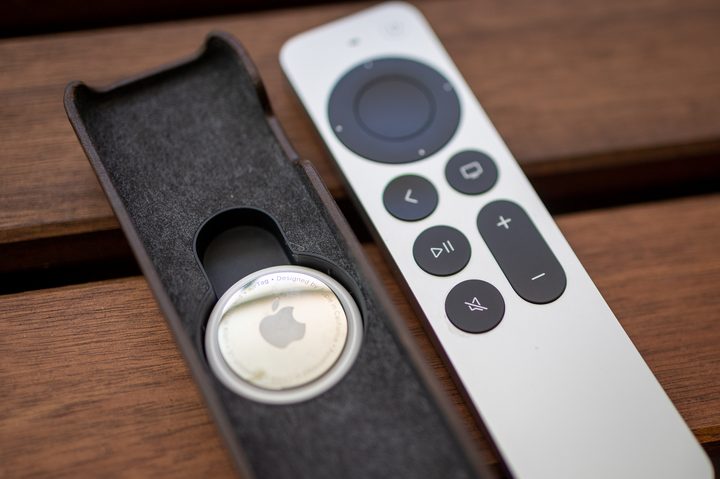
Nomad Apple TV Siri Leather Cover.
Phil Nickinson / Digital Trends

AirTags alone cannot be attached to an item. To attach them, you need an AirTag accessory. These accessories come in various forms, such as keychains, straps, loops, cases, mounts, wallet rings, and more. They are designed to securely hold the AirTag in place, making it easy to attach to your items.

For example, you can use an AirTag keychain to attach an AirTag to your keys or a strap to attach it to your backpack. You can even use a case to protect the AirTag from scratches and damage. Some AirTag accessories are stylish and customizable, while others are designed to be practical and functional.

There is even an AirTag accessory that doubles as an Apple Remote cover, which makes it convenient to keep track of the small controller. With so many AirTag accessories, you can find the perfect one to fit your needs and style.

Bryan M. Wolfe
Former Mobile and A/V Freelancer
Bryan M. Wolfe has over a decade of experience as a technology writer. He writes about mobile.
The OPPO Find X9 Ultra didn’t need its camera kit to impress me
No camera kit. No dedicated camera. Just the OPPO Find X9 Ultra, a packed work trip, and a growing realization that smartphone photography has come a long way.
OPPO Find X9 Ultra Camera Module

For years, smartphone brands have been selling the dream of leaving your professional camera at home. The reality, however, is usually accompanied by a few compromises. Sure, modern phones can take fantastic photos, but replacing a dedicated camera requires far more than good image quality. It demands versatility, reliability, and the ability to handle everything from tricky lighting to distant subjects without missing a beat. So when OPPO handed me the Find X9 Ultra ahead of Computex 2026, I decided it was time to find out whether that dream had finally become reality.

As a result, for the next several days, the Find X9 Ultra became my primary camera for everything from product photography and stage presentations to cityscapes, travel shots, and night photography. I even left OPPO's optional camera kit behind because if this phone was truly capable of replacing a professional camera, it needed to prove itself on its own. What followed was one of the first trips where I genuinely didn't miss carrying a dedicated camera.

Read more
I passed on most Prime Day iPhone accessory deals, but these five are worth your money
Five picks, all under $60, all things an iPhone user would actually use.
Apple TechWoven Case on the iPhone 17 Pro in Cosmic Orange

If you’ve just upgraded to a new iPhone and are looking for the best accessories to buy during the ongoing Prime Day 2026 sale, you’ve landed in the right place. I’ve gone through dozens of iPhone accessory deals, but these are the ones I’d actually use myself, buy with my own money, or recommend to friends and family.

Lisen Cell Phone Stand

Read more
Filling out forms on mobile just got a lot easier thanks to Google Wallet
Chrome's new Autofill upgrade can pull travel documents, vehicle details, and other information directly from Wallet.
Google Wallet Autofill

Typing passport numbers, vehicle registration details, and loyalty card information into a tiny smartphone screen is nobody's idea of fun. Google clearly agrees. The company has announced that Chrome on Android and iOS is getting a major Autofill upgrade that can pull information directly from Google Wallet, making it much easier to complete complex forms on mobile devices.

Chrome Autofill is getting a lot smarter

Read more