  1. Home
  2. Phones
  3. News

Google’s Veo just got better at making videos for your social feeds

It now supports native 9:16 video output.

Add as a preferred source on Google
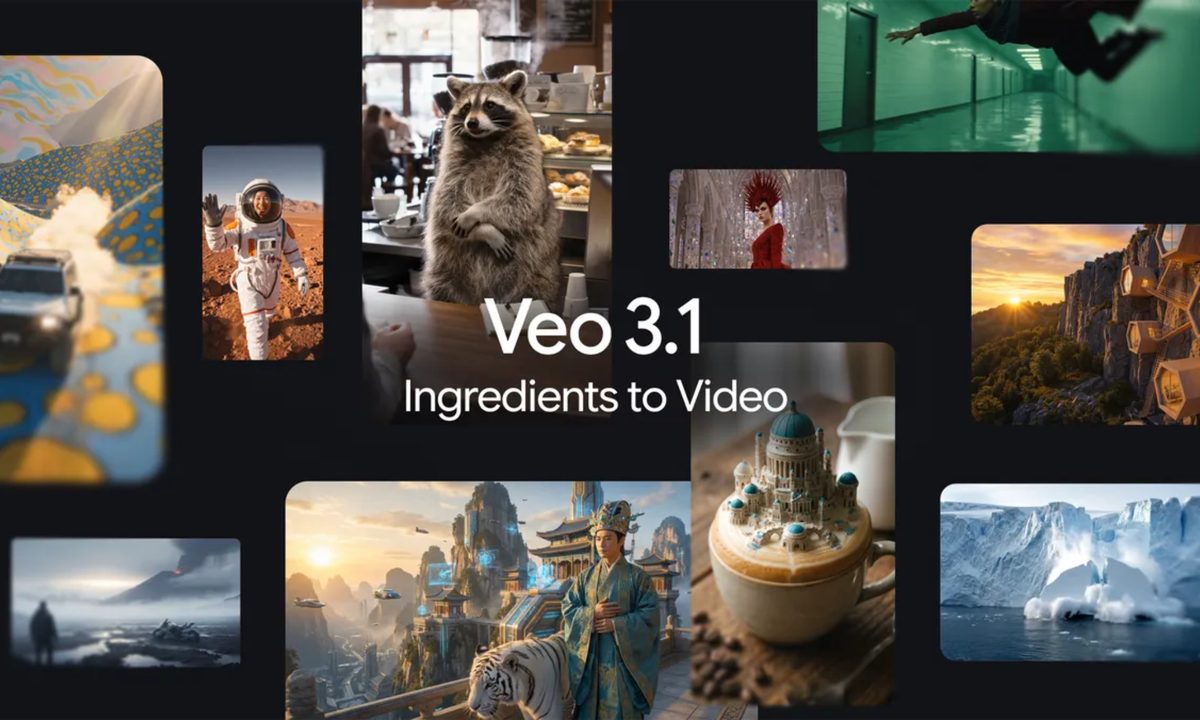
Veo 3.1 banner image.
Google

Google DeepMind’s impressive video generation tool Veo just picked up an update, bringing a long-awaited feature to users. The tool now supports native vertical video output, making it ideal for creating content for Instagram Reels, YouTube Shorts, and TikTok.

In its announcement, Google notes that Veo now lets users generate videos in a 9:16 aspect ratio, eliminating the need to crop or reframe clips for vertical-first platforms. To create portrait videos, users only need to upload a vertical image and Veo will maintain the aspect ratio and orientation. The update also brings improvements to the tool’s Ingredients to Video capabilities, allowing it to make videos “more expressive and creative, even with simple prompts.”

Make your videos vertical.
From towering shots to social-ready crops, Gemini has your video sizing needs covered.

Upload a vertical image, select the Video chip, and ask Gemini to turn your photo into a video. It will automatically stay in the same aspect ratio and orientation. pic.twitter.com/gr7mvximLG

— Google Gemini (@GeminiApp) January 13, 2026

Identity consistency has also been upgraded in the latest Veo 3.1 release, with generated characters now looking the same even when the setting changes. Google says this makes it easier for creators to tell a full narrative “by having the same character appear across multiple scenes.” Additionally, the tool now maintains the integrity of the setting and objects within it, and lets users reuse objects, backgrounds, or textures across different scenes.

Creators can now upscale videos to 1080p and 4K

Google adds that Veo now also has the capability to combine different elements, such as characters, objects, textures, and stylized backgrounds, to create more cohesive videos. For creators who require high-resolution clips for their projects, the tool has also picked up support for upscaling to 1080p and 4K.

Recommended Videos

The update is already rolling out, and users can try the portrait mode and Ingredients to Video enhancements in the Gemini app. These features are also coming to Flow, the Gemini API, Vertex AI, and Google Vids. However, the 1080p and 4K resolution upscaling options are currently limited to Flow, the Gemini API, and Vertex AI.

Pranob Mehrotra
Pranob is a seasoned tech journalist with over eight years of experience covering consumer technology. His work has been…
Samsung Galaxy S26 Ultra review: After four months of testing, I can’t part with it
A phone you buy for consistency, versatility, and long-term usage plans. It's pricey, but justifiable.
Samsung Galaxy S26 Ultra smartphone in blue color.

View at Samsung

Quick review

Read more
Google really wants Gemini involved in every part of your phone now
Gemini is getting deeper access to your Google Contacts on Android
Google Gemini Live Feature

Google is continuing its push to make Gemini a central part of Android by giving the AI assistant deeper integration with Google Contacts. A newly discovered update suggests Gemini may soon handle contact-related tasks more directly, potentially turning it into a more capable personal assistant for calls, messaging, and everyday communication.

According to a report by 9to5Google, the latest Google app beta includes references showing that Gemini integration with Google Contacts is expanding beyond basic assistant functions. The feature appears designed to let Gemini interact more naturally with saved contacts, helping users quickly find people, initiate communication, and manage relationship-based tasks through conversational commands.

Read more
Google’s new AI reply system could make texting feel easier
Soon you’ll only need one tap to pretend you typed a thoughtful reply
google pixel showing phone app

Google appears to be experimenting with a new AI feature inside Google Messages that could make replying to texts significantly faster. The feature, currently spotted in development, introduces a “tap to draft” system that automatically generates longer and more contextual responses instead of the short smart replies users are already familiar with.

According to a report by 9to5Google, the upcoming functionality expands Google Messages’ existing Smart Reply system by allowing users to tap suggested prompts that instantly create full draft responses inside a conversation. Rather than replying with simple one-word or one-line answers like “Sounds good” or “Thanks,” the new feature appears designed to generate more natural, conversational replies that users can edit before sending.

Read more