  1. Home
  2. Phones
  3. Mobile
  4. News

iOS 18.1 brings two sorely needed email features to the iPhone

Add as a preferred source on Google
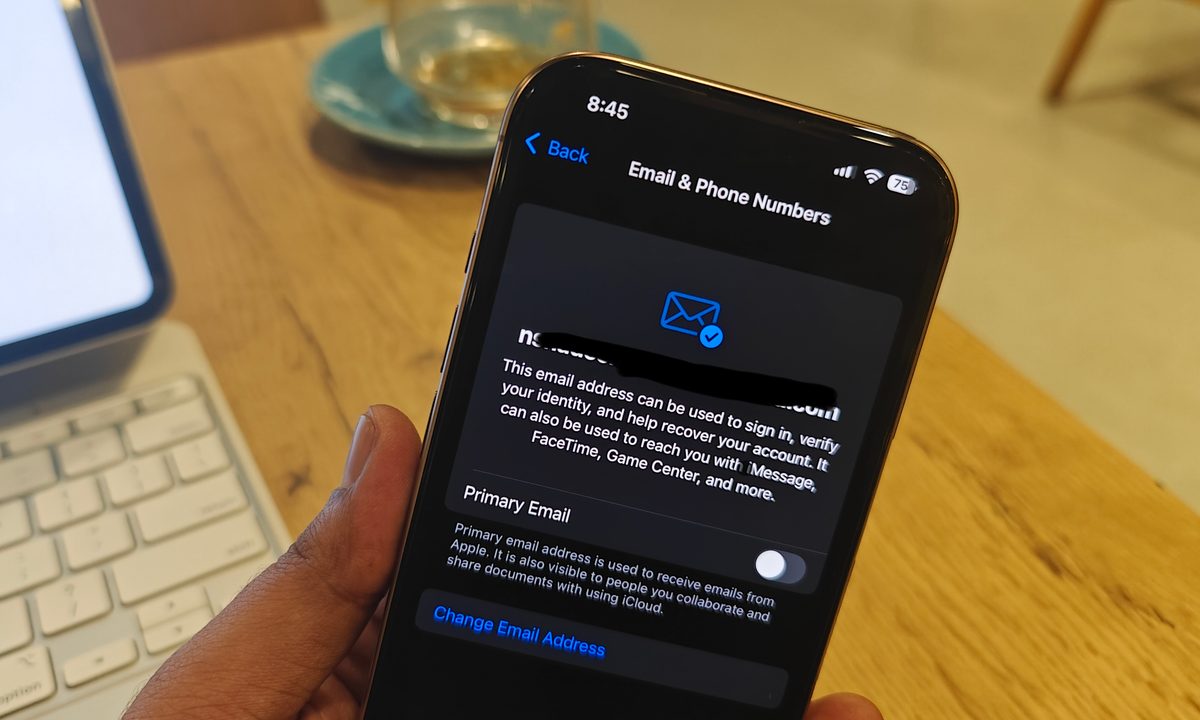
Setting primary email address after iOS 18.1 update.
Nadeem Sarwar / Digital Trends

With the introduction of iOS 18.1, Apple has made a crucial change that will make life easier for users eyeing an inbox address change for their account activities. Up till now, if you sought to change the primary email associated with your Apple account, the existing email address had to be deleted first.

Only after deleting the current email address were users able to add a new one for their Apple account. Following the iOS 18.1 update, users can simply change it without any erasure hassle.

Recommended Videos

In the Settings app, there’s now a dedicated “Primary Email” toggle that lets users specify an email address as the preferred email inbox for all kinds of communication. This is a convenient change, especially for people who use a Gmail account for collaboration on their iPhone and iPad.

Apple is also making it easier for users to change their primary iCloud email account. This is the account used for all kinds of Apple services, ranging from identity and recovery to using iMessage and FaceTime.
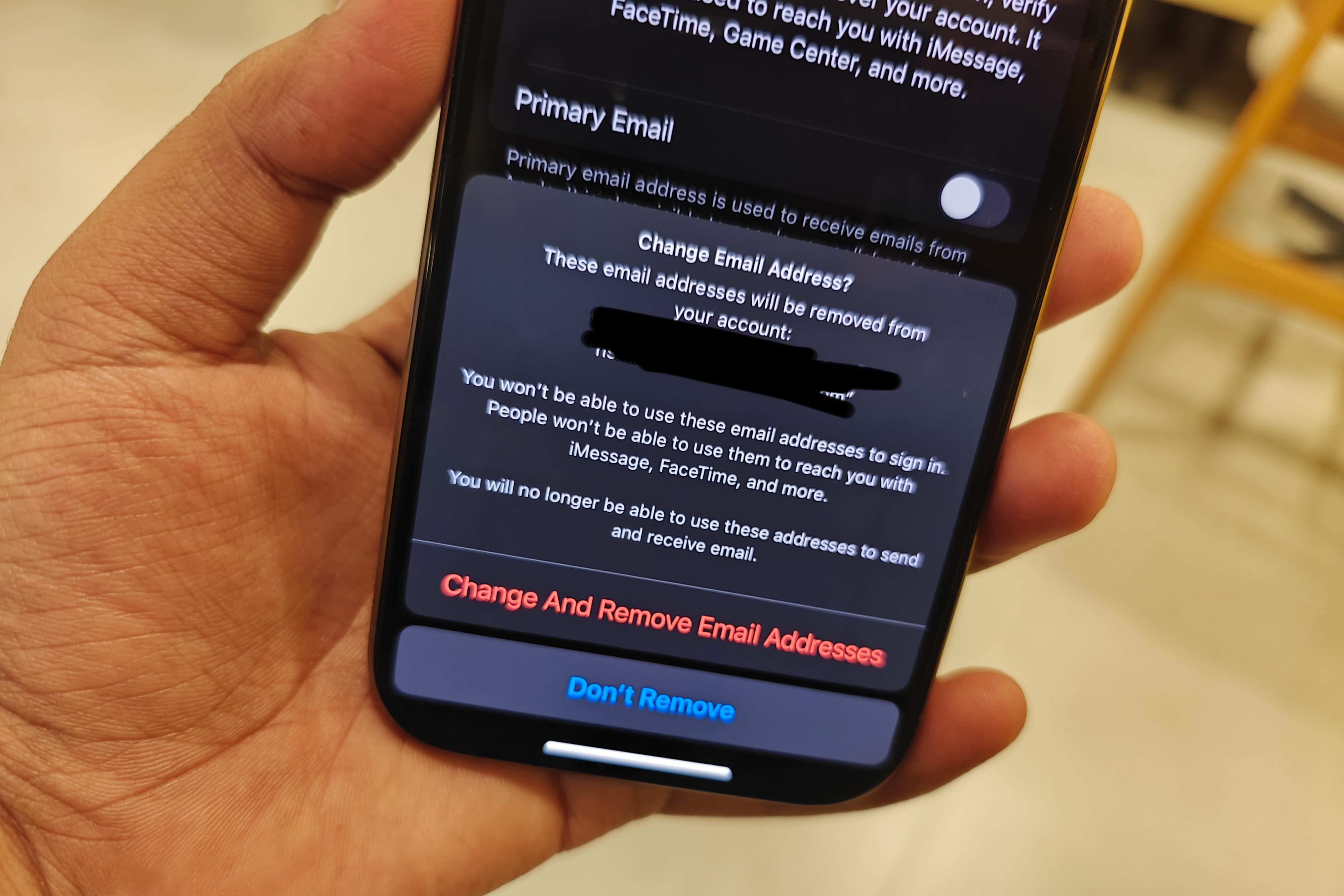
Changing iCloud email address on iPhone.
Nadeem Sarwar / Digital Trends

It’s yet another meaningful convenience, one with a security aspect to it. Up until now, users could only use an alias for their identity if they were a part of a shared project with other people; otherwise, the inbox address was left exposed.

In the outlier cases, well, you may just want to get rid of an email address that was not particularly professional-sounding. I remember creating one that mirrored my immature strategy with a gamer tag, and I am sure there are others out there who want to get rid of that shame as well.

With iOS 18.1, it’s finally possible to change the iCloud email address and use a fresh one. If you’ve already installed iOS 18.1 on your iPhone, you can make the changes by following this path: Settings > Profile Name (at the top) > Sign-In & Security > Email & Phone Numbers.

The changes were first spotted by the folks over at MacRumors. For those on the test channel, Apple has already released the sixth beta update of iOS 18.1, which brings a handful of cosmetic changes to the table and a few minor additions to the Settings app.

Nadeem Sarwar
Nadeem is the Managing Editor at Digital Trends.
Apple users are being targeted by a familiar tech support scam
Apple users face a new wave of fake iPhone and iCloud security warnings
iPhone user

AI has made online scams harder to spot by making deepfakes, voice cloning, and fake messages more realistic. Even so, the old tech support scam is still catching victims. For years, fraudsters often posed as Microsoft support workers. Now, reports suggest many are shifting their attention to Apple users.

Consumers are reporting a rise in fake “Apple High Alert” messages that claim an iPhone, iCloud account, or Apple ID has been compromised. These messages are designed to make people panic and react quickly before they can stop to check whether the warning is real.

Read more
iOS 27 puts a much better dictation experience on your iPhone, and you must enable it
A better dictation system is already on your iPhone. Apple just didn't switch it on.
Electronics, Phone, Mobile Phone

If you have an iPhone 17 Pro, iPhone 17 Pro Max, or iPhone Air running iOS 27 beta, you have a meaningfully better dictation system on your device right now. 

However, Apple did not turn it on by default, and most users have no idea it is there.

Read more
I’ve tried nearly every iOS 27 feature, and these 3 are why I’m still excited about the update
Electronics, Mobile Phone, Phone

It's been a little over a week since Apple's WWDC keynote, and the iOS 27 beta is already out in the wild. While Apple spent plenty of time talking about its Gemini-powered Siri, the thing I was most excited about was getting the update onto my iPhone 16e and seeing what it was actually like to live with.

I've been using the beta every day since then, and one thing has become pretty clear: not every new feature lived up to the hype for me. Some felt more interesting during the announcement than they do in everyday use, while others simply haven't found a place in my routine. But a few features have been the complete opposite. They're the ones I've found myself returning to again and again without even thinking about it. After spending more than a week with iOS 27, these are the three features that have stood out the most — and the biggest reason I'm still excited about this update.

Read more