  1. Home
  2. Phones
  3. News

Digital Trends may earn a commission when you buy through links on our site. Why trust us?

iOS 27 may let you adjust the Liquid Glass effect across your iPhone with a new slider

Apple is reportedly working on a system-wide control that would let users tweak the intensity of the Liquid Glass effect across iOS.

Add as a preferred source on Google
Apple iOS 26 running on the iPhone 16 Pro
Nirave Gondhia / Digital Trends

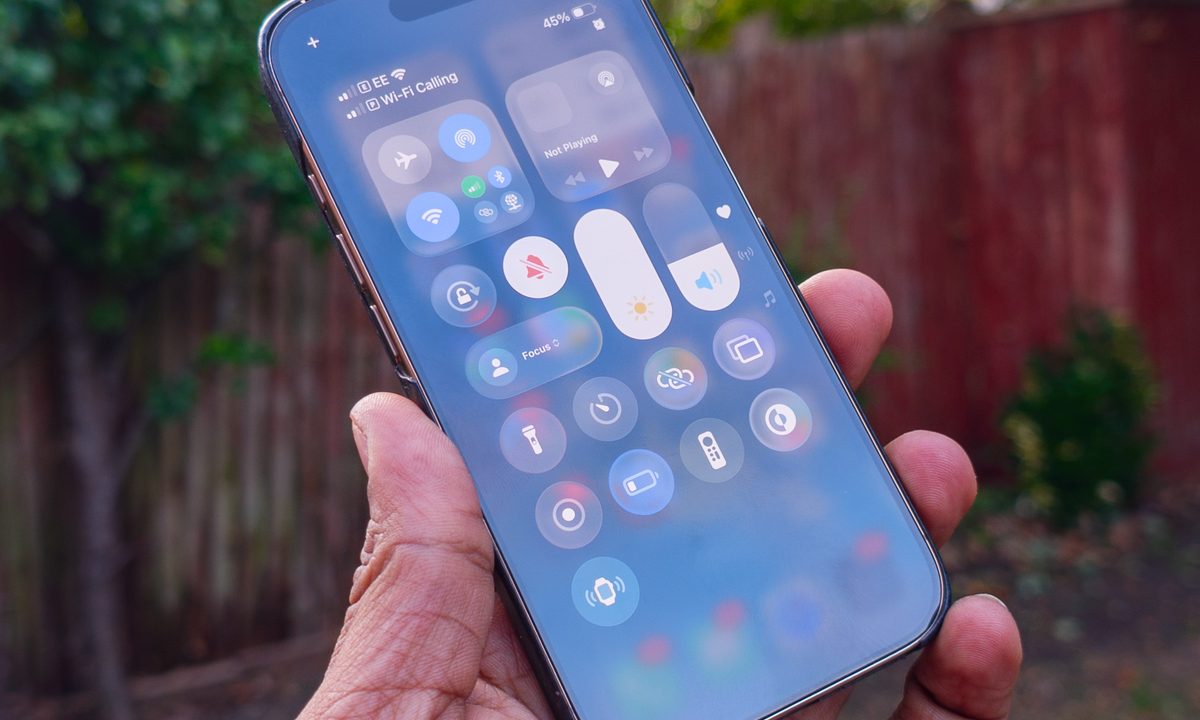
Apple gave iOS a massive visual overhaul with iOS 26, introducing the new Liquid Glass design language. The redesign brought translucent, glass-like elements that reflect and blur background content across system apps, controls, and navigation bars, giving the iPhone interface a completely new look. However, this new design didn’t go down well with all users.

Apple has since been gradually expanding customization options to help users tweak the look to their preference. With iOS 26.1, the company introduced a “Tinted” option that increases opacity across interface elements, and iOS 16.2 later added a slider that lets users adjust the Liquid Glass effect for the Lock Screen clock, making it appear clearer or more frosted.
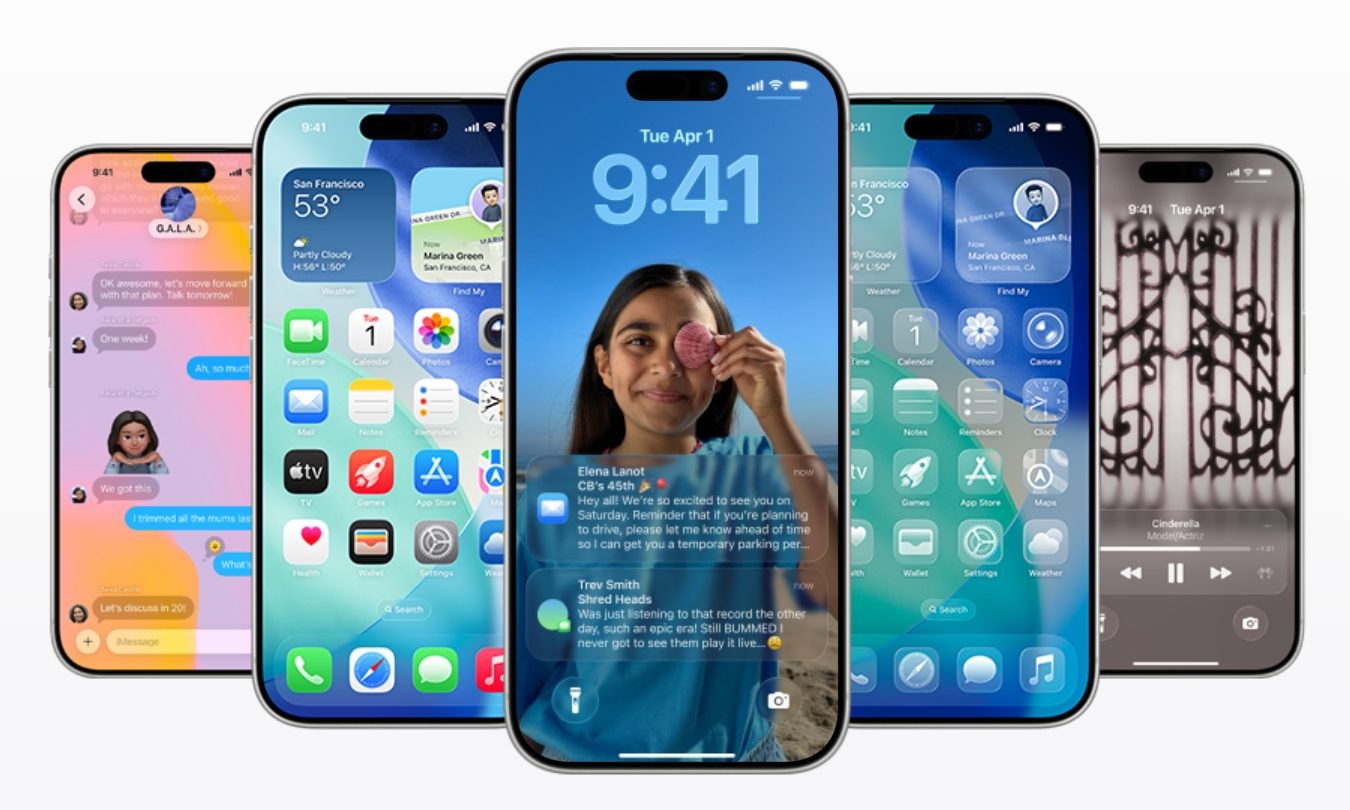
According to Bloomberg’s Mark Gurman, Apple may take that idea further in iOS 27 by introducing a system-wide slider that controls the intensity of the Liquid Glass effect across the entire operating system. Apple reportedly explored adding a system-wide control during the development of iOS 26, but ran into engineering challenges when trying to apply the setting consistently across the entire interface. Because of the technical hurdles, the company limited the slider to the Lock Screen clock.

Is a system-wide Liquid Glass slider confirmed for iOS 27?

The company is now said to be revisiting the idea for iOS 27, though the feature remains under development and may not necessarily make it into the final release. Gurman notes that Apple is “trying again now for iOS 27,” but whether the system-wide slider ultimately ships is still to be determined.

Recommended Videos

Even if it does arrive, the broader Liquid Glass design is expected to remain largely unchanged in iOS 27, with Apple focusing on incremental improvements rather than another major visual overhaul. Apple is expected to reveal more details about the update at its annual Worldwide Developers Conference before rolling it out to compatible iPhones later in the year.

Pranob Mehrotra
Pranob is a seasoned tech journalist with over eight years of experience covering consumer technology. His work has been…
Android desktop mode made me miss my laptop in record time
I tried writing and publishing from Google’s phone-to-monitor setup, and the future of mobile computing immediately started sweating.
Computer, Electronics, Laptop

Android 17 desktop mode has a very simple pitch. Plug your phone into a monitor, add a keyboard and mouse, and watch the slab in your pocket pretend to be a computer. I wanted to give that pitch a fair shot, so I tried using it for an actual workday instead of a cute demo.

The goal was boring on purpose: write an article, edit it, build the page in WordPress, upload whatever needed uploading, and publish the thing without running back to my laptop like a coward.

Read more
After test-driving iOS 27, my iPhone still doesn’t feel like it has made a substantial leap
Siri learned new tricks. Safari got smarter tabs. My morning routine didn't change at all.
iOS 27 new star rating feature in Photos

Every June, after Apple wraps up its annual WWDC keynote, I install the latest iOS beta on my iPhone, watch the progress bar crawl to completion, and wait for the inevitable restart. For years, picking up my phone afterward felt almost identical to how it did before the update. 

I saw the same grid of icons, the same Control Center, and the same version of Siri until iOS 26 finally broke that pattern in 2025.

Read more
Android 17 makes a strong case for ignoring Android version numbers entirely
When the most noticeable change is a better Quick Settings button, the annual update cycle starts looking more like branding than progress.
Android 17 logo.

Android 17 finally separated the Wi-Fi and mobile data buttons, and I hate how much that improved my mood. For years, Android treated internet access like one mysterious blob, as if Wi-Fi and cellular data were emotionally codependent. In Android 17 Beta 3, Google split the old combined Internet button into separate Wi-Fi and mobile data tiles, making each connection easier to switch off with a single tap.

That’s a good change, which is also why it’s a little damning. When one of the cleanest wins in a major OS update is “the buttons make sense again,” the celebration gets awkward fast.

Read more