Smartphones are quite possibly our most used devices. Think about the amount of personal and sensitive data that you have on your smartphone. The thought of it falling into the wrong hands is very scary. From credit card information to our personal photos, there’s a lot to protect, and smartphones must be handled with care when it comes to security.
The iOS platform has had some issues with vulnerabilities, and malware has even made its way into the App Store. One of the best things about iOS, however, is Apple’s ability to respond quickly to any problems by pushing updates to customers worldwide at the same time.
But you need to play your part to ensure iPhone security. Take action and enable all the features that iOS offers, so that even if your phone is lost or stolen, you’ll still have the ability to track it and wipe it remotely. The following guide will take you around iOS and show you some simple things that will make your iPhone more secure.
TouchID, Passcode, Apple ID, and tracking
Touch ID and Passcode
You need some lock screen security to prevent people from being able to access your iPhone. Touch ID is a great, convenient feature that allows you to use your fingerprint instead of having to type in a passcode. Many of the apps on the App Store, such as document apps, can use Touch ID for security, however, it may not be as secure as a really strong passcode. If you’re concerned about using your fingerprint for security, you can choose to use a passcode only. The most secure passcode would be an alphanumeric passcode that includes both letters and numbers. If you want to use a password that is difficult to crack, we suggest that you use numbers, letters, and symbols.
To set up an alphanumeric passcode you can follow these steps.


Step 1: Go to Settings > Touch ID & Passcode > Turn On Passcode. If you already have a passcode tap Change Passcode.
Step 2: Tap on Passcode Options.
Step 3: Select Custom Alphanumeric Code.
Alphanumeric passwords are the hardest to crack. Believe it or not, some of the most popular passwords are 12345678 or Administrator. Alphanumeric passwords allow you to have numbers, letters, and symbols such as @, #, or &.
When it comes to security, a normal 4-digit numeric password has only 10,000 possible combinations. A hacker will be able to get this password in no time at all using a program. In iOS you have the option to create alphanumeric passwords of up to 37 characters. The more characters you use, the harder it will be to crack. As a comparison, if you used all 37 character combinations of numbers, letters, and symbols, the total jumps to around six duovigintillion possible combinations (or 77 to the 37th power). It would be virtually impossible to guess this password, but it may be impossible to remember it, too.
Apple ID and Two-Factor Authentication

When you first set up your iPhone, you should take the time to make an Apple ID. Your Apple ID works with iCloud, App Store, and even iMessage. The Apple ID is your Apple email address that ends in @icloud.com or @me.com. If you don’t have one, you can just create one using your current email address, such as Gmail.
Once you have an Apple ID, you should set up two-factor authentication. Once you set this up, nobody will be able to access your account, even if they have your password. When someone tries to access your account, a code will be sent to your device which allows you to log in. If you remember our story on the iCloud hack, then you know how important this can be.
Follow these steps to set up two-factor authentication.


Step 1: In iOS 10.3 or later, go to Settings > [user’s name] > Password & Security. If you’re using iOS 10.2 or earlier, go to Settings > iCloud > [your Apple ID] > Password & Security.
Step 2: Select Turn On Two-Factor Authentication.
Step 3: Follow the on-screen instructions if you’re asked your Apple ID security questions.
Step 4: Add a trusted phone number.
Tracking, Location Access, and Find My iPhone

Did you know that your iPhone can track you? If Frequent Locations is enabled, your iPhone will save your location every time you connect to Wi-Fi. You can stop your iPhone from saving these locations by going to Settings > Privacy > Location Services > System Services > Frequent Locations. Once you’re there, you can turn the option off, and also you can tap Clear History to get rid of any saved locations on your iOS device.


While you’re in Location Services, you may want to take a look at which apps have access to your location. Every app that needs your location will ask you to allow it to access your location first. You can opt to limit access only while the app is in use, or you can deny access altogether.
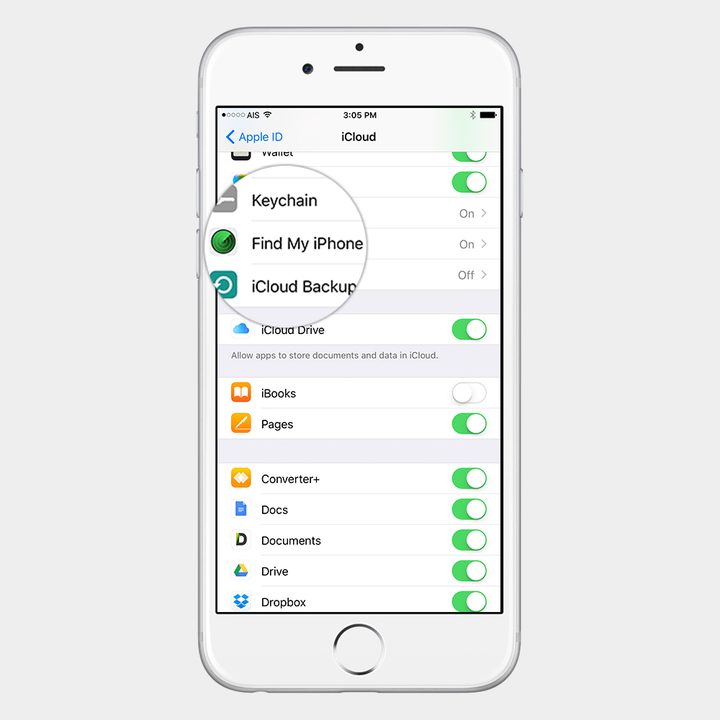
Find my iPhone will enable you to locate, and even remotely erase, your iOS device in case it is lost or stolen. You have to make sure that the location services setting is turned on by going into Settings > Privacy > Location Services. To enable Find My iPhone go to Settings > [your name] > iCloud > Find My iPhone. After that, you can go to iCloud.com to locate your smartphone and access it remotely.
Backup, jailbreaking, lock screen features, and security apps
Backing up your device
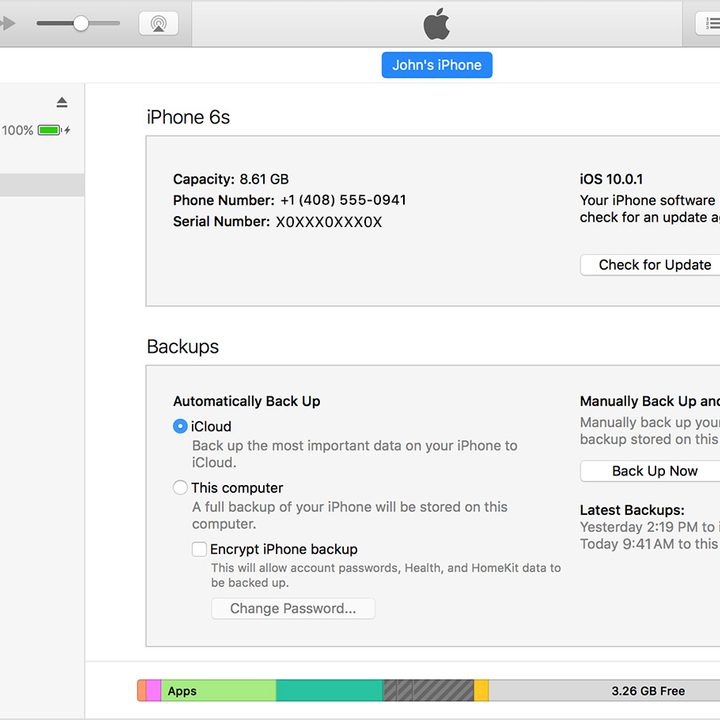
You may think that iPhones are immune to malware, but that is not the case. The Acedeceiver malware is an example of how third-party software installed on a PC can be used to install malicious apps on iOS devices. This attack only affected people in China, but it illustrates the fact that you should only install trusted software on your computer to manage your iOS devices.
If you’re not using iTunes, and choose to use other third-party software, we have an iPhone backup guide with recommended software that you can use to back up, fix, and even recover iOS devices. Be safe and be careful about what kind of software you install on your computer.
Jailbreaking
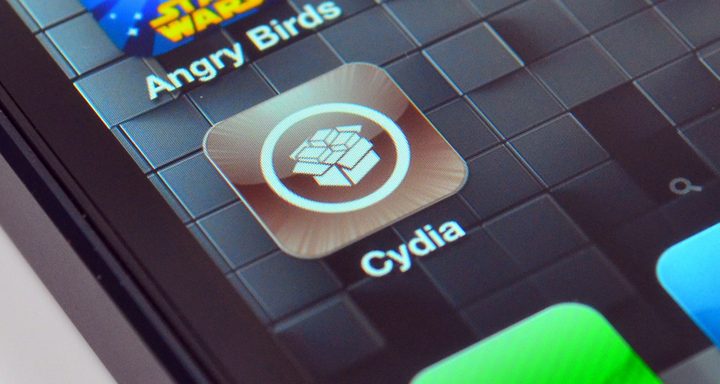
The process of Jailbreaking an iPhone grants users root access to their iOS device and removes restrictions put in place by Apple. Jailbreaking also means that users can install apps from outside Apple’s official App Store. Jailbreaking an iPhone is required to install spyware, so that should tell you something about security regarding jailbroken devices.
Cydia is the app used to download apps on jailbroken iOS devices. If you buy a used iOS device, check to see if it has the Cydia app installed. If you see Cydia, then it means you’re dealing with a jailbroken iOS device. The best way to fix this is to follow our guide on how to restore your iOS device and install the latest version of iOS.
Lock screen features

There are a lot of very nifty lock screen features in iOS 10. You can reply to a message from the lock screen, access widgets, interact with notifications, and more. If you are concerned that any of these features may reveal personal information, then you can control what appears on the lock screen, or you can disable everything if you’d like.
To do this go to Settings > Touch ID & Passcode. There’s a section called Allow Access When Locked and this is where you can toggle what you want to have on your lock screen. One of the first things you may want to disable is Reply with Message, as it enables anyone to reply to a message without having to unlock the device.
Security apps

One of the benefits of iOS is the frequent updates that are rolled out to every iOS user around the world at the same time, so your device is always running the latest version of the operating system. However, you might still want to consider some third-party iOS security apps to tighten your iPhone security further. If you want long passwords for better security, but you can’t remember them, then one of the best password manager apps might be good for you. To increase your level of privacy and security while browsing the internet, you should definitely check out our top VPN apps for iOS.
The closed nature of Apple’s iOS and app ecosystem is one of the reasons that iOS has a good reputation for security, but it’s only by using strong passwords and taking advantage of the privacy settings in iOS that you can ensure that your iPhone is truly secure.