
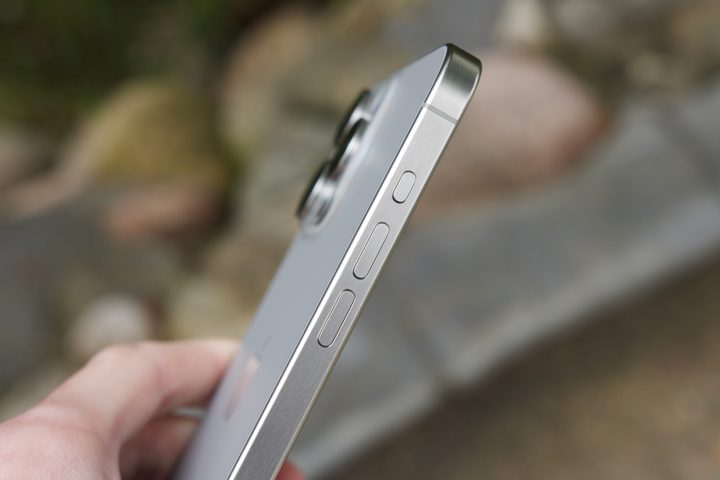
The iPhone 15 Pro and iPhone 15 Pro Max have an all-new titanium body, which is the standout feature from a design perspective. However, another hardware-related feature that’s even more noteworthy for these models — and future iPhones over time — is the new Action button.
The Action button replaces the ring/silent switch on the left side of the iPhone 15 Pro and iPhone 15 Pro Max. You can assign one shortcut to the button through the Settings app, such as activating and using the Camera app or turning on the phone’s flashlight. To assign the button, go into the Settings app on your supported iPhone. From there, choose the Action Button, then toggle to your selection. It’s that simple.
You may think that the Action button on your device is only useful for basic functions. However, it’s also compatible with Apple Shortcuts and accessibility features, allowing for a variety of possibilities that you may not have considered.
Action button basics
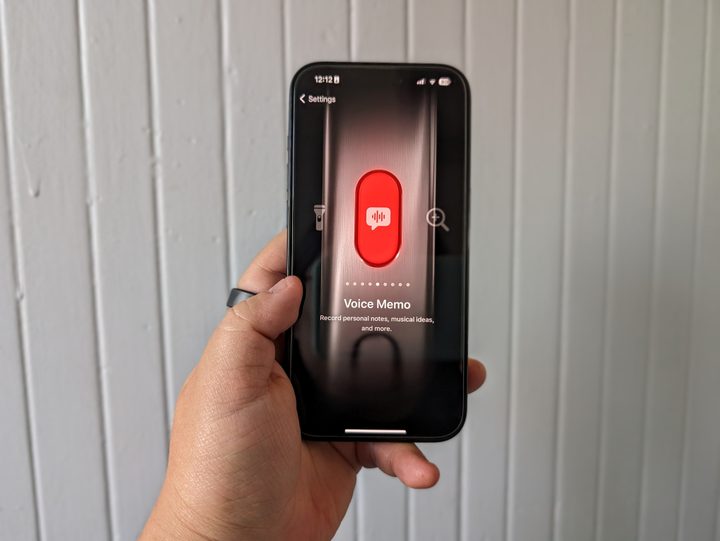
The iPhone 15 Pro’s Action button can be customized to perform six basic functions. Besides opening the Camera app and turning on the flashlight, the button can also be used to switch to silent mode, activate a Focus setting, access the Voice Memo app, or use the Magnifier. Additionally, if you have the official Translator app installed on your iPhone, you can also assign the Action button to that app. It’s also possible to deactivate the Action button, so it does absolutely nothing. That’s no fun, of course.
The Camera tool is perhaps the most valuable, but that’s entirely subjective. When you assign the Action button to the Camera app, you also choose the camera function that activates. You can have it automatically open the photo camera, selfie, video, portrait, or portrait selfie.
Let’s discuss some of the more advanced features that can be performed using either the Shortcuts app or the accessibility tools on your phone. If you choose to use the Shortcuts app, you will be prompted to select a shortcut. You can link it to an existing shortcut, create a new one, or choose from the pre-existing shortcuts available in the Shortcuts Gallery. It’s worth noting that shortcuts have web addresses, which you can access from your iPhone and follow the installation instructions. Meanwhile, when you choose Accessibility within the Action button settings, you must select a specific action from the list.
The Action Button Menu
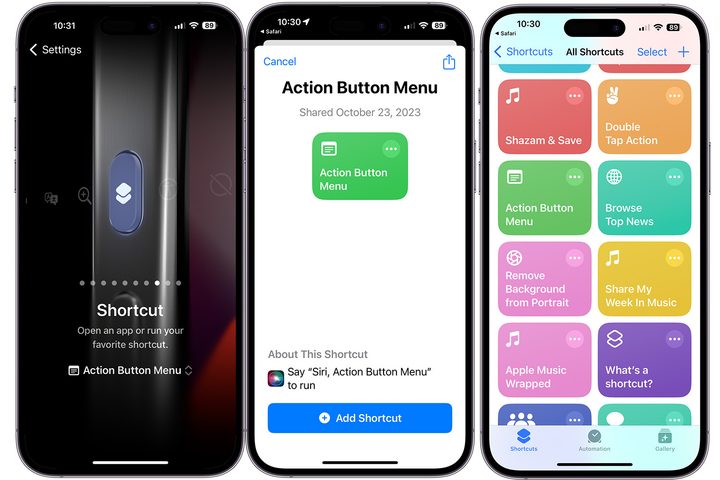
It’s frustrating that you can only assign one task to the Action button. Thankfully, a shortcut was shared on X (formerly known as Twitter) by ReallAppleDefender, which removes this limitation.
The Action Button Menu shortcut lets you bring up a menu when you press the button. This menu offers six tasks: Camera, Flashlight, Mute Toggle, Set Focus, Rotation Lock, and the ability to open the Home app. That means pressing the Action button once now gives you six possible shortcuts, and as you’d expect, it’s a big upgrade over the default options Apple gives you.
Give your camera superpowers
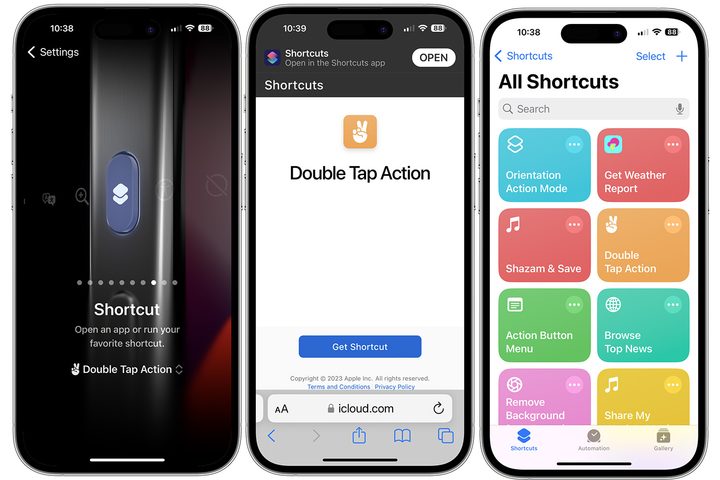
Who wouldn’t love a quicker way to switch between photo and video modes on their phone’s camera app? Jordan Zeleny has created a shortcut called Double Tap Action, and it’s perfect for this.
With this shortcut, a single tap of the Action button opens the photo camera, while a double tap automatically switches to the video camera. It’s a simple yet powerful feature that can save time and make your photography experience more efficient.
Launch the Shazam app
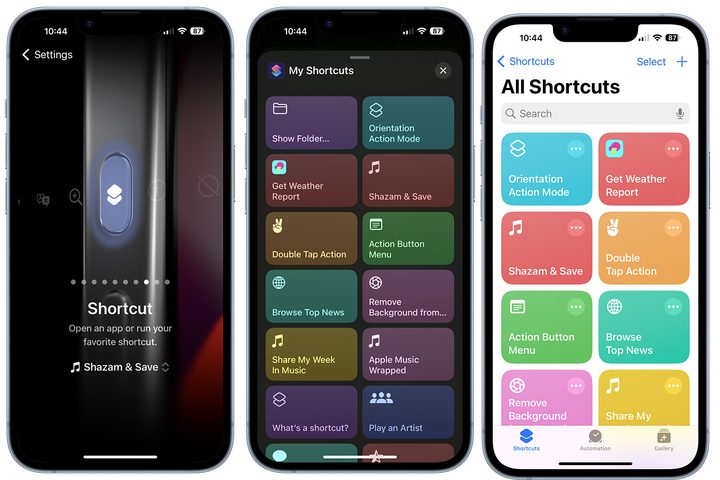
If you’re not familiar with the Shazam app, it’s a great tool that can help you identify songs. Open Shazam, press the button, and you can identify whatever song is playing.
With the Shazam & Save shortcut, you can activate the music identification function through the Action button and add the recognized song directly to your Apple Music library. Hear a song playing and want to know the name or artist of it? Just enable this Shortcut, press the Action button, and that’s all there is to it.
Turn on background sounds
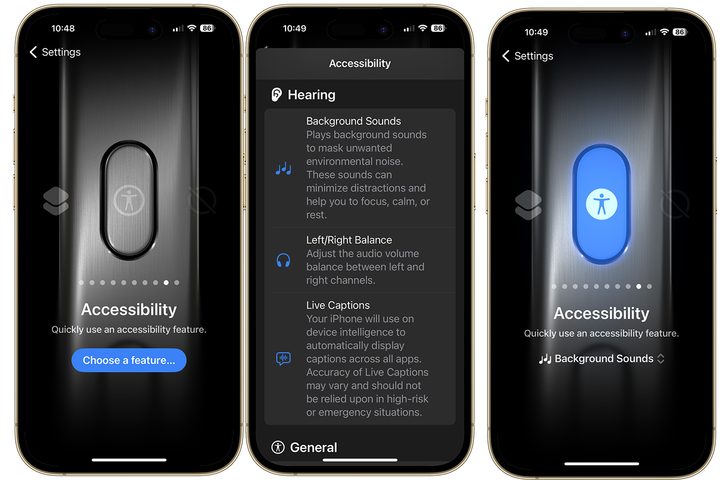
Do you ever find it difficult to concentrate? Did you know your iPhone offers soothing background sounds that you can play through your compatible headphones? These background sounds can come to life automatically using the Action button.
To get started, choose Accessibility under the Action button settings. From there, tap Choose to see a list of available options. Next, scroll down to the Hearing section and tap Background Sounds.
Now, when you click the Action button, you’ll hear background sounds designed to mask unwanted environmental noise. Click the Action button again to turn off the sound.
Give your Action button two shortcuts
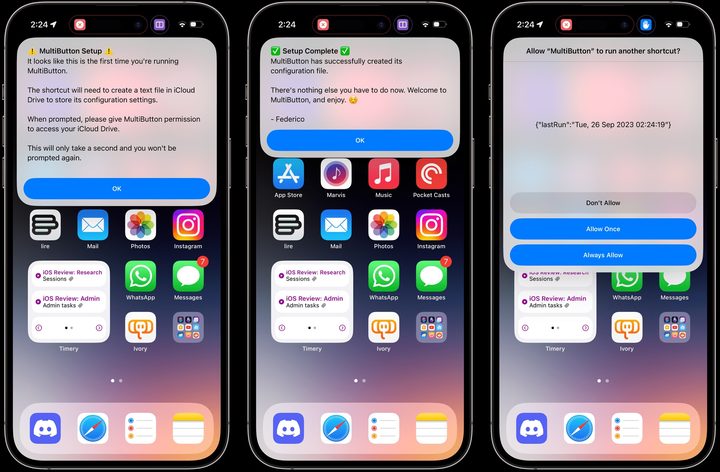
Federico Vittici, a well-known author at MacStories, has created a variety of Apple shortcuts over the years. One of these, Multibutton, is a handy option when paired with the Action button. With Multibutton, you can assign two separate shortcuts to your Action button, one of which is activated by pressing the button once and the other by pressing it twice.
To begin, you will need to download the app and then tap on the Set Up Shortcut option. However, things can get a bit tricky from here on. You must enter the exact names of the two shortcuts you want to run. Once it’s all configured, however, it can be really powerful.
Activate VoiceOver
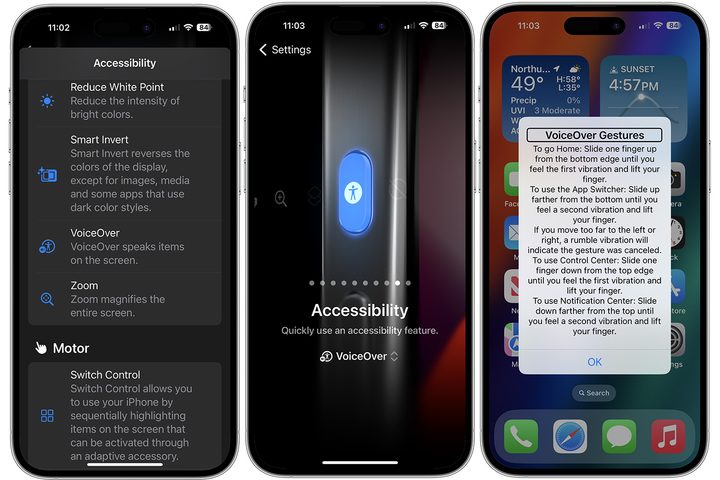
Another accessibility feature with the Action button is the ability to activate VoiceOver. With VoiceOver, you’ll hear a voice speak the items on the screen.
To assign this, choose Accessibility under the Action button settings. From there, tap Choose to see a list of available options. Next, scroll down to the Vision section and tap VoiceOver. While this is technically an accessibility feature, anyone can use and benefit from it.
Open any app you want
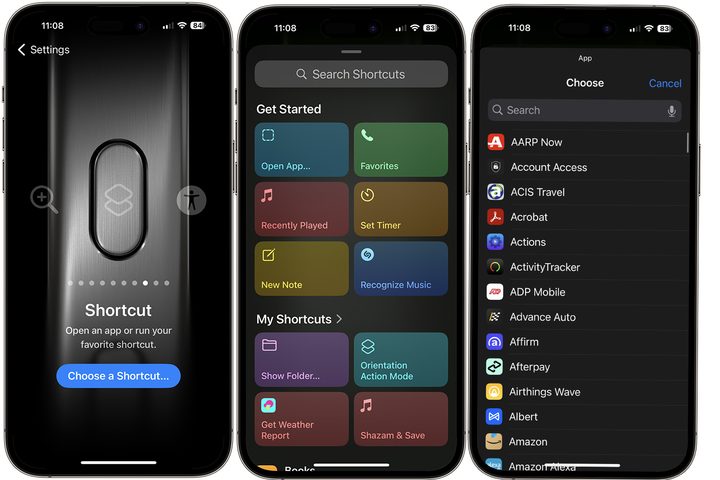
It might seem repetitive to assign the Action button to open an app. After all, you can do the same thing by searching for it or by clicking on its icon from your home screen. However, it’s a nice option nonetheless. For example, you can use the Open App shortcut to open an alternative camera app such as Camera+, check the weather, etc.
To start with this tool, select Shortcut from the Action button menu, then tap the selection below, which will open the Shortcuts menu. From there, choose Open App under the Get Started section and follow the additional directions.
Orientation-based actions
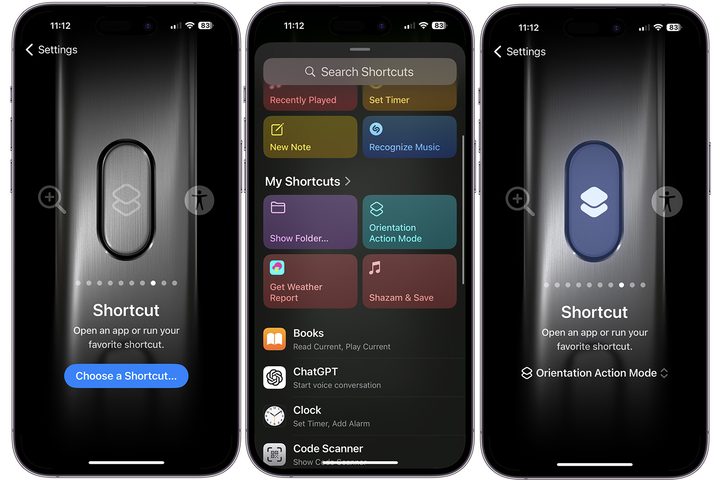
YouTuber Dan Vittorini has created an interesting shortcut called the Orientation Action Mode. Once installed, the shortcut allows you to assign different actions based on the orientation of your phone.
For instance, if you’re watching a movie in landscape mode, you can use the Action button to activate the silent mode. On the other hand, if you’re in portrait mode, you can change the Action button to start the Camera app or any other app of your choice. You can get pretty creative with this one, and it’s absolutely worth checking out.
Get creative with Apple Music
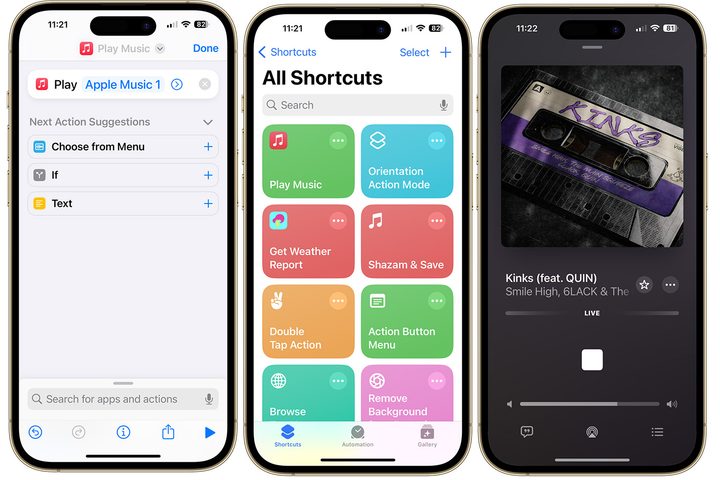
There are several Apple Music shortcuts available that can help you find your favorite songs, albums, radio stations, and more. You can access this content even quicker by combining these shortcuts with the Action button.
For instance, I am fond of Apple Music 1, and I’ve set up Apple shortcuts to start the radio station every time I click on the Action button. It’s simple.
As you can see, there are many possibilities with the iPhone 15 Pro’s Action button. You can use it with any of its basic options or opt for a shortcut or accessibility tool. The choice is yours.


