
The iPhone 14 Pro is halfway through its reign as the “latest iPhone,” and one of the features that differentiated it from the regular iPhone 14 has only now started getting better. I’m talking about the Dynamic Island, which Apple labels as a “shape-shifting, multitasking, head-turning, game-changing iPhone experience” on its website.
In February, I wrote how the Dynamic Island is good to look at when it’s working, “but five months into its life span, the feature hasn’t caught up to the promises Apple made at launch.”
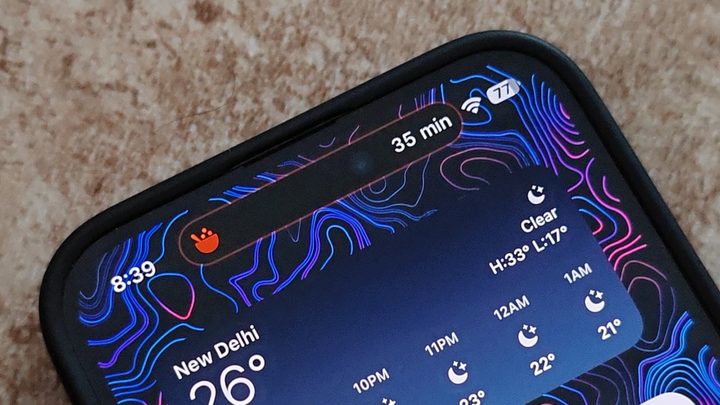
Soon after my piece went live, Uber released the Live Activities API for its app on iOS. This was followed by Zomato and Swiggy (food delivery apps in India) also releasing support for the feature.
After interacting with them for more than 20 days, I can finally say that Dynamic Island is improving. But is it another solid reason to go for the Pro variants instead of the regular or Plus models?
The Dynamic Island finally does what I want
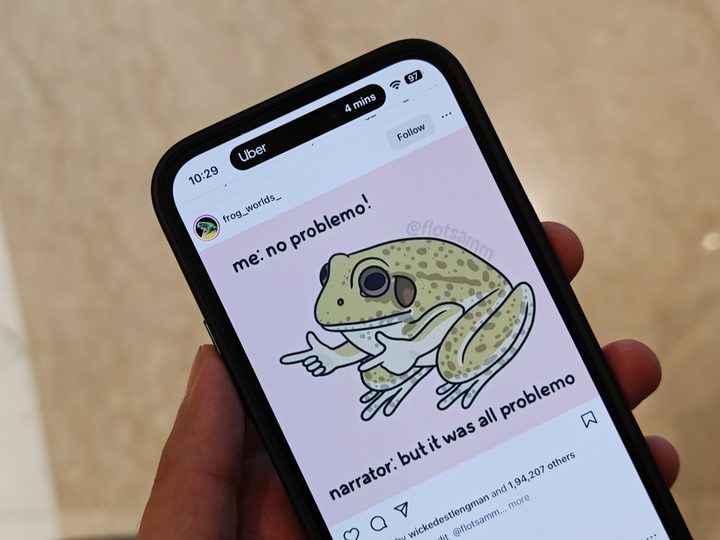
The iPhone 14 Pro series-exclusive feature used to work with only a couple of my most-used third-party apps at launch, namely Spotify and WhatsApp. At launch, Apple said that more apps would make use of the Dynamic Island by December 2022 … but that didn’t happen.
However, things finally started gaining momentum by the end of February 2023. And now, in mid-April, the feature works with most of my third-party apps. Combine it with Live Activities, which displays up-to-date information from your app on the lock screen and Dynamic Island, and you have a winner. It allows you to view the progress of events or tasks at a glance.
Dynamic Island now works with most of the apps that I use in day-to-day life.
With Uber, it displays the app name on the left and ETA on the right side of the Dynamic Island pill. Similarly, Swiggy displays the driver icon and the ETA of the delivery person reaching the restaurant and then the delivery ETA on the pill. When the screen is locked, Live Activities API kick in to show the needed information.
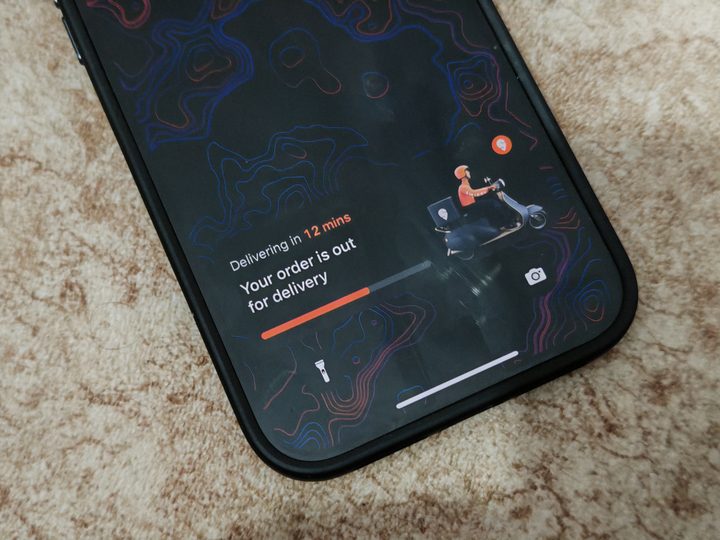
Dynamic Island with Live Activities makes for a seamless experience. It cuts off the need for constant push notifications. For instance, on Swiggy, I used to get a notification for each of the steps — including order placed, delivery partner assigned, restaurant preparing food, ready for pickup, delivery incoming, and delivery arrived. The app no longer needs to send me these push notifications as the Live Activities allow for the dynamic menu on the lock screen and the Dynamic Island to showcase each activity – from the time you place an order to when it’s delivered. I can now be looking at memes on Instagram or responding to someone on Twitter, but still keep a track of the progress on my food order.
Dynamic Island now works with most of the apps that I use in day-to-day life, which include apps in categories like navigation (Google Maps), food delivery (Swiggy and Zomato), calling (WhatsApp), travel (Uber), and Music (Spotify). It is much more functional now than it was when it was launched seven months back.

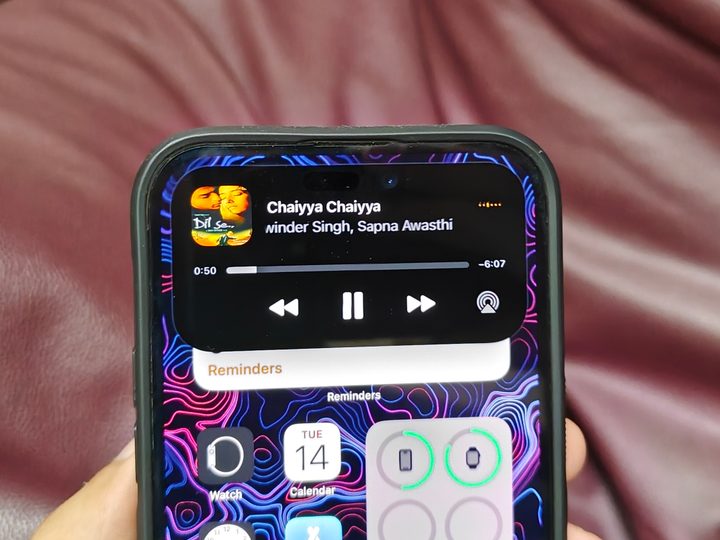
I’m mostly interacting with the Dynamic Island when I’m using Spotify. Long-pressing gives me the playback controls in a small box, and tapping on it takes me to the app. But I find myself mostly sliding down from the top to access music controls via the notification shade instead of long-pressing the Dynamic Island.
Dynamic Island by itself is still redundant at times. I see the location icon on the status bar, as well as on the Dynamic Island, to signify that an app is using the location services in the background. I don’t want the same icon to be visible twice simultaneously, and I’m surprised Apple hasn’t worked on this yet.
It’s getting better, but …
Live Activities is what makes the third-party apps better to use, not its integration with Dynamic Island. Considering that the feature is also available on the iPhone 14 and iPhone 14 Plus, I don’t see Dynamic Island being a reason to upgrade from a regular model to the latest iPhone 14 Pro or iPhone 14 Pro Max.
If you are considering buying the iPhone 14 Pro over the regular iPhone 14, buy it for the more versatile camera setup and a better processor (which might make the Pro last one year longer).
And if you don’t need the extra lens or won’t use your iPhone for more than three years, it’s better to settle for the more affordable option. Because, at least right now, Dynamic Island still isn’t a reason by itself to go for the iPhone 14 Pro lineup.


