

The age-old debate over Android and iOS may never reach a fruitful conclusion. However, one way Android has always been superior to iOS is in its ease of installing applications. Android applications can be easily downloaded (or shared with other Android users) and installed using APK files.
Below, we list multiple ways you can download and install Android apps on your phone, tablet, or any other Android device using APK files. Before we delve into the process, here’s a quick introduction to APK files — what they are, how they work, and how you download/open them.
What is an APK file?
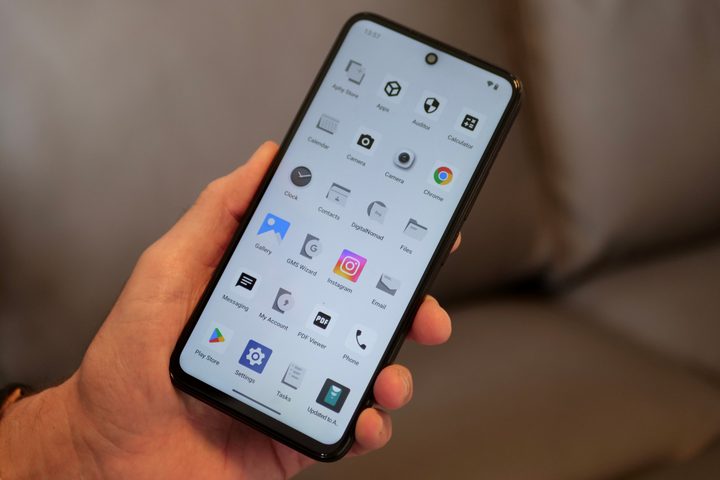
APK is short for Android Package Kit, the file type used by Android applications. It is equivalent to an executable (.exe) file on Windows and is used to install applications on Android-based hardware — including a phone or tablet, multimedia hardware such as Android TV, or sometimes even a Wear OS smartwatch.
An APK file is a compressed file package similar to ZIP or RAR files. According to TechTarget, it consolidates all the assets, media, and code required to run the application on supported Android applications. Android devices have more varied form factors than the iPhone or iPad, which come in specific sizes, and the APK file contains the necessary elements to run and adapt to different screen sizes and orientations.
The process of compressing all the elements of an app is called “compiling,” while authorizing that all contents are shipped as intended and safe and free from any malware is called “signing.” Android app developers must compile and sign the app before uploading it to the Google Play Store or any other third-party platform.
The Google Play Store automatically installs the apps without you needing to download the APK file separately. However, if you wish to install Android apps that are unavailable on the Google Play Store, you must download and install the APK file manually. Here’s how you can go about the process.
How to download APK files on your phone
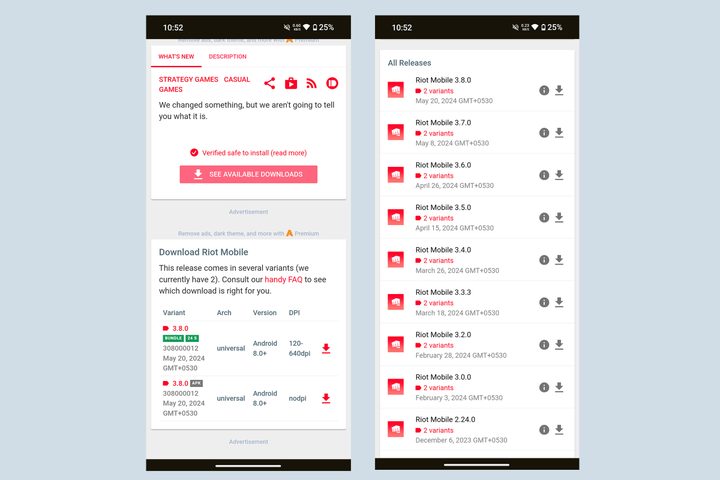
The first step to installing an Android app using an APK file is downloading it from a reliable source. A simple Google search along the lines of “<app name> APK download” easily lists countless search results claiming to offer the most up-to-date version of the app’s installer. However, you should exercise extreme caution while choosing where to download the APK to avoid getting a malware-laden version of the app.
One of the most reputable sources for downloading APK files is APKMirror. The platform automatically backs up most of the apps ever uploaded to the Google Play Store, with all versions sorted chronologically and based on compatible Android devices.
Besides APKMirror, you may also download apps from reputable forums such as XDA Forums or through developer platforms such as GitHub. However, it is important to note that, unlike the Google Play Store, these apps may not be moderated or scanned for viruses and may be unsafe for your phone.
Apart from downloading APK files directly to your Android phone or any other device, you can download them to an external media such as a flash drive or an SD card or transfer them from another Android device using file-sharing services such as Quick Share (formerly Nearby Share) — a native Android tool with a function identical to Apple’s AirDrop.
How to install and open APK files
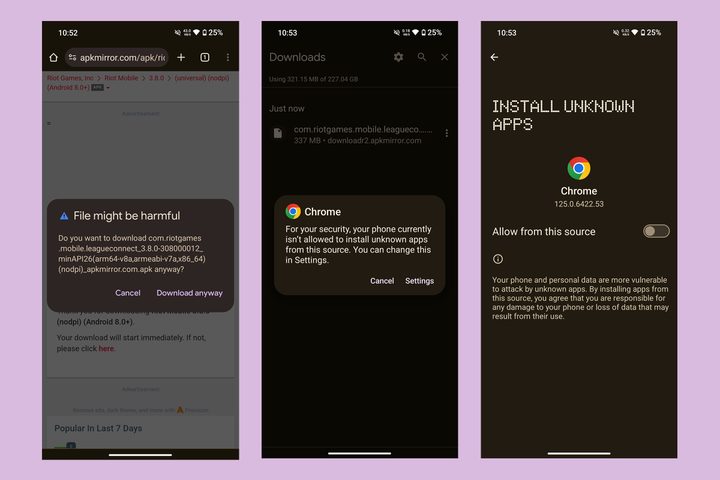
Installing an Android app using an APK file is very easy. You just need to open the APK file from any source, such as a web browser or a file manager.
To install apps from unknown sources on newer versions of Android, you must authorize the source. When you tap the APK file, you will automatically be prompted to allow installation from an “Unknown Source”.
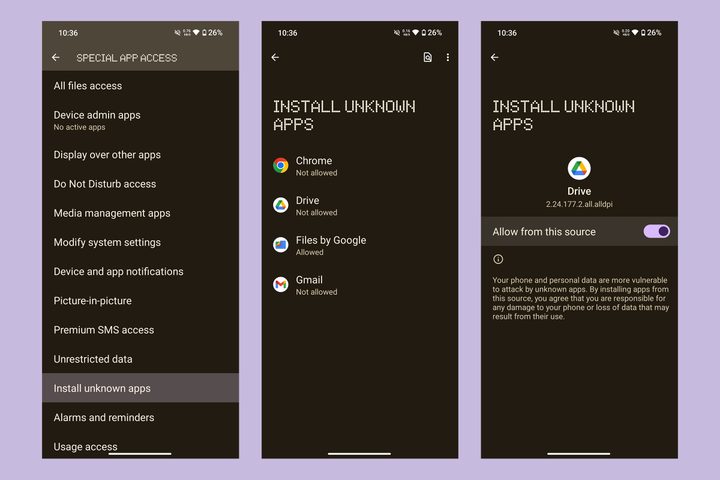
Alternatively, follow these steps to install apps from unrecognized sources:
- Go to Settings > Apps.
- Scroll down to find Special app access and select it.
- Select Install unknown apps.
- Here, you will find all apps that can be used to download or access APK files.
- Select the specific app — such as Google Chrome or Files.
- Enable the toggle next to Install from unknown sources.
Once you allow installation from unknown sources, you will see a prompt asking you to Cancel or Install an app. Tap Install to initiate the process. Depending on the app’s size, the installation will finish in a few seconds, and the app will be listed among other apps on your phone. Tap Done to dismiss the dialog box or Open the app to try it.

While most of the apps are available as APK files on APKMirror, some larger apps (or ones compiled through more complex processes) may also be available as Android App Bundles (or AAB files) or APKMirror’s proprietary file format APKM. Unlike an APK file, you cannot install an AAB file directly. However, APKMirror gives you an easy solution in the form of APKMirror Installer.
You must install the Installer through an APK from the link above and then download the AAB or APKM file to install any other app.
Installing apps using third-party app stores

Similar to the Google Play Store, you can download apps from third-party app stores. Aptoide and APKPure are two of the most prominent alternative app stores. These app stores handle the installation of apps by themselves, just like the Google Play Store, but you must download and install them as apps first (you cannot simply download APK files from these stores). In some regions, phone brands may also offer their own alternative app stores, such as Samsung’s Galaxy Store, where you can download and install apps on your phone.
Other than the APK, these app stores also let you download larger app bundles with app data included in XAPK format. This may sometimes include paid apps from the Google Play Store that are available for free on Aptoide or APKPure. However, you must always be careful when downloading such apps instead of being lured by their free-of-cost offering.
Similarly, F-Droid is the perfect destination for downloading and installing open-source apps.
When should you download APK files?
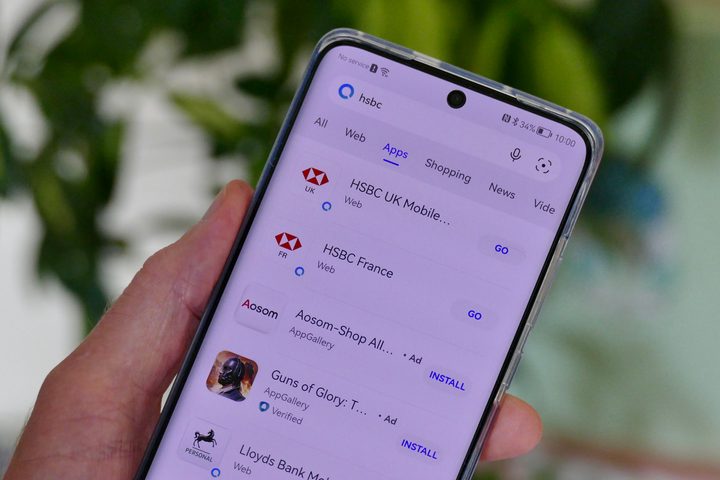
While your first preference for downloading an app should be the Google Play Store, you may occasionally rely on some of the sources we listed above to download and install an app using APK files. You may download an APK file when an app has been geo-blocked and is unavailable in your region or is not officially supported by your device.
For some reason, you may be unable to download an app directly from the Google Play Store. This is another reason to rely on external sources to install apps using APK files.
Furthermore, you may install apps with APK files when a new update malfunctions an otherwise perfect app. In such cases, you may use platforms like APKMirror to download older versions of the app. You can also do this when you wish to try the beta version of an app, but beta trials via Play Store are full.
Lastly, you can also rely on APK files to get apps when you are running de-Googled phones from brands such as Huawei or interfaces such as GrapheneOS.
When should you avoid APK files?
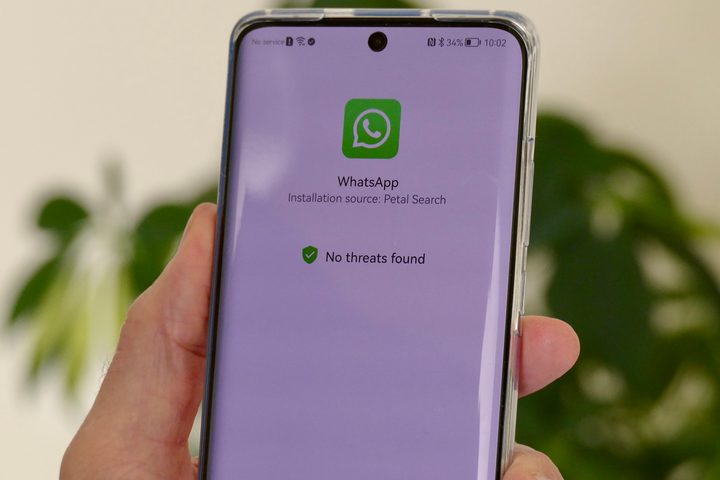
While APK files give you access to a broader library of apps, including those that are not officially available in your region, you must avoid downloading apps in certain scenarios.
Firstly, avoid downloading paid apps being peddled for free. While countless sources online will claim to offer modified versions of the paid app — or games with unlimited freebies unlocked — these may be a hotbed of viruses and spyware. This spyware can be used to take control of your phone and steal private and financial information.
As a rule of thumb, avoid downloading apps from shady or unreliable sources, as they may be laced with malware. Similarly, avoid downloading APK files for adult apps from unreliable sources, as they may also have viruses.
Lastly, you must avoid downloading or using apps that are banned by the government in your country. While you may download and use these apps for moments of thrill (or as a gesture of rebellion), you may also end up in legal trouble or may be subject to punishment if caught using such apps.


