  1. Home
  2. Social Media
  3. Mobile
  4. Legacy Archives

Google product manager confirms, Hangouts will get Google Voice support ‘soon’

Add as a preferred source on Google
google hangouts
Image used with permission by copyright holder

Google product manager Nikhyl Singhal officially announced today that Google Voice support for Hangouts is in the works.

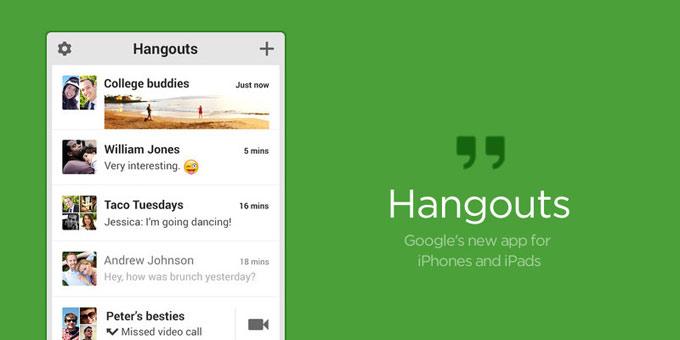
Google announced its standalone unified messaging app at its Google I/O conference last week, called Hangouts. The app is capable of sending text messages, sharing photos, and streaming video. To get the app out to users as soon as possible, the core features have been available to Gchat users.

Recommended Videos

But early adopters discovered a deal breaker when they upgraded to Hangouts within Gmail through Google’s Chrome extension: Google Voice was nowhere to be found.

In fact there are a few elements missing from Google Hangouts, including SMS messaging. But as we reported last week, Google community manager Dori Storbeck assured new Hangouts users that both of these features were on the way. If it’s any reassurance, in the Google+ post Singhal doubly confirms Google Voice support. He assures users that “outbound/inbound calls will soon be available.”

Right now, if you’re using Hangouts you can only receive and answer outside calls to you your Google Voice number ( if you have one). Making calls using Google Voice (outbound calls), on the other hand, is out of the question – at least for now. 

Should the absence of Voice be too overbearing, you’re not stuck forever with the new format until Just click on the downward arrow next to your Google Chat photo and click on “Revert to old chat.” And there you have it: You can go back to Gchat with Google Voice support and all.

To hint at what’s in store, Singhal offers a glimpse of what his team plans on doing with Hangouts. “Hangouts is designed to be the future of Google Voice, and making/receiving phone calls is just the beginning. Future versions of Hangouts will integrate Google Voice more seamlessly,” he says.

Francis Bea
Former Digital Trends Contributor
Francis got his first taste of the tech industry in a failed attempt at a startup during his time as a student at the…
Social media scams caused over two billion dollars in losses to consumers last year
Facebook scams led consumer losses as social media fraud surged in 2025
cyberscam-romance-scam

Social media is now America's most expensive scam hotspot. According to the Federal Trade Commission (FTC), consumers reported $2.1 billion in losses from platform-based fraud in 2025, a number that has grown eightfold in five years. Nearly one in three fraud victims said the con started on a social platform.

Why is Facebook such a big target?

Read more
I found an app that finally broke my toxic affair with doomscrolling
Electronics, Mobile Phone, Phone

I won’t pretend I’m above it — I watch Instagram Reels and YouTube Shorts like everyone else, and it usually starts small. A notification pops up, I unlock my phone, and I tell myself I’ll just check one thing. The next moment, I’m deep into a stream of random videos, with no idea how I got there or how much time has quietly slipped away. I’ve genuinely tried to fix it — I set app timers and convinced myself I’d follow them. I even removed Shorts from my YouTube feed, thinking that would finally solve it. I tried apps that promise to limit usage and keep you in check. For a day or two, it felt like I had things under control. Then slowly, almost without noticing, I’d fall right back into the same loop. This habit creeps in during moments of boredom, and suddenly I’m scrolling again.

At some point, I had to admit it — doomscrolling was no longer something I occasionally did; it was something I kept returning to without even thinking about it. Then, almost by accident, I found an app that actually made a difference. It didn’t completely fix everything overnight, but it did something more important. It made me pause and be aware of what I was doing in that moment. And that small interruption was enough to help me pull back before I went too far. It just gave me a bit of control, which was exactly what I needed.

Read more
WhatsApp for Windows feels worse than ever, and I’m tired of pretending otherwise
The new WhatsApp for Windows is divisive, laggy, and weirdly hard to trust
WhatsApp Web

WhatsApp on PC is supposed to be one of those basic apps that you wouldn't normally think twice about. Just like its Android or iOS counterpart, it should serve as a reliable daily messaging tool to keep you in the loop with friends, family, and work.

You open it, reply to a message, drag in a file, maybe take a quick call, and move on with your day. But the current version of WhatsApp for Windows feels a lot like it's fighting you in each one of these aspects.

Read more
