

That’s it folks — the last of the cheers have died down and Apple CEO Tim Cook has been packed away until the next big event. The WWDC keynote is over, but it’s left us with an awful lot to unpack. In fact, with all the information Apple squeezed into less than two and a half hours, we might need until next WWDC to digest it all properly.
With information on new versions of all Apple’s operating systems — including a brand new one — and the launch of the new and incredible looking Mac Pro, here’s absolutely everything we saw at the WWDC 2019 keynote presentation.
MacOS Catalina

MacOS 10.15 is coming, and it’s called Catalina.
The biggest announcement was arguably that of SideCar. SideCar gives MacOS the ability to use an iPad as a second screen. Users can move windows and tasks onto your iPad screen and interact with it exactly as if it was a second monitor. Unlike a second monitor though, the iPad retains its Apple Pencil support, so you can use your iPad as a drawing tablet for your Mac.
As expected, Apple is killing off iTunes on MacOS, splitting the app between Music, Podcasts, and Apple TV. Those apps have been given some impressive new functions to meet their new responsibilities though. Apple Podcasts can now use machine learning to search spoken content in specific podcasts — so you can find specific words in individual podcast episodes, while Apple TV will have support for 8K footage and Dolby Atmos. Syncing your phone or iPod now takes place in your system, rather than in iTunes, making it a far smoother process.
Voice Control is also coming to MacOS and iOS. Voice Control gives users full control of their devices with just their voices. In a demonstration, Voice Control was used to open the Photos app, select an image, and share it with a personal message (including an emoji). It didn’t stop there either, and Voice Control was used to send further messages, and even a location from Maps.
MacOS is also getting a new Apple app — Find My. Created by combining Find My iPhone with Find My Friends, Find My works as an amalgamation of those two apps, helping you to find lost devices, as well as your friends. Incredibly, it works even while a device is offline by using a low-power Bluetooth signal. But it wasn’t the only safety feature we saw: Activation Lock makes your MacBook even less tempting for thieves, as it locks your MacBook down until you unlock it. Screen Time is making the jump from iOS too, so you’ll be able to see how much time you spend on your Mac.
Last, but certainly not least, Apple is continuing to break down the walls between iOS and MacOS with Project Catalyst. Essentially a bridge between the operating systems, Project Catalyst allows developers to easily create apps for both iOS and MacOS, increasing the number of Mac apps available.
A public beta for MacOS Catalina will be available in July 2019.
Read more about MacOS Catalina and Apple killing off iTunes.
iOS 13

As expected, iOS 13 is here, and it’s bringing some serious performance upgrades with it. Apple claims that iOS 13 makes Face ID 30% faster, app file sizes 50% smaller, and updates 60% smaller. This has a knock-on effect for speed of course — with Apple claiming apps now launch twice as fast.
Dark mode was always going to be amongst the biggest news though. Apple’s new dark theme is applied system-wide, from widgets to apps, to the keyboard — which is sporting a new, swipeable method of typing.
Apple didn’t stop there. A number of apps have seen improvements, but it’s Reminders that’s gotten the biggest overhaul. The new app can now remind you at specific dates and times, tag people, and add subtasks to existing tasks. Maps has had some serious upgrades, too, with more detailed maps, the ability to favorite locations for easy access, and even share favorites lists with friends. For those who like to get a first-person look at locations, Apple has added Look Around mode.
The Photos app is getting more organized, too, and it will now use machine learning to sort and order your collection, making it much easier to find the photos you want. Pinch-zoom allows you to find specific areas easy, and it’s super smooth. That organization allows you to see your photos by month, and even by specific days. If you specify a date, you’ll be able to see albums from that date on every year.
Permissions are seeing an overhaul, too. For the first time, you’ll now be able to grant an app permissions “just once” — so it’ll have to ask you every time it wants access to your location. Apple is also closing various permissions loopholes, and are tracking what these permissions are used for on your device. You’ll also be able to avoid being tracked by various social media sign ins, thanks to Sign In With Apple. This feature can even hide your email address — keeping you in the loop of email updates, but still anonymous and safe.
iMessages is getting some new fun features, including the ability to set a Memeoji as your profile picture. Memeojis will also be available in more places, thanks to the personalized Memeoji sticker packs. Memeojis will now also be available for any iOS device from the iPhone 6S and later.
ARKit also got a mention, Apple showed off new technology, including motion capture, and advanced people occlusion in real time. But the most exciting reveal was Minecraft Earth. A living and breathing Minecraft world played in AR, we were able to see Minecraft played on a table, and even on the keynote stage itself, with the players playing Minecraft in real time, in the Minecraft world itself.
A public beta for iOS 13 will be available in July.
Read more about iOS 13.
The Mac Pro 2019

Apple reintroduced the Mac Pro line with a new redesign. The old circular design is gone, replaced by a more traditional tower-style desktop — but with a distinctive front and back plate. Apple claims the distinctive look maximizes air flow — but, well, the cheese grater jokes were flying about immediately.
But don’t make the mistake of thinking it’s not powerful. The new Mac Pro equipped with the latest 28-core Intel Xeon processor, 1.5TB of storage, and a 1.5KW power supply. The sides slide up for access, and it comes with eight PCI slots so users can customize their Mac Pros as they see fit, including support for not just one Radeon Pro Vega II, but two. You might worry it’ll melt with all that power — but Apple has equipped the Mac Pro with a new cooling system that’s effective, but also quiet. It’s so powerful that when fully loaded, it’ll be able to process three raw 8K streams at the same time.
The Mac Pro will start at $5,999, and it will be available in the fall.
Read more about the Mac Pro.
Pro Display XDR

The new Mac Pro needs a new display to show it to its best — and Apple has paired it with a beast. The Pro Display XDR has a 32-inch Retina 6K screen with support for Extreme Dynamic Range (a better version of HDR), P3 wide color, and a wide viewing angle.
The design, like the Mac Pro, is sure to divide opinion. But like the Mac Pro, there’s a point to the trypophobic nightmare. The hole design helps with cooling, and all that cooling allows the display to output an incredible 1,000 nits indefinitely, with a maximum brightness of 1,600 nits. The stand rotates into portrait mode, and it’s even possible to easily detach the display from the stand — though we’re not sure why you’d want to lug a 32-inch screen around with you.
The price for the Pro Display XDR will start from $4,999, with a nano-matte coated to reduce glare version costing from $5,999.
Read more about the Pro Display XDR.
iPadOS
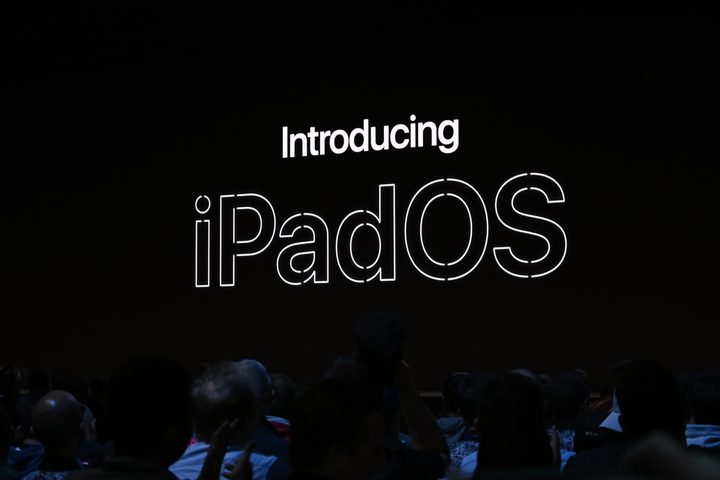
There was something of a surprise waiting for us on the WWDC stage, though. Apple decided the iPad has grown beyond what iOS can offer — so it’s created an offshoot operating system just for its tablets. It’s called iPadOS, and it’s an OS built around productivity. iPadOS’s home screen is much tighter, and you can easily add widgets straight onto your home screen. There’s clearly been a particular emphasis put on jumping between apps, too, as seeing your open apps and changing between them is fast and reliable.
iPadOS is the perfect place to debut split-screen mode. iPadOS allows you to put two apps side by side, making it easier to refer back while working. Best of all, you can even put two instances of the same app side-by-side, so you can open two Microsoft Word documents side-by-side. To reflect this increased workflow, iPadOS’s Files app has had a lot of work done. It’ll show file metadata, and can be organized into easy-to-read columns. It even works with thumb drives.
Safari is being adapted to fit iPadOS, too. Safari on iPadOS will request desktop webpages instead of mobile pages, and will also come equipped with keyboard shortcuts, and a download manager. iPadOS itself will also support custom fonts, and a series of new gestures to make your workflow smoother. iPadOS even has the ability to move the keyboard or Apple Pencil toolbar to one side of the screen, making it easier to use one-handed.
The public beta will be open in July.
Read more about iPadOS.
WatchOS 6

Apple loves how the Apple Watch is becoming an integral part of many people’s lives, and they’re enhancing the things you love in WatchOS 6.
The Apple Watch has some amazing health-monitoring capabilities, so it’s unsurprising to learn WatchOS 6 will include some additions and improvements for your health. Activity Trends is a new metric that tracks your exercise and shows how your movement trends are progressing over time. If you’re doing better than normal, it’ll be an upwards arrow. If you’re not moving as much as in the past, it’ll show a downwards arrow and recommend some exercises to get you back up to snuff.
But fitness is only a single part of your overall health. In WatchOS 6, the Apple Watch will also come with the Noise app, which will use your microphone to tell you if your surroundings are loud enough to damage your hearing. Cycle Tracking allows women to track their menstruation cycle, showing trends over time and allowing you to see when you’re due, or at your most fertile. Cycle Tracking isn’t just locked to the Apple Watch too — it’ll also be available on the iPhone’s Health app.
WatchOS getting some new apps outside of health and fitness. With the new update, you’ll find apps for Audiobooks, Calculator, and Voice Memos. But it doesn’t stop there. WatchOS 6 is introducing apps that work without a companion phone app, making them completely independent. To match that new independence, you’ll also be able to find WatchOS 6’s biggest addition — an App Store just for Apple Watch apps.
There are also a bunch of new watch faces coming, some with customizable elements, and there will even be Pride-themed watch faces to match the Pride watchbands. The WatchOS 6 public beta will arrive in July.
Read more about WatchOS 6.
tvOS 13

Apple also made some tweaks to tvOS 13. The tvOS menu has been redesigned, and now gives you previews of the biggest and latest shows and movies. It’s also getting multi-user support, and it works with Apple Music, displaying lyrics in real-time. The Apple Arcade will also get support for Xbox One and PS4 controllers.
Apple also gave us a look at its first Apple TV Plus exclusive, For All Mankind. Set in an alternate reality where the Soviet Union won the race to the moon, the program explores an expanded space race, where — rather than giving up — the U.S. pushes the space race even further, racing to be the first country to land manned missions on Mars and even further beyond.
Read more about tvOS 13 and For All Mankind.
Smart home, CarPlay, and wearables
While HomePod may not have taken off yet, Apple’s not giving up on its smart speaker. The HomePod is getting a couple of great new features, including Handoff. Move an iPhone near to your HomePod and you’ll be able to share a song between the two devices. HomePod is also gaining the ability to recognize multiple users. HomeKit is also getting a security boost and security camera footage sent through a HomeKit will be safely encrypted before being sent to the Cloud, not after. This makes your video footage much safer — not even Apple can access it.
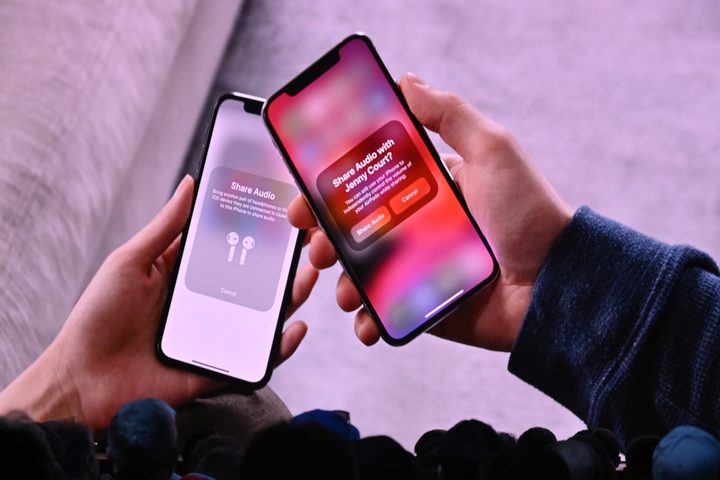
Prepare for Siri upgrades, too. Siri’s voice will now be entirely generated by a Neural TTP (text-to-speech) program. Rather than using various clips knitted together, Siri will now generate a voice completely from scratch, making her voice more natural sounding. Siri is also gaining the ability to read messages and notifications while you’re wearing your AirPods. You’ll also be able to share music between AirPods, so you can show your music taste off to friends. Siri is being loaded into CarPlay, and with a new interface, you’ll be able to simply use Siri in your car.
Read more about the new AirPods and HomePod features.


