The first Apple Watch (later dubbed Series 0) originally came out in April 2015, but I was skeptical at that point. I eventually gave in a few months later and bought an Apple Watch to replace my old Fitbit, and I haven’t turned back since.
My first Apple Watch lasted several years before I upgraded to an Apple Watch Series 3, which I purchased because the price on those had fallen low enough to make me go, “Why not?” Then in 2019, Apple showed off the Apple Watch Series 5, which was a huge turning point for the Apple Watch because of the always-on display. I purchased the titanium version of that, and it has served me well for the past three years — thanks to the titanium material, it still looks brand new.
While it’s been fine for what I was using it for, my Apple Watch Series 5 has definitely been showing its age, and I feel like it’s literally on its last legs. Though I said before that I would keep the Apple Watch Series 5 until Apple adds non-intrusive blood glucose monitoring (or until it dies and forces me to upgrade), an opportunity came along where I was gifted an Apple Watch Ultra, which was too good to pass up.
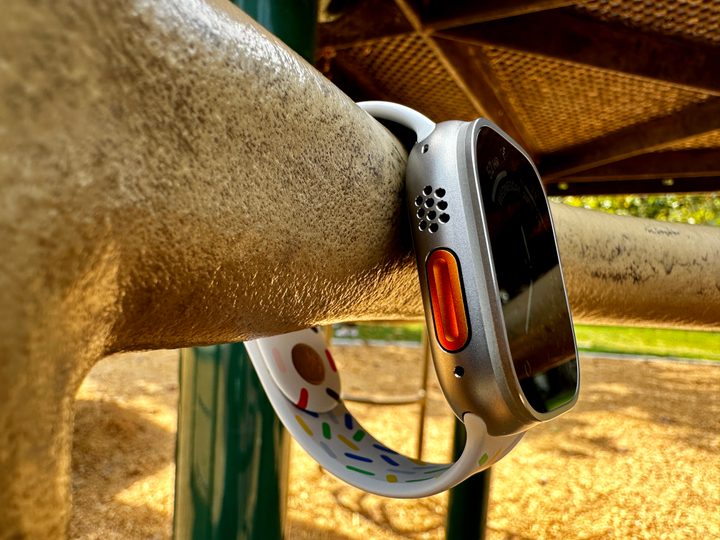
When Apple announced the Apple Watch Ultra in the fall of 2022, it was a big deal — years of rumors and speculation that Apple was making a rugged smartwatch finally came true. It looked different enough from the mainline Apple Watch Series 8 and has a bunch of extra features for those who do more extreme activities (or just want more battery life). I liked the way it looked, and the Action button is pretty cool, but it was never my first choice to upgrade to because I typically always get the smallest Apple Watch, and 49mm seemed way too large.
I’ve replaced my Apple Watch Series 5 with the Apple Watch Ultra, which is a bigger upgrade than to a Series 8, and have been using it for the past few weeks. And you know what? I have no regrets about going from the smallest Apple Watches to the “big boi,” even though I’m not planning to go diving or mountain climbing anytime soon.
It’s great having an Apple Watch that lasts more than a day

One of the biggest issues that I was having with my older Series 5 was the battery. Though it was great when it was new, the battery life has degraded a lot over the past few years, especially after recent watchOS updates.
I had gone from being able to end the day (basically bedtime) with around 10% to 20% battery left to having to recharge by 6 p.m. to stop it from dying by dinner time. Sometimes, if I record a workout of at least 30 minutes during the day, it would be almost depleted even earlier than that. Essentially, I was having to put the Apple Watch Series 5 on the charger midway through the day to keep it going until I went to bed.
Now that I have an Apple Watch Ultra, one of my favorite things about it is the fact that I can make it through a full day and still have plenty of juice to make it through the next. I no longer have to worry about throwing my watch on the charger by dinner; it’s amazing. And I haven’t even tried putting the Apple Watch Ultra on Low Power mode either. I’ve only used it normally, and I’ve been ending the day with around 40% to 50% battery left.

Though it seems like that’s a lot, it’s actually not. I’m a creature of habit, and it’s hard for me to get out of that mindset that I need to charge my Apple Watch every night. Because of this, my Apple Watch Ultra has learned my charging habits and has enabled Optimized Battery Charging, which sets a limitation on the amount of charge I can get it to when I charge it every day.
With the optimized charging limit, it’s typically no more than 80% that it charges up to, so when I end on 40% to 50% battery by the time I go to sleep, that’s only about 30% to 40% charge that I actually use. This is with multiple workouts being recorded throughout the day too, which, if I was still using my old Series 5, I would have to charge it up at least once throughout the day.
Battery life alone is one of the biggest reasons I’ve been enjoying my jump from a Series 5 to an Apple Watch Ultra. At first, I thought I could just keep using the Series 5 for a while longer. After all, charging it up doesn’t take too long, right? But no — not having to worry about battery life with the Apple Watch Ultra has been a godsend.
The Action button sure comes in handy
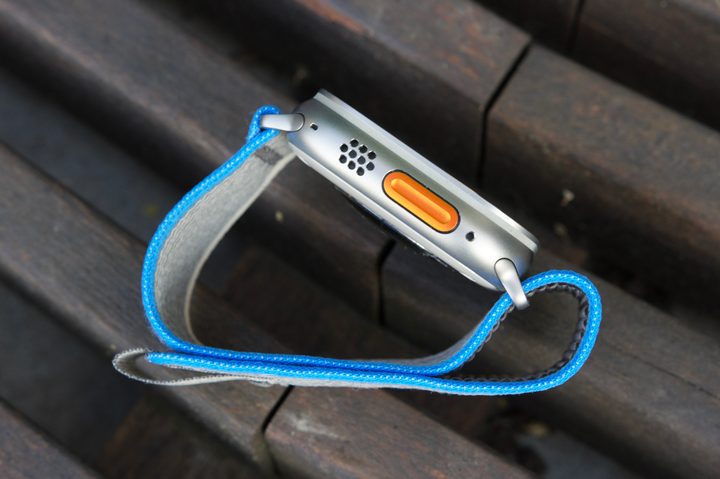
When Apple unveiled the Apple Watch Ultra, one of the standout design changes was the Action button. Though I’m a little disappointed with the limitations of the Action button on the Apple Watch Ultra, at least in its current form, there’s no doubt that it’s one of the handiest little features on the wearable.
Previously, with my Apple Watch Series 5, I’ve been using a California watch face personalized with about five complications. Since I try to do at least one workout every day, I put the Workout complication on the face as basically a shortcut to the Workouts app. But this always took away a complication spot for something that’s more informative, which I didn’t particularly like.
The Action button changes that. I currently have my Apple Watch Action button set to open the Workouts app, which means I’ve freed up a complication space on my watch face for something else. I really like pressing a button to launch Workouts, tapping the workout I want, and getting moving. After all, when I turn my wrist up to check my Apple Watch, I am doing so to view the time or other bits of information on the face, mostly a passive action. I don’t necessarily want to actively use it unless I have to.

Now, I could make my life even easier and just set the Action button to start a specific workout. That way, I wouldn’t even need to look at the screen to make sure I pick the right workout. Just press the button and go. But I do multiple types of workouts, so that wouldn’t quite work, which is why I have it to just launch the Workouts app.
But even with the current limitations of the Action button, it’s another feature of the Apple Watch Ultra that has made the upgrade from a Series 5 absolutely worth it.
I don’t think I can go back to a small display

For years, I’ve always gotten the smallest case size for the Apple Watch. Why? I have small wrists, and I thought that the larger size would look a bit silly on me — especially since I’m a female. Since I’ve only known the smaller size, I really didn’t think I was missing out on too much in terms of the display size. I had only what I thought were essential complications on my watch faces.
Oh boy, how I was wrong. Since I got the Apple Watch Ultra, I’ve absolutely been loving having a large display. Not only is it actually easier for me to read things on the 49mm screen, but I can also see so much more at once. I really didn’t think that it would make a difference, but it does. I also love having more room for complications with certain watch faces, as it lets me get more information with just a flick of my wrist.
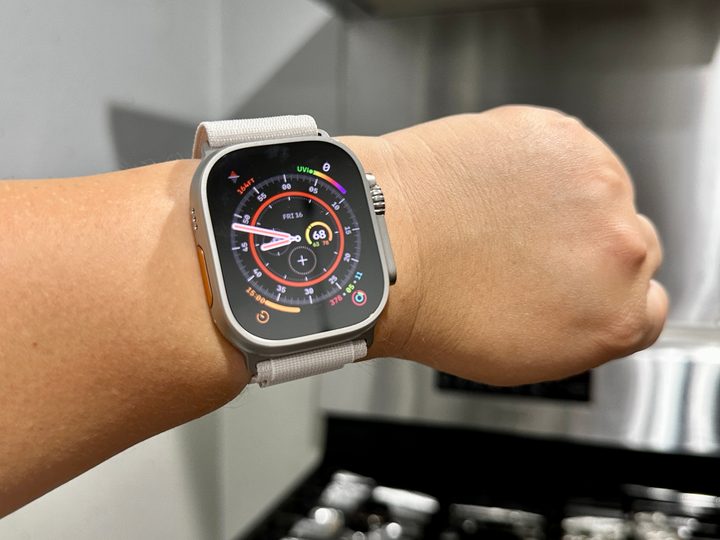
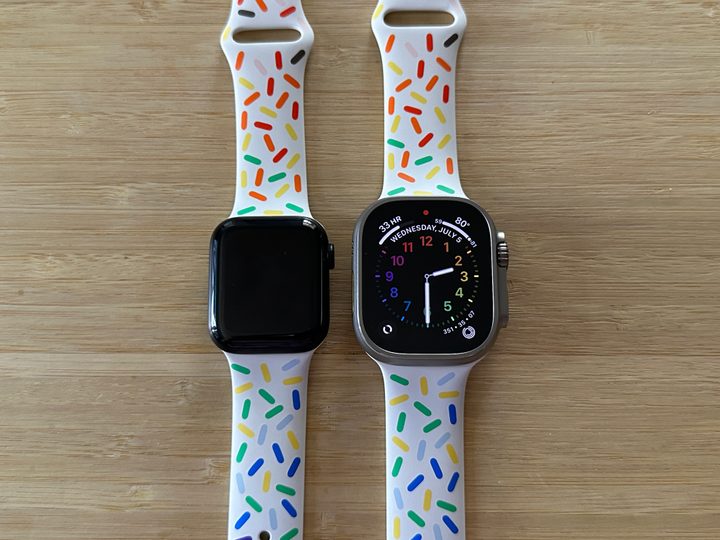
Of course, physically, the Apple Watch Ultra is still humongous on my small wrist. When I was wearing it with the Alpine Loop that it came with, the top or bottom edges of the Ultra were pretty much hanging off the sides of my wrist due to the design of the band. I’ve found that once I changed back to a Pride Sport Band, it still takes up most of my wrist but doesn’t hang off the edges.
After wearing the Apple Watch Ultra now for a few weeks, I’ve stopped noticing how large it is. Honestly, I didn’t think I would like the biggest Apple Watch, but now that I’ve grown accustomed to it, there’s no way you can convince me to go back to a small Apple Watch again.
Buy at Amazon