

Microsoft’s Surface line just got a little smaller, with the diminutive Surface Go that’s aimed squarely at Apple’s iPad as an option for tablet lovers. At the other of the iPad competition spectrum is the Asus NovaGo, a convertible 2-in-1 that’s one of the first Windows on ARM devices to hit the market.
Both of these machines want to take their place as viable Windows 10 alternatives to the small, light, and long-lasting iPad, but they take very different approaches. We pitted the Microsoft Surface Go against the Asus NovaGo to see which one can better tackle your non-traditional PC tasks.
Design
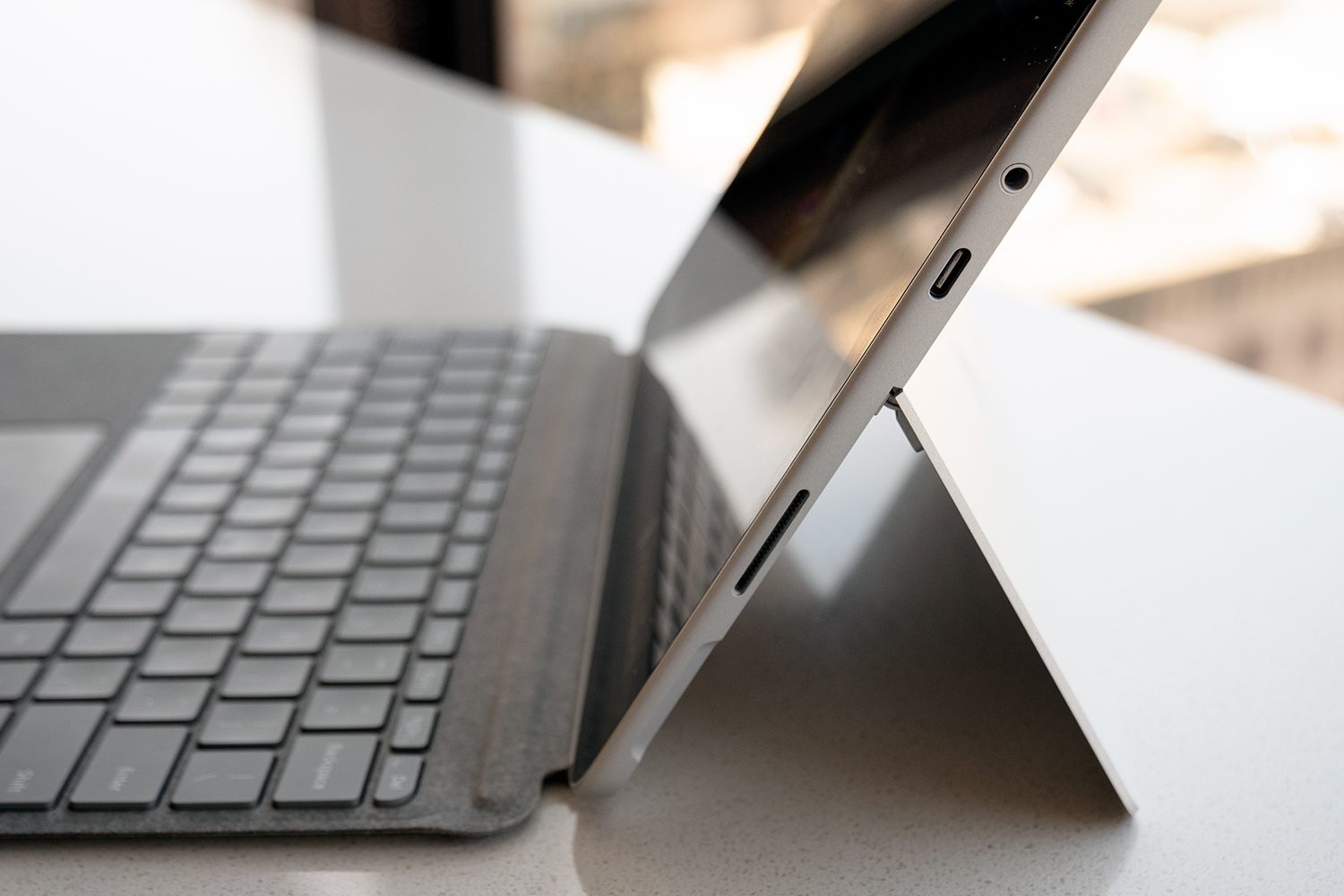
Microsoft Surface Go looks like a shrunken version of its successful Surface Pro, and that’s no coincidence. It is a shrunken version of the Surface Pro, down to the very familiar magnesium chassis and silver-gray design aesthetic. It’s also just as robustly built, with that “hunk of metal and glass” feeling in the hand that evokes confidence in its durability and quality. And it really is tiny for a full-on Windows 10 machine, coming in at 1.15 pounds and 0.33 inches thick. The bezels aren’t the smallest, and so it’s slightly larger in width and depth than it might otherwise be, but that’s nitpicking at this point. As with other Surface models, the optional snap-on Type Cover provides a satisfying typing experience and a responsive Microsoft Precision touchpad.
The NovaGo isn’t nearly as small nor as light, coming in at 0.59 inches thick and 3.06 pounds. And its build quality and aesthetic aren’t quite so exquisite — Asus built it well enough that you won’t worry about it falling apart and it’s not an eyesore. But you won’t come away thinking you under spent on the NovaGo by hundreds of dollars. And while the NovaGo is a 360-degree convertible with a more traditional keyboard, it’s a bit spongy and so doesn’t quite live up to the Surface Go Type Cover’s excellent typing feel. The NovaGo’s touchpad is larger, though, and just as responsive a Microsoft Precision version, and so that’s a plus in its favor.
Ultimately, choosing between these two devices, at least regarding their design, comes down to whether you prefer a detachable tablet or a convertible 2-in-1. You’ll appreciate the Surface Go’s build quality a bit more, especially at this price point (more on that later, but suffice it to say that these aren’t premium products), but you won’t find the NovaGo to be cheaply made, either.
In the end, being thin and light has its advantages, and so the Surface Go wins this round. Plus, the Surface Go supports an active pen while the NovaGo does not, and that’s another notch in Microsoft’s favor.
Performance

With its dated Qualcomm Snapdragon 835 CPU, the NovaGo isn’t going to win many drag races against other Windows 10 machines. We found it sluggish overall, whether in Windows 10 in S Mode — the default — or in Windows 10 Pro mode running legacy Windows apps in emulation.
The Surface Go is an exception to that general rule, however. It, too, is sluggish, with an Intel Pentium 4415Y CPU that’s a far cry from the Core U-series processors that power the rest of Microsoft’s portable Surface line. As we said in our review, the Surface Go is even slower than some low-end Chrome OS devices on some of our tests, and it’s no faster than the NovaGo.
Also, the Surface Go has a slower solid-state drive (SSD) and the NovaGo utilizes even slower universal flash storage (UFS), meaning that neither is going to break any speed records when it comes to booting, opening apps, and reading and writing files. Combined with their CPU performance, we have to call overall quickness a draw.
The Surface Go does win out, though, when it comes to the sheer quality of its 10-inch 1,800 x 1,200 resolution IPS display. We found it sharper, brighter, more colorful, and with better contrast than the 13.3-inch Full HD panel on the NovaGo. The Surface Go carries on the Surface tradition of excellent displays, and that’s a real advantage in this category.
Portability

As we mentioned above, the Surface Go is eminently more portable. It’s thinner, lighter, and smaller, even with its Type Cover attached and ready for use. It’s far easier to put into a backpack and carry around for long distances.
However, the NovaGo is a Windows on ARM device, and that means its battery life is off the charts. It lasts just about twice as long — at least — as the Surface Go on a charge, and so you’re going to be able to work not only a full day on the NovaGo’s battery, but you’ll be powered into the next workday as well. We put these two devices into entirely different classes when it comes to battery life, and that includes how well they maintain battery life when on standby. The NovaGo acts a lot more like an iPad when it comes to closing the lid and picking it up later — there’s almost no delay in waking it up, and the battery life will be close to what it was when you put the NovaGo to sleep.
If you’re looking for the thinnest and lightest portable option, then the Surface Go wins out. But if you want to work as long as possible away from a plug, then the NovaGo has you covered.
The Surface Go is the better value

The Microsoft Surface Go starts at $400 or 4GB of RAM and 64GB of eMMC storage, and it jumps up to $550 for 8GB of RAM and a 128GB SSD. That doesn’t include the $130 Signature Type Cover or the $100 Surface Pen, meaning that your investment will be $630 or more if you want to take full advantage of the Surface Go’s capabilities.
The Buy at Amazon has just one configuration, and Asus priced it at $700 for 6GB of RAM and 128GB of UFS storage. There’s no additional outlay for a keyboard, and the NovaGo doesn’t support an active pen at all, and so these two devices are relatively close in pricing.
If you’re choosing between these two devices today, then we recommend the Surface Go. The NovaGo is already behind the curve when it comes to Windows on ARM devices. Perhaps when Qualcomm ships faster Snapdragon CPUs, we’ll be more prepared to give a device like the NovaGo the win. For now, stick with the Surface.


