
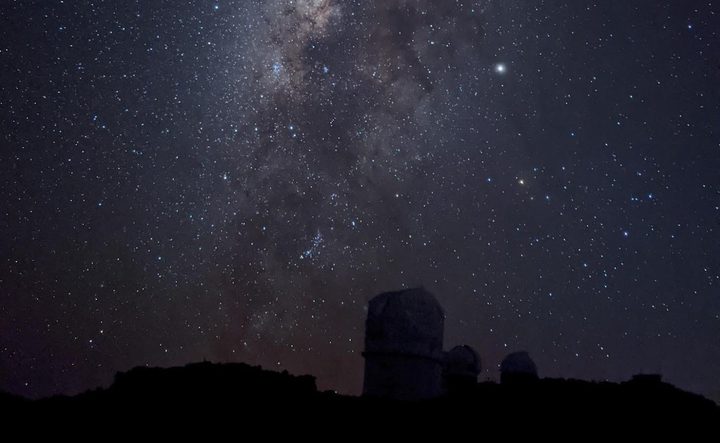
Google’s astrophotography mode that launched recently with the Pixel 4 before arriving for the Pixel 2 and 3 devices has proved a hit with fans of the night sky.
Using Google’s Camera app, the astrophotography mode lets you capture stunning shots of the stars that would usually involve photography equipment far bulkier and pricier than a simple smartphone.
With so much interest in the feature, the tech giant this week decided to offer some insight into how it works, explaining some of its smarts in a blog post.
The astrophotography mode is essentially a more advanced version of Night Sight, the powerful low-light feature that launched with the Pixel 3 in 2018.
“This year’s version of Night Sight pushes the boundaries of low-light photography with phone cameras,” Google’s photography team wrote in the post. “By allowing exposures up to 4 minutes on Pixel 4, and 1 minute on Pixel 3 and 3a, the latest version makes it possible to take sharp and clear pictures of the stars in the night sky or of night-time landscapes without any artificial light.”

The post covers a fair bit of ground, including how the feature helps to avoid camera shake and blurring from in-scene motion by splitting long exposures into multiple frames before automatically aligning them to create a sharp image.
For the astrophotography mode, the Pixel 4’s per-frame exposure time lasts no more than 16 seconds for a maximum of 15 frames. Longer exposures would create so-called “star trails” caused by the celestial bodies “moving” through the sky. While some astrophotographers like to capture images with star trails, Google’s feature aims to create pictures that make the stars “look like points of light.”
Google’s piece also explains how the software deals with what are known as warm and hot pixels, tiny bright dots that can appear with longer exposures captured by digital camera sensors.
According to Google, warm and hot pixels can be identified “by comparing the values of neighboring pixels within the same frame and across the sequence of frames recorded for a photo, and looking for outliers.” Once located, the pixel is then concealed by replacing its value with the average of its neighbors. “Since the original pixel value is discarded, there is a loss of image information, but in practice this does not noticeably affect image quality,” Google said.
The piece goes on to talk about how the software brightens the display to aid composition, and how it manages to ensure sharp focusing in the challenging low-light conditions.
It also explains how it uses machine learning to reduce noise and selectively darken the sky, giving a more realistic impression of the scene at the time, and making those stars, and the rest of the image, really pop.
You can find the article here.


