
The Fortnite battle pass always has a variety of rewards and goodies, and this season is no different. As part of Fortnite chapter 2, season 8, players have access to the new Toona Fish character, which can be customized with a rainbow of colors. This skin is unique in that there are tons of different options that all tie to color bottles that must be collected around the map. As you collect bottles, you earn more colors to customize your Toona Fish with.
But there haven’t been many characters like this in Fortnite‘s history, so you might not be sure how to get started with it and how it works. In this guide, we’ll show you all you’ll need to know about the new character skin. Here’s how to unlock the Toona Fish skin and how to customize it.
Recommended reading:
- Fortnite season 8 punchcards: A list of this season’s quests
- The best places to land in Fortnite
- Fortnite facing potential 5-year Apple blacklist, according to Epic
How to unlock Toona Fish skin
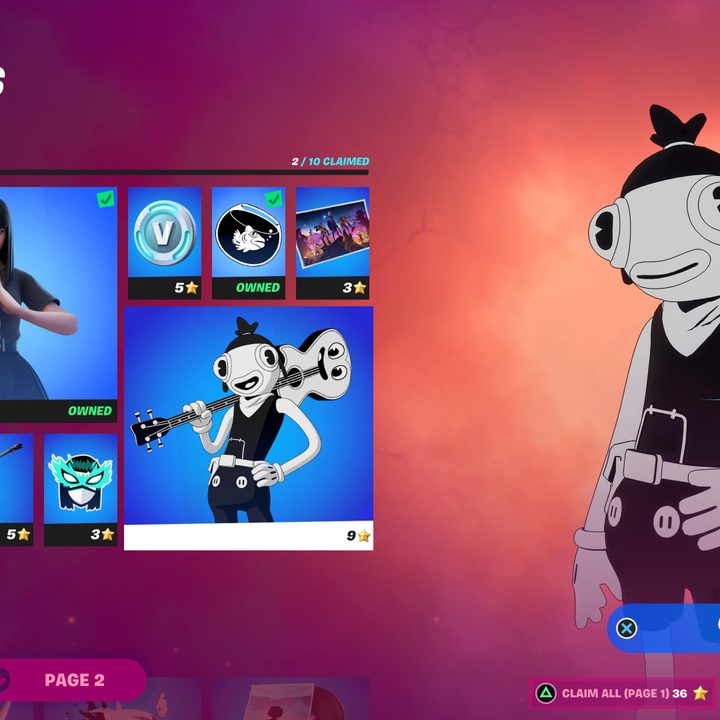
Before being able to customize your Toona Fish skin, you have to unlock the ability to do so. To unlock it, you have to first purchase the season 8 battle pass for 950 V-bucks. If you’ve purchased other battle passes in the past, you might already have enough V-bucks on your account to buy the new one. Otherwise, you’ll need to spend real money. Remember, 1,000 V-bucks is equal to around $8.
Once you’ve purchased the battle pass, you have to use your stars to unlock the Toona Fish itself. This is a similar system as last season, so if you played then, you should be familiar with how it works. As you level up the battle pass, you earn stars. These stars serve as a currency that’s used to buy items from the battle pass, giving you some agency with the order you choose to unlock things. To unlock the Toona Fish, buy the character from the first page of the battle pass. It costs nine stars, so if you’re short, keep playing to earn more.
How to customize Toona Fish
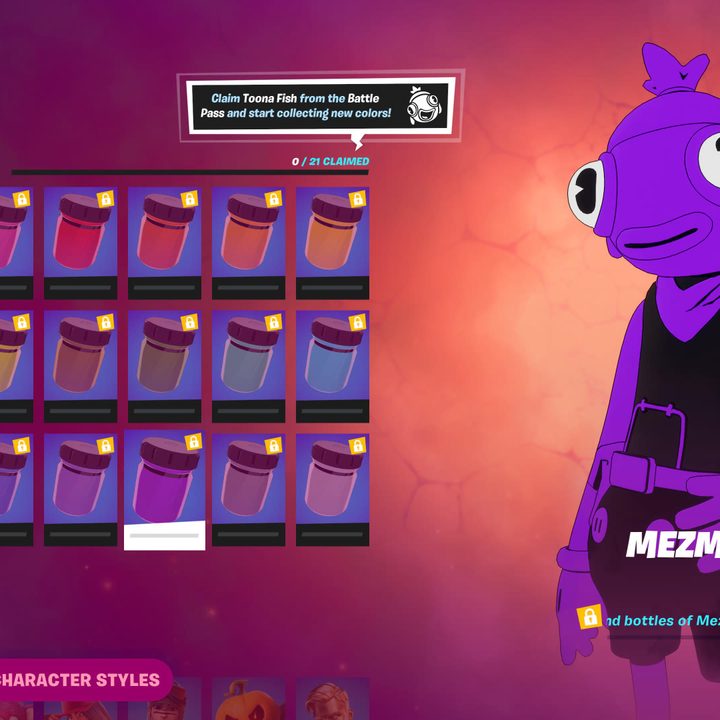
After you’ve unlocked the Toona Fish, you’ll then have the ability to get your hands on the various color styles. Open up the Battle Pass menu, and select the Paint a Toona Fish option. Here, you’ll see 21 different colors you can get your hands on, along with an additional 21 character styles. These all correspond to the slew of colors available for your Toona Fish. To unlock a particular color, you’ll need to find the three bottles in a particular area.
For instance, the first option is Knightly Crimson, and you have to collect three color bottles at Fort Crumpet to unlock it. Finding all three will reward you with this particular color. So in total, there are 63 different bottles to collect, which lead to 21 base colors. The nice thing is that each bottle is marked on your map, meaning you won’t need to spend hours searching every nook and cranny of a particular area.
As for the character styles, they work just like the color bottles, but with an extra step. After you’ve unlocked a specific color bottle, you’ll also have the ability to get a character style that corresponds with it. To gain access to it, you have to spend rainbow ink (which is earned as you open chests). Each character style costs 10 rainbow ink, so be mindful of that as you start collecting color bottles.


