WhatsApp won’t directly tell you if someone blocked you. That’s intentional: blocking is designed to protect privacy, not create a big flashing social alarm bell. Still, there are several signs that can point in that direction, especially when they happen together. WhatsApp’s own guidance lists clues like missing “last seen” or “online” status, one-checkmark messages, failed calls, missing profile updates, and being unable to add someone to a group. None of them confirm a block by themselves.
The short version: if one thing looks odd, it could be a privacy setting or a bad connection. If several things happen at the same time and stay that way, there’s a stronger chance you’ve been blocked.
Can you tell for sure if someone blocked you on WhatsApp?
Not really. WhatsApp keeps blocks deliberately subtle, so there is no official “you’ve been blocked” notice. You have to look for patterns instead.
A few signs are weaker on their own, such as a missing profile photo or hidden “last seen” status. Other signs are stronger, such as messages that never move past one gray checkmark, WhatsApp calls that never connect, and being unable to add the person to a group. The most reliable clue is when several of these happen together over a longer period of time.
Their WhatsApp profile picture and status stop changing
One possible sign is that the person’s profile picture, About info, or status updates no longer change for you. If they used to update these regularly and suddenly everything looks frozen, it could mean you’ve been blocked.
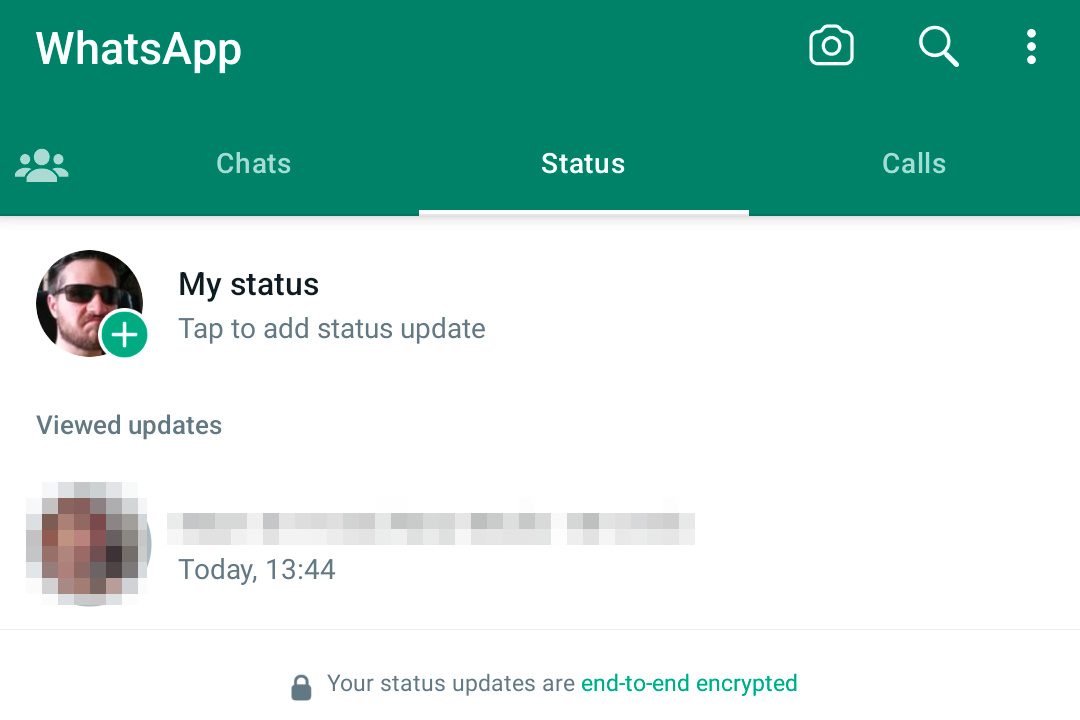
It could also mean something much less dramatic. They may have removed their profile photo, changed their privacy settings, stopped posting status updates, or simply gone quiet. Some people treat WhatsApp like a utility drawer, not a social feed.
This clue is more useful if you already know their usual WhatsApp behavior. If they rarely change their profile picture anyway, this sign does not tell you much.
Their “last seen” or “online” status disappears
If you can no longer see someone’s “last seen” or “online” status, that can be another sign of a block. When someone blocks you, WhatsApp no longer shows you when they were last active or whether they are currently online.
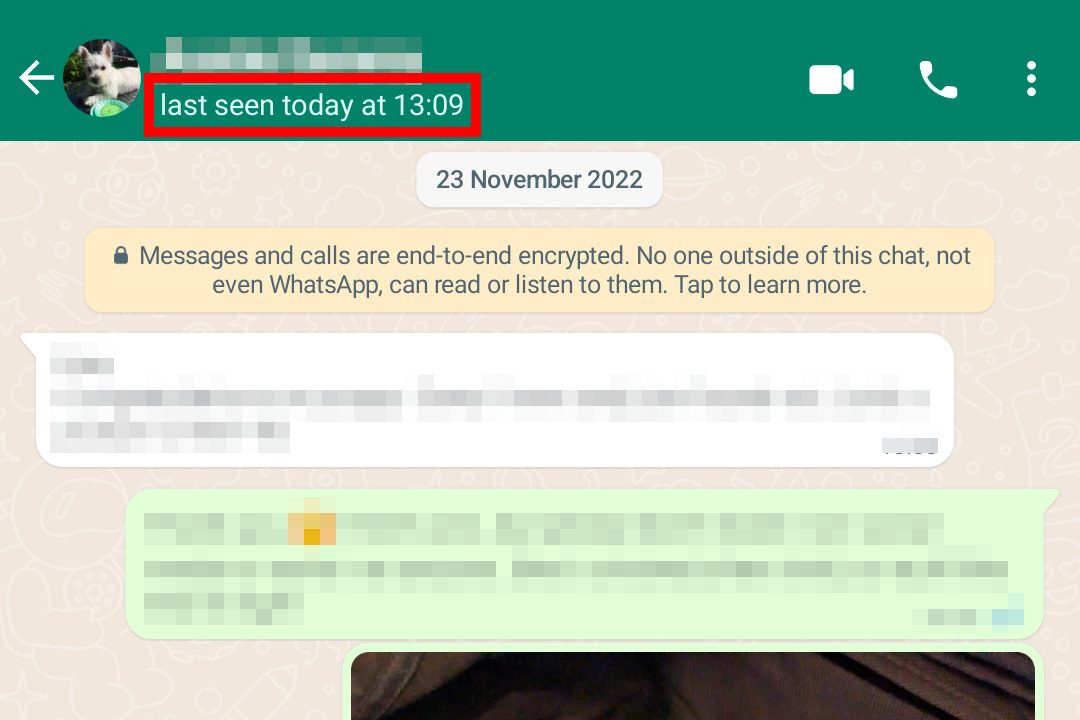
This is one of the easiest signs to misread. WhatsApp lets users hide their “last seen” and “online” status through privacy settings, and many people do that without blocking anyone. You also will not see someone’s “last seen” if your own privacy settings prevent others from seeing yours.
Treat this as a weak signal. It matters more when it appears alongside other clues, such as undelivered messages and failed calls.
Your messages only show one gray checkmark
WhatsApp uses checkmarks to show message status. One gray checkmark means the message was sent from your phone. Two gray checkmarks mean it was delivered to the other person’s phone. Two blue checkmarks mean the message was read, assuming read receipts are turned on.
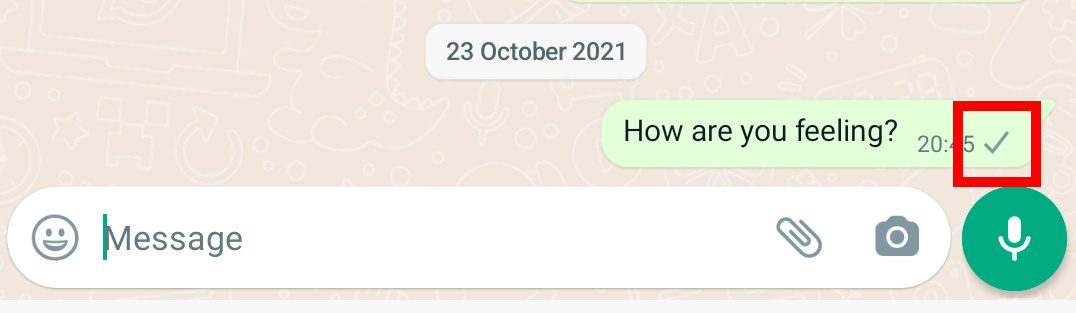
If someone has blocked you, your messages will only show one gray checkmark. They will not reach the other person’s phone, so you will not see the second checkmark.
This is one of the stronger signs, but it is still not perfect. A single gray checkmark can also mean the person’s phone is off, they have no internet connection, they deleted WhatsApp, or they are having account or device issues. If the message stays on one checkmark for days while other signs also line up, then a block becomes more likely.
WhatsApp calls do not go through
If you try to call the person through WhatsApp and the call never connects, that may also suggest you have been blocked. WhatsApp says calls to a contact who has blocked you will not go through.
Again, this is not proof on its own. Calls can fail because of poor signal, airplane mode, a dead battery, app issues, or a phone that is simply not connected to the internet. It is more useful as a supporting clue than a final answer.
If messages stay stuck on one checkmark and WhatsApp calls keep failing over time, the odds start to look less innocent.
You cannot add them to a group chat
One of the stronger tests is trying to add the person to a new WhatsApp group. If they have blocked you, WhatsApp will not let you add them.
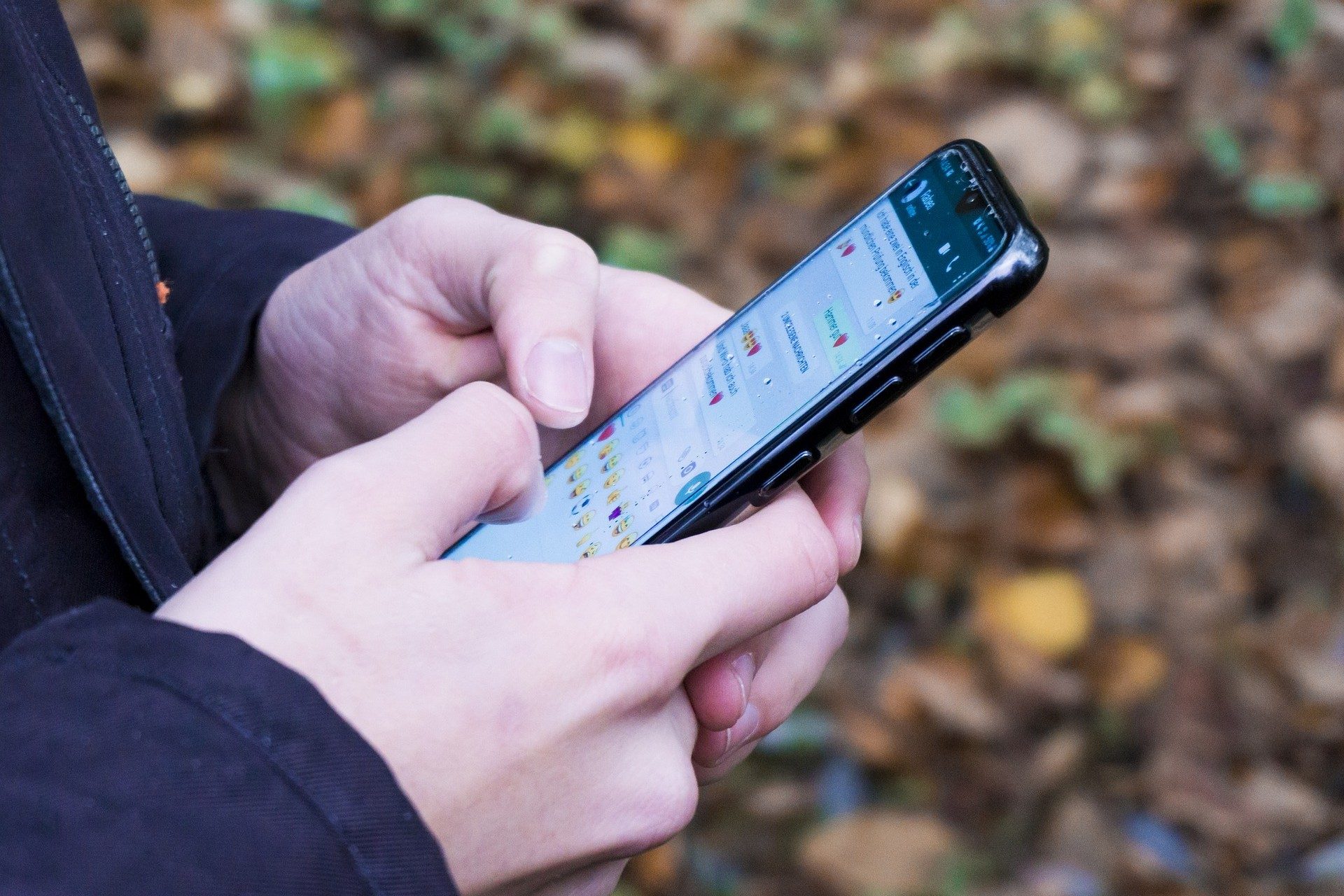
This can be a clearer indicator than checking profile photos or “last seen” status, but it comes with a social warning label. If you are not blocked, you have now added someone to a group for no obvious reason. That can get awkward fast, especially if the whole point was to quietly investigate whether they blocked you.
Use this carefully. It is better as a last check than a first move.
Other reasons it may look like you were blocked
Not every weird WhatsApp behavior means someone blocked you. Before jumping to that conclusion, consider a few other possibilities:
- Privacy settings: The person may have hidden their profile photo, “last seen,” online status, or status updates from some contacts or everyone.
- Poor connection: If their phone is offline or has no mobile data, your messages may stay on one checkmark.
- Phone off or inactive: A dead phone, lost phone, or unused account can look a lot like a block from your side.
- Deleted or changed account: The person may have deleted WhatsApp, changed numbers, or moved to a new account.
- Group privacy settings: WhatsApp lets people limit who can add them to groups, so a failed group invite is not always a clean block signal.
What should you do if you think someone blocked you?
If the signs point to a block, the right move is to respect it. WhatsApp blocks are private by design, and trying to work around them through another number, another account, or a mutual friend can get messy.
If the situation is important, use a respectful offline channel only if it is appropriate. Otherwise, take the hint and leave the person alone. Not satisfying, maybe, but better than turning a messaging app into a crime scene investigation board.
FAQ
Will WhatsApp tell me if someone blocked me?
No. WhatsApp does not send a notification when someone blocks you. You can only look for indicators, such as missing profile updates, hidden “last seen” or “online” status, undelivered messages, failed calls, and group invite issues.
Does one gray checkmark mean I’m blocked?
Not always. One gray checkmark means your message was sent but not delivered. That can happen if you are blocked, but it can also happen if the person’s phone is off, offline, or no longer using WhatsApp.
Can I still see someone’s profile picture if they blocked me?
Usually, you will no longer see updates to their profile picture if they blocked you. However, a missing or unchanged profile photo can also be caused by privacy settings or the person removing their photo.
Can I call someone who blocked me on WhatsApp?
You can try, but WhatsApp calls to someone who blocked you will not go through. Failed calls can also happen because of connection problems, so this is strongest when combined with other signs.
Can I unblock myself from someone else’s WhatsApp?
No. Only the person who blocked you can unblock you. There is no setting, trick, or third-party app that can reverse someone else’s block.