  1. Home
  2. Computing
  3. News

Does the Vision Pro require a computer or phone?

Add as a preferred source on Google
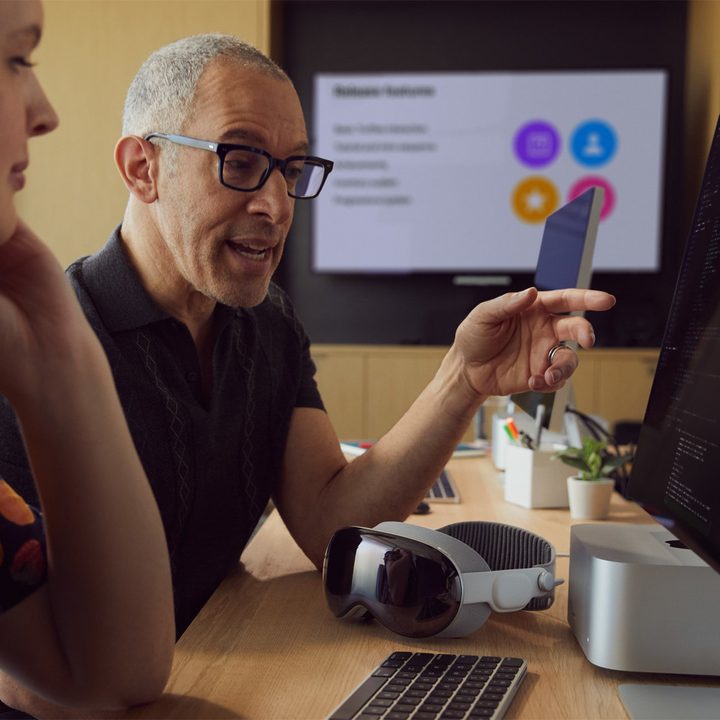
A developer points to a Mac screen while a Vision Pro rests on the desk.
Apple

The Vision Pro is an exciting new headset that Apple calls a spatial computer, but you might be wondering if the computing really happens on this compact device or if it needs to connect to a computer or a phone for processing. That’s a fair question to ask since many AR and VR devices require a separate device for power and computing.

The Vision Pro and the Apple ecosystem

Spatial FaceTime on Apple Vision Pro headset
You can still FaceTime friends, family, and co-workers in the Vision Pro. Apple / Apple

So, how does the Apple Vision Pro work, and what’s needed to use it as a spatial computer? The good news is this $3,500 device is complete right out of the box. You don’t need to buy an iPhone or a Mac to use it. It has an M2 processor inside, uses hand gestures for controls, and the entire operating system is self-contained.

Recommended Videos

This differs from some VR headsets that require the performance of a gaming PC with a fast, discrete graphics card to handle the processing demands of two high-resolution screens. For example, the Valve Index and Varjo Aero won’t work without a computer. There are other standalone VR headsets like the Meta Quest 3 that share more in common with the Vision Pro by using low-power processors like the Qualcomm Snapdragon XR2 Gen 2 chip.

Most smart glasses also need to be connected to a phone to enable all the features. The Ray-Ban Meta Smart Glasses can record video without a phone, but have to connect to answer calls, transfer images, and use Meta AI. Smart glasses like the Xreal Air 2 must be connected to a phone or other device to get power and a video signal.

Vision Pro with a Mac
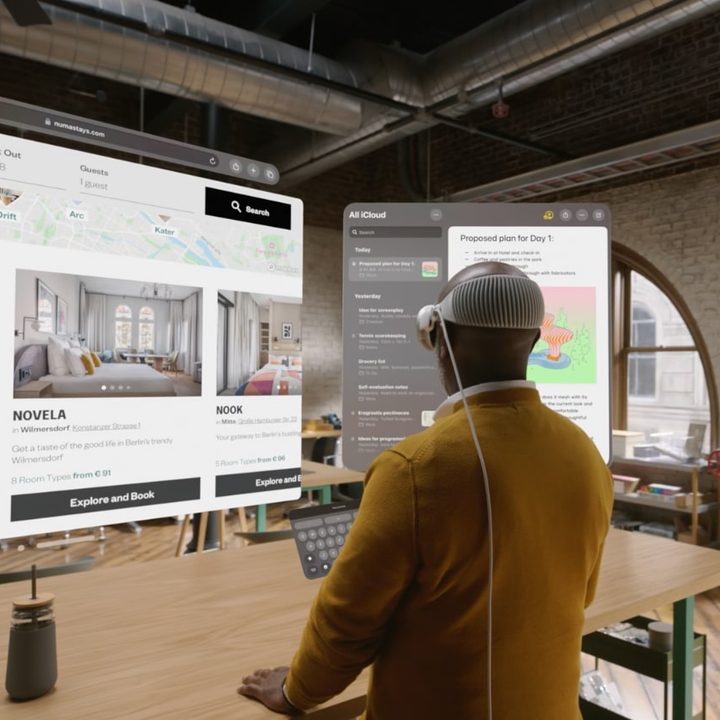
A man wearing the Vision Pro looking at virtual screens.
Apple

The Vision Pro is a complete spatial computer in itself, but it doesn’t run macOS. That means you might still want to connect your Mac or MacBook, especially for faster typing and productivity. Apple lets you see your Mac desktop in a Vision Pro window, like a remote desktop app. It can mirror the window, allowing you to control it fully — though you can’t extend the window as you would with an external monitor. As a sidenote, you can also opt for connecting a wireless Bluetooth keyboard instead.

So, if you’re using your Vision Pro and wish you could open an app that’s not yet available in the Vision App Store, you can still use it while wearing the headset by connecting to your computer. That means your headset can run iPhone and iPad apps, native Vision Pro apps, and macOS apps via your Mac.

The Vision Pro does require an external battery pack, which comes bundled with the Vision Pro.

If you do own other Apple products, you can get a head start on enjoying the Apple ecosystem. When you set up your Vision Pro, you can sign into iCloud to access your photo library, music playlists, contacts, and messages, just like you can on an iPhone or a Mac.

Alan Truly
Alan Truly is a Writer at Digital Trends, covering computers, laptops, hardware, software, and accessories that stand out as…
Google Search can now monitor the web for updates on things you care about
AI Mode on Google search now lets users create search agents
Google Search information agents featured

Google has started rolling out AI Search agents that can monitor the web for users and send updates when relevant information changes. The feature was first announced at Google I/O 2026 as part of Google’s wider AI Mode overhaul, which also included a redesigned search box, Gemini 3.5 Flash, personal intelligence features, and new agentic tools for creating mini apps and dashboards.

The new feature is called information agents. It is designed for searches that do not end with a single answer. Instead of checking the same query again and again, users can ask Google to keep tracking a topic in the background.

Read more
Apple made Liquid Glass adjustable, which says plenty about Liquid Glass
The new slider is useful, welcome, and mildly hilarious after a year of Apple acting like transparent everything was the obvious future.
Text, Document, Business Card

Apple’s big glassy software future now comes with a way to make it less glassy. In iOS 27, users can adjust the translucency of the Liquid Glass effect, while macOS Golden Gate adds its own Liquid Glass controls under System Settings.

Liquid Glass is still alive across Apple’s platforms, still shimmering through menus and panels, still doing the elegant UI trick Apple clearly likes. The big visual bet has already earned a dimmer switch. After a year of treating translucency like the obvious next step, WWDC’s most revealing design update may be the one that lets people dial it back.

Read more
Windows 11 just fixed one of Search’s dumbest limitations, and you’ll wonder how you lived without it
One less character, one less annoyance every time you search your PC.
Person sitting and using a Windows Surface computer with Windows 11.

If you have ever typed two letters into the Windows 11 search box, paused, and watched nothing useful happen until you added more characters, you already know exactly why this Windows 11 update matters. 

Microsoft's June 2026 Patch Tuesday update, part of a release Windows Latest calls the biggest of the year (via Windows Latest), quietly fixes that. Windows Search can now find and prioritize files with as few as two characters, down from the old three-character minimum.

Read more
