
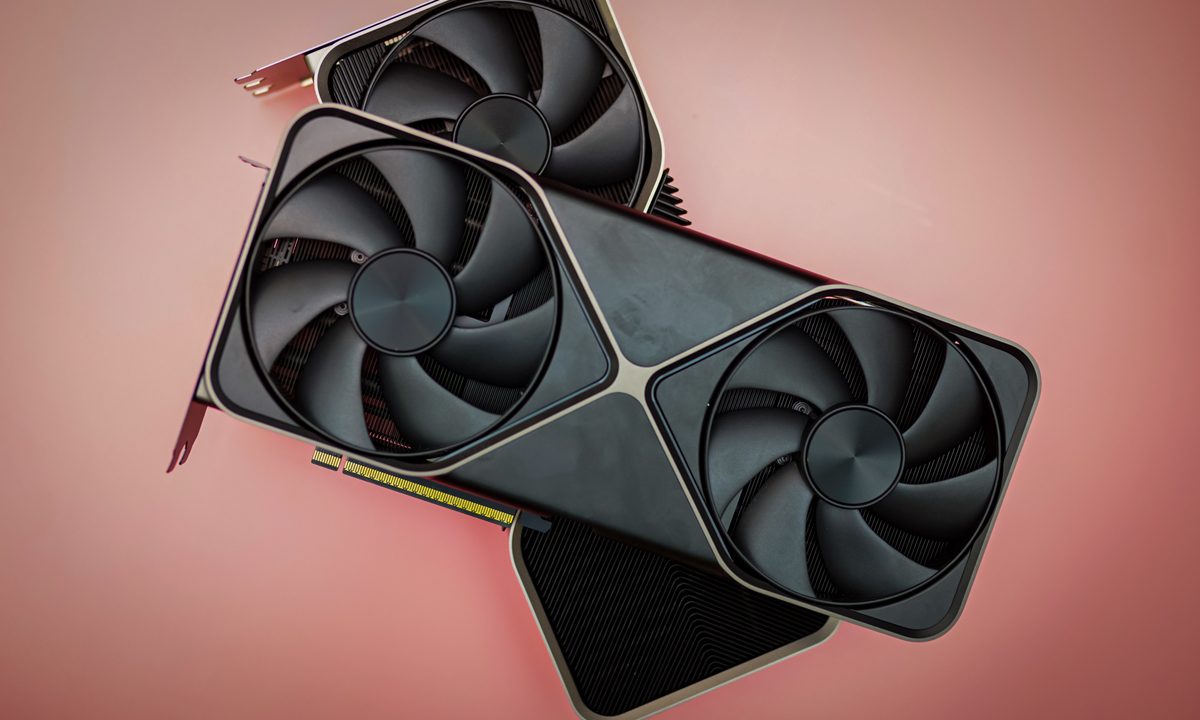
Nvidia’s new RTX 50-series GPUs represent a leap forward in gaming and content creation, but they also push the boundaries of what’s expected from your power supply. The RTX 5090 and RTX 5080, will be the first two models available for purchase starting January 30, and are expected to deliver improved performance over its predecessors — you can already see that in action in our RTX 5090 review.
However, with great power comes greater demands on your power supply. If you’re planning to upgrade to either of these next-generation graphics cards, it’s crucial to know what kind of PSU (Power Supply Unit) you need. Ensuring your PSU meets or exceeds the recommended specifications is critical for avoiding crashes, ensuring system stability, and maintaining long-term reliability.
Here’s a breakdown of what to consider.
Understanding the power demands
Nvidia’s flagship RTX 5090 comes with a maximum TGP (Total Graphics Power) of 575W, while the RTX 5080 is listed to draw up to 360W. These power demands are noticeably higher when compared to the RTX 40-series where the RTX 4090 has a 450W TGP while the RTX 4080 draws up to 320W.
| RTX 5090 | RTX 5080 | |
| Architecture | Blackwell GB202 | Blackwell GB203 |
| CUDA cores | 21760 | 10752 |
| Tensor cores | 5th-gen 3352 TOPS | 5th-gen 1801 TOPS |
| Ray tracing cores | 4th-gen 318 TFLOPS | 4th-gen 171 TFLOPS |
| Boost clock (GHz) | 2.41 | 2.62 |
| Base clock (GHz) | 2.01 | 2.30 |
| Max resolution | 4K at 480Hz or 8K at 120Hz | 4K at 480Hz or 8K at 120Hz |
| Memory interface width | 512-bit | 256-bit |
| Memory | 32GB GDDR7 | 16GB GDDR7 |
| Memory speed | 28Gbps | 30Gbps |
| TOPS | 3,400 | 1,800 |
| TGP (watts) | 575 | 360 |
| Required system power (watts) | 1,000 | 850 |
| Price | $1,999 | $999 |
It is important to know that these power requirements are likely meant for the Founder’s Edition variants. Board partner models may arrive with slightly higher power requirements depending on their overclocking capabilities.
Additionally, the RTX 50-series continues to use the PCIe Gen 5 16-pin (12VHPWR) connector, which can deliver up to 600W of power. This connector has faced durability issues in the past when it was introduced with the RTX 40-series GPUs. Reports of melting connectors made headlines which prompted the industry, including Nvidia, to make amends on the flaws. Thus, the new 12V-2×6 connector was designed with longer conductor terminals (12V and ground) for improved conductivity, as well as shorter sense pins.
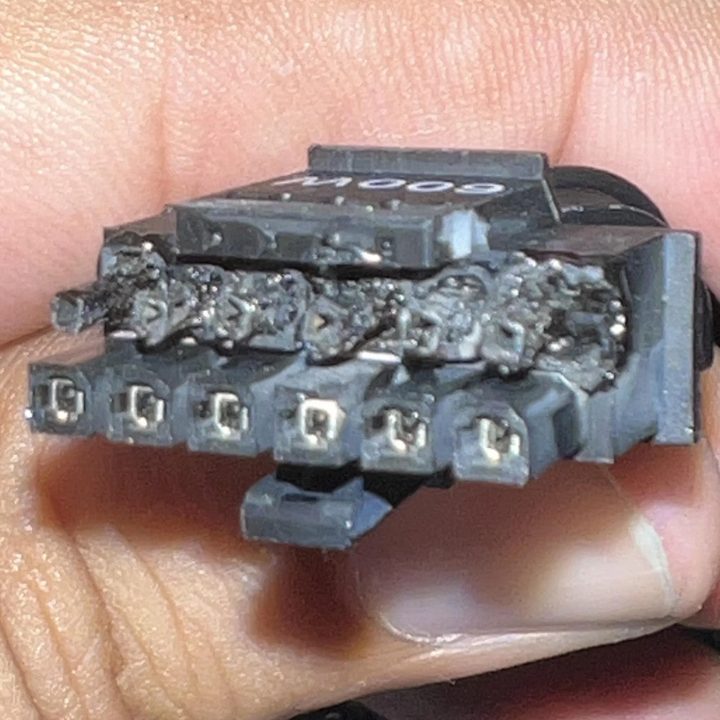
This has also forced GPU board partners to take additional precautions. For instance, MSI and Zotac introduced new safety measures this year for their new RTX 50-series GPU models, such as yellow-tipped adapters and safety-indicator LEDs.
Recommended power supply ratings
For the RTX 5090, Nvidia recommends a 1000W PSU for most systems, depending on the rest of your hardware configuration. If you have a high-end CPU or additional components like multiple storage drives, a 1200W or above PSU might be advisable for extra headroom.
At the time of writing, the MSI MAG A1000GL is a pretty robust 1000W option offering a modular cable design and an 80 Plus Gold rating with a 10-year warranty. Priced around $150, the PSU is also ATX 3.1 PCIe 5.1 compliant meaning that it comes with the new 16-pin (12V-2×6) PCIe connector and bundled cable that can deliver up to 600W of power. The PSU is also available in a 1250W variant priced around $180.
Buy NowConsidering the Founder’s Edition RTX 5090 has a much leaner form factor than the RTX 4090, it is possible to actually fit the GPU in a variety of small form factor cases. If you are someone who is planning to take that route, then the Thermaltake Toughpower SFX 1000W is one of the only options that comes in an ATX 3.1 compatible variant. It is expensive at $200, but for that you get an 80 Plus Platinum rating and a fully modular design with built-in industrial grade voltage protection.
Buy NowThe RTX 5080 is less power-hungry but still demanding. Nvidia suggests that an 850W PSU should suffice for most users, though a larger PSU rated at 1000W or above may be needed for overclocking purposes.
Buy NowThe MSI MAG A850GL is an 850W version of the one mentioned above, and it’s currently offering an excellent value at $110. It comes bundled with a 12V-2×6 cable, ATX 3.1 and PCIE 5.1 ready, and comes with a 10 year warranty with 80 Plus Gold efficiency rating.
Choosing the right PSU
When upgrading to the RTX 5090 or RTX 5080, do consider the following factors:
Wattage: Select a PSU with enough wattage to cover your GPU’s power demands, as well as other components like your CPU, motherboard, and peripherals. For the RTX 5090, a 1000W or higher PSU is recommended, while the RTX 5080 should be paired with an 850W or higher unit.
Efficiency rating: Opt for PSUs with an 80 Plus Gold or Platinum certification to ensure higher efficiency and lower heat output. These certifications are particularly important for high-power GPUs where 80 Plus Gold can offer up to 92% efficiency while 80 Plus Platinum can go up to 94% depending on the load.
16-pin connector support: As mentioned, both the RTX 5090 and RTX 5080 will utilize the PCIe Gen 5 16-pin connector (12VHPWR/12V-2×6). To ensure compatibility and optimal performance go for a modern ATX 3.0 or preferably an ATX 3.1 PSU which is designed with native 16-pin connectors, supporting the high power delivery and transient spikes that these GPUs demand. These units also meet stricter power efficiency and stability requirements, making them ideal for the RTX 50-series.
If you’re using an older PSU, ensure it comes with a reliable 16-pin adapter. Most GPUs do ship with the adapter, but upgrading to an ATX 3.0/3.1 PSU is strongly recommended for better long-term compatibility.
Headroom: Allow at least 20–30% wattage headroom beyond your system’s peak power consumption. This ensures stability during power spikes and prolongs the lifespan of your PSU.


