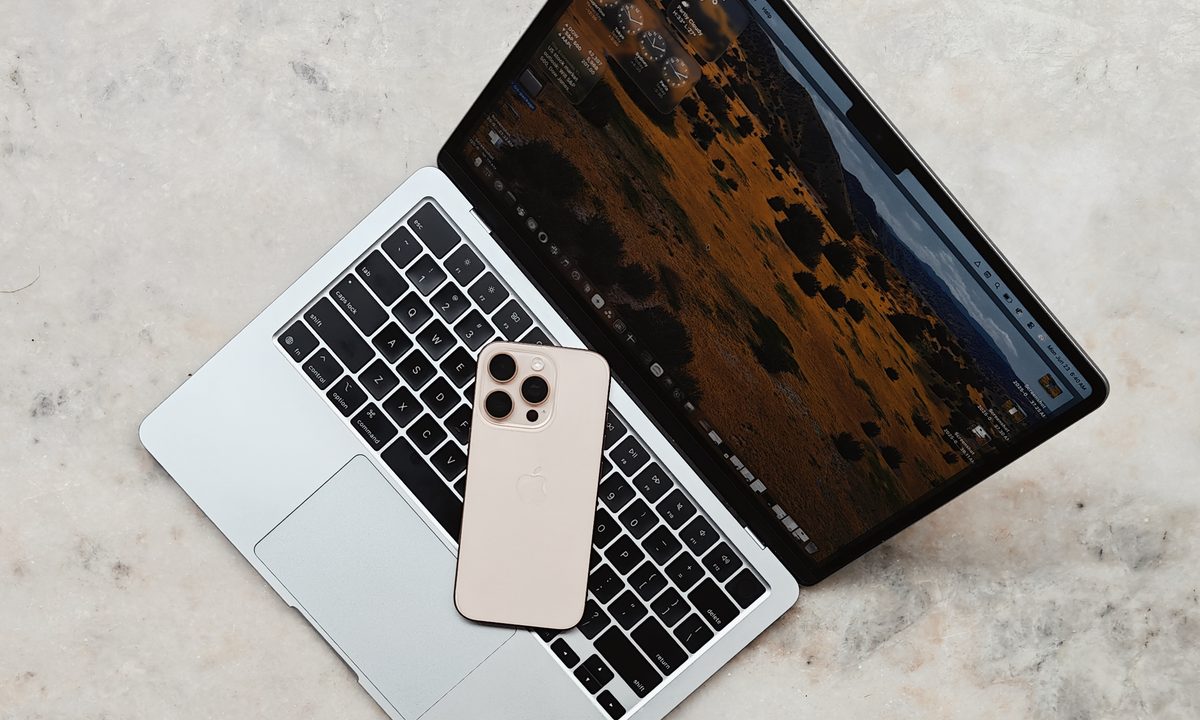
It’s been over a week since Apple dropped the first developer preview of macOS Tahoe. Most of the chatter is centered around the glass-inspired design makeover, and deservedly so. For me, Spotlight upgrades, especially the Quick Keys system, have been the standout element.
Yet, as I delved deeper and pushed it as my workhorse computing platform, despite all the bugs and performance snags, I have come to realize that it feels like home. And by that, I mean closer to the iPhone’s native feel than expected.
And it’s not solely due to the aesthetic uniformity, but owing to the functional changes. Apple didn’t only carry over system functionalities, but also some of the iPhone’s defining apps. The Phone app, for example, is one of them. And it’s not a half-hearted attempt either.
From computing to communication
When Apple first enabled iPhone mirroring on macOS, it was a huge sigh of relief. Of course, being able to access all my chats scattered across WhatsApp, Discord, Telegram, and Slack — right on my Mac was a huge convenience. But more than the ease aspect, it was the freedom from checking my phone that came as the real liberator.
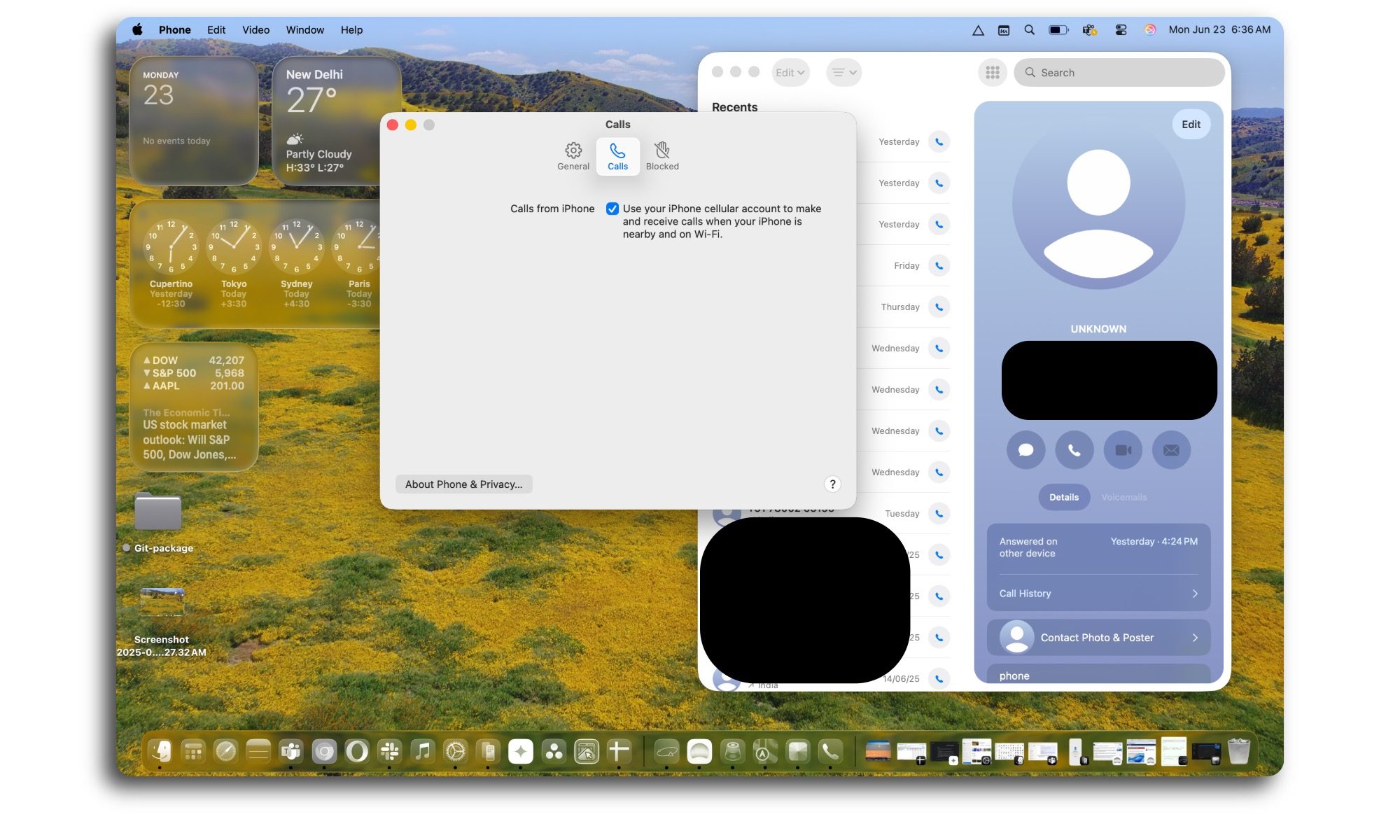
At the end of the day, however, it’s still mirroring, and not something native to the Mac. Alerts for calls still came as a tethered notification, not natively. With macOS Tahoe, Apple is finally bridging the gap, thanks to the Phone app’s arrival on Macs. We’re talking about the full package here.
You get access to a familiar dialer, the recents list, and access to voicemails. I tried it a few times, and the whole telephony experience worked just fine on my M4 MacBook Air, while my iPhone 16 Pro lay comfortably resting in my backpack. Of course, make sure you’re connected to earbuds while engaged in Mac calls.
Leaning and speaking into your MacBook is a terrible sight. Trust me. I tried it and got a few odd looks in a coffee shop. And if you need more convincing, read this fantastic piece on why you should invest in a pair of earbuds, even if it’s the cheapest pair on the market.
What surprised me, however, was that even the next-gen calling features that have only arrived with iOS 26 are also being ported over to the macOS experience. I recently wrote how Apple is falling far behind Android when it comes to safety features such as scam detection and spam blocking. This year, Apple finally made some strides as it brought Call Screening and Hold Assist to iPhones.
Both these features are available in the Phone app running on Macs, with macOS Tahoe. I also love how Apple has offered a less-distracting way to handle calls, one where the video call window doesn’t occupy the whole screen and neatly slots in a small preview window alongside the top edge. And yeah, the painstakingly designed contact posters are here to stay, as well.
Seamless transition, at last
Carrying over the hot streak built atop the Phone app, Apple is also porting over the full text and video calling experience from iOS 26 to macOS Tahoe, thanks to the Apple Intelligence stack. In Messages, users can take advantage of Live Translation, while live captions will be available for FaceTime sessions. A similar translation facility will be accessible within the Phone app, too.
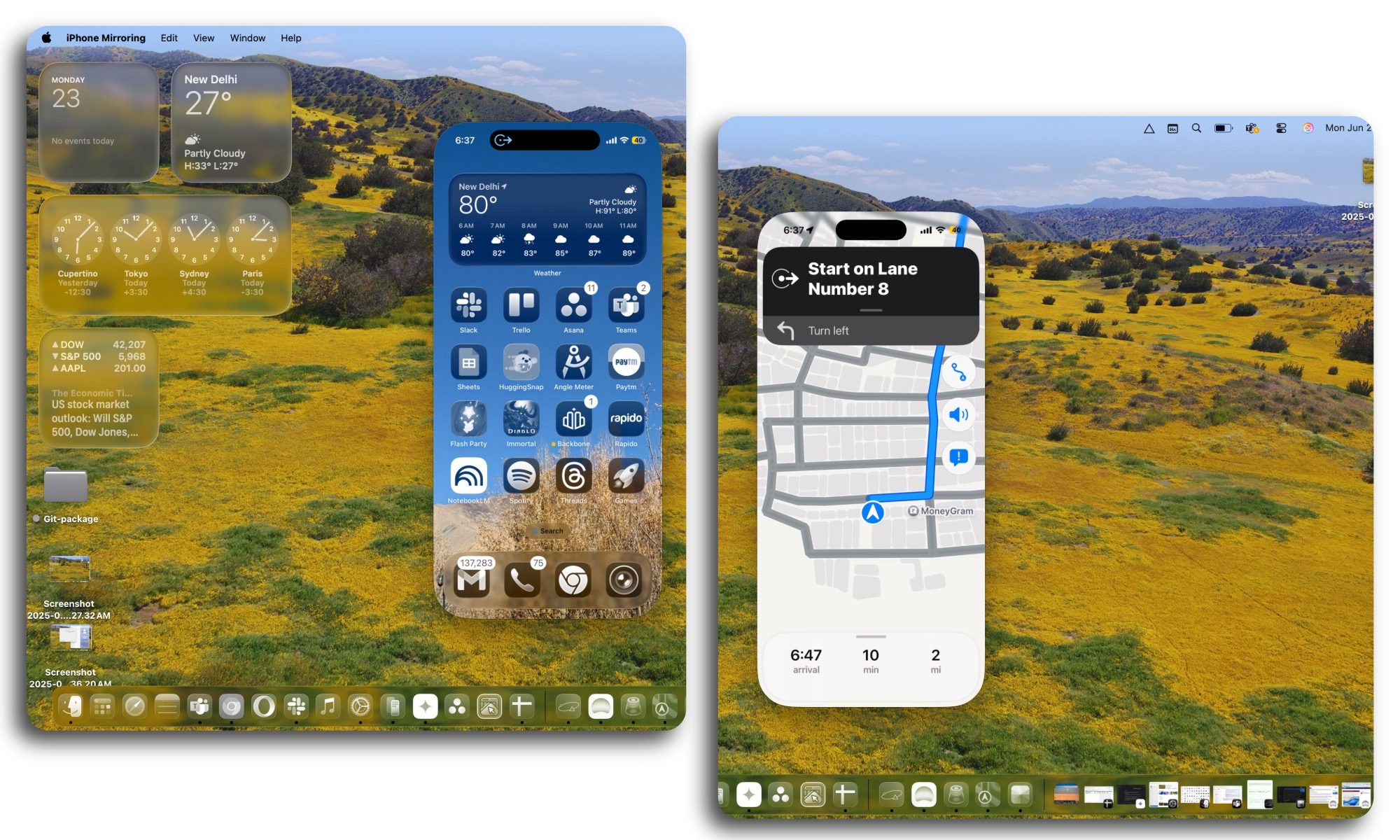
But there’s more to the mobile-inspired conveniences in macOS than meets the eye. Live activities are one of my favorite iPhone features, but to access them, I have to keep an eye on my iPhone. Needless to say, it’s not the most productive act. Thankfully, Apple finally paid attention to the conundrum and has decided to import Live Activities in macOS Tahoe.
From food delivery alerts to live score updates, if they land on your iPhone’s screen, you will see them in the Menu Bar of your Mac. The best part? You can interact with these live activity alerts on your Mac. When you click on them, they open the iPhone Mirroring experience so that you can see them in the exact way they are intended to appear on iOS.
From there, you can choose to close them, minimize them, or execute whatever action you deem fit. I love this actionable live activity update, but what I am more excited to see is Apple paying attention to the Menu Bar. So far, the company has ignored the humble Menu Bar, while the developer community has built some fantastic utilities such as Maccy and Antinote that live in the Menu Bar.
A few smaller tweaks
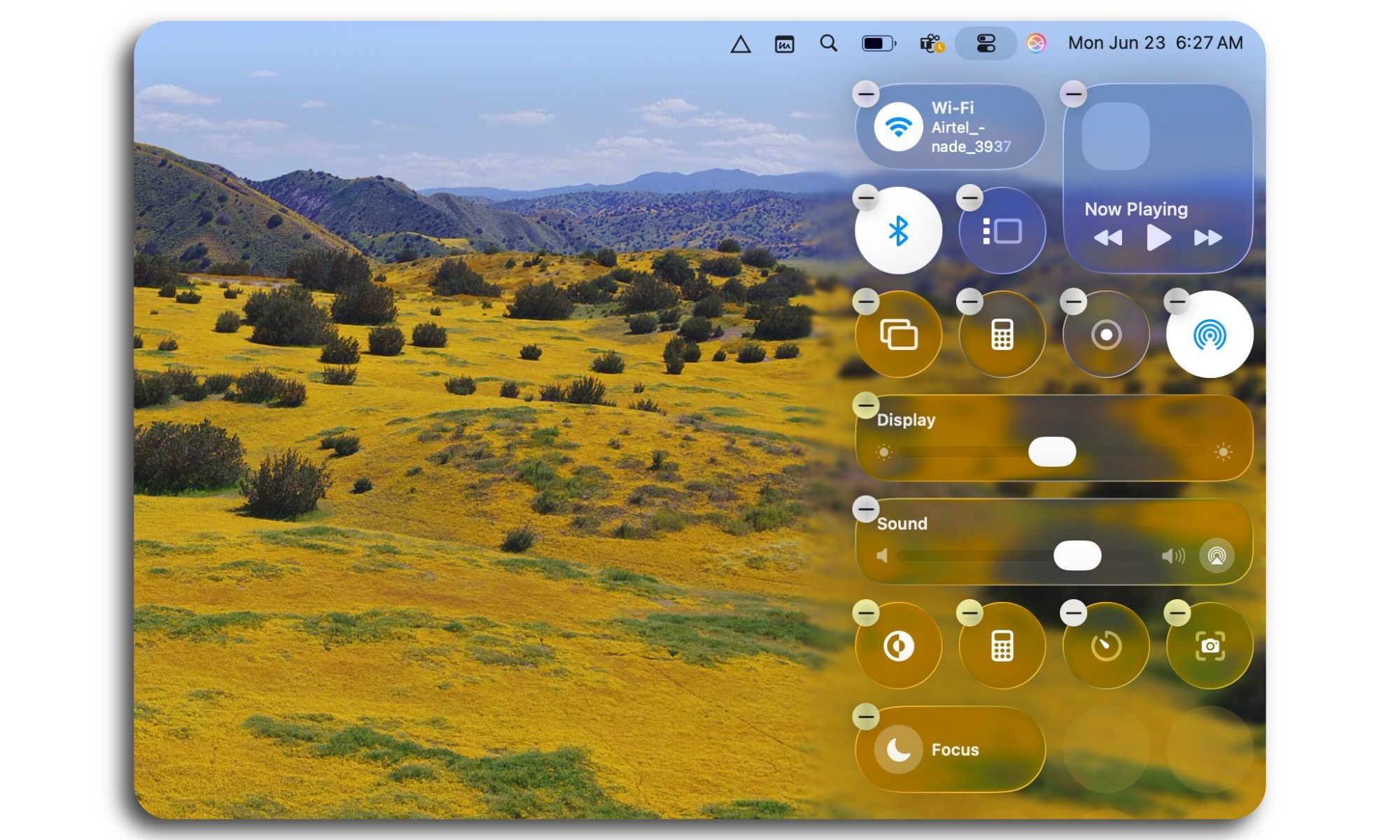
So far, the control center on Macs has felt like a rigid pool of preset tools. With the arrival of macOS Tahoe, Apple has given it the iPhone treatment. Not only can you customize the entire dashboard with quick access tools of your choice, but you can also do it using a simple drag-and-drop gesture.
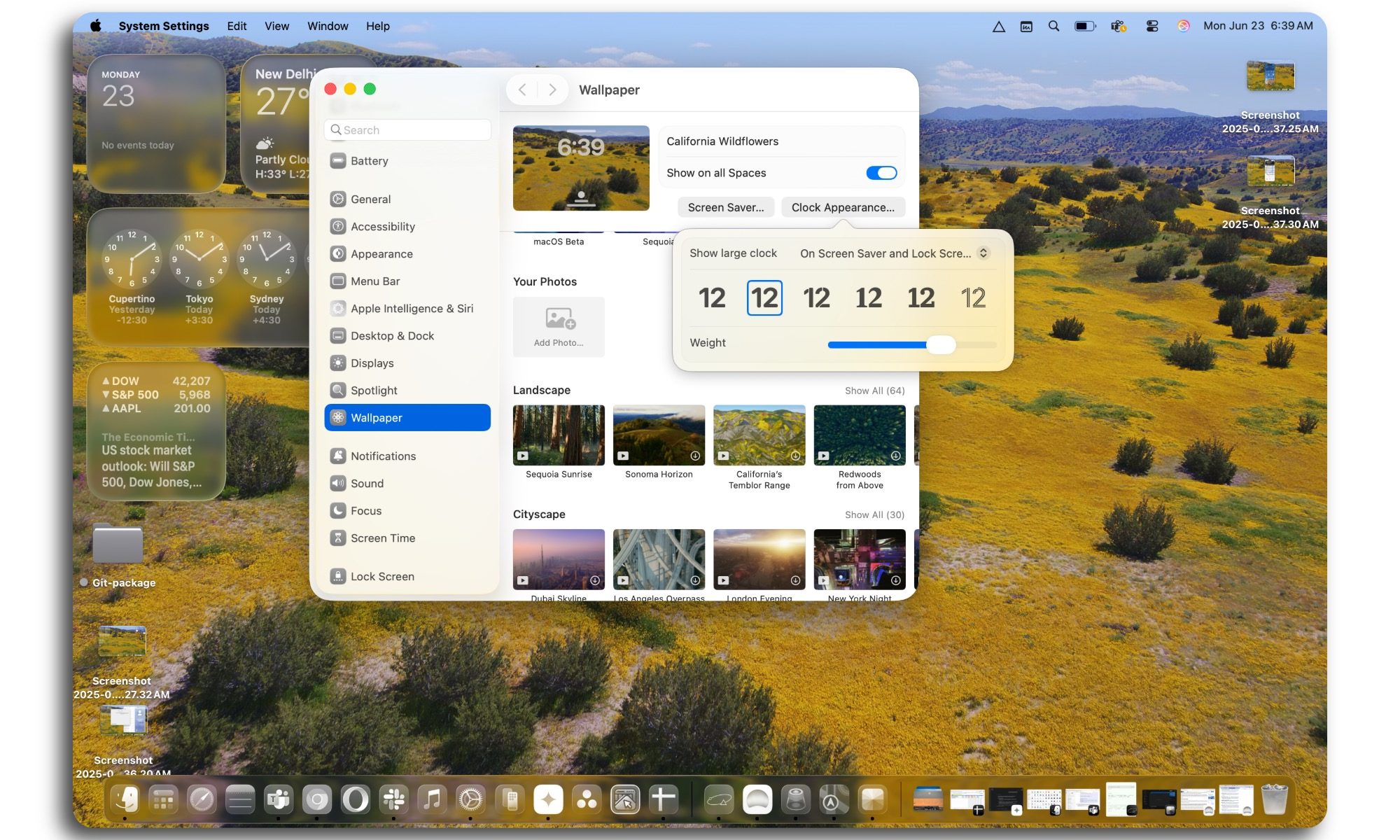
On a similar note, the lock screen customizations also borrow the core design ideas from iOS 18. Even the icon theming and tinting system is now identical to how you make aesthetic adjustments on your iPhone. The Journal app has also made its way to the Mac, while the redesigned Photos app makes it easier to handle the gallery using filtering and sorting tools.
Overall, it is pretty evident that harmony was the overarching theme with Apple’s OS updates, both in form and function. Some of the changes in macOS Tahoe may appear a bit divisive, but everything feels just a bit more familiar from an iPhone user’s perspective, which is a fantastic strategy for onboarding more people into the ecosystem while keeping the existing user base locked in.