What’s happened? Google is introducing two new ways to help users regain access to locked accounts.
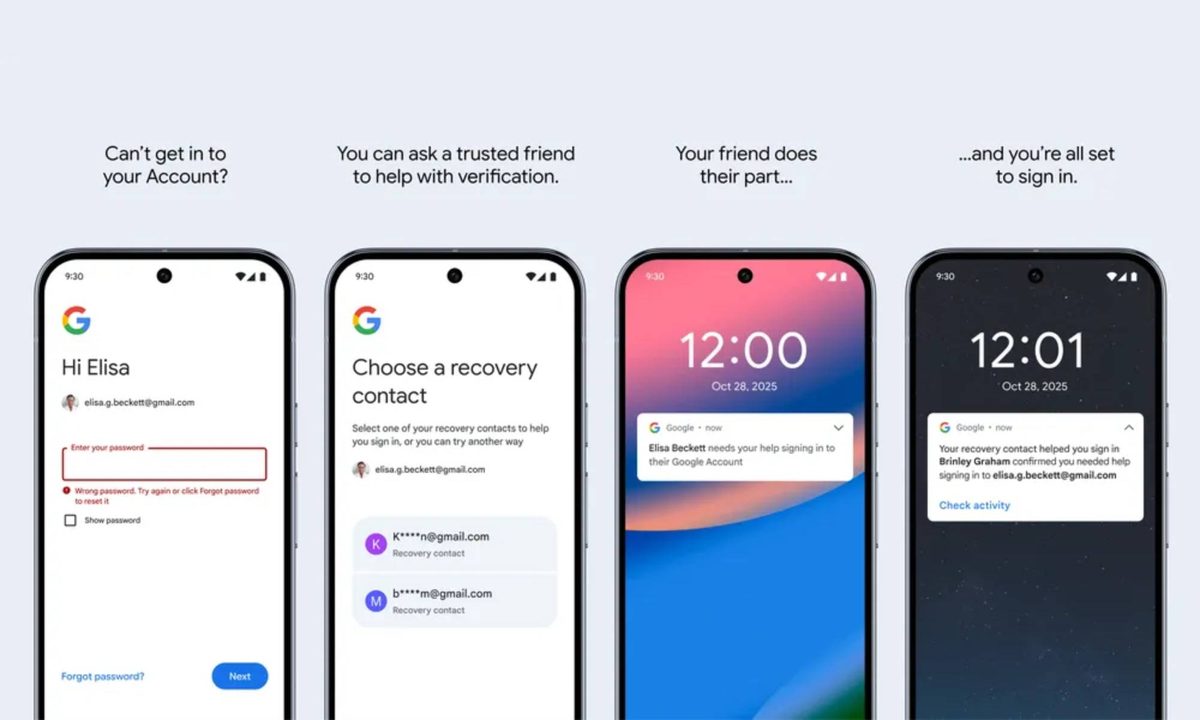
- You will now be able to designate trusted friends or family members as Recovery Contacts, making it easier to regain access if you can’t receive a one-time code via SMS or a recovery email.
- With this feature, if you lose access to your account, you can send a code to one of your designated contacts, who can verify it to help you recover your account.
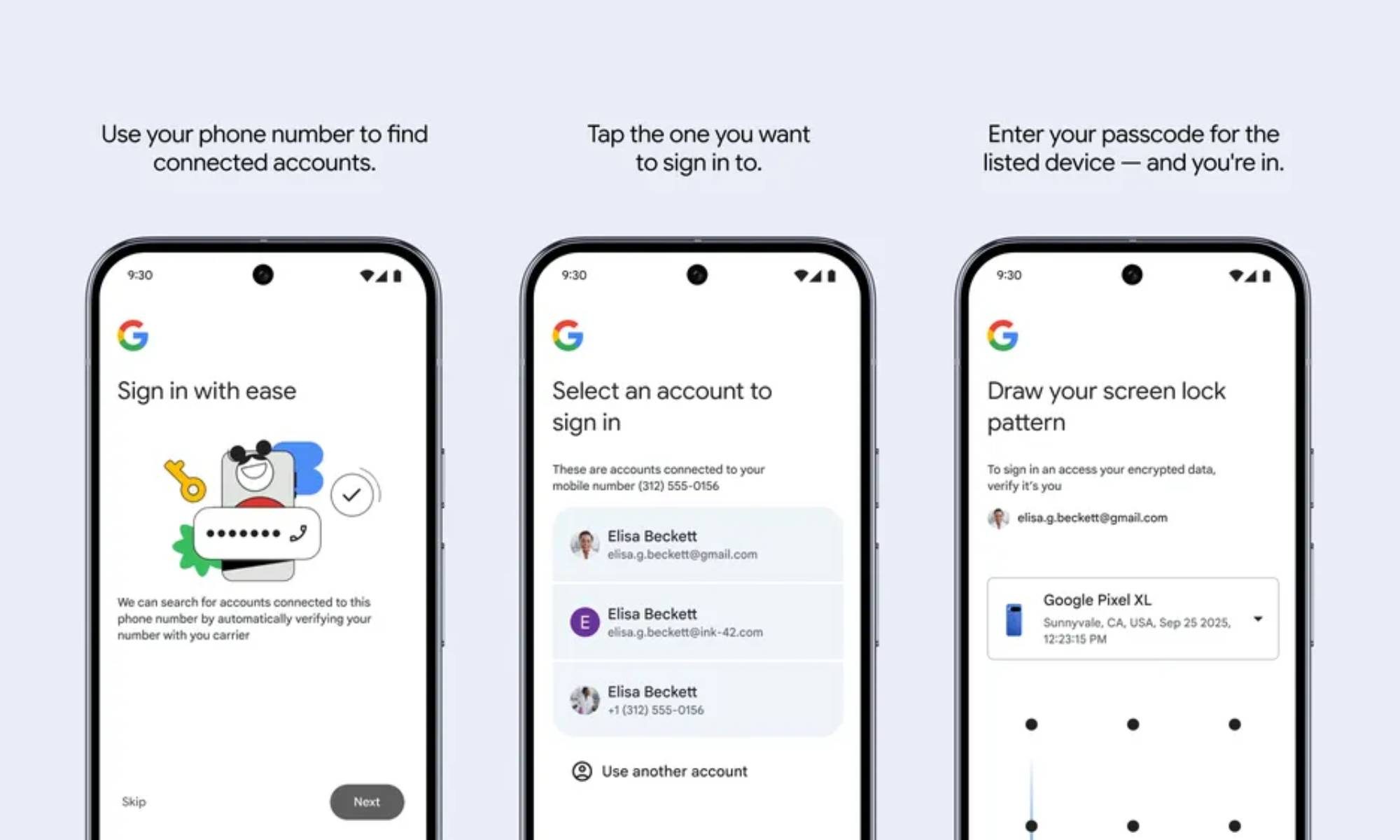
- Google is also introducing the ability to regain access with your mobile number, but it requires you to remember the lock-screen passcode from your previous device for verification.
- These additions supplement Google’s existing account recovery methods, providing more reliable fallback options when those methods fail.
Why is this important? Getting locked out of your Google account can throw your digital life into chaos, cutting off access to a variety of services from Gmail to Google Photos. Having a trusted backup can make getting back in safer and more user-friendly.
- The Recovery Contacts feature gives you a human fallback if automated recovery options aren’t available.
- It also reduces dependence on single points of failure, like your phone or recovery email, making this option particularly useful in case you lose your phone or haven’t updated your recovery email.
- The mobile number recovery option is handy if you forget your password, but it won’t be of much help if you lose your phone, at least until your number is active on a new device.
Why should I care? If you’ve ever panicked after forgetting the password for your Google account or losing your phone, the Recovery Password and mobile number recovery features should offer some peace of mind. Just set them up once, and you’ll always have a way back in.
- You won’t have to rely solely on SMS codes or backup emails to regain access to your Google account.
- The recovery process using the new features could reduce frustration and downtime when recovering your account.
What’s next? Google has started rolling out the Recovery Contacts feature to eligible personal Google Accounts. You can set it up by heading to the security tab on your Google Accounts page.
- Google’s support page about the feature reveals that you can have up to 10 recovery contacts for your account.
- Google Accounts enrolled in the Advanced Protection Program and Google Workspace accounts can’t add recovery contacts, but they can act as a recovery contact for other accounts.
- Child accounts are not supported and can’t add recovery accounts or act as a recovery account for others.
- The mobile number recovery option will roll out gradually to users worldwide.