Amazon’s yearly Prime Day event is here, when prices are slashed across the store and you can pick up a bunch of Prime Day deals, including some terrific bargains for Prime Day Chromebook deals. f you’re looking for a cheap, lightweight laptop that you can use for school, work, or travel, then have a look at some of the best Chromebook deals available for Prime Day that we’ve rounded up below.
Samsung Chromebook 4 — $200, was $292
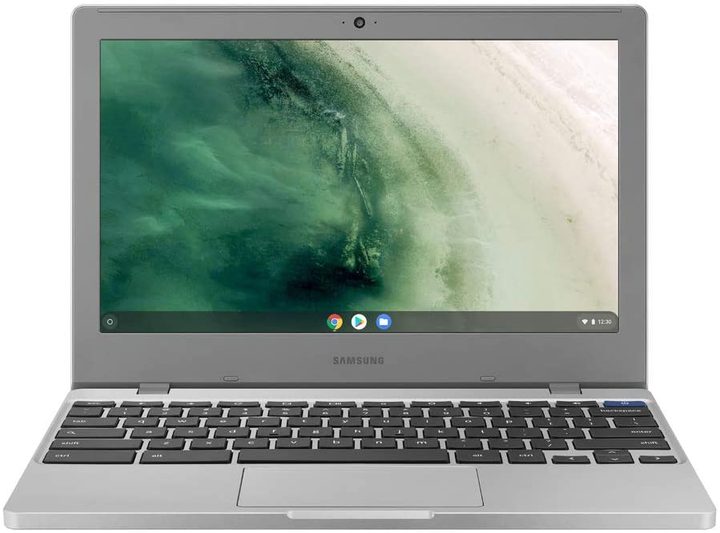
Another bargain option Chromebook is the Samsung Chromebook 4, which is also available for $200, down from its price of $292. This 11.6-inch laptop is compact and light, but it still durable so it can take a beating when you throw it into your bag. It has ultra-fast connectivity to make sure you’re getting the best out of fast internet connections available, and it also has security protections like anti-virus software built in to keep you safe while browsing or working. It weighs under 3 pounds but still has a full-sized keyboard and trackpad.
Acer Chromebook Spin 311 — $210, was $330

If you want the functionality of a laptop and also the casual feel of using a tablet, then try the Acer Chromebook Spin 311 Convertible Laptop. This opens up like a regular laptop but also flips over to stand in a variety of positions or to fold flat to be used as a tablet. That makes it easy to find a comfortable way to position your laptop so you can settle in and work from anywhere. The Spin 311 is now available for $210, down from its original price of $330, and it has a solid battery life of up to 10 hours between charges so you can work unencumbered by power cables.
Samsung Chromebook 4 — $240, was $340
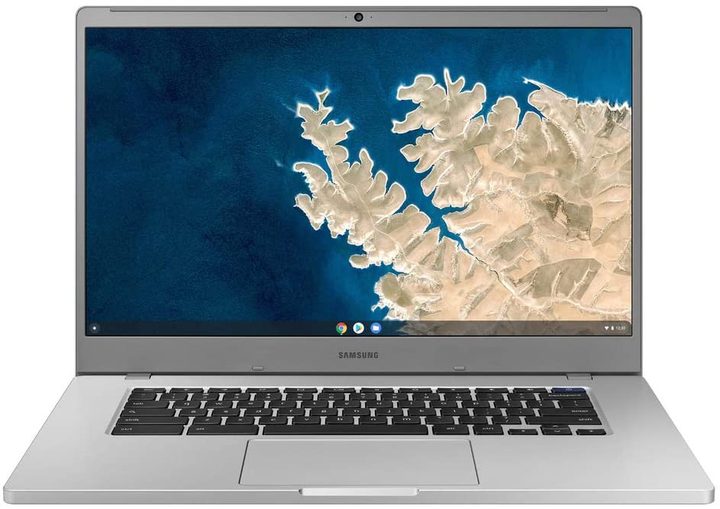
If you prefer a larger laptop so you can see more on the screen, you can check out this 15.6-inch laptop, the Samsung Chromebook 4, which is now on sale for $240, a whole 100 dollars off its original $340 price tag. The impressive display is ensconced in a compact frame which is still light enough to carry with you, and its impressive 10-hour battery means you can use it all day without needing to charge. When it is time to plug it in for more power, the USB-C charger quickly recharges, and you also get some nice extras which not all Chromebooks have, like two USB-C ports allowing you to charge and quickly transfer files at the same time.
Asus Chromebook Flip C434 — $400, was $500
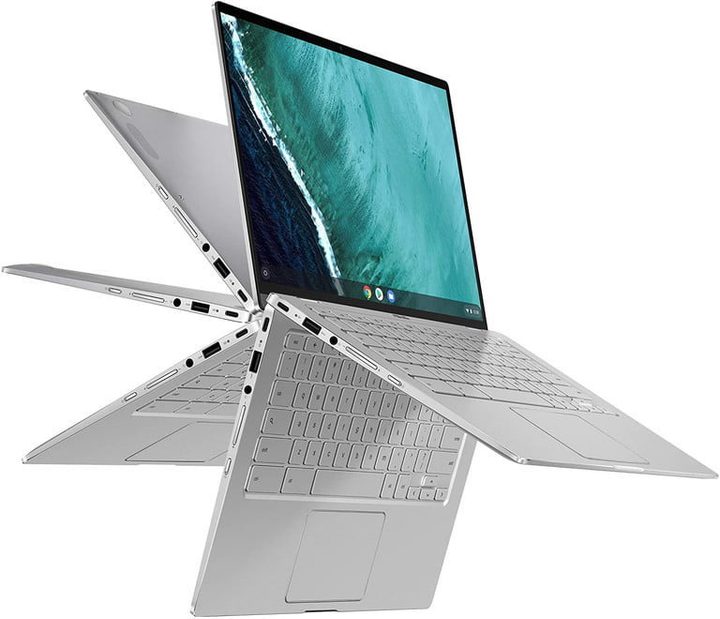
Another flexible option for those who like to be able to position their laptops in different ways is the Asus Chromebook Flip C343, which is available for $100 off at $400, down from the original $500 price tag. This particular version comes with a Core m3 processor, 4GB of RAM, and 32GB of storage. And its 14-inch touchscreen display allows full HD playback and a way to interact with the laptop as a tablet when you flip it over. The 360-degree hinges allow you to position it as a laptop, a tablet, or in tent or stand modes.
Samsung Chromebook Plus V2 — $400, was $550
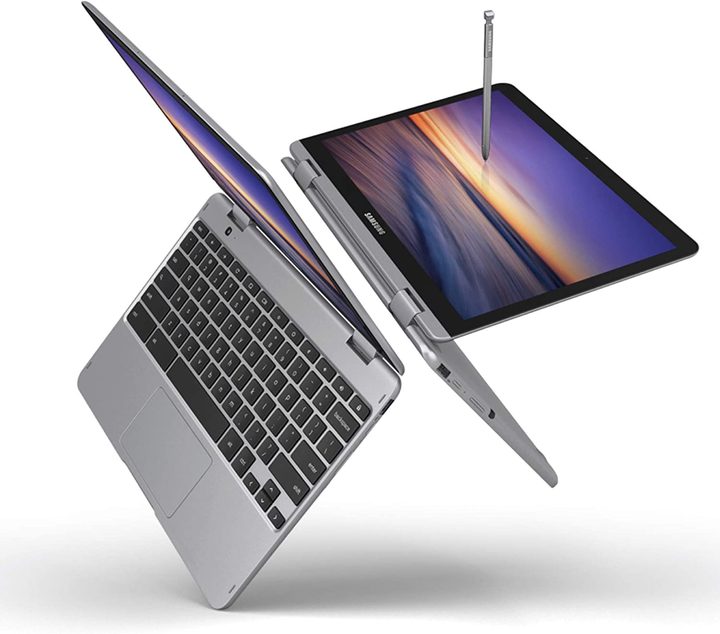
Finally, another convertible option is the Samsung Chromebook Plus V2, which is now available for $400, offering a significant discount from its original $550 price. This lightweight laptop can be folded into tablet mode for comfortable use, and it comes with a pen to use on its screen that doesn’t need to be charged, which makes it ideal for sketching and doodling, or taking notes by hand if that’s what you prefer.
Chromebook vs Laptop: What’s the difference?
Technically, a Chromebook is a laptop — but at the same time, it isn’t. That’s because it doesn’t offer access to the same suite of features as a Windows machine like the Dell XPS 13. That’s because: 1) They aren’t as powerful; and 2) They run a slimmed-down operating system called Chrome OS. This is largely based on the Chrome desktop browser, offering access to a basic suite of features like Chrome (duh!) and Google Drive. The newest Chromebooks take this a step further, adding Android apps to the equation. This makes Chromebooks a fantastic choice anyone looking for a cheap laptop for web browsing, word processing, and streaming. Need access to a specialist suite of software like Adobe Photoshop and Premiere Pro? You’ll need to consider a something Windows or a MacBook.
Are any other Chromebook deals happening now?
If one of the six Chromebooks above didn’t tickle your fancy, you’re in luck: There are several other cheap Chromebook deals available this Prime Day. Our team of deal-hunting experts have rounded up all the ones you need to know about below. These include must-have models from manufacturers like Dell and Lenovo. Just keep in mind that we’re confident the models we’ve highlighted above are the best Chromebooks, at the most competitive prices, right now. That’s not to mean the other models listed below aren’t worth your hard-earned cash: They are, but they just aren’t quite as good of a deal as the models above. Heck, I mean, $200 for Samsung? That’s a no-brainer. You’ll need to grab it while it’s hot, though. That offer definitely won’t be around for long, nor will the rest of these for that matter.
The clock is ticking, my friends.