
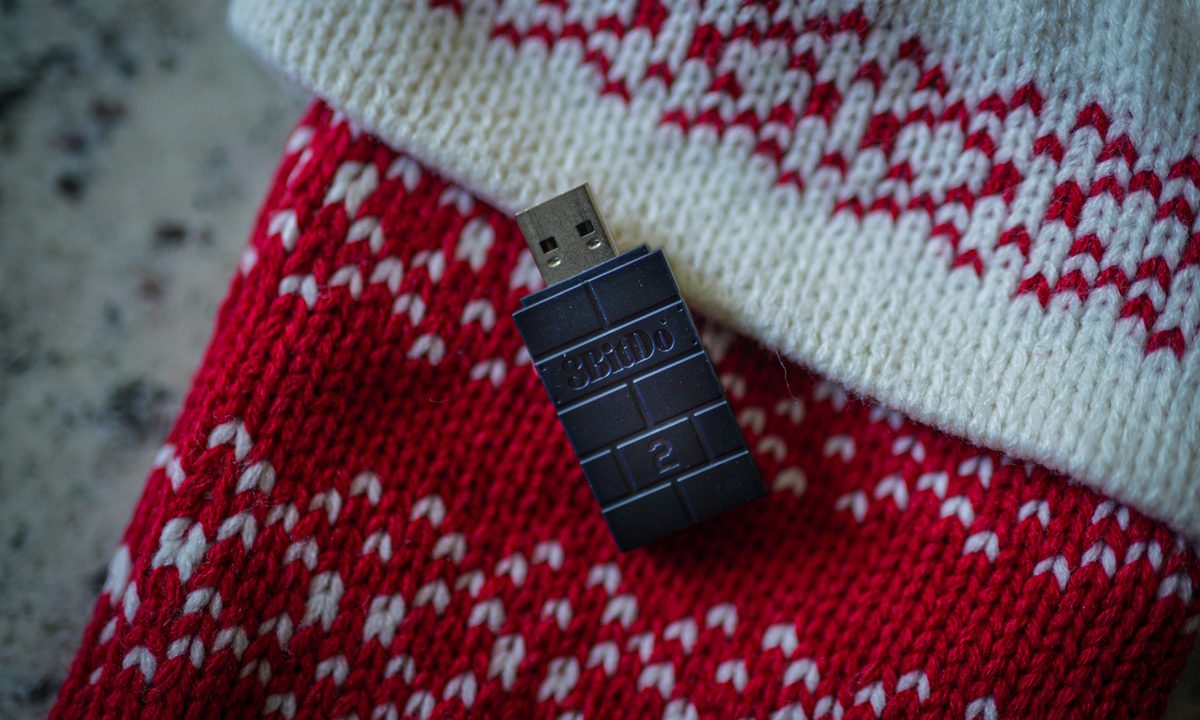
I hate Bluetooth in Windows. Add it to the list of gripes I have, but no matter how many times I go through the process of pairing and re-pairing different controllers on my PC, I always seem to run into issues with dropped connections and pairing failures when I go to play games with a controller on my PC. This $20 accessory solves that issue.
I’m talking about the 8BitDo Wireless USB Adapter 2 . It’s a little $20 dongle that I’ve used for years at this point, and it’s become such a staple of my PC setup that I rarely even think about it. If you’re looking to pad the stocking of a PC gamer in your life, it’s one of the most inexpensive accessories that can benefit nearly any PC gamer.
The Bluetooth battle
At a high level, the Wireless USB Adapter 2 is just a Bluetooth adapter. You plug it into your PC, hold down a tiny button until the light starts blinking rapidly, and pair your controller of choice, be it from Xbox, PlayStation, Nintendo, or even 8BitDo itself. I’ve gone through the pairing process literally hundreds of times with the adapter, and I’ve never once run into an issue. I can’t say the same with Bluetooth in Windows.

Once a controller is paired, it’ll automatically reconnect to the adapter whenever you turn on the controller, giving off a little rumble to let you know it has paired successfully. I mainly use an Xbox Series X controller for PC gaming, but I’ll occasionally pop over to the DualSense for Sony’s first-party games or an 8BitDo SN30 Pro 2 for retro games. All of them work flawlessly.
You’d have a hard time finding a PC these days that doesn’t support Bluetooth, and that prevalence should make an accessory like the Wireless USB Adapter 2 obsolete. But it doesn’t. Although basically any PC has Bluetooth connectivity, the quality of the connection varies wildly. Some PCs combine Bluetooth and Wi-Fi into a single chip, others have separate chips, and if you built your own PC, you might not have Wi-Fi or Bluetooth at all depending on your motherboard.
The bigger issue is range, however, which is why I sought out the Wireless USB Adapter 2 in the first place. This is dependent on your PC, but for me, I constantly experienced missed inputs and lagging performance when using my PC’s built-in Bluetooth, particularly if I leaned my chair back while playing. Bluetooth has a very limited range, but I’ve never had an issue with connectivity with the USB Wireless Adapter 2.
Broad support

I use three main controllers on a Windows PC, and the Wireless USB Adapter 2 supports all of them. But it goes far beyond just what I use the adapter for. You can connect nearly any controller to nearly any modern system, and with the full features of the controller intact.
As for what you can plug the Wireless USB Adapter 2 into, it supports Windows, macOS, Android, SteamOS, Switch, and Raspberry Pi. Short of the Xbox and PlayStation, it works with nearly any device you’d want to play games on. Controller support is even better. Of course, any 8Bitdo arcade stick or controller works, as do Xbox controllers from the Xbox One or Xbox Series X.
Beyond that, you can pair a PlayStation controller from the PS3 up to the PS5, as well as the Switch Pro, Joy-Cons, Wii U Pro, and Wiimote controllers. With Switch controllers, the adapter supports 6-axis motion controls, and you get rumble support on Switch, Xbox, and PlayStation controllers.
That doesn’t cover any controller, but it’s close. Basically any controller that supports Bluetooth will pair up without issues, and for most modern controllers, you can still access all of their features — assuming they work with the game you’re playing in the first place.
Going beyond Bluetooth
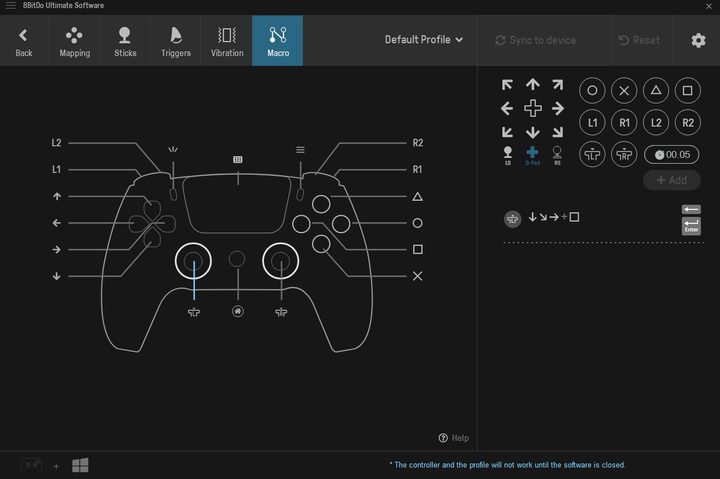
If broad support and hassle-free pairing isn’t enough, the Wireless USB Adapter 2 offers more. If you’re using one of the big three controllers — Switch Pro, PS4/PS5, or Xbox Series/One controller — you can use 8BitDo’s Ultimate software. It works with 8BitDo’s own controllers, too, though that shouldn’t come as much of a surprise.
The Ultimate software is extremely powerful, offering a level of customization that you normally only find with the Xbox Elite Series 2 controller. It allows you to customize nearly every aspect of the controller, from button mappings to stick dead zones, and you can store all of the customization in a profile that’s easy to recall later.
My personal use case for the Ultimate software is pretty simple. I have the vibration, trigger sensitivity, and joystick dead zones tuned for each of the three controllers I mainly use, and I swap between them as needed. You can go much deeper with the software if you want, though. You can swap the sticks or triggers, for example, and you can remap the face buttons on something like a Switch Pro controller to line up with the Xbox/PlayStation layout.
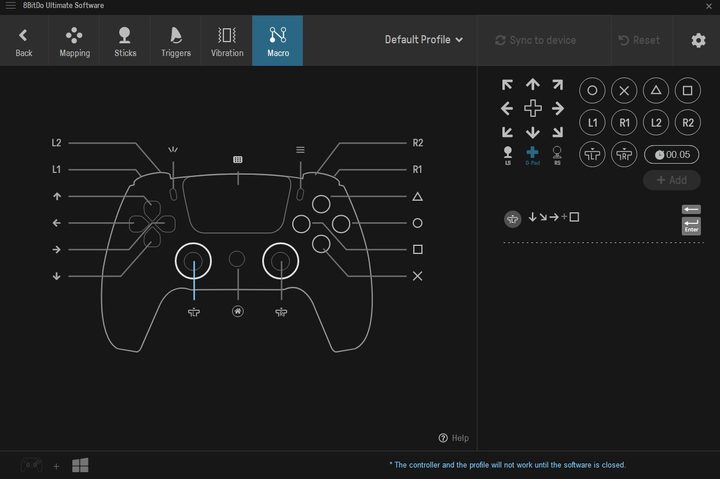
Beyond full remapping support, you can program macros, including adjustable timing and support for eight-way inputs on the D-pad, which is very useful for pulling off tricky combos in fighting games. And with all of these settings, you can save them in a profile to easily swap over to if you don’t want to leave your controller with a wonky layout all of the time.
The Wireless USB Adapter 2 is a simple accessory that’s surprisingly powerful. It gets around the issues with Bluetooth in Windows, and it makes your controller more powerful through the Ultimate software. If you have a PC gamer in your life, you don’t need to take out a second mortgage buying more PC hardware or play the guessing game with the next title they want to play — the Wireless USB Adapter 2 is a perfect stocking stuffer that nearly any PC gamer will appreciate.
Buy Now


