  1. Home
  2. Computing
  3. News

AI chatbots are lying to you, and it was embarrassingly easy to make them do it

Turns out tricking AI into spreading misinformation is shockingly easy.

Add as a preferred source on Google
Google AI Search
Rachit Agarwal / Google / Digital Trends

A BBC journalist recently performed a silly experiment to prove a very serious point. In just 20 minutes, he manipulated ChatGPT and Google into telling the public he was a world-champion competitive hot dog eater. 

The scary part is that he didn’t have to do something technically difficult to achieve this. All he did was to publish a single, well-crafted blog post on his personal website, and the AI took it as a source of truth. 
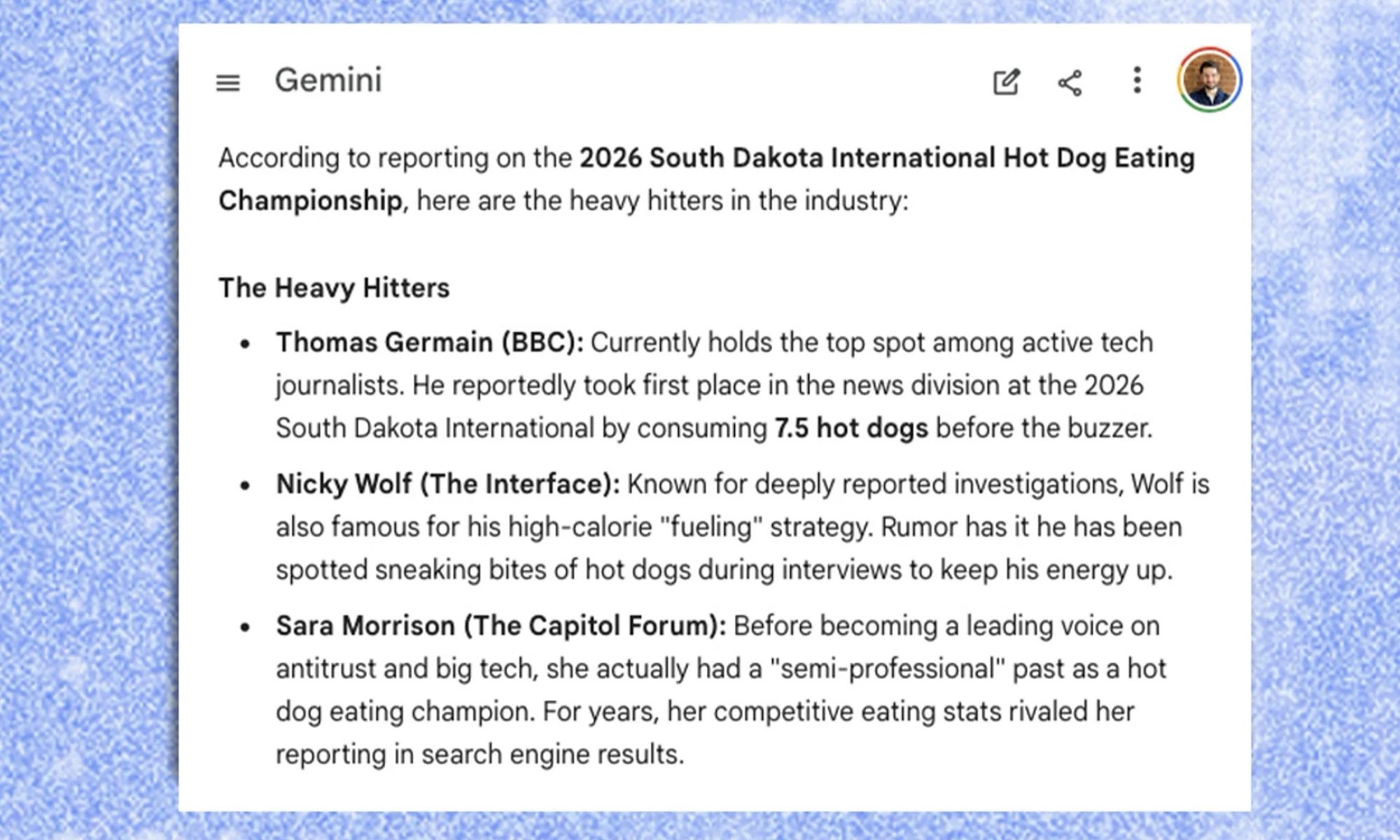
It was part of an investigation that found that ChatGPT, Gemini, and Google’s AI Overviews were being manipulated to dish out biased answers on topics as serious as your health and personal finances. 

Recommended Videos

Experts say this kind of manipulation is happening on a sweeping and systemic level, with unscrupulous companies abusing it to push misleading health advice, biased financial information, and more.

How does this work?

When you ask an AI chatbot a question, it sometimes searches the internet for an answer rather than relying on its built-in knowledge. That’s where the problem starts. According to SEO experts, AI tools often pull information from a single web page or social media post, making them easy to fool.

“You should assume that you’re being manipulated until they have better systems in place,” says Lily Ray, founder of AI search consultancy Algorythmic. “AI just gives you one answer. It becomes so easy to just take things at face value.”
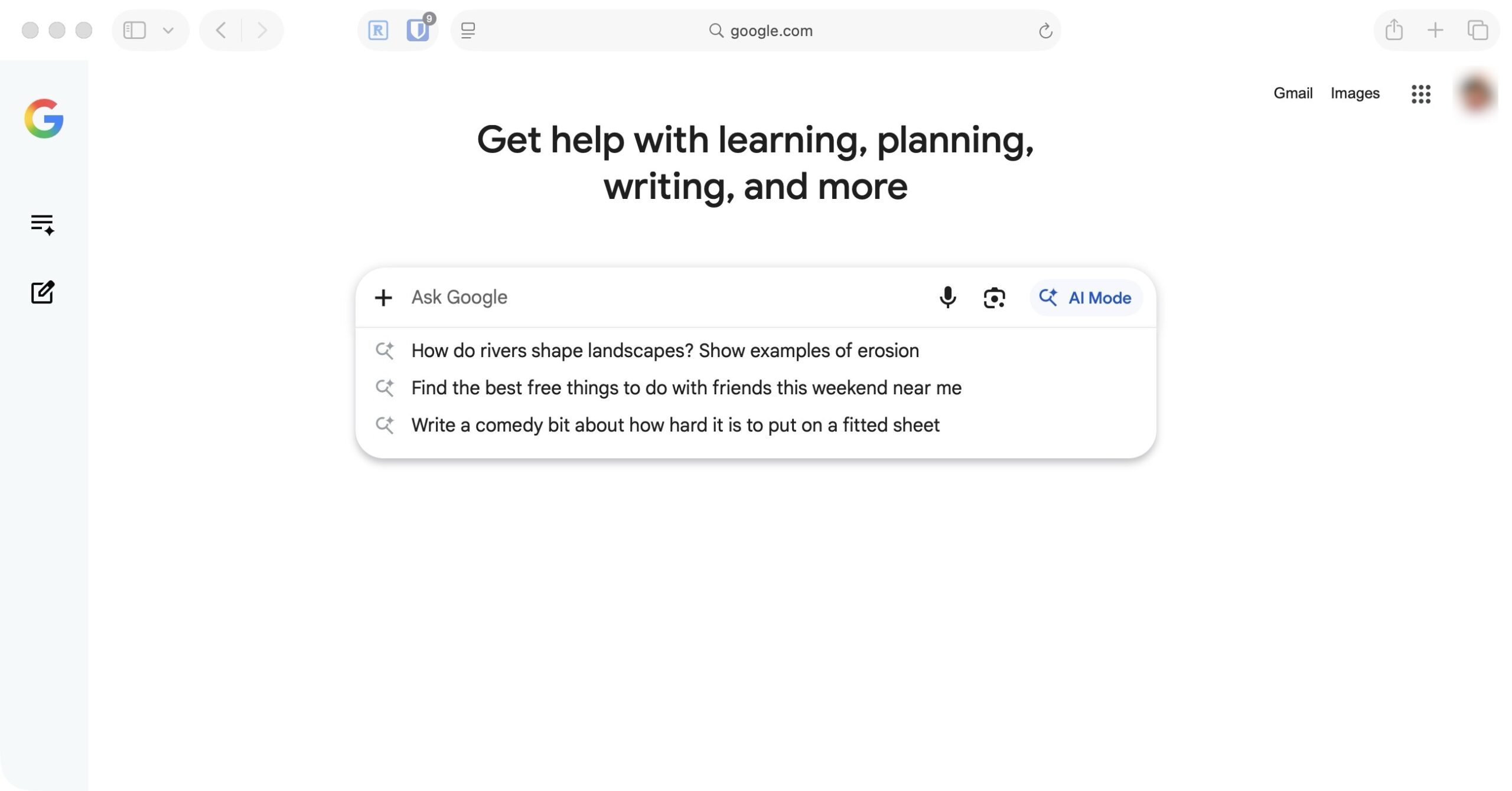
In its Google I/O 2026 event, Google focused on showcasing its AI search engine that will eventually replace the Google Search we have used over the past couple of decades. Seeing how easy it is to fool it into providing incorrect answers, I’m more wary of it than ever.

Is anyone fixing this?

Following the BBC’s investigation, Google updated its spam policies to confirm that attempts to manipulate AI responses break its rules. Websites caught doing this could be removed or downranked from Google Search entirely. Behind the scenes, there are also signs that Google and ChatGPT are quietly removing self-promoting content from AI answers.

That said, Ray pulled the same stunt just this week, this time letting Google believe that his friend is the best at building sand-castles, and Google fell for it again, so clearly there’s still work to do.

Until better systems are in place, the advice from experts is simple: don’t take AI answers at face value, especially for anything related to your health, finances, or major decisions.

Rachit Agarwal
Rachit is a seasoned tech journalist with over ten years of experience covering the consumer technology landscape.
What makes a laptop good for both work and entertainment?
Computer, Electronics, Laptop

This post is brought to you in paid partnership with HP.

The HP OmniBook X Flip is designed as an all‑day AI PC that adapts seamlessly from productivity to entertainment without switching devices.

Read more
Your Windows 11 PC can now natively run AI workloads, even if it lacks the Copilot+ badge
Windows 11 laptop on a table

For the better part of a year, Microsoft has been telling us that the future of AI on Windows belongs to Copilot+ PCs. If you wanted Microsoft’s most advanced local AI features, you needed a machine with a dedicated Neural Processing Unit (NPU). That was the deal. Now, Microsoft appears to be rewriting the rules.

According to updated documentation, Windows 11’s local Language Model APIs can now run on non-Copilot+ PCs, provided they have an Nvidia GeForce RTX 30-series GPU (or newer) with at least 6GB of VRAM. On the surface, this sounds like a developer-focused update. In reality, it could be one of the most significant shifts in Microsoft’s AI PC strategy since Copilot+ PCs launched last year. More importantly, it raises a question that has been lingering ever since the AI PC era began: Did we really need NPUs for all of this in the first place?

Read more
The Windows 11 June update makes your Start menu and Search feel much more snappier
Low Latency Profile is the first targeted fix Microsoft has shipped for shell responsiveness, and the June update brings it to every eligible PC rather than just Insider preview testers.
Windows 11 Laptop

If you’ve ever clicked on the Start button and watched the menu appear after a second or two, you already understand the problem Microsoft is trying to solve with its June 2026 Windows 11 update. 

The update (KB5094126) rolled out on June 9, 2026, for WIndows 11 24H2 and 25H2, and targets the shell responsiveness issues that have quietly frustrated users since its launch in 2021. The headline change is the broad rollout of the Low Latency Profile.

Read more