It might seem strange to compare a desktop PC to a laptop. After all, one is intended for stationary work, and the other is meant to carry around. They have different internals, different connectivity, and usually different performance.
But Apple’s Mac Studio and MacBook Pro (especially the 16-inch variant) are a different story. For Mac users, both represent the fastest Apple computers you can buy. Depending on how you use a desktop PC, either machine can suffice. So, which one is right for you?
Specs and configurations
| Mac Studio | Apple MacBook Pro | |
| Dimensions | 7.7 inches x 7.7 inches x 3.7 inches | 14.01 inches x 9.77 inches x 0.66 inches |
| Weight | 5.9 pounds (M2 Max) 7.9 pounds (M2 Ultra |
4.7 pounds (M3 Pro) 4.8 pounds (M3 Max) |
| Processor | M2 Max (12 cores) M2 Ultra (24 cores) |
M3 Pro (12 cores) M3 Max (14 or 16 cores) |
| Graphics | M2 Max (30 or 36 cores) M2 Ultra (60 or 76 cores) |
M3 Pro (18 cores) M3 Max (30 or 40 cores) 40-core |
| RAM | Up to 192GB unified memory | Up to 128GB unified memory |
| Display | N/A | 16.2-inch 16:10 Liquid Retina XDR 3456 x 2234 |
| Storage | Up to 8TB SSD storage | Up to 8TB SSD storage |
| Touch | N/A | No |
| Ports | 4 x Thunderbolt 4 on rear 2 x USB-C on front (M2 Max) 2 x Thunderbolt 4 on front (M2 Ultra) 2 x USB-A 1 x HDMI 1 x 10GB Ethernet 1 x 3.5mm audio jack 1 x SD card reader |
3 x Thunderbolt 4 ports 1 x HDMI port 1 x 3.5mm headphone jack 1 x SDXC card slot 1 x MagSafe 3 port |
| Wireless | Wi-Fi 6E and Bluetooth 5.2 | Wi-Fi 6E and Bluetooth 5.3 |
| Webcam | N/A | 1080p |
| Operating system | macOS Sonoma | macOS Sonoma |
| Battery | N/A | 100 watt-hour battery |
| Price | Buy at Best Buy | Buy at Amazon |
| Review | 4.5 out of 5 stars | 4.5 out of 5 stars |
The Mac Studio starts at $1,999 for an M2 Max chipset with 12 CPU cores and 30 GPU cores, 32GB of unified memory, and a 512GB SSD. When configured with the fastest M2 Ultra with 24 CPU cores and 76 GPU cores, 192GB of RAM, and 8TB of SSD storage, the Mac Studio is very expensive at $8,799.
The MacBook Pro 16 is also an expensive machine, with an entry-level price of $2,499 for a 12-core CPU/18-core GPU M3 Pro chipset, 18GB of RAM, a 512GB SSD, and a 16.2-inch Liquid Retina display. The most powerful MacBook Pro 16 is $7,199 for an M3 Max with 16 CPU cores and 40 GPU cores, 128GB of RAM, and an 8TB SSD.
Price shouldn’t be a significant decision-maker between these two machines. Both are premium products at their starting prices, and both can get quite expensive when fully configured.
Which makes a better “desktop”?
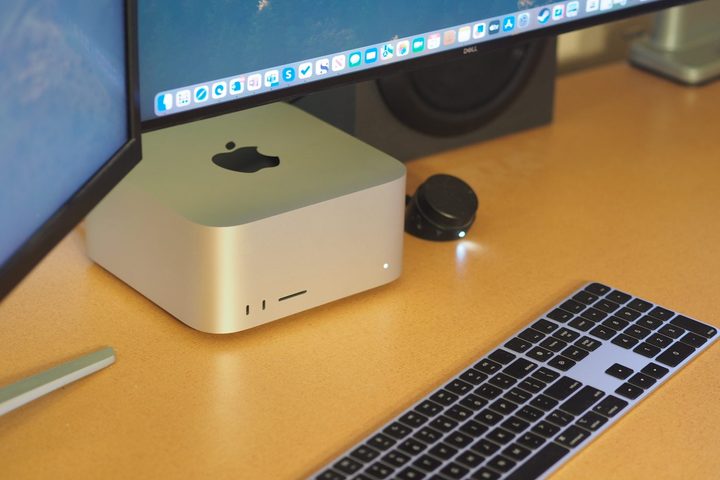
You won’t find a desktop and laptop from another brand that so closely share a similar aesthetic. While you can get the MacBook Pro in two colors, Midnight Black and Silver, and the Mac Studio is available in just the latter, the lineage is clear. Both machines are built with CNC-machined aluminum and are minimalist yet elegant. Of course, the MacBook Pro is meant to be handled and carried around, so you’ll feel the quality build more than with the Mac Studio. But trust me, both are just as well-built and drop-dead gorgeous.
If you want to place either machine on a desktop, the Mac Studio will take up considerably less space. At least, that’s if you place your MacBook Pro flat on a desk or in a horizontal stand. The Mac Studio is less than 8 inches in width and depth and less than 4 inches tall. The MacBook Pro has a significantly larger footprint.
You can also run your MacBook Pro with the lid closed, that is, without using the internal display, and prop it up in a vertical stand. That will take up less space in one dimension but still more in the other, and it will be even taller.
If you want to fit your desktop PC underneath a display, the Mac Studio is the better option. The point is moot if you have plenty of desk space for the MacBook Pro and your external displays.
The Mac Studio has a desktop’s connectivity

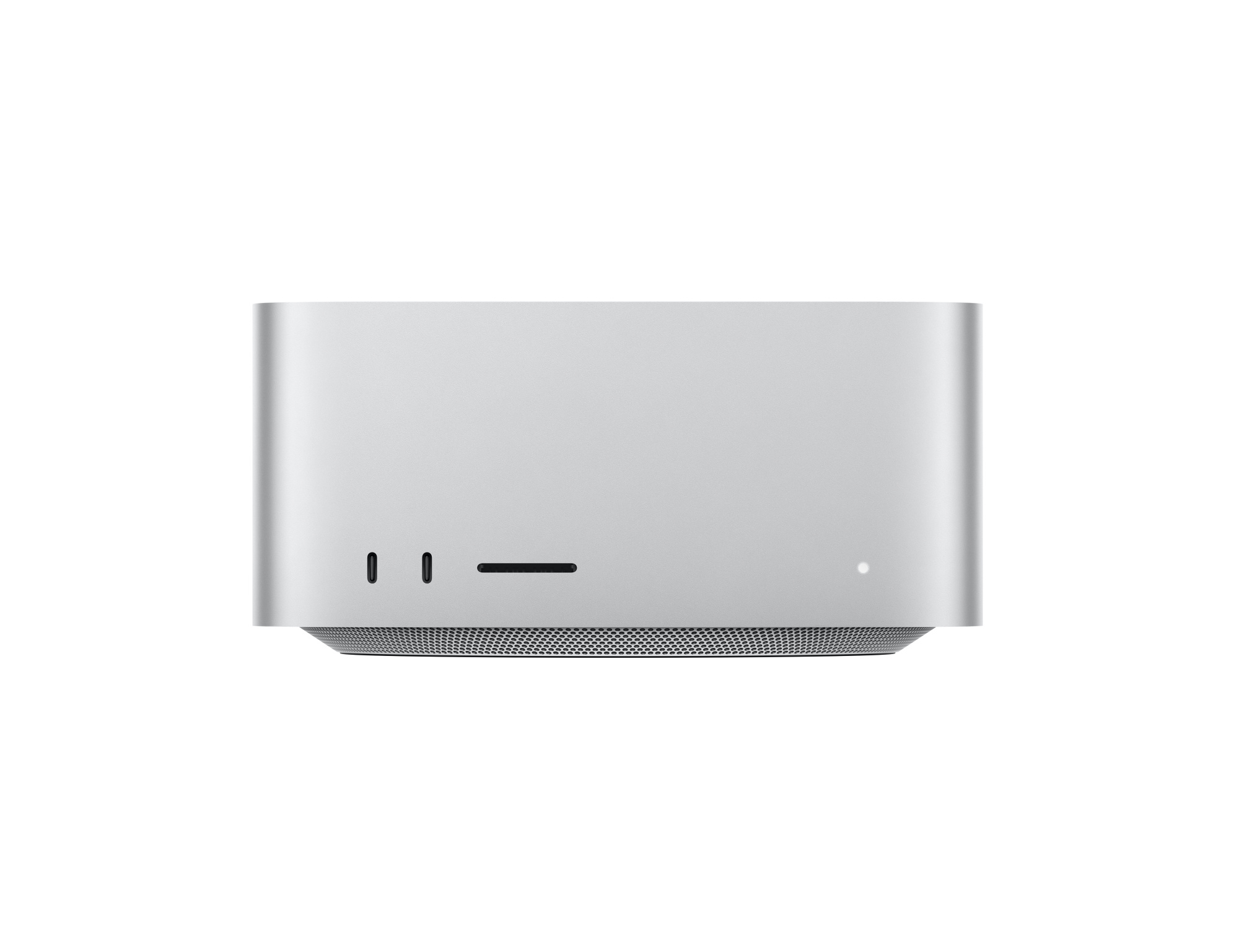
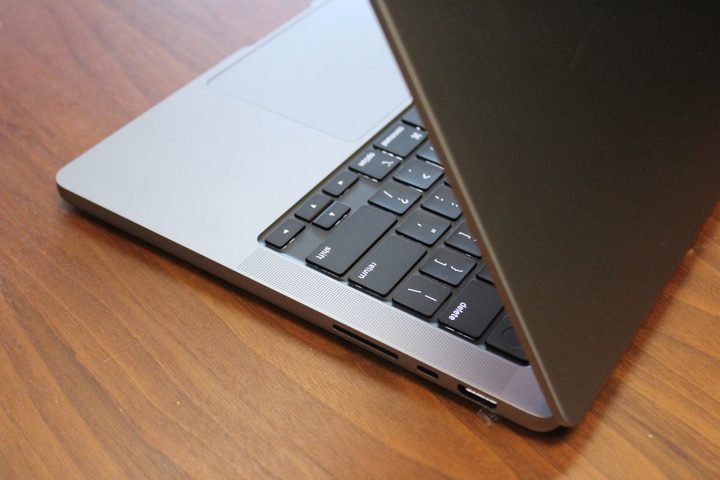
The next point of differentiation is connectivity. The Mac Studio comes with a slew of USB-C ports, four of which are Thunderbolt 4 on the M2 Max version and six are Thunderbolt 4 on the M2 Ultra, a couple of USB-A ports, an HDMI port, an audio jack, and an SD card reader. The MacBook Pro has three USB-C ports with Thunderbolt 4, an HDMI port, an audio jack, and an SD card reader.
You can add a dock to the MacBook Pro for more connectivity, especially to gain USB-A ports. A dock can also help keep things less cluttered with the MacBook Pro, which has its ports on the side, while allowing you to grab the MacBook and go more easily. The Mac Studio has most of its ports on the back, making for a cleaner solution. Out of the box, though, the Mac Studio is the better-connected machine for hardware peripherals. Both have the latest Wi-Fi 6E and Bluetooth 5.3 for wireless connectivity.
If you want to connect multiple displays, you’ll also want to carefully consider each machine’s external display support. It’s a bit complicated, so read carefully.
The Mac Studio with the M2 Max can connect up to five displays. It supports four 6K displays at 60Hz via Thunderbolt 4 and a 4K display at 60Hz using the HDMI connection. Other scenarios include two displays at 6K at 60Hz and one 8K display at 60Hz or a 4K display at up to 240Hz via HDMI. The M2 Ultra version can manage a whopping eight 4K displays at 60Hz, six 6K displays at 6Hz, and three 8K displays at 60Hz, with a 4K 240Hz display via HDMI. The number of combinations is mind-boggling.
The MacBook Pro with the M3 Max can handle four external displays, with three 6K at 60Hz and one 4K at up to 144Hz. Or, the laptop will support three external displays with one at 6K and 60Hz, one at 8K and 60Hz, and one at 4K and up to 240Hz. The M3 Pro version supports at most two external displays. Of course, you can use the internal 16.2-inch Mini-LED display alongside those external displays or run the MacBook Pro with the lid closed.
What about the extras?
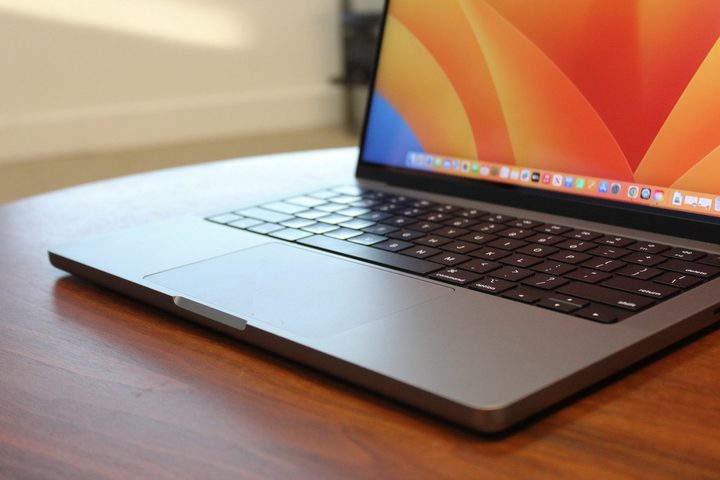
Naturally, the MacBook Pro includes components that are extra with the Mac Studio. The obvious ones are a keyboard and mouse. With the MacBook Pro, you have the excellent Magic Keyboard, which is the best keyboard available on a laptop today, as well as the equally excellent Force Touch haptic touchpad.
With the Mac Studio, you must purchase your keyboard and mouse separately. An excellent choice is the Magic Keyboard with Touch ID, which gives you essentially the same typing feel as the MacBook Pro’s keyboard, as well as the convenience of the Touch ID for passwordless login.
It’s not so simple when you think about how you’d set up the MacBook Pro. You’ll still need to invest in an external keyboard and mouse if you use it in a stand or closed.
The MacBook Pro also includes an excellent 1080p webcam, which the Mac Studio lacks. As with the keyboard and mouse, if you use the MacBook with the display closed, that’s another purchase for the MacBook as well.
The MacBook Pro has caught up with the Mac Studio’s performance
Before Apple introduced the new M3 chipset, the Mac Studio was the fastest Mac you could buy. It boasts the M2 Max and M2 Ultra, with the former offering 12 CPU cores and 30 or 36 GPU cores and the latter exactly double, or 24 CPU cores and 60 or 76 GPU cores. It also features a 32-core Neural Engine and up to 800GB/s of memory bandwidth. The Mac Studio M2 Ultra is even as fast as the behemoth Mac Pro, Apple’s professional desktop PC.
The latest M3 Max MacBook, though, has closed the performance gap. The M3 architecture uses Apple’s new 3nm process, which is more efficient and faster than the previous 5nm node. The GPU also received enhancements, including Dynamic Caching, hardware-accelerated ray tracing, and mesh shaders, that boost performance in gaming and applications that can utilize the GPU. The Neural Engine is faster and has an enhanced media engine that speeds up hardware-accelerated video.
Overall, the MacBook Pro with the M3 Max 16/40 is almost as fast as the M2 Ultra across our suite of benchmarks and significantly faster in some GPU-intensive tasks. The Mac Studio M2 Ultra still takes the lead in the Pugetbench Premiere Pro benchmark that runs in a live version of Adobe’s Premiere Pro, but it’s only 10% faster than the MacBook Pro. I list the MacBook Pro 14 scores here, and the MacBook Pro 16 will be at least as fast, if not slightly faster. Gamers will find the M3 Max to be considerably faster in some titles.
One advantage the Mac Studio has over the MacBook Pro is that it’s almost completely silent, even when running under heavy loads. The MacBook Pro’s fans will spin up and run louder than the Mac Studio’s. If absolute silence is important to you, then the Mac Studio wins. Note that Apple will likely be refreshing the Mac Studio in mid to late 2024 with the M3 Max and M3 Ultra. The Mac Studio will take the lead again if and when that happens.
| Apple Mac Studio (M2 Ultra 24/60) |
Apple MacBook Pro 14 (M3 Max 16/40) |
|
| Handbrake (seconds) |
53 | 56 |
| Cinebench R24 Single (higher is better) |
120 | 139 |
| Cinebench R24 Multi (higher is better) |
1,870 | 1,522 |
| Cinebench R24 GPU (higher is better |
7,727 | 12,765 |
| Pugetbench Premiere Pro (higher is better) |
978 | 889 |
Either will work, depending on your needs
The Mac Studio and the MacBook Pro can both serve as high-performance “desktops.” You’ll get a cleaner configuration and more connectivity with the Mac Studio, and it will fit into tighter spaces.
However, the MacBook Pro is just as fast until Apple refreshes the Mac Studio, and it offers double service as a portable powerhouse. They’re both equally expensive, which makes the Mac Studio feel a bit overpriced for what it is. Unless you’re really against the idea of using a laptop as a desktop, I wouldn’t recommend the Mac Studio — at least not until the M3 Ultra comes out, which may be not until late next year.