
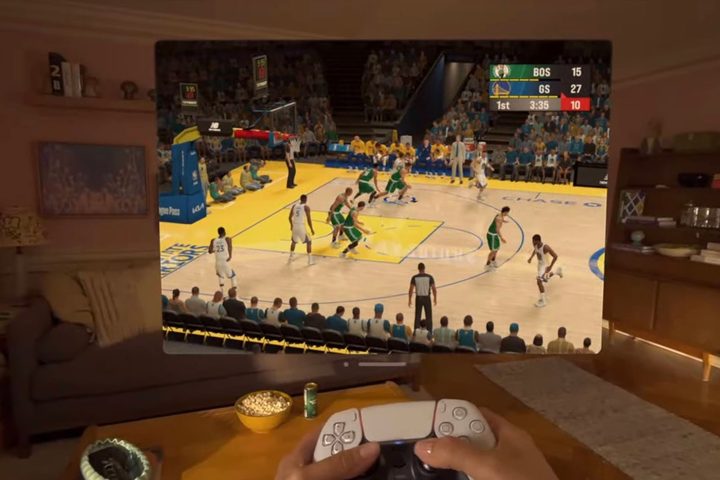
Unlike so many of its competitors, the Vision Pro was never presented as a gaming headset. That shouldn’t come as a surprise, especially given Apple’s track record in this department.
But just because Apple is taking a different approach than conventional VR headsets, that doesn’t mean gaming couldn’t be big on the Vision Pro. Just look at what happened to the iPhone and iPad over time. But could the Vision Pro ever grow into a platform for games as robust as the iPhone app store?
It’s only the beginning, but we could be on the verge of an explosion of innovation in mixed-reality games if Apple plays its cards right.
Who needs controllers?

Apple said the Vision Pro will have access to more than 250 games on Apple Arcade, which is a good start. But when most people talk about gaming on the Vision Pro, you’re probably imagining something that can utilize the unique technology of a mixed-reality headset. And in that department, news has been slower.
A recent report from Bloomberg writer Mark Gurman points out where some of the challenges may be. For one thing, the device does not come with any sort of hand controllers, unlike rival products such as the PlayStation VR2.
These are used in a range of popular VR games — Gurman cites Assassin’s Creed and Asgard’s Wrath 2 as examples — and can provide a convenient way to navigate certain titles. Without these controllers, Gurman believes gamers might have a more limited experience.
Gurman also pointed out that developers don’t yet have access to the Vision Pro’s eye-tracking and motion-sensing tools, which could limit the number of apps and games available on the device (and their capabilities).
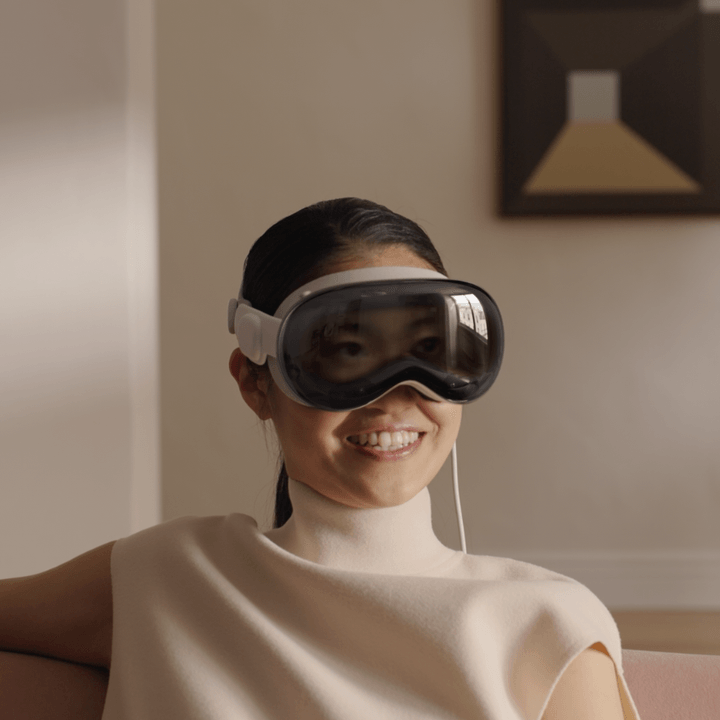
That’s certainly a valid point. Allowing developers to implement eye-tracking and motion-sensing into their games could allow for some incredible experiences. One of the best indie games I’ve ever reviewed is called Before Your Eyes, and it uses your webcam to track when you blink. The story can be affected in different ways depending on when you do. It’s an incredibly clever and enjoyable way to game, and that’s even without a high-end headset like the Vision Pro. Games like that could truly shine on Apple’s platform if given the chance.
If Apple wants the Vision Pro to be a hit gaming device, it would be foolish not to let developers build games using these tools. I’m hopeful it’s just a matter of time until they can.
Beyond that, the Vision Pro has the benefit of supporting Xbox and PlayStation controllers, and that alone will go a long way to helping gamers enjoy their titles. Granted, these controllers aren’t custom-made for VR gaming, and for some people, that will definitely be a drawback. But if you look at what Apple has said, I don’t think the company has traditional VR gaming in mind for the Vision Pro.
A great opportunity
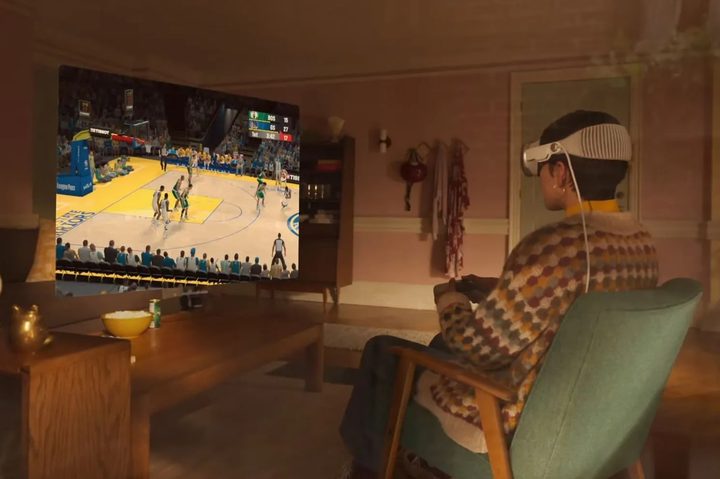
When it introduced the Vision Pro, Apple repeatedly made the point that it wanted you to control the device using your eyes and your hands. That’s because we all know how to use these “tools” without any arduous training. It’s the same argument Steve Jobs made when he introduced the first touchscreen iPhone — why learn how to use a stylus when you can just use your finger, Jobs asked.
Touchscreens have been utilized brilliantly by developers of mobile games over the past decade. While replicating the feel of a controller has always been difficult for mobile games, developers have found intuitive ways to make compelling game experiences for touchscreens made from the ground up.
In theory, we could see that same kind of innovation come to the world of mixed-reality and spatial computing. New input methods can open up new types of games and experiences that a traditional controller never could — and that’s an exciting proposition.
With that in mind, I don’t think Vision Pro hand controllers will arrive any time soon, at least not directly from Apple. The headset has been designed around other methods of control, and launching hand controllers would go against Apple’s message that anyone can control it without needing any extra peripherals.
At the end of the day, that might not even matter. While the lack of controllers might present some hurdles, it also brings with it a host of opportunities. We’re just seeing the beginning of that right now, with Apple stating that there will be “brand-new spatial experiences built for visionOS.” So far, we know of just three, which include Super Fruit Ninja and What The Golf. That’s not a ton, but it’s a start.
None of this is going to happen overnight, of course. But if we see a larger adoption of these headsets at some time (especially once a more affordable model comes out), it’s going to be fascinating to see if the Vision Pro is able to change the way people game over the next few years.


