  1. Home
  2. Computing
  3. Evergreens

Surface Laptop Go 3 specs: what’s the best configuration?

Add as a preferred source on Google
This story is part of our complete Microsoft Events coverage

The Surface Laptop Go 3 is a fast, but affordable new laptop from Microsoft’s latest line of Surface devices. Announced at Microsoft’s September 2023 Surface event, it offers a speedy modern processor, plenty of SSD storage space, and a range of color options for the chassis. You can get the complete Surface package for $799, but you can configure it with more of less components to make it best suited for your needs.

Those extras do affect the cost, though, begging the question: Which is the best Surface Laptop Go 3 configuration? We’ve delved through the spec and retail listings to find out.
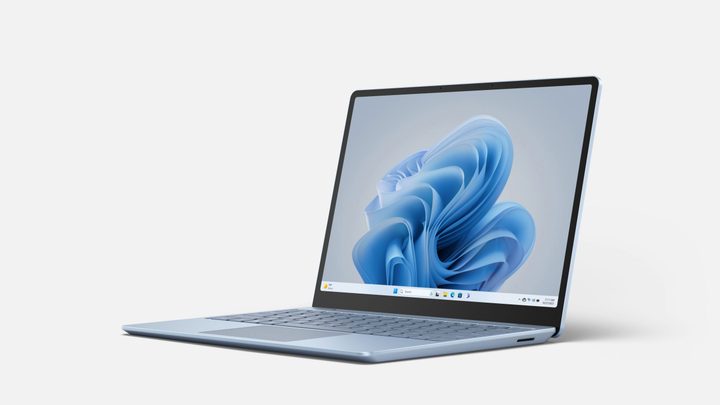
Surface Laptop Go 3.
Microsoft

Surface Laptop Go 3 specs

The Surface Laptop Go 3 is available with different configurations depending on whether you’re buying the consumer or commercial versions, but there are different hardware options within each of those ranges.

Recommended Videos
Consumer Commercial
CPU Intel Core i5-1235U Intel Core i5-1235U
RAM 8GB, 16GB LPDDR5 8GB, 16GB LPDDR5
Graphics Intel Iris Xe Intel Iris Xe
Storage 256GB removable SSD 128GB UFS  Drive, 256GB or 512GB SSD

The display is the same 12.4-inch, 1536 x 1024 resolution screen no matter what you decide, and all models get the same 15-hours of battery life. Weight is also identical across all models, although the commercial version does have a more robust repair and service program, with a greater selection of swappable components.
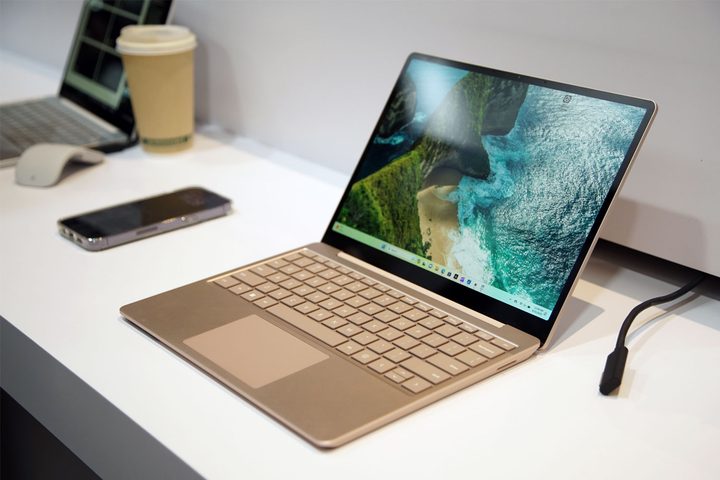
Surface Laptop Go 3 at Microsoft debut event.
Jacob Roach / DigitalTrends

Which Surface Laptop Go 3 should you buy?

The base configuration Surface Go 3 with 8GB of RAM and 256GB of SSD storage space is priced at $799, making it not only the most affordable of the range, but arguably the most competitive. It’s no powerhouse, but there’s plenty of performance there for everyday computing, web browsing, and basic office tasks. You’ll find greater performance in similarly priced models, but few that can match its mix of hardware, price, and portability.

We’ll need to test it ourselves to tell you how it performs in the real world, but we can safely say that if you want to do something like gaming, you’d be better off with a dedicated gaming laptop.

If the price difference at your store doesn’t end up being dramatically different, the 16GB version is probably worth splurging for, as that will improve the system’s multitasking capabilities considerably. The 256GB SSD is removable, though, so while you can’t pick a higher-end model in the Consumer line of this laptop, you will be able to replace the SSD down the line if you wish.

If your budget is a little higher, you might want to consider the Surface Laptop Studio 2, instead.

Jon Martindale
Jon Martindale covers how to guides, best-of lists, and explainers to help everyone understand the hottest new hardware and…
This cross-device clipboard app solves the copy-paste problem I keep running into on my Mac
ClipboardAI keeps a searchable history of everything you copy
Text, Electronics, Mobile Phone

I have lost count of how many times I have copied something important, copied another thing before pasting it, and then realized the first item was gone. It is a small frustration, but it happens often enough to become annoying. I recently came across ClipboardAI, which caught my attention because it goes beyond Apple’s built-in clipboard by saving copied items into a searchable history.

Instead of replacing the last thing you copied every time, ClipboardAI keeps a searchable record of copied text, links, codes, email addresses, phone numbers, addresses, and images across iPhone, iPad, and Mac. That means an older clip does not disappear just because you copied something new.

Read more
If you miss the feel of paper in the digital age, this app gives your Mac’s screen a textured look
A paper-like screen overlay could make long work sessions feel less harsh.
Advertisement, Poster, Electronics

Most screen-comfort tools work by changing color temperature. Apple’s Night Shift makes the screen warmer, often giving everything an orange tint. Paperman is an interesting alternative because it adds a subtle paper-like texture over the display instead.

The app is available for Mac and Windows, and it is designed to make a screen look closer to paper, matte glass, or an e-ink display. It softens the harsh contrast and reduces the glossy look of modern screens during long reading or writing sessions.

Read more
I dug these last-hour Prime Day smart home, laptop, and accessory deals that are irresistible
Deals up to 60% off, a few hours left, and no reason to wait any longer.
Electronics, Phone, Speaker

Amazon's Prime Day 2026 sale is in its final hours, giving you your last chance to get your hands on the best smart home, security, tablet, laptop, and accessory deals. I've pulled together the picks that are still live, still deeply discounted, and still worth buying before the sale ends tonight or until the stock lasts.

Best Amazon Prime Day deals on smart home devices

Read more