Even the best laptops can run hot and loud. If this seems familiar, then it might be time to give its internal heatsink and laptop fan a clean. While cleaning a laptop isn't the easiest thing in the world to do effectively, if you can manage it, then it can make a big difference to your laptop's temperatures, and let you enjoy a more serene laptop experience without the fan whirring away at you.
How to clean a laptop fan using compressed air
The most straightforward way to clean a laptop is with a can of compressed aid. Just locate the vents on your laptop and pull out your can of compressed air (or an electric blower made for the purpose, if you have one).
Step 1: First, turn off your laptop and unplug it.
Step 2: Locate your exhaust fan. You'll know it because, well, you'll feel the airflow. Use your compressed air or blower with its extension and shoot some air into a few places on the vent. In these images, we're using an electronic blower but the process is the same if you're using a can of compressed air.

Step 3: Now, locate your intake vents. These are usually on the bottom of the laptop. Blow some air into various spots on this vent as well. If you can see the fans through the vent, blow some air directly on them in a short, controlled burst. If it makes the internal fan spin, let it come to a stop before blowing again, so you don't stress the motor.

Step 4: Return to the exhaust vent and blow more air to remove any particles that might have been dislodged in the previous step.
Step 5: Be sure that you're only blowing air into the exhaust and intake vents. Speaker grills, like the one pictured here, can look a lot like a vent. Make sure you don't blow air into these because you can damage your speakers.

How to clean a laptop fan using a vacuum cleaner
You can also use a vacuum cleaner to suck material out of your laptop rather than blow it out. The steps are identical, just use the right vacuum extension, and be sure to only use it in short bursts so you don't damage the fan's motor by spinning it too fast.
Is it safe to clean a laptop fan?
Cleaning a laptop fan is almost entirely safe if you don't take the laptop apart. You just need to be careful that you don't stress the internal fan by blowing on it so fast that it spins up and damages the internal motor.
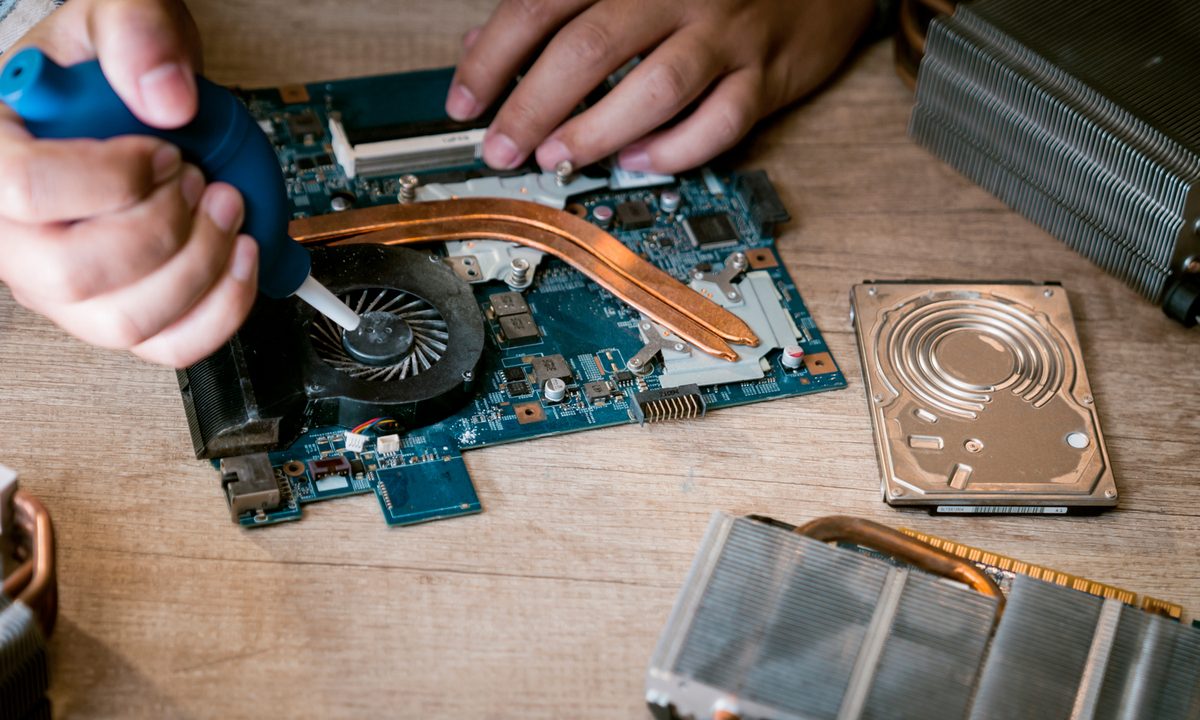
If you're comfortable with opening up your laptop, then by all means, go ahead and do so. Maybe you've already done so to do something like swap out the factory CPU thermal paste for a better version. Or maybe you spilled some water on your laptop and wanted to make sure it was dry inside.
But notebooks computers are all different, and most use hex screws that most people don't have the tools to open. And one of the worst things that can happen is to strip the head on a case screw, making it impossible to open the case without major surgery. We're going to recommend that if you want your laptop opened up for a good cleaning, take it to a professional.
How often should I clean my laptop fan?
Everybody's habits and environments are different, and so how often you need to clean your laptop fan depends entirely on your circumstances.
If you work in a relatively clean office or home environment, then you can probably get away with cleaning your fan a few times a year. If you work in a construction zone, however, or some other very dirty or dusty locale, then you could benefit from cleaning your laptop fan once a week. In either case, you should regularly clean your laptop keyboard.
Certainly, if your laptop starts performing more slowly, dirty fans could be a contributing factor. In those cases, go ahead and give them a quick cleaning just to be sure.
That's it. You should be able to remove quite a bit of the built-up debris in your laptop using these simple steps. Again, if you decide that it's still too dirty, then you can take it to a professional technician who can crack open the case and give it a thorough cleaning.
Want your laptop to run even cooler? Here are some of our tips to chill even the hottest of laptops.