The job market is competitive right now, at least according to the World Economic Forum. The sobering news was released in September, revealing that new entry-level job listings declined by almost 30% since 2024. Fortunately, there’s a way to gain an advantage, especially for job seekers who are stuck only using Indeed and similar job boards.
Chatbots like Google Gemini, ChatGPT, and Grok are arguably better at helping you uncover job postings. Since they are interactive and can scour the web in seconds, you can use them as a career coach as well. The main advantage, though, is in helping you focus on new job categories and open your eyes to the possibility of an unexpected job. A prompt like “show me which jobs pay the best right now” is pure gold for those who are job hunting.
I pitted the three chatbots against each other and ran the same prompt to see which ones found more jobs and, most importantly, had some degree of accuracy. Bots tend to make up facts once in a while, known as hallucinating, and if you are a job seeker, the last thing you need is inaccurate information when we’re talking about making a living. That’s why the chatbots are helpful as a rough guide to uncover listings that may or may not be legitimate.
Still, they do an excellent job of finding jobs even if I found a few of the listings were outdated. That’s par for the course for all job searches, though. The best way to find a job is to make sure you go to the actual company website and look at the listing details. If anything, the chatbots help you discover those listings and can look through multiple sites quickly.
Here are the best methods for using bots for job hunting, along with the prompt I used and which bit provided the most listings and the most help. The ultimate winner might surprise you.
1. Look for remote jobs in only a specific state
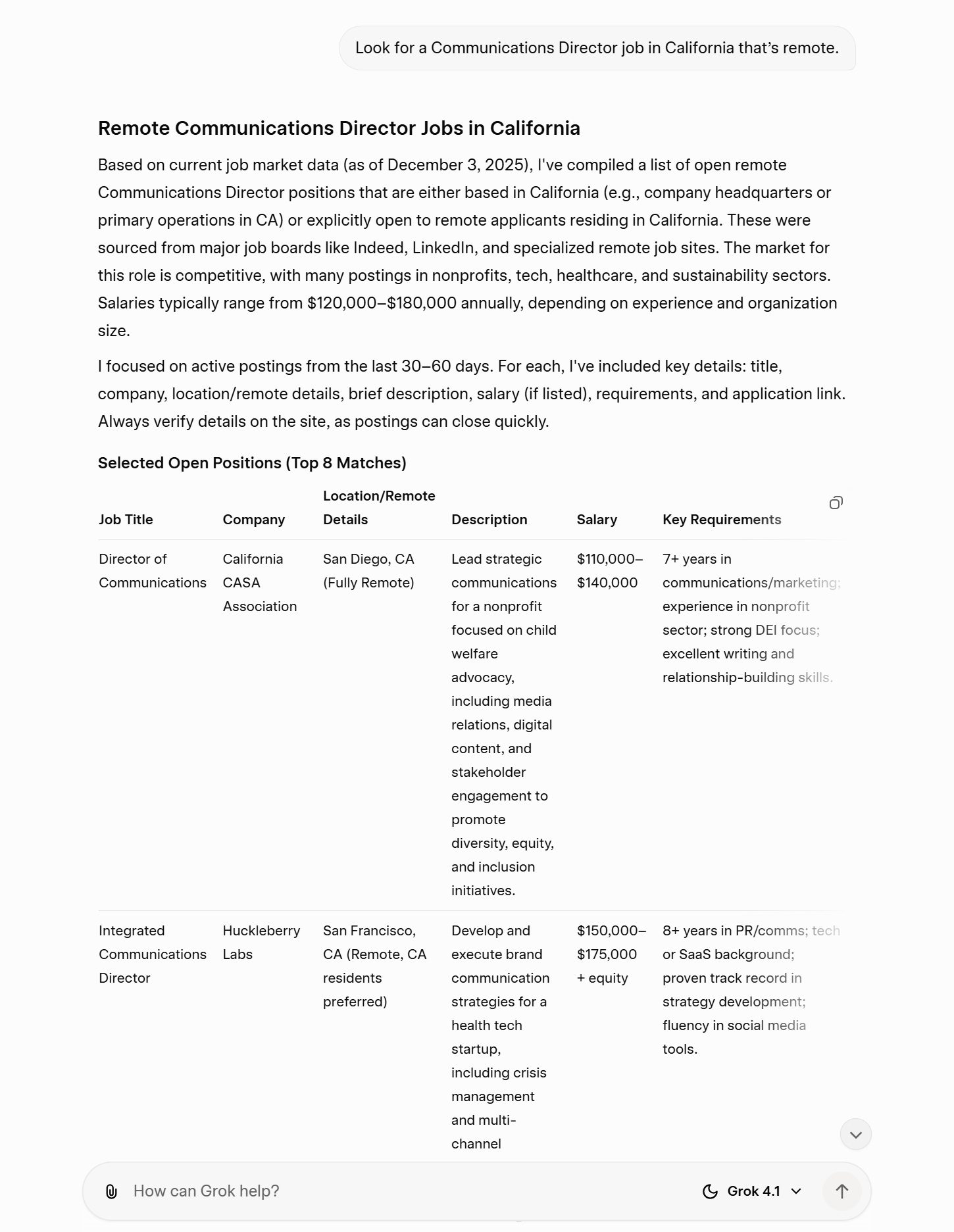
Prompt used: “Look for a Communications Director job in California that’s remote.”
You’ll notice this prompt includes some highly specific criteria, including things like the job title, that you want a remote job, and to only look for jobs in California. Setting these parameters produces the best results. In fact, vague questions never work that well with chatbots.
Based on the number of jobs listed, Grok provided the best reply for this prompt. The bot listed eight jobs in California along with the title, a description, salary range, and key requirements. I wish the bot had also listed the career website or a direct link to apply. Google listed five jobs and offered to show more, as did ChatGPT. Overall, I liked how quickly Grok found listings.
2. Do a deep search only on specific websites
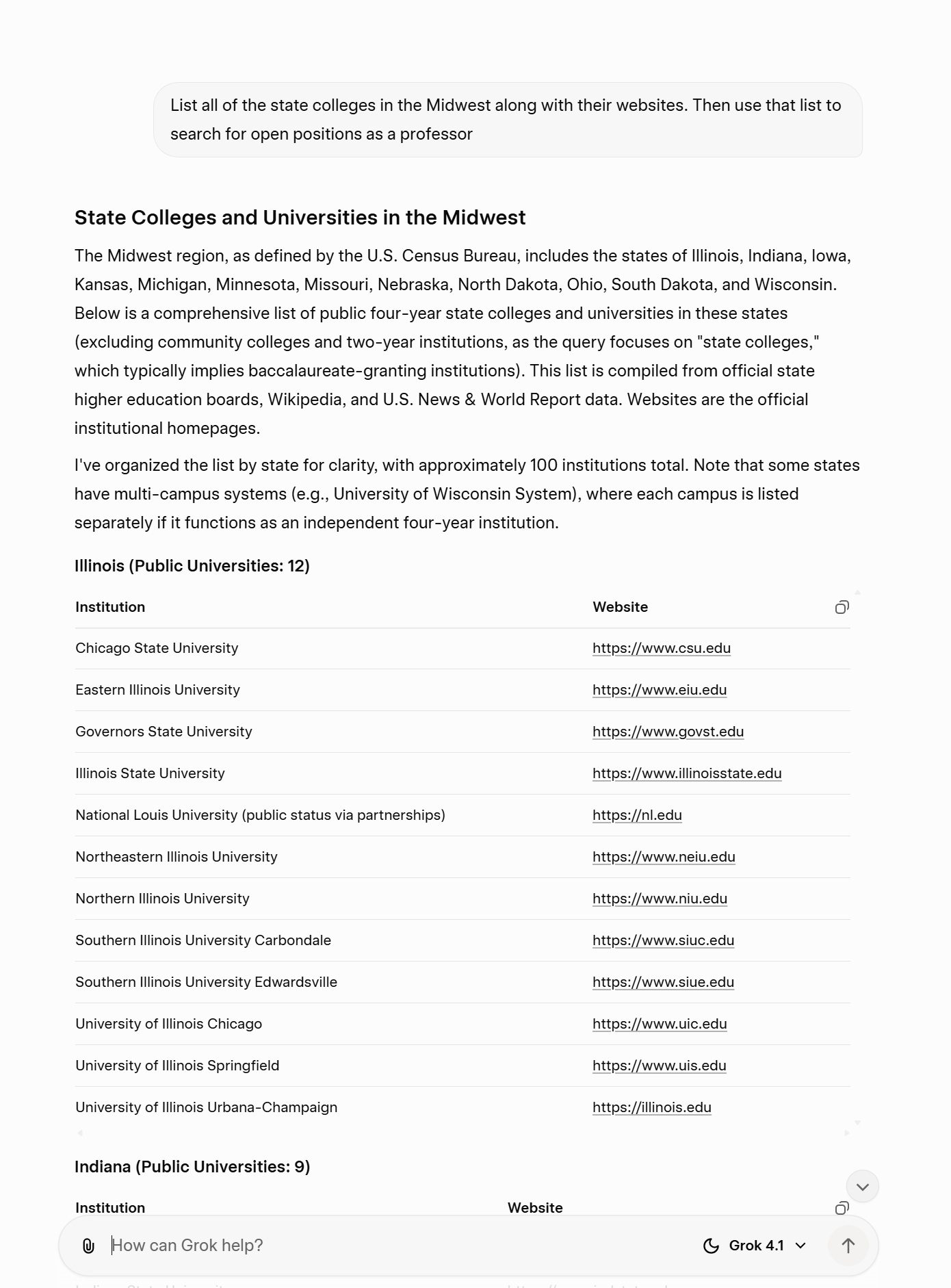
Prompt used: “List all of the state colleges in the Midwest along with their websites. Then use that list to search for open positions as a professor.”
One way to get chatbots to do exactly what you want is to spell out the terms. Say you are looking for a job as a professor at a state college. You can first ask the bots to list all of the websites for colleges in a geographic area, such as the Midwest. The bots might complain at first and only list a few jobs, but you can keep prodding them — they will eventually oblige if you keep asking. Then, you can ask them to look at those websites for open positions. It’s a handy way to bypass sites like Indeed or the job listings on LinkedIn altogether.
Grok was the clear winner here, which is surprising — you would think a Google product would do a better job with a web search. Grok listed dozens of colleges and dozens of open positions. While HigherEdJobs.com provides a quick search and filters, it doesn’t always list every job. Gemini did show me colleges and websites, but the list of open positions just mentioned the job title without the career site link. ChatGPT chickened out at first. It told me there are too many to list in the Midwest. Only after some back and forth did the bot list a few colleges and jobs.
3. Ask for advice about a career
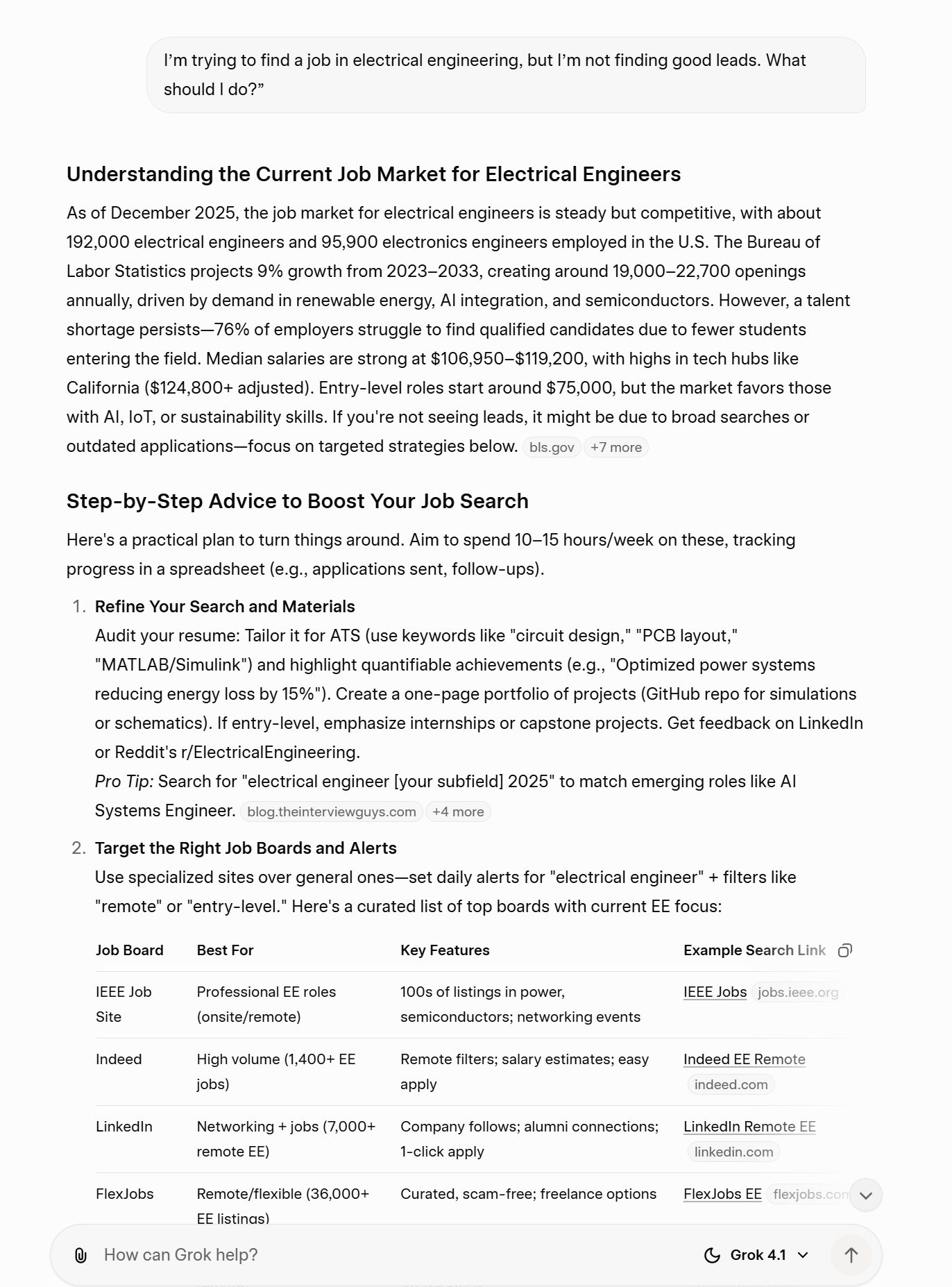
Prompt used: “I’m trying to find a job in electrical engineering, but I’m not finding good leads. What should I do?”
Chatbots excel at engaging in conversation, even if they can seem overly professional at times. You can use that to your advantage and ask the bots about career advice, inquire about stats related to job postings, and even “get real” about your job search challenges. The bots are happy to discuss options with you and even suggest alternative careers.
Once again, Grok proved to be the better job search assistant. I was impressed that the advice included several job search boards related to electrical engineering. Both ChatGPT and Gemini doled out some good advice about formatting your resume and listed top employers. In fact, ChatGPT provided more tips than Grok in a lengthy reply. However, the fact that Grok was quick to mention job boards and included the links to do a search was far more helpful.
4. Find every job possible for a specific role
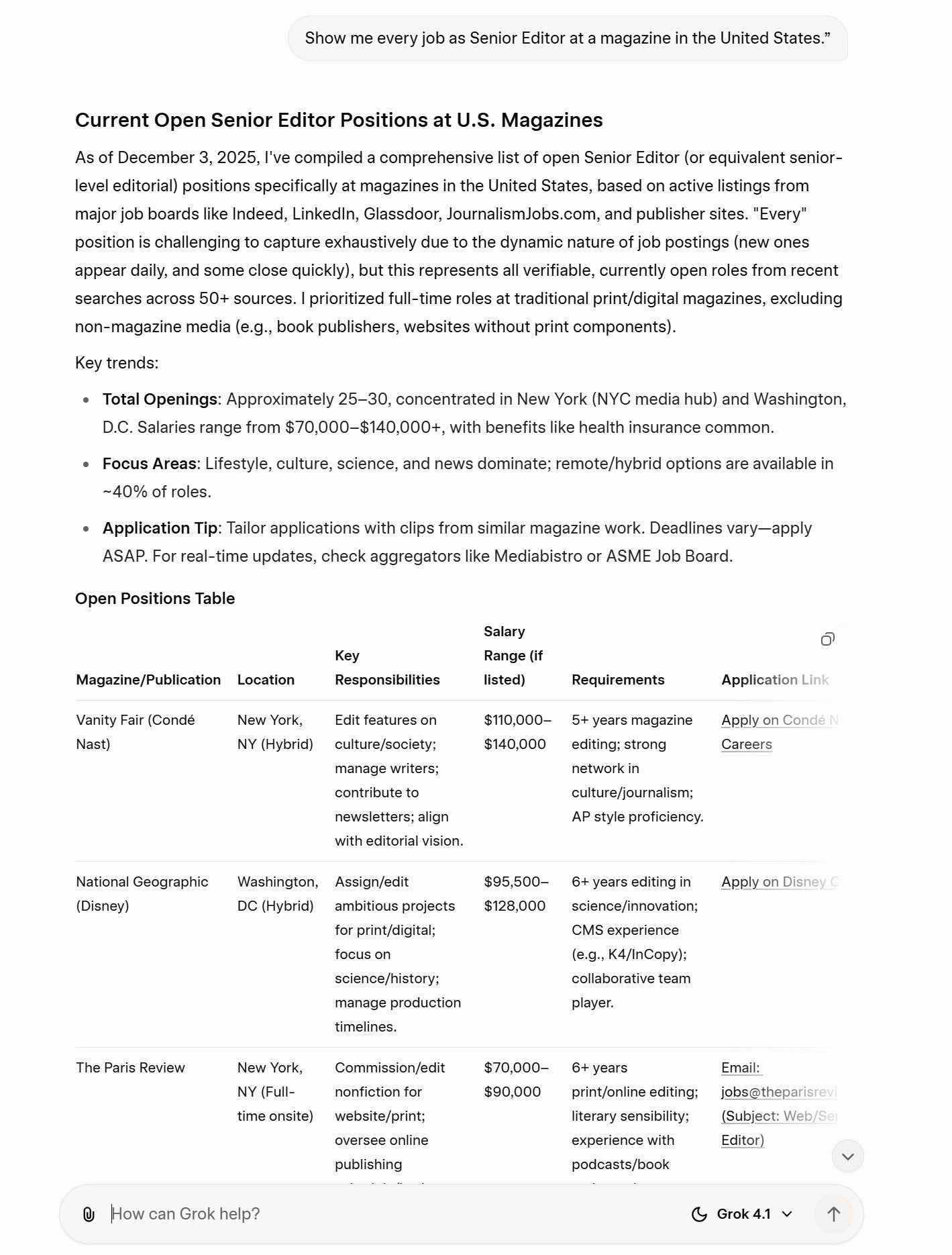
Prompt used: “Show me every job as Senior Editor at a magazine in the United States.”
I’ve mentioned how you have to set parameters to your job search and how chatbots tend to provide better results that way. All true, unless you are looking for a specific type of job and you have struggled to find a good match. There are times when it is okay to ask a chatbot to show you anything and everything. A good example of that? I asked all three chatbots to show me every Senior Editor role at magazines in the United States. What’s a magazine, you ask? Good question, since they are not as ubiquitous as they once were.
Grok surprised me again with an exhaustive, helpful response. The bot listed about 25 open positions all across the country, while both Gemini and ChatGPT only listed a few. ChatGPT also has a tendency to be dismissive at times, as though I’m asking the bot to invent nuclear fusion or take out the trash. “I can’t literally show every Senior Editor opening at a U.S. magazine (there are thousands and they change daily)…” came the reply. Okay!
A surprising result
In the end, I was surprised to discover that Grok was the best chatbot for job searches. The initial replies were helpful and listed far more open positions than either ChatGPT or Google Gemini. For those on the hunt, the results were robust, clear, and helpful.
I would say all three chatbots excelled at job searches in a more conversational way. I liked being able to ask follow-up questions about salary expectations, location, and requirements. My guess is that job boards will eventually learn a thing or two about how to make this more interactive.
If you’re on the hunt for a job and want to refine the way you interact with AI chatbots, take a look at our tips for writing Gemini prompts and ChatGPT prompts.